
Grant
KeePass plugin installation failed. Error
HI
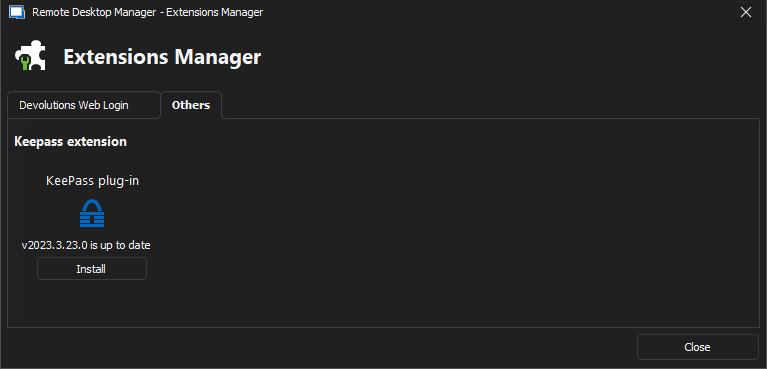
We have just figured out that the issue, in our case , is that the files contained in the Devolutions.KeePassPlugin.2023.3.23.zip need to now go into the plug-in folder in Keepass (C:\Program Files\KeePass Password Safe 2\Plugins) and not the root as previously mentioned.
They files can not be in the "C:\Program Files\KeePass Password Safe 2" either as this seems to confuse RD Manager, the can only be in the plugin folder. I initially had them in both locations and that was causing the latest issue. Once moved to the plugin folder everything worked as expected.
I hope this helps
Kind Regards
Grant
KeePass plugin installation failed. Error
Hello,
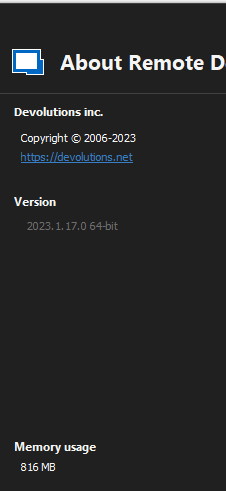
This is simply to let you know we managed to fix multiple potential issues with KeePass on the latest version of RDM (2023.1.17.0)
Could you attempt to update to the latest version of RDM ?
You can find the executable for this version here: https://devolutions.net/remote-desktop-manager/home/thankyou/rdmsetup
Best regards,
Hi Zachary
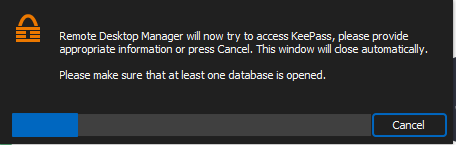
I have only just been able to upgrade and I cant even get into a Keepass DB anymore. All i get is the password prompt for Keepass, it open Keepass but RD Manager just display a message that it is trying to read the db.
I have upgraded and then also fully re-installed RD Manager and still the same.
Kind Regards
Grant
KeePass plugin installation failed. Error
Hello,
...
Are you running Windows 11 ?
Best regards,
Hi Zachary
I am running windows 10 Enterprise 22H2.
Kind Regards
Grant
KeePass plugin installation failed. Error
Hi Zachary
I have 2127 entries in my DB.
Kind Regards
Grant
KeePass plugin installation failed. Error
Hi
The issue seems to be the amount of records in a Keepass DB is the issue. I am not sure how many records the limit is, but if I start removing records eventually RD manager will display the list.
I did try and see if it was a data issue itself, but it did not matter what I removed.
Kind Regards
Grant
KeePass plugin installation failed. Error
Hello ,
I have just upgraded and am experiencing exactly the same issue. even having to repair the installation to see the zip file.
I have done some further test and while I have found a bug, I have not found a solution for my problem .
It seems the plugin does not list any folders that are empty. so it will read one of my two databases. the one that it doesn't read I have gone though and made sure every folder has an entry in it but it still does not read any info from the DB.
We also don't have any special characters that i can see that may be breaking things.
Kind Regards
Grant
BeAnywhere Integration
Hi David
I would also like to register my interest for MSP Anywhere integration.
Thanks