KeePass plugin installation failed. Error
Hello,
RDM 2023.1.14.0 64-bit
After updating the application to version 2023.1.14.0 I had a problem with connections using credentials in the form saved in the KeePass database.
The application did not see the open KeePass base
Attempting to reinstall plugin.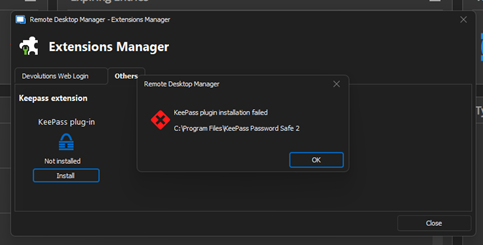
When use a RDM connetion with KeePass credentials i have alert The KeePass plugin not installed. Would you like to install ?
Finally application try install plugin and i have the same alert as above. Installation failed.
Copy dll files from another PC with RDM in the same version to my location: c:\Program Files\KeePass Password Safe 2\
c:\Program Files\KeePass Password Safe 2\Devolutions.Ipc.dll
c:\Program Files\KeePass Password Safe 2\Devolutions.Utils.dll
c:\Program Files\KeePass Password Safe 2\Devolutions.Utils.Windows.dll
c:\Program Files\KeePass Password Safe 2\DevolutionsKeepassPlugin.dll
DevolutionsKeepassPlugin.dll version 2023.3.16.5
After launching the KeePass application, we receive a message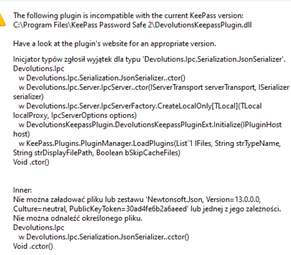
KeePass version with plugins is up to date: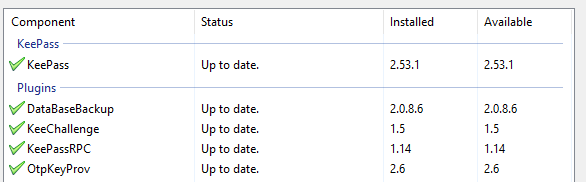
Image3.png
Image2.png
image.png
All Comments (37)
Hello,
Thank you for contacting us about this issue !
I will need some extra details regarding your case, however I will send you a private message.
I'm doing this in case you're not comfortable with sharing the information I will require on a public forum.
You'll then be able to reply with a private message as well.
Best regards,
Hello,
The engineers believe that you may be missing a few files.
These can be found within the installation folder under C:\Program Files\Devolutions\Remote Desktop Manager\Applications
Once there, you'll find a ZIP file named "Devolutions.KeePassPlugin.2023.3.16.5.zip"
Take this file and extract it within C:\Program Files\KeePass Password Safe 2\
Let me know if this works !
Best regards,
Hello,
The directory was empty, but I ran the installation again and selected the repair option. After that, the indicated file appeared.
I copy all content zip file to the C:\Program Files\KeePass Password Safe 2\.
KeePass dosn't show error when runing, but if i want add entry to the vault from KeePass i can'd search anything.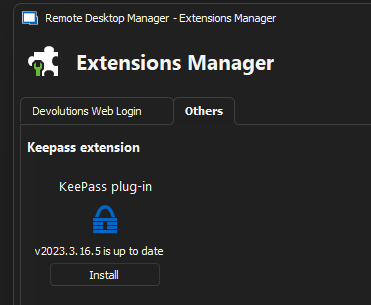
After that the c:\Program Files\Devolutions\Remote Desktop Manager\Applications\ is empty again.
In user vault i choose add credential entry > KeePass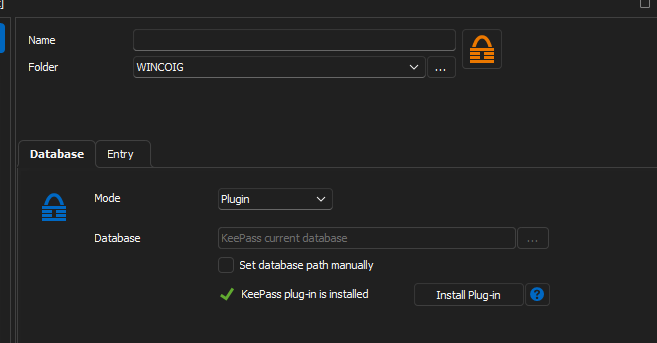
and ...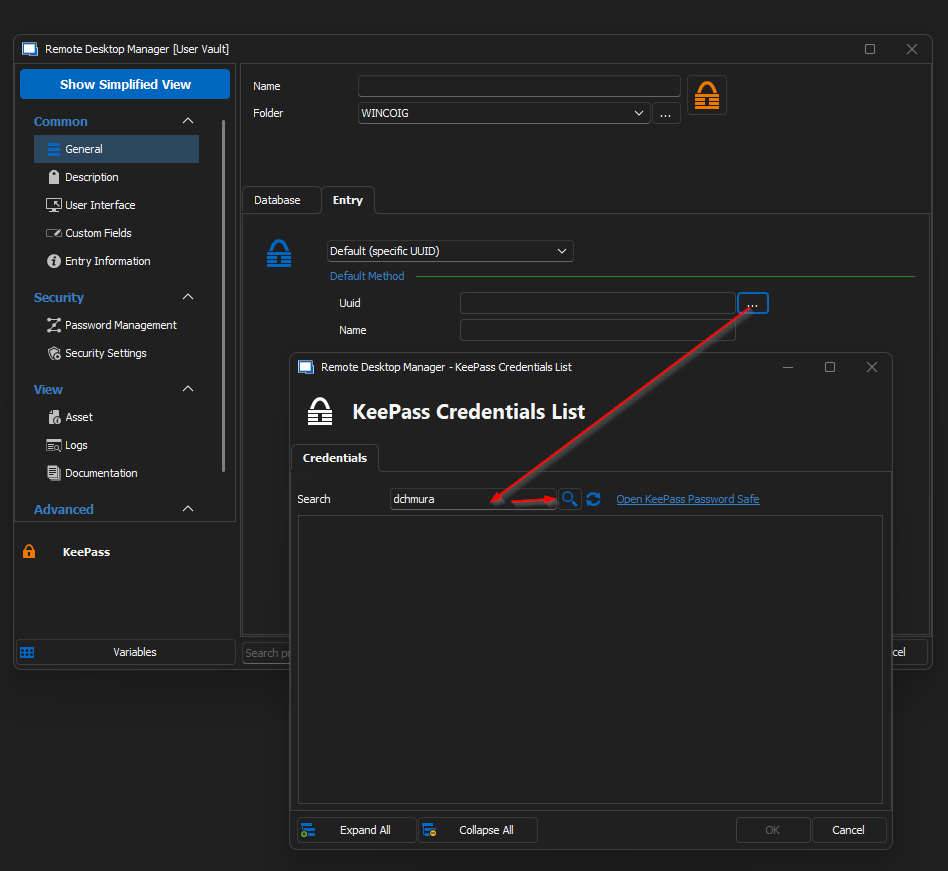
The search returns no results?
Image5.png
Image4.png
image.png

Hello ,
I have just upgraded and am experiencing exactly the same issue. even having to repair the installation to see the zip file.
I have done some further test and while I have found a bug, I have not found a solution for my problem .
It seems the plugin does not list any folders that are empty. so it will read one of my two databases. the one that it doesn't read I have gone though and made sure every folder has an entry in it but it still does not read any info from the DB.
We also don't have any special characters that i can see that may be breaking things.
Kind Regards
Grant
RD2.png
KP2.png
RD1.png
KP1.png
Hi
The issue seems to be the amount of records in a Keepass DB is the issue. I am not sure how many records the limit is, but if I start removing records eventually RD manager will display the list.
I did try and see if it was a data issue itself, but it did not matter what I removed.
Kind Regards
Grant
Hi
The issue seems to be the amount of records in a Keepass DB is the issue. I am not sure how many records the limit is, but if I start removing records eventually RD manager will display the list.
I did try and see if it was a data issue itself, but it did not matter what I removed.
Kind Regards
Grant
Hello Grant,
Thank you for this information.
Could you confirm the number of records you're at now ?
I'll tell our engineers to try and surpass your current number of records internally to see at what point RDM decides to not display the list.
Best regards,
Hi Zachary
I have 2127 entries in my DB.
Kind Regards
Grant
Hi,
I only have 121 entries in my work DB and face the exact same issue.
@Zachary: the folder "C:\Program Files\Devolutions\Remote Desktop Manager\Applications" doesn't contain the plugin .zip you described...on none of our clients.
Some updated via the application, some manually, some via winget so they way of updating can't be the reason.
Nonetheless I got the files from the zipped "installer". The files should go directly into the Keepass main/root folder, not into the subfolder "Plugins"?
Regards
MeOw
image.png
Hi,
I only have 121 entries in my work DB and face the exact same issue.
Regards
MeOw
Hello,
Just to be clear, do you mean 121 entries in your RDM data source ?
Or within your KeePass database ?
Regardless we managed to reproduce the issue but just wanted to be sure.
Secondly, I'd like to know which version of RDM you're running ?
Best regards,
Hello,
Just to be clear, do you mean 121 entries in your RDM data source ?
Or within your KeePass database ?
Regardless we managed to reproduce the issue but just wanted to be sure.
Best regards,
Hi Zachary,
just 121 entries in the Keepass database. Just wanted to point that out that I don't think it has something to do with too many entries in Keepass. Our MSSQL has more than 4000 entries but I can't imagine it has something to do with that.
Weirdly enough the usage of "personal credentials" and "priviledged account" still works even though they are also referencing a Keepass entry (via the UUID).
Hi Zachary,
just 121 entries in the Keepass database. Just wanted to point that out that I don't think it has something to do with too many entries in Keepass. Our MSSQL has more than 4000 entries but I can't imagine it has something to do with that.
Weirdly enough the usage of "personal credentials" and "priviledged account" still works even though they are also referencing a Keepass entry (via the UUID).
Hello,
Thank you, I mentioned this to our QA department.
Since we managed to reproduce the issue,we should be able to find exactly what causes the bug.
As of now we can only reproduce the issue in Windows 11 and not in Windows 10
Best regards,
Hi,
The problem concerns the configuration when we use the plugin and a large number of entries in the KeePass database.
Why?
Test1)
Plugin + KeePass DB with 1678 entries (search is not working)
Test2)
Plugin + KeePass DB with 54 entries (is OK, i can search, the data are visible in "KeePass Crendetial List" Window)
Test3)
Direct Connection to KeePass DB with 1678 entries from Test1 (Is working)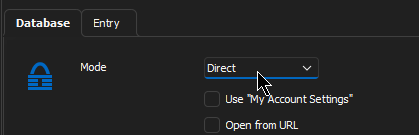
But, if you have KeePass DB with Yubikey security key option we can't use DirectConnection :(
image.png
Hi,
The problem concerns the configuration when we use the plugin and a large number of entries in the KeePass database.
Why?
Test1)
Plugin + KeePass DB with 1678 entries (search is not working)
Test2)
Plugin + KeePass DB with 54 entries (is OK, i can search, the data are visible in "KeePass Crendetial List" Window)
Test3)
Direct Connection to KeePass DB with 1678 entries from Test1 (Is working)
But, if you have KeePass DB with Yubikey security key option we can't use DirectConnection :(
Hello,
Thank you, I will mention this to our QA departemnt, rest assured that since we've reproduced the issue internally, we are looking into what is causing KeePass to behave this way.
Once we've figured out the source of the issue, we will be able to begin working on a fix.
Are you running Windows 11 ?
Best regards,
Hello,
...
Are you running Windows 11 ?
Best regards,
Hi Zachary,
I'm indeed running Windows 11 22H2, the co-workers with Windows 10 don't have the problem. Exact same RDM, Keepass plugin and Keepass versions...
Regards
M.O.
Hi, I have the same Issue, but with already installed Keepass plugin after updet from version 2022 to actual version 2023, and with the correct updated version of KeePass Plugin.
The error message is the same. RDM can not access the program path, where KeePass is installed. Also KeePass is closed.
RDM 2023.1.14.0 64-bit
KeePass plugin: 2023.3.16.5
Please remedy!!!!!!!!!!!!!!!
image.png
Hello,
...
Are you running Windows 11 ?
Best regards,
Hi Zachary
I am running windows 10 Enterprise 22H2.
Kind Regards
Grant
Hello,
Thanks to everyone for confirming your Windows OS versions
We will continue to look into this issue as we've been doing so for the last few days.
As of now, many of these issues are being reproduced internally, which means that a fix for them should be that much closer than it was previously.
We still have a couple of issues we've yet to reproduce, but are working hard to do so.
If you have any further details or concerns, don't hesitate to let us know.
I will be looking in this forum thread regularly.
I will also keep you updated here for when these issues have fixes developed and let you know when they're released.
Best regards,
Hello,
This is simply to let you know we managed to fix multiple potential issues with KeePass on the latest version of RDM (2023.1.17.0)
Could you attempt to update to the latest version of RDM ?
You can find the executable for this version here: https://devolutions.net/remote-desktop-manager/home/thankyou/rdmsetup
Best regards,
Hi,
Version RDM 2023.1.17.0
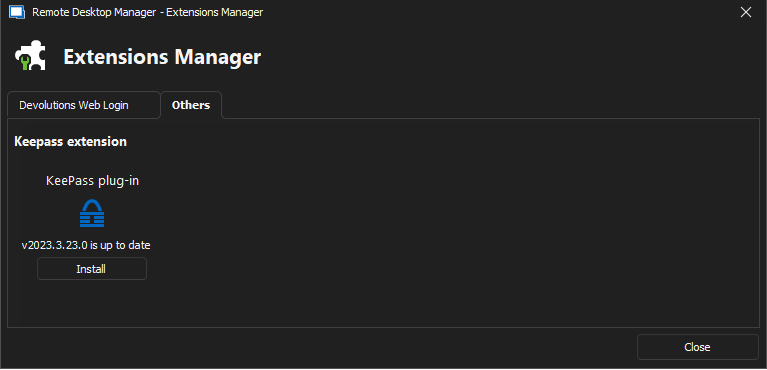
Keepass Plugin 2023.3.23
Still unable to search for credentials in large KeePass database.
image.png
Hi, after upgrade to latest RDM im not even see keypass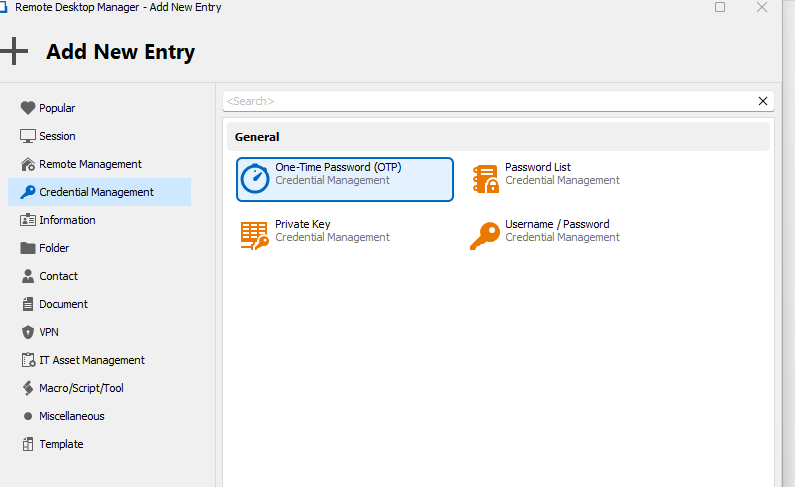
image.png
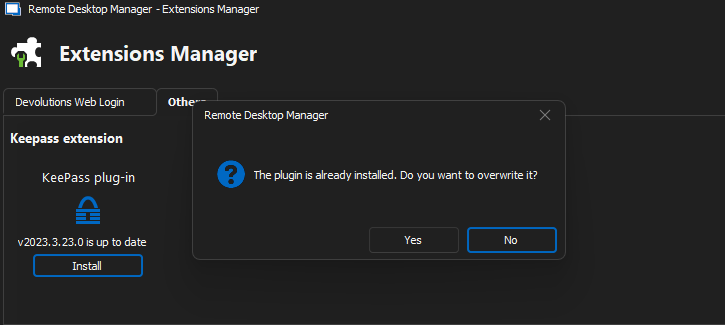
image.png
Hi,
Maybe limiting to 1000 entries in KeePass DB?
No i only have 101 entries in db
Hi,
Maybe limiting to 1000 entries in KeePass DB?
This information is for this problem...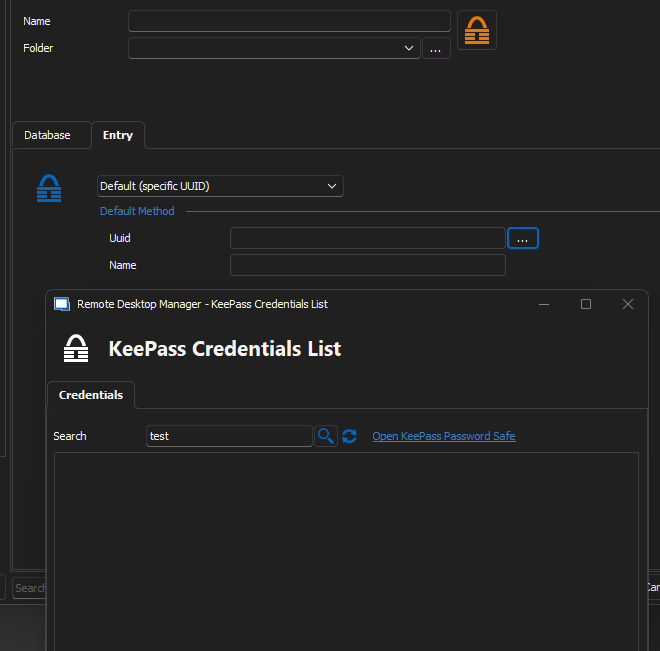
image.png
Hi,
Maybe limiting to 1000 entries in KeePass DB?
This information is for this problem...
Where do you see this screen?
Im using local keepass and im not able to choose keepass as credential entry.
Even removed and reinstalled RDM but it didnt help
Hi,
Maybe limiting to 1000 entries in KeePass DB?
This information is for this problem...
Where do you see this screen?
Im using local keepass and im not able to choose keepass as credential entry.
Even removed and reinstalled RDM but it didnt help
User Vault > Add Credential Entry > KeePass
I'm trying to look up credentials in the KeePass database
If the database has less than 1000 entries plugin display credential, if more then 1000 plugin not working, but direct connection to Keppass is working for KeePassDB with more then 1000 entries.
Hi, after upgrade to latest RDM im not even see keypass
Hello,
Could you make sure that your license is configured within your data source ?
Go to Administration > License and if you find that it isn't then it will need to be added there.
I suspect your issue is due to either not having a license added, or due to the fact that you're not using the correct data source.
I suspect this because the options you do have available are exactly the options that are available when using the Free Edition of RDM.
Best regards,
Hi,
Version RDM 2023.1.17.0
Keepass Plugin 2023.3.23
Still unable to search for credentials in large KeePass database.
Hello,
I'm really sorry to see that it's still not working.
I'm speaking with our QA and Engineering departments regarding what exactly could be happening.
When we developed the fix we were unable to reproduce the issue you're still experiencing internally, however it seems you're not the only one to still have this behaviour in RDM.
I will update you when I have news regarding your KeePass issue.
Best regards,
Hello,
This is simply to let you know we managed to fix multiple potential issues with KeePass on the latest version of RDM (2023.1.17.0)
Could you attempt to update to the latest version of RDM ?
You can find the executable for this version here: https://devolutions.net/remote-desktop-manager/home/thankyou/rdmsetup
Best regards,
Hi Zachary
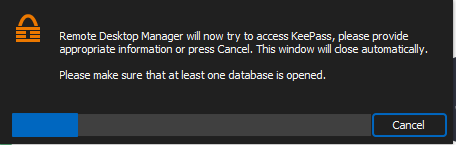
I have only just been able to upgrade and I cant even get into a Keepass DB anymore. All i get is the password prompt for Keepass, it open Keepass but RD Manager just display a message that it is trying to read the db.
I have upgraded and then also fully re-installed RD Manager and still the same. 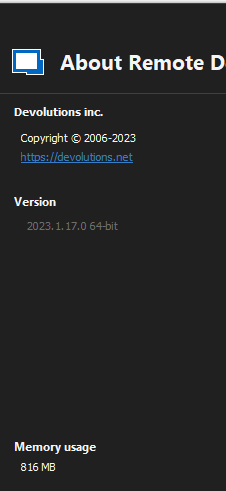
Kind Regards
Grant
RD Version.png
RD Keepass Pligin.png
RD Keepass open.png
Same for me, shows keepass installed. License bound and when i try to connect to keepass it just search and then closes the searchbar
Hello,
This is simply to let you know we managed to fix multiple potential issues with KeePass on the latest version of RDM (2023.1.17.0)
Could you attempt to update to the latest version of RDM ?
You can find the executable for this version here: https://devolutions.net/remote-desktop-manager/home/thankyou/rdmsetup
Best regards,
Hi Zachary
I have only just been able to upgrade and I cant even get into a Keepass DB anymore. All i get is the password prompt for Keepass, it open Keepass but RD Manager just display a message that it is trying to read the db.
I have upgraded and then also fully re-installed RD Manager and still the same.
Kind Regards
Grant
HI
We have just figured out that the issue, in our case , is that the files contained in the Devolutions.KeePassPlugin.2023.3.23.zip need to now go into the plug-in folder in Keepass (C:\Program Files\KeePass Password Safe 2\Plugins) and not the root as previously mentioned.
They files can not be in the "C:\Program Files\KeePass Password Safe 2" either as this seems to confuse RD Manager, the can only be in the plugin folder. I initially had them in both locations and that was causing the latest issue. Once moved to the plugin folder everything worked as expected.
I hope this helps
Kind Regards
Grant
Hello,
Thank you all for your continued patience as we try to get this working for everyone, we just released version 2023.1.18.0 of RDM, which contains fixes for KeePass.
I must warn you that there is a database upgrade that may be necessary if you're using an advanced data source.
The latest version can be downloaded here: https://devolutions.net/remote-desktop-manager/home/thankyou/rdmsetup
Please let me know if the update resolves the issue(s) or not.
Thanks !
Best regards,
HI
We have just figured out that the issue, in our case , is that the files contained in the Devolutions.KeePassPlugin.2023.3.23.zip need to now go into the plug-in folder in Keepass (C:\Program Files\KeePass Password Safe 2\Plugins) and not the root as previously mentioned.
They files can not be in the "C:\Program Files\KeePass Password Safe 2" either as this seems to confuse RD Manager, the can only be in the plugin folder. I initially had them in both locations and that was causing the latest issue. Once moved to the plugin folder everything worked as expected.
I hope this helps
Kind Regards
Grant
Hello Grant,
Indeed, thank you for your precision.
The plugin will need to be installed under C:\Program Files\KeePass Password Safe 2\Plugins
I'd also add that RDM should currently with the latest version be able to install the plugin files there automatically.
The .ZIP file being extracted should no longer be a requirement to my knowledge.
Best regards,
Everything fixed and working after latest update,
Version 2022.3.35.0 64-bit
and keepass 2.1.2.0
THX
Hi,
The function works correctly.
THX.
Hi,
The function works correctly.
THX.
Hello,
That's great !
I'm glad to see that KeePass is now working as intended.
Best regards,
Everything fixed and working after latest update,
Version 2022.3.35.0 64-bit
and keepass 2.1.2.0
THX
Hello,
Just to be clear, the latest version I mentioned above is 2023.1.18.0
Is this what you meant to say you downloaded ?
Your last post says otherwise and I just want to be certain that the latest version is working for you as intended.
Thank you !
Best regards,