
Brian3
Spiceworks error
I can confirm that 10.1.8 fixed the issue for me. Thanks for the quick fix!
Spiceworks error
Thanks! I will give a try as soon as it is released.
Spiceworks error
Attached are the screenshots of the Spiceworks page for both scenarios.
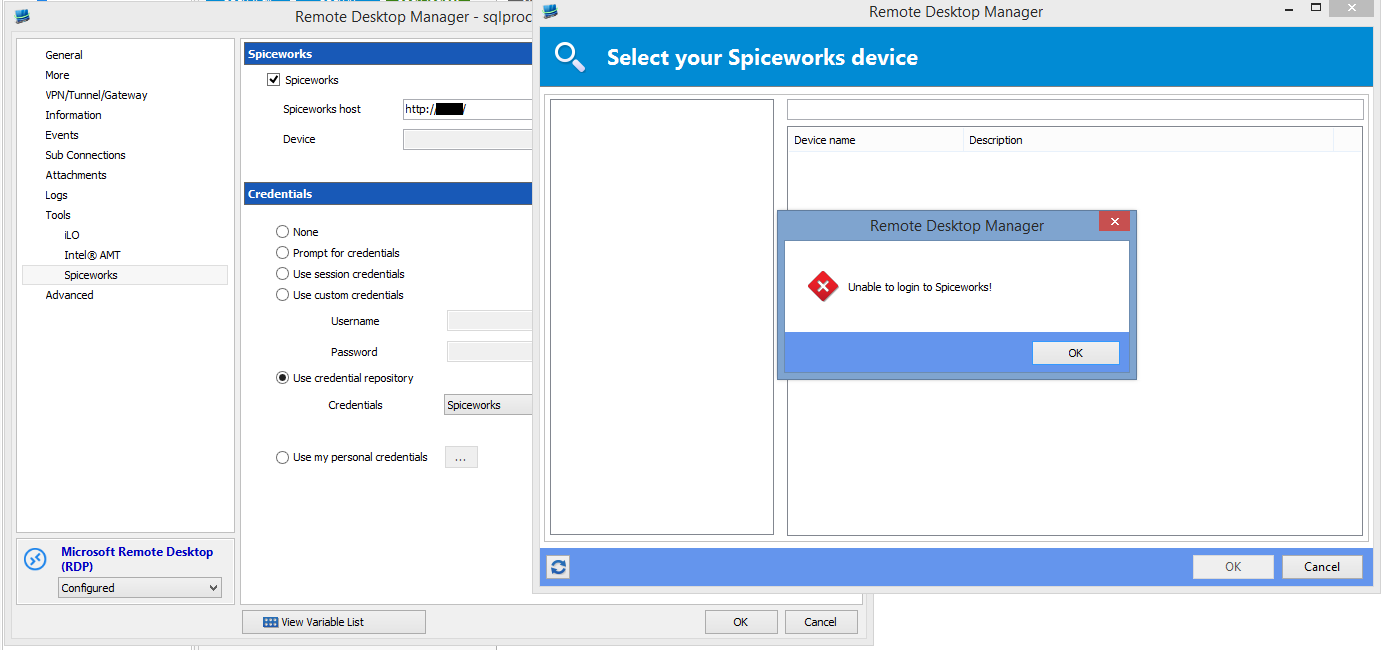
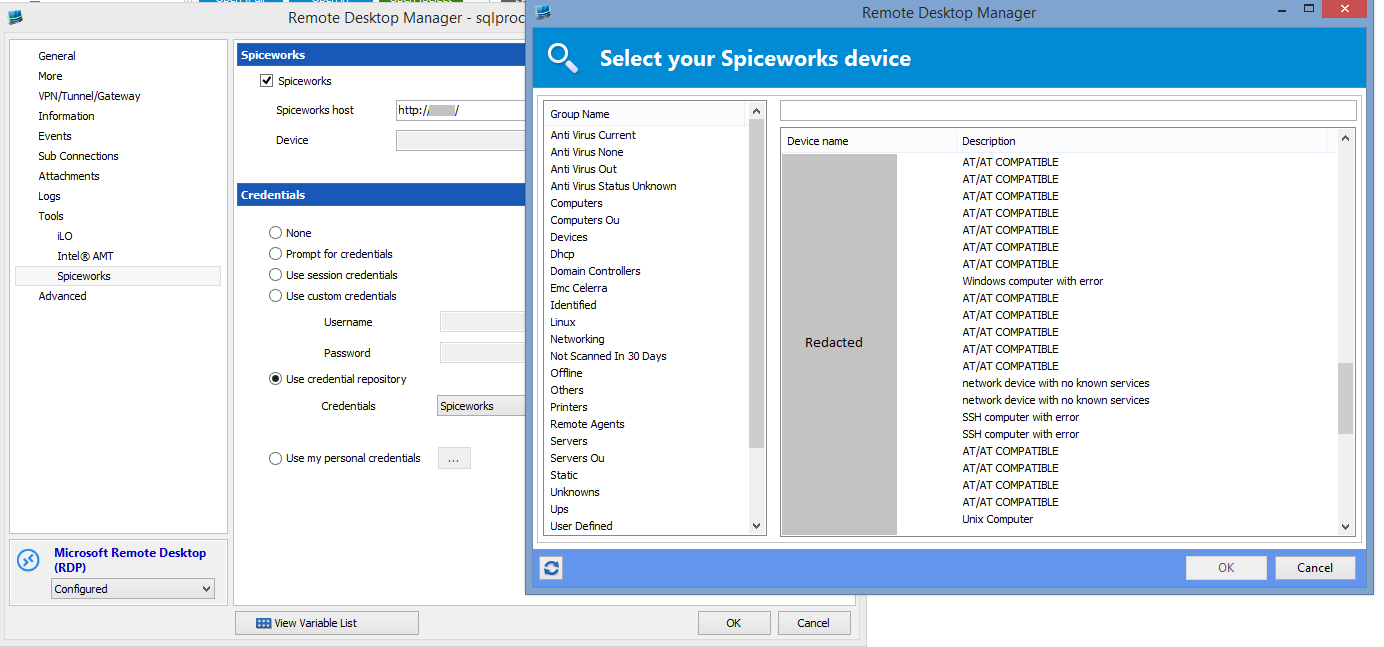
Spiceworks error
I have found how to reproduce the problem. It occurs only when I use the $NAME$ variable in the remote desktop computer field. If I use the hostname or IP instead the Spiceworks integration works fine. I have attached a couple screenshots to illustrate.
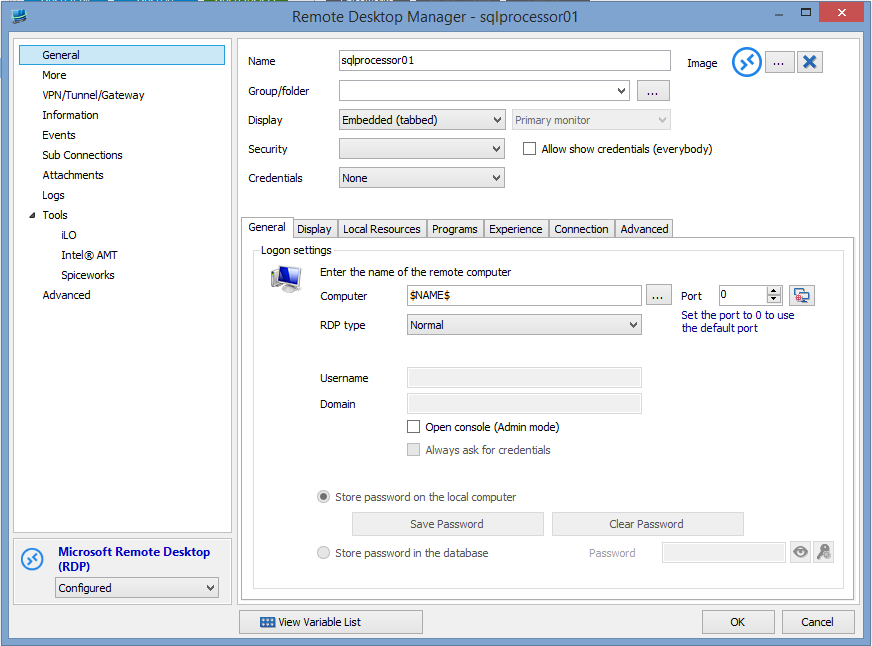
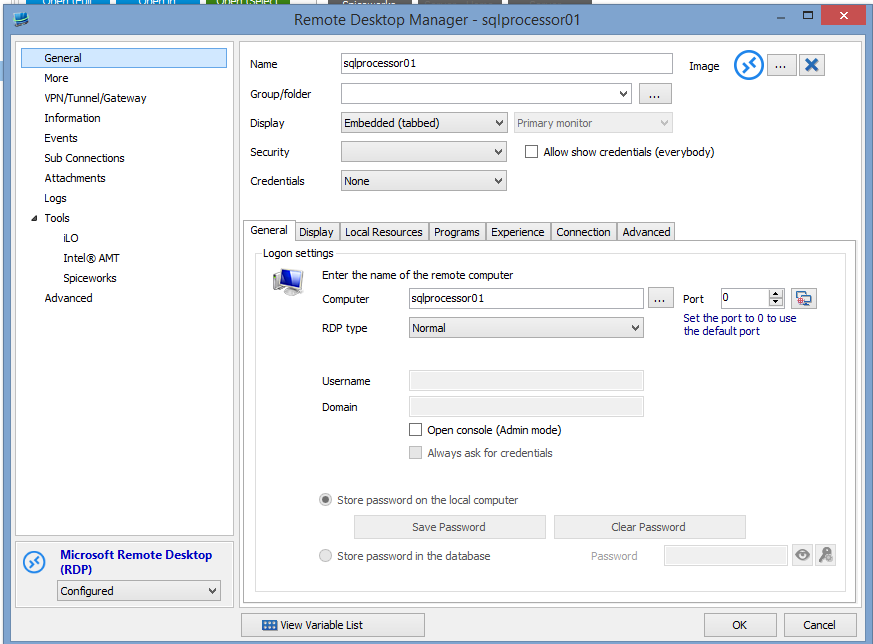
Spiceworks error
No. It is a relatively new Spiceworks install with all default pages.
Spiceworks error
The error is "Unable to log in to Spiceworks." Once I hit OK the message will pop up immediately again. Once I close the second instance of the message there are no more errors, just a blank "Select your Spiceworks device" window.
I will give 10.1.8 a try when it comes out.
Thanks,
Brian
Spiceworks error
I was having the same error as in the thread http://forum.devolutions.net/topic18960-spiceworks-integration.aspx. However, version 10.1.7 fixed that. Now I am getting another error with the Spiceworks integration.
First I have created a new Spiceworks session entry that takes me to the Spiceworks dashboard. I created a saved credentials for Spiceworks and I am successfully using it for this Spiceworks session entry.
The problem is encountered when I try to enable Spiceworks integration for a RDP session. The problem requires a fairly specific series of events so here is what I have tried.
- Add Spiceworks to a SSH session using "Use credential repository" on the Spiceworks page of the SSH session = Works
- Add Spiceworks to a RDP session using "Use custom credentials" on the Spiceworks page of the RDP session edit window = Works
- Add Spiceworks to a RDP session using "Use credential repository" (with the same credentials as worked on other entries) on the Spiceworks page of the RDP session edit window = Fails when I click on the link button
- Switch the RDP session Spiceworks from "use custom credentials" to "Use credential repository" after using the link button to select the item in Spiceworks = Works
The strange part is I have logging turned on and I did get the error when it failed due to the pre 10.1.7 error mentioned in the form I linked to at the top of this post. However, for this issue I get absolutely nothing the RDM log.
So I do have a workaround, but it gets a little tedious to first add the Spiceworks info using manually entered credentials and then switch it over to the saved credentials. Also, it seems a little strange that it works fine for SSH sessions but not RDP sessions. I have tried this on several RDP and SSH sessions and get the same behavior every time.
Win 8.1 Pro
RDM 10.1.7 using local data source
Spiceworks 7.3.00027 running on the same system as RDM
Thanks,
Brian
Crash on SSH timeout
I received no log messages at all.
Crash on SSH timeout
I had another crash following unchecking the exit command on disconnect option.
Crash on SSH timeout
I will give that a try. I currently have 586 entries that use a variety of types including many SSH sessions still using Putty. Do you know of a way to update that setting for all entries that use the built in client at once? I would do a batch edit but I do not know how to filter the list to exclude the Putty based sessions.
Crash on SSH timeout
Originally, no, there was nothing in the application log. However, I did manage to turn on some debug level logging. I just received the following during a crash on a system running 9.2.10.0.
[10/24/2014 08:35:14]ERROR SILENT Rebex.TerminalEmulation.TerminalException: Cannot send data because the terminal is not bound to a channel.
at Rebex.TerminalEmulation.TerminalControl.SendToServer(String text)
at Devolutions.RemoteDesktopManager.Frames.Embedded.FreEmbeddedSshShell.Disconnecting()
[10/24/2014 09:10:42]INFO RDP - Disconnect:3 / exDiscReasonReplacedByOtherConnection
Crash on SSH timeout
Whenever a SSH session closes due to timeout while using the built in SSH client the entire RDM program hangs and has to be terminated. It does not happen every time a session closes, but I would estimate it is at least 80% of the time. Here is all the relevant info I can think of. I am unfamiliar with any debug logs in RDM so please let me know if there is additional data I can upload.
- RDM Enterprise
- Has occurred on all versions of RDM v9 and v10 up the current 10.0.4.0
- Repeatable on 3 different computers running both Windows 7 and Windows 8.1 (all x64 Pro)
- Data source is SQL (tried versions 2008 R2 and 2014)
- Never occurs with Putty SSH sessions
- Sessions always close OK if manually closed, only occurs on session timeout
- Occurs with two different data sources that have never shared any data
- Sessions are to many different kinds of clients including various Linux and Cisco devices
- There is nothing in the Windows Event log except a message that the application hung
- I had used RDM for 2 years without a single crash before I tried switching from Putty to the built in SSH client. So I am fairly confident that the issue has to be related to the SSH client.
Thanks,
Brian