Spiceworks error

I was having the same error as in the thread http://forum.devolutions.net/topic18960-spiceworks-integration.aspx. However, version 10.1.7 fixed that. Now I am getting another error with the Spiceworks integration.
First I have created a new Spiceworks session entry that takes me to the Spiceworks dashboard. I created a saved credentials for Spiceworks and I am successfully using it for this Spiceworks session entry.
The problem is encountered when I try to enable Spiceworks integration for a RDP session. The problem requires a fairly specific series of events so here is what I have tried.
- Add Spiceworks to a SSH session using "Use credential repository" on the Spiceworks page of the SSH session = Works
- Add Spiceworks to a RDP session using "Use custom credentials" on the Spiceworks page of the RDP session edit window = Works
- Add Spiceworks to a RDP session using "Use credential repository" (with the same credentials as worked on other entries) on the Spiceworks page of the RDP session edit window = Fails when I click on the link button
- Switch the RDP session Spiceworks from "use custom credentials" to "Use credential repository" after using the link button to select the item in Spiceworks = Works
The strange part is I have logging turned on and I did get the error when it failed due to the pre 10.1.7 error mentioned in the form I linked to at the top of this post. However, for this issue I get absolutely nothing the RDM log.
So I do have a workaround, but it gets a little tedious to first add the Spiceworks info using manually entered credentials and then switch it over to the saved credentials. Also, it seems a little strange that it works fine for SSH sessions but not RDP sessions. I have tried this on several RDP and SSH sessions and get the same behavior every time.
Win 8.1 Pro
RDM 10.1.7 using local data source
Spiceworks 7.3.00027 running on the same system as RDM
Thanks,
Brian
All Comments (11)
Hello,
Does any error message appear when you click on the button link or does it simply not do anything? I'm currently unable to reproduce the behavior on our machines.
Version 10.1.8.0 of RDM should be out soon and we have fixed a Spiceworks bug in that version, could you give it a try when it's out?
Regards,
Hubert Mireault
The error is "Unable to log in to Spiceworks." Once I hit OK the message will pop up immediately again. Once I close the second instance of the message there are no more errors, just a blank "Select your Spiceworks device" window.
I will give 10.1.8 a try when it comes out.
Thanks,
Brian
Hello,
Are you using a customized login page for your Spiceworks server?
Regards,
Hubert Mireault
No. It is a relatively new Spiceworks install with all default pages.
I have found how to reproduce the problem. It occurs only when I use the $NAME$ variable in the remote desktop computer field. If I use the hostname or IP instead the Spiceworks integration works fine. I have attached a couple screenshots to illustrate.
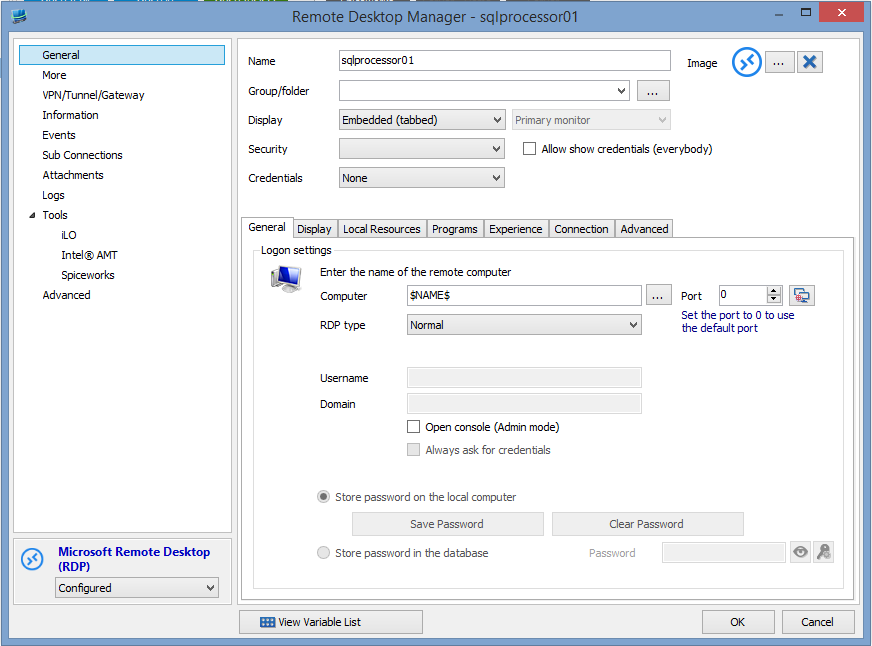
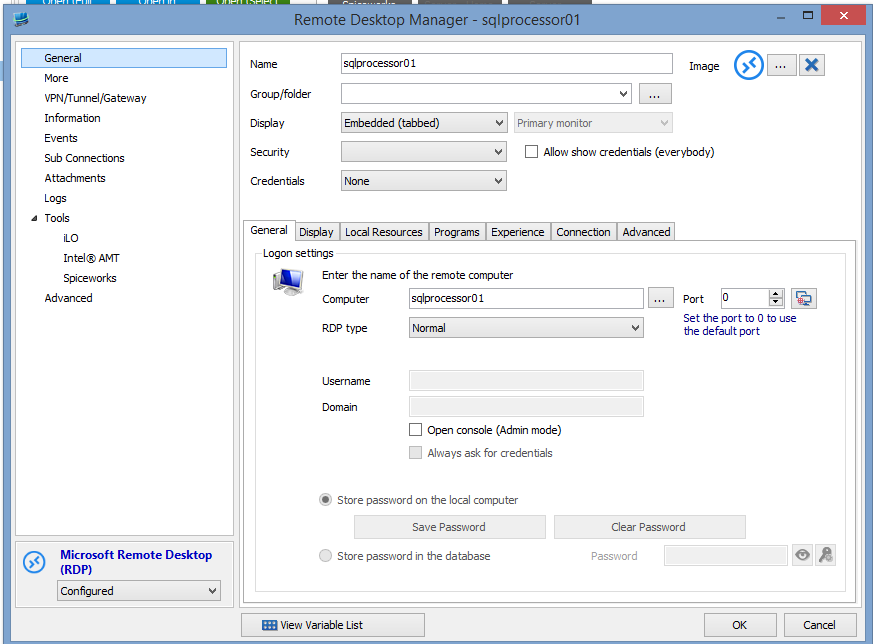
rdm-noerror.PNG
rdm-error.PNG
Thank you for helping pinpoint the problem.
Could you also screenshot the Spiceworks section of the entry in both cases too?
Regards,
Hubert Mireault
Attached are the screenshots of the Spiceworks page for both scenarios.
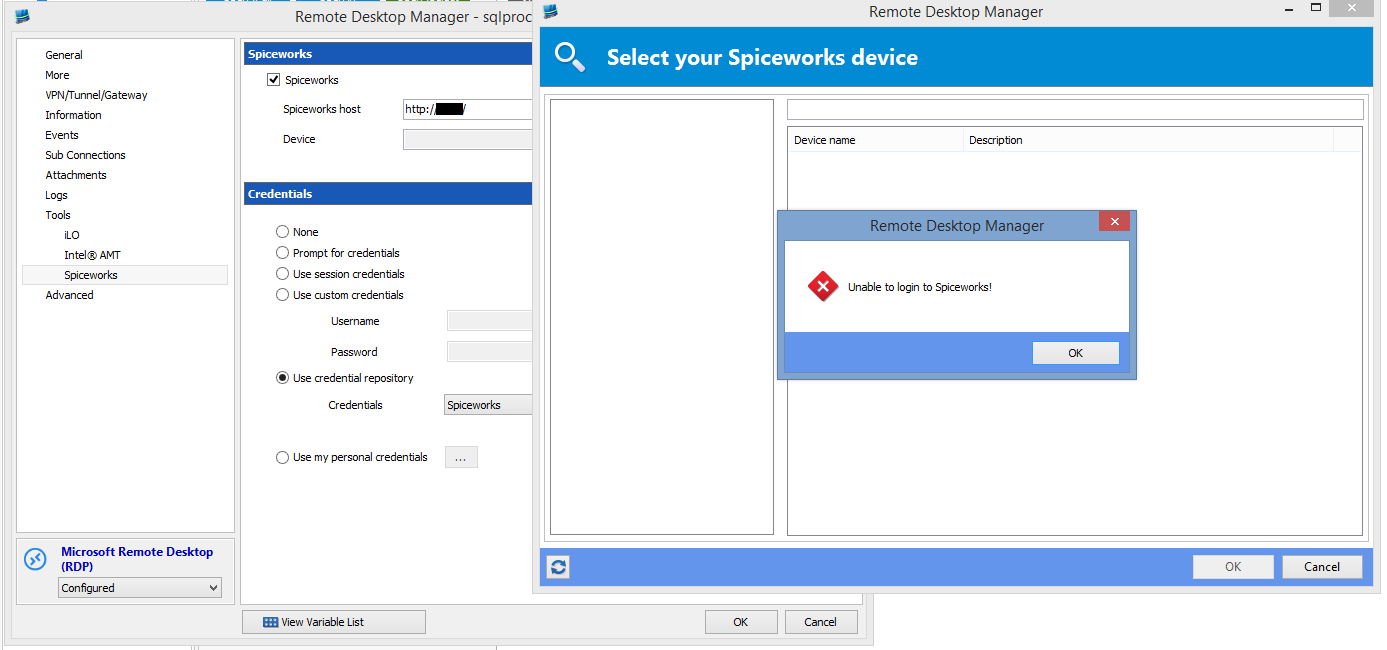
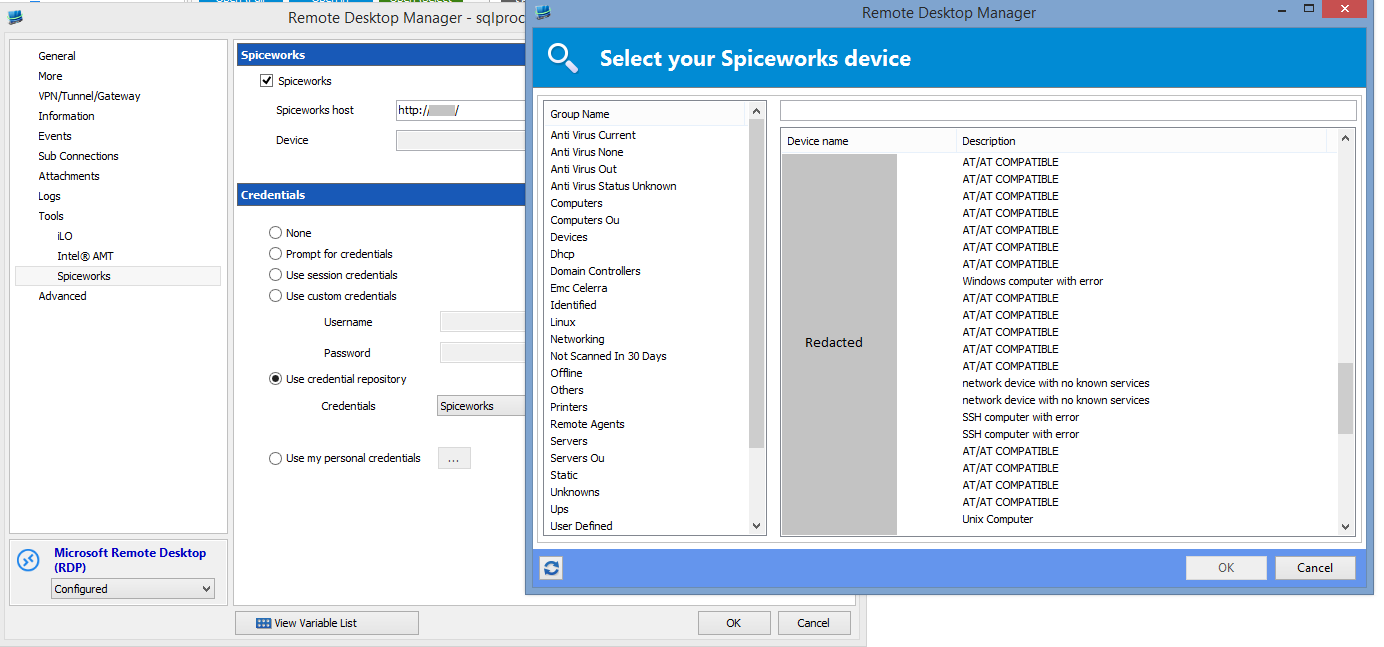
rdm-spiceworks-noerror.PNG
rdm-spiceworks-error.PNG
Thank you for your cooperation, I can reproduce the problem and will work on a fix for it.
Regards,
Hubert Mireault
The fix will be available in the next RDM version.
Hubert Mireault
Thanks! I will give a try as soon as it is released.
I can confirm that 10.1.8 fixed the issue for me. Thanks for the quick fix!