ngrovhoug
Database optimization
Hello,
We are using RDMS 11.1.0.0 and I access it over a VPN. Offline mode works with cached but when we go online we have a significant delays for any changes and searches, 45-60 seconds.
There are a lot of session we have created.
Is there some kind of DB optimization that we should be using or is that the typical delay?
watchguard ssl vpn add on problems
Bumping this thread. Anyway we can add a password field for this Addon? Currently we have to provide any VPN users the password to be typed in manually.
Cache User Specific Settings in offline mode
Just a bump. Is there a plan to allow user specific setting in offline mode?
Applying Status in offline mode
Yessir. I can make any changes to the entries but the status field is greyed out.
See the attachments.


Applying Status in offline mode
We do a lot of offline interaction with customers. Often times we find issues with entries that need to be remedied. We use the "Status" for flagging and warning people about the issues. However we cannot do status modifications in offline mode. That means we have to disconnect the VPN and go back "online" before we can flag the entry.
Is it possible to allow offline changes to the status?
customized dashboard
Bump! This would be a great feature.
Use a credential entry with Quick Connect
We limit users access to passwords for security so we reference the passwords using credential entries in the credential repository.
Is there a solution that allows a user to do a quick connect and reference one of the credential entries without being able to view the password?
The quick connect currently has a spot to enter a username and password. Can you also add the ability to reference the credential repository?

Use Cisco AnyConnect Secure Mobility Client
All of my Anyconnect issues have been resolved with the new version 10. I did have to do a couple things to get it to work, not sure if its because I tinkered with 9 and anyconnect so much or if it just needed a fresh install. Here is what I did on a windows 7 VM:
1. Upgrade to RDMS v10
2. Close RDMS
3. uninstall Cisco anyconnect
-Delete "C:\ProgramData\Cisco\Cisco AnyConnect Secure Mobility Client"
-Delete "%User%\AppData\Local\Cisco\Cisco AnyConnect Secure Mobility Client"
4. Delete "%User%\AppData\Local\Devolutions\RemoteDesktopManager\VPNAddOn.dll"
5. Reinstall Anyconnect (can be done by using a web vpn login manually)
6. Restart RDMS 10. It prompted me to reinstall the vpn add on.
After that all of my issues were gone. Its finicky but once it works, its so slick.
Hope this helps someone. gl
Use Cisco AnyConnect Secure Mobility Client
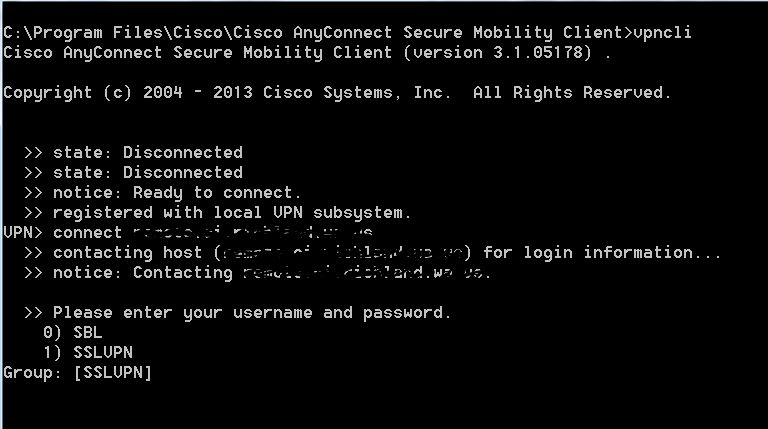
Was there ever a solution for this? We have many customers that require we select a group before we enter the credentials for the anyconnect VPN.