
karanik
Embedded SFTP on SSH connection
Thank you.
Embedded SFTP on SSH connection
Hello
Is a specific file that app store these settings?
Embedded SFTP on SSH connection
Hello,
Some questions more about your last post.
Can all this settings that I applied on Remote Desktop Manager (about terminal, fonts, colors etc) to tranfer this on another Remote Desktop Manager installation?
Can I do this without database? Can I do also with database?
Sometimes when I open Remote Desktop all connections in the left menu are collapsed and must to expand again. Why this?
Embedded SFTP on SSH connection
Awesome.
Embedded SFTP on SSH connection
Hello
Yes. If this possible. Othewise I will duplicate each time the specific entry.
Cross platform SQLite Data Source
Finally
I exported all entries to rdm file. I created new database from Windows, then I imported the rdm file and database is available also to Linux.
Thank you
Embedded SFTP on SSH connection
Hi
Thank you very much. It is very usefull with this option. Also need the options Show files in tree view and show hidden files by default.
Cross platform SQLite Data Source
Hi
When I am trying to open my database that I created on Windows then the error is...
I created the database before years. I don't remember the version. Can ti I upgrade this database?

Version

Embedded SFTP on SSH connection
Hello
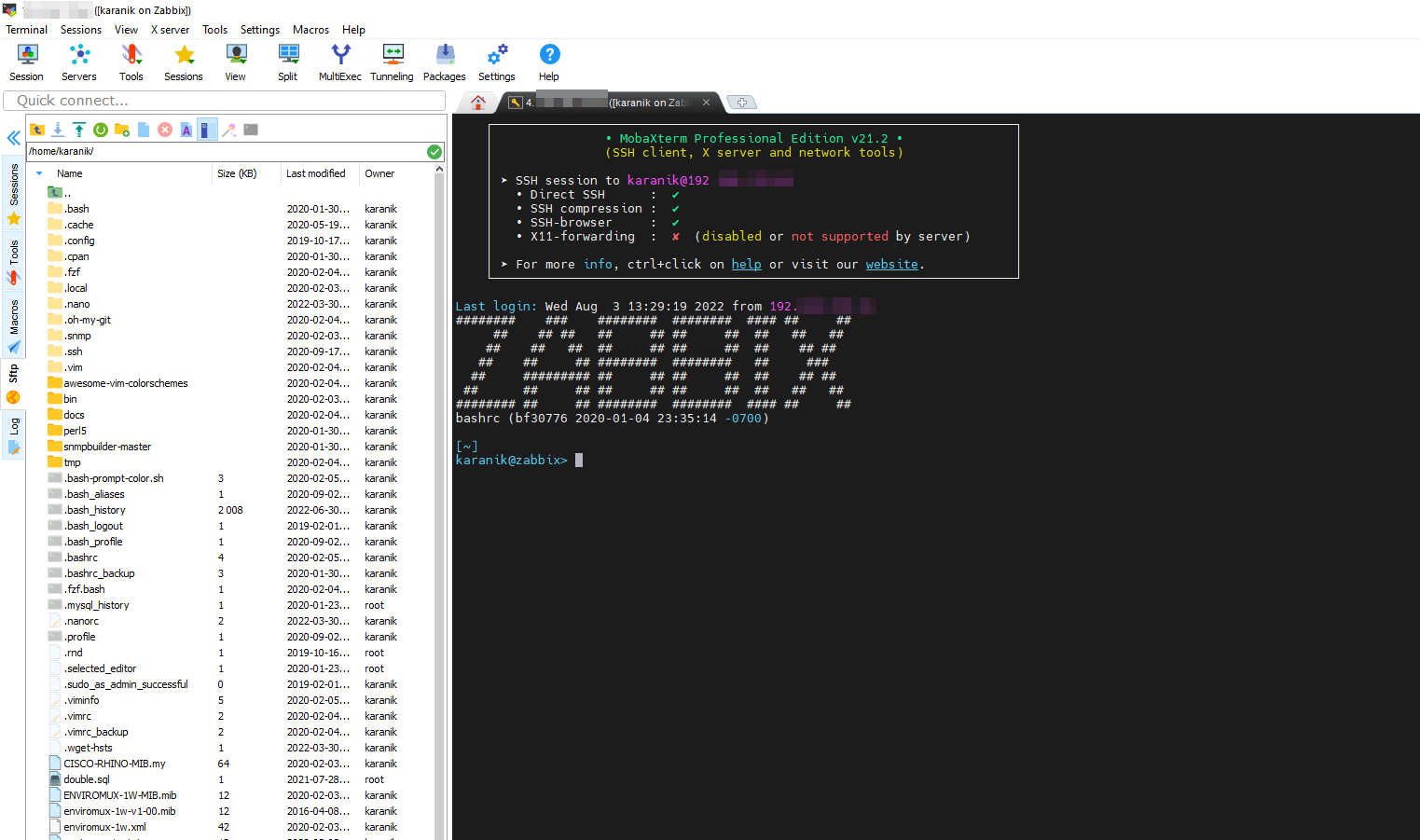
Will be great if you can have ability to transfer files on ssh connection like Mobaxterm
Cross platform SQLite Data Source
Hello,
This is something on our todo list. We hope to have this in RDM 2022.2 later this summer. The problem is related to the encryption. Unfortunately it's platform dependent and we have to implement our own security provider. This was planned for 2022.1 but was pull at the last minute.
Regards
Hello, do you have any update for this? I didn't test it again.
Cross platform SQLite Data Source
Thank you for quick response.
I will wait for this feature to use the Remote Desktop Manager.
Cross platform SQLite Data Source
Hello,
Is it possible to have the same data SQLite source file on Windows and Linux.
I have the connection.db file on Windows and also I want to add the same source also from my Linux machine.
The only way that works for me is export/import.
Windows to Linux: Unable to load the SQLite datasource. The saved master key is invalid!
Thank you for fast replay.
Windows to Linux: Unable to load the SQLite datasource. The saved master key is invalid!
Hello,
Is it possible to move the database that I am using on Windows 10 to Ubuntu 20.04?
Can I use the same database from same location? (for example NAS or Google Drive)
Info about ssh connections compatible
Hello guys, it's very nice to be here in this subsection about RDM on Linux !
I've installed rdm 2020.1.2.0 on ubuntu 20.04lts
I've made the connections to my corporate devolutions password server team and I'm able to see all entry from our vaults. I made a quick try but currently i was able only to connect to a windows server with an rdp connections but i'm unable to connect to linux server.
I tried with 2 different type of connections , one saved in the vault as putty (rebex) session and another one saved as ssh. but but are not working.
I imagine the first one (should eb used on windows client) but i was expecting the second one working.
Witch type of ssh connections is currently supposed to work in a mixed client environment ? I'm working in a team with windows client involved so i'm supposed to have connections working on both RDM client.
Many thanks for your help.
p.s the timespeed of the client launch is amazing compared to the windows version, great ! ;-)
Hello,
Where can find Linux versions?
SQL HelpBook
I hope , thanks , i will try today.
Hi,
I think that this might help:
http://remotedesktopmanager.com/remotedesktopmanager/Support.aspx/InstallSQLServer
SQL HelpBook
Is there any video or screenshots or manual how to make database and conect my RDM ?
tnx