No server connection possible from jumphost with RDM 2026.3.5
No server connection possible from jumphost with RDM 2026.3.5

Hello,
It seems that the new 2026.3.X branch broke numerous things, like:
RDM [2026.3.4.0] - RDP Remote Desktop size set to auto open the RDP in a mini frame
2026.3.5.0 : Navigation resize broken
Those affect me as well.
But the most severe is:
I am using RDM 2026.3.5 to connect from my notebook to a jump host (Windows Server 2019, also running 2026.3.5). I cannot connect to any RDP server from this jump host anymore since I upgraded RDM on the jump host from 2026.2.19 to 2026.3.5.
It doesn't matter if I double-click an RDP server connection from the "Navigation" pane or if I use quick connect. It tries to connect forever (see screenshot).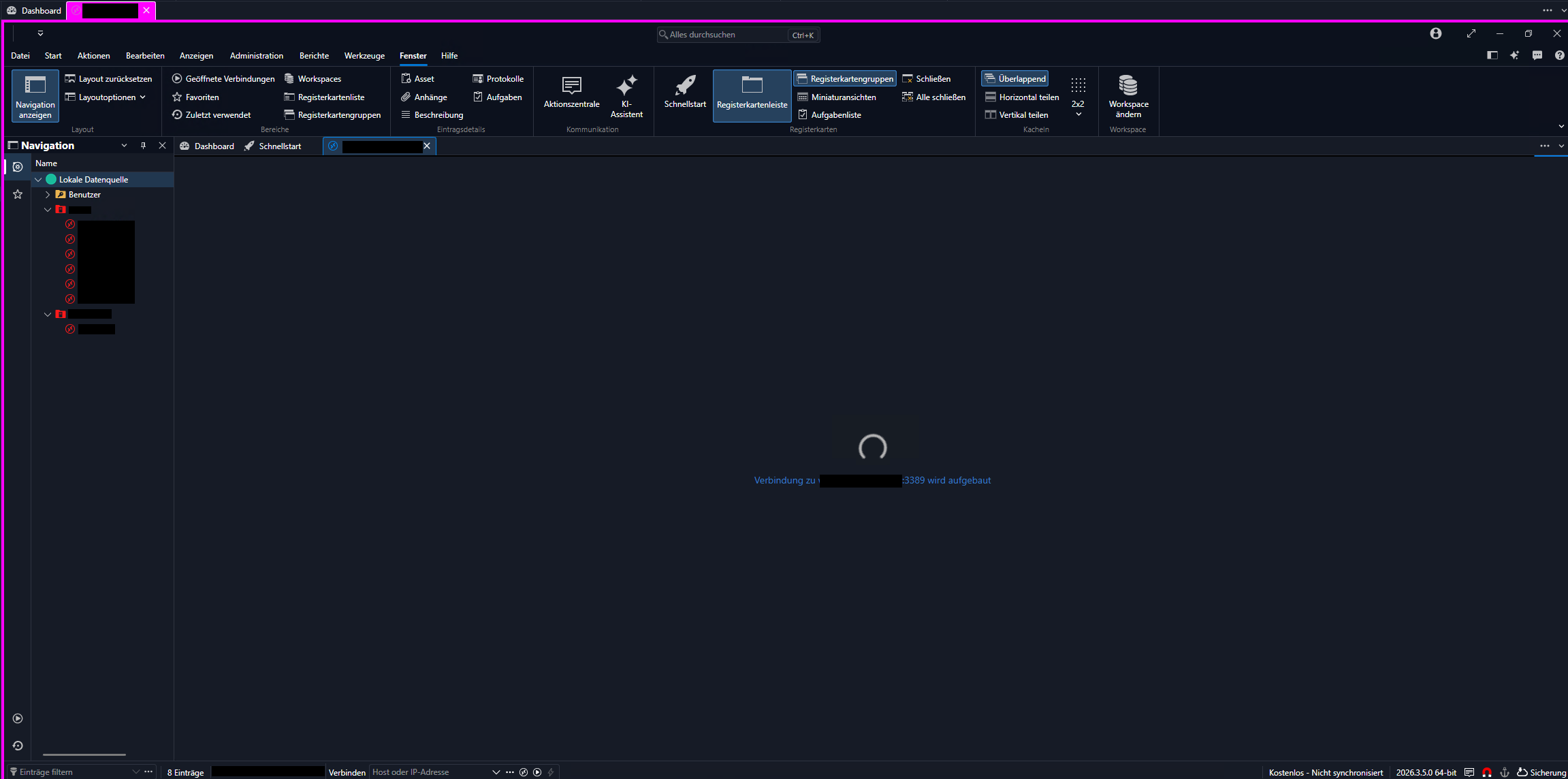
All connections are working fine from our jump host when I am connecting via mstsc.exe.
The Connections.log file in my profile folder shows:
[16.09.2026 08:48:28] Verbinden - 'Servername' (RDP (Microsoft Remote Desktop))
After I try to connect while the screenshot from above is shown
After closing this unestablished connection, another line is logged:
[16.09.2026 08:48:47] Getrennt - 'Servername' (RDP (Microsoft Remote Desktop))
Not more, and no hint of what's wrong.
After documenting this and reporting this issue here, I will have to downgrade to 2026.2.19 to get RDM working again.
Update: Uninstalling 2026.3.5 and re-installing 2026.2.19 worked: All connections are working again with 2026.2.19.
RDM not connecting.png
All Comments (4)
Hello
Sorry for the trouble. This is a known issue that we found late in the day, and it's already fixed for 2026.3.6 which should be released quite quickly.
In the meantime you can stay on 2026.2.x if that works for you. Another option is to move to 2026.3, but explicitly set the "RDP Version" to "8.1" in the "Advanced" tab (instead of "Latest"). I believe you can also set this globally for all sessions in the application options (Entry Types > Sessions > Remote Desktop (RDP). But that's won't be necessary with 2026.3.6.
Please, let me know if you have other questions or comments and I apologize for the inconvenience.
Kind regards,
Richard Markievicz
Hi,
So, rushing for 2026.3.5 wasn't the best idea. 😉 I am very much looking forward to 2026.3.6.
Going back to 2026.2.19 on our jump host helped to reach our servers from there again.
Thanks for your support!
I confirm that 2026.3.8 is working again. This issue is fixed in this version.
Thank you!
Hello,
Thank you for your feedback! I am now closing this case.
Do not hesitate to reply to this message to reopen your case automatically if the issue persists.
If you would like to open a new case with us, please send an email to service@devolutions.net
Best regards,
Alexis Beauparlant