Unable to install "SqlServer Management Studio Add-On"

Hi!
During the issues with https://forum.devolutions.net/topics/52613/unable-to-start-rdm , I re-installed RDM to see if it was an issue on my workstation only (turned out it was a general problem on your side).
Now, every time I change something (adding, deleting, renaming entries or also change something like a password), I get the following popup window: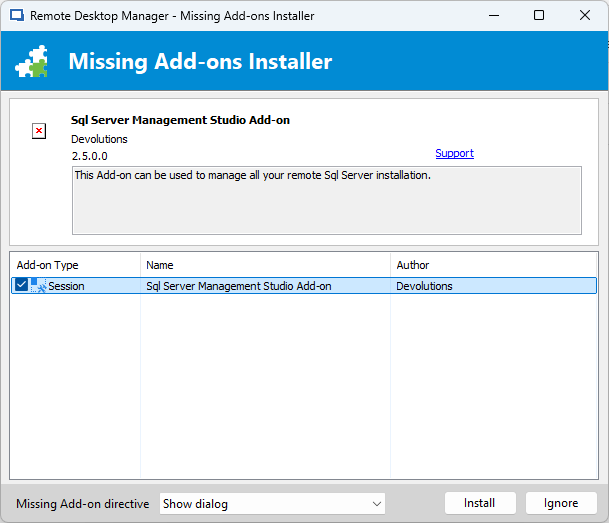
When I click on "Install", another window appears, telling me that this Add-on isn't available: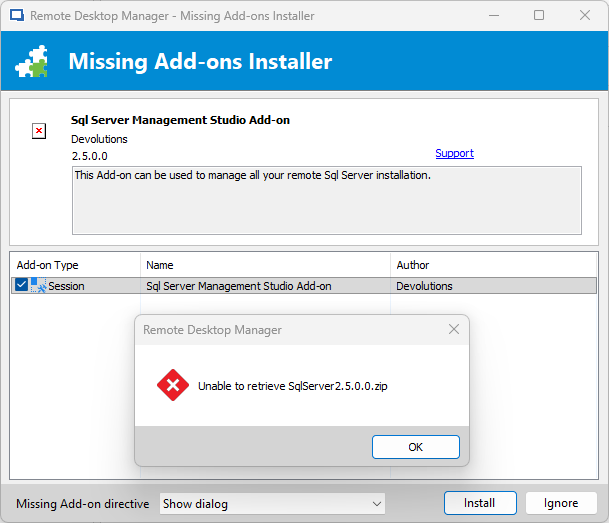
The modifications itself behave in a strange way, sometimes they are saved (after clicking on "Ignore"), even visible after a restart of RMD - sometimes they are not - and sometimes they are only visible for me as long as I am in the session, but are gone after a restart.
Can you please tell me where I can find this ZIP file and how I should install it (where to put its content)?
We're on RMD 13.5
Thanks!
002.png
001.png
All Comments (2)
Hello,
Unfortunately, we definitely no longer have access to that file.
The only possible workaround I can suggest would be to retrieve the plugin from another existing Remote Desktop Manager installation where it is still present, and then transfer it manually to the new installation.
Best regards,
Carl Marien
Hello,
Unfortunately, we definitely no longer have access to that file.
The only possible workaround I can suggest would be to retrieve the plugin from another existing Remote Desktop Manager installation where it is still present, and then transfer it manually to the new installation.
Best regards,
@Carl Marien
Never mind - I simply selected to not display this window again and it works fine (changes in DB are saved) - seems like this Add-On isn't needed at all.