Fortinet version 7.4

I have an older version Fortinet VPN/SSL client to connect to a client. When I add the current executable, I get an error ' Path not found'. The path is correct, but the executable file on the setup page is not the default executable on the setup page. I have checkedthe option to set the directory and filename, but I still get a Directory Not Found message.
Is this a supported version?
Any suggestions to setting the path and executable which have change names.
All Comments (4)
Hello,
Thank you for contacting us regarding this.
Could you please confirm which RDM version you are currently using, as well as the data source in use?
Additionally, could you clarify why an older version of Fortinet is being used? If possible, please provide a screenshot of the error message.
Best regards,
Tommy Sanders
This is the client's version of Fortinet he is providing. Probably because it is the free version 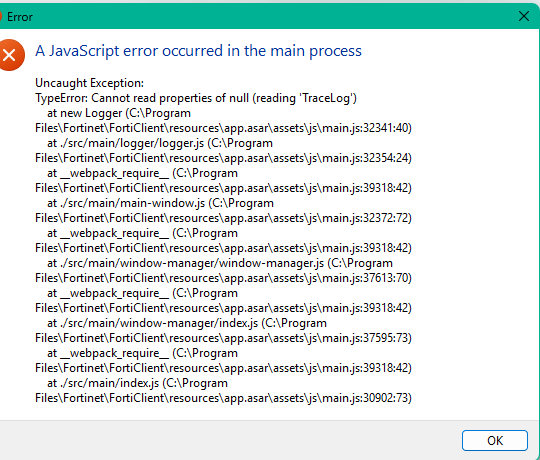
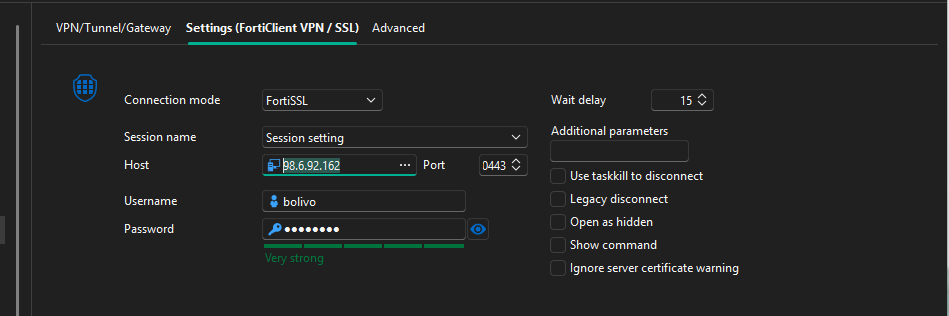
Screenshot 2026-04-01 101036.png
Screenshot 2026-04-01 101240.png
Hi!
I know this one 🙂
When you configure "FortiSSL" mode it needs the old SSL-VPN Client (FortiSSLVPNclient.exe)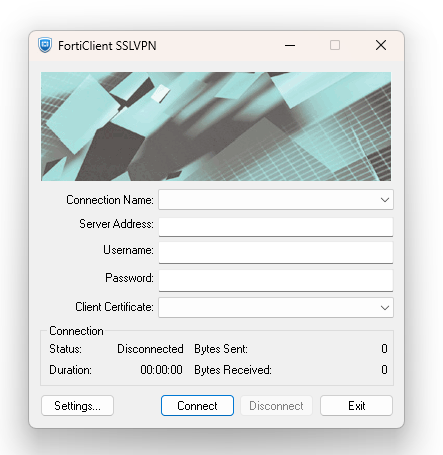
You can still download that from the Fortinet support portal. Select FortiClient as the product, download the FortiClientTools ZIP file, and extract the SSLVPNcmdline folder from there.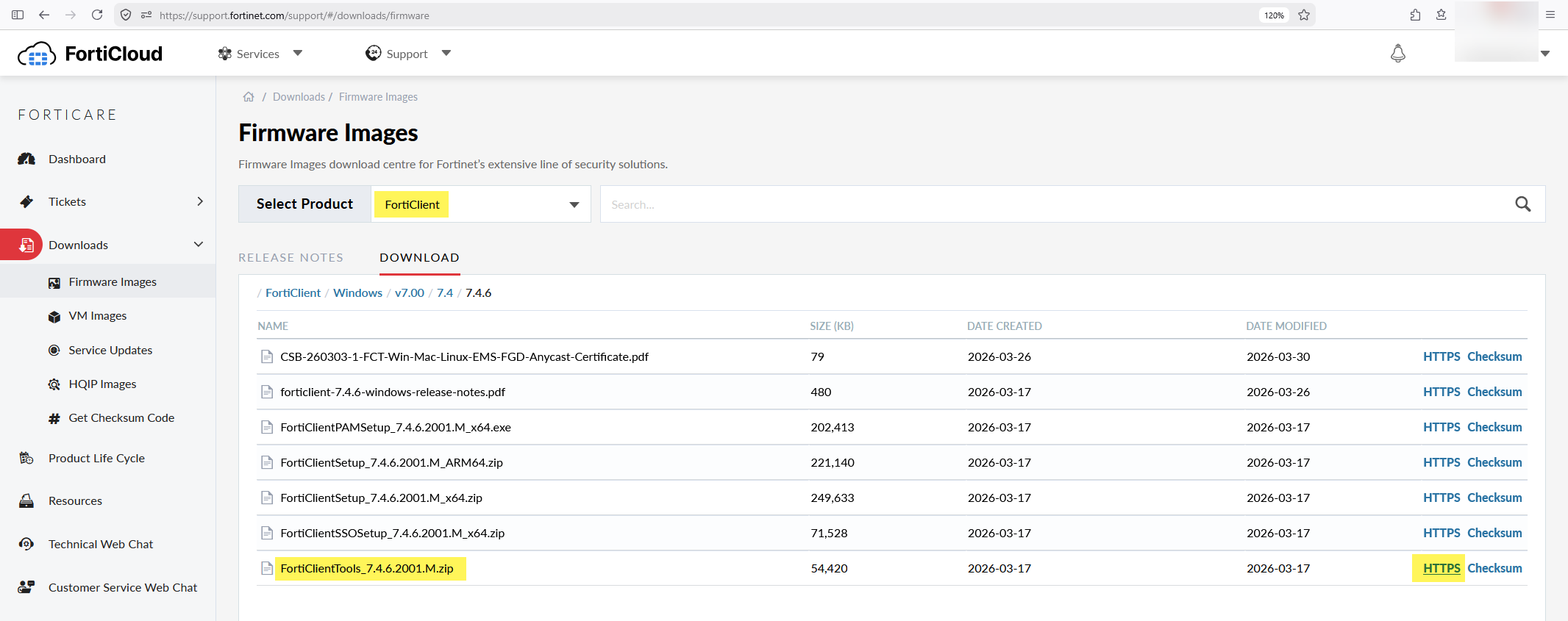
When you configure "FortiClient" mode it needs the newer FortiClient VPN (FortiClient.exe), but that uses pre-configured VPN profiles and doesn't support automated connecting unless you buy a license and use IPsec, not SSL-VPN.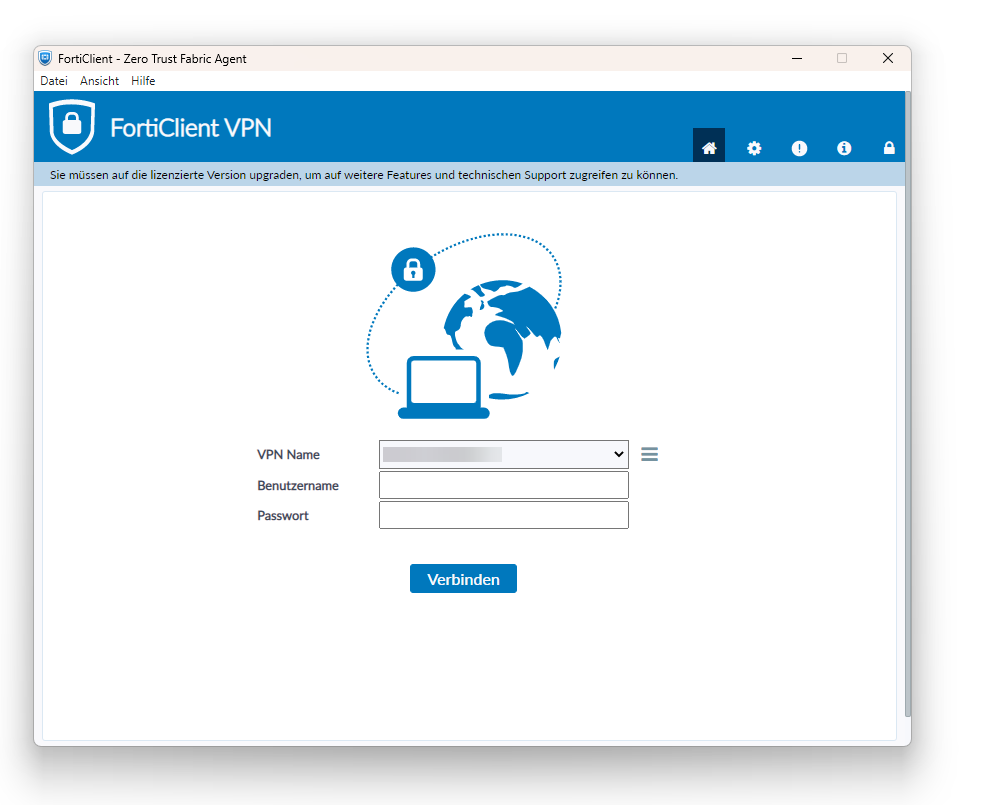
Also, SSL VPN is no longer supported on newer FortiGate models/firmware, so you probably should migrate to something else, like ZTNA or IPsec-VPN. We have given up on automating VPN clients through RDM at this point...
Best Regards,
Daniel
b8f0c243-c6e7-431a-9c55-ae5c15fc1058.png
8c049cc9-307a-4857-82fd-f98a6fc99e7e.png
6682456d-88cc-411b-8915-e6f5558c013d.png
Hello @wolivo
I have created a case and I have sent you a request for a remote session.
Best regards,
Tommy Sanders