Unable to save Gateway mode in SSH tunnel within browser setup
Unable to save Gateway mode in SSH tunnel within browser setup

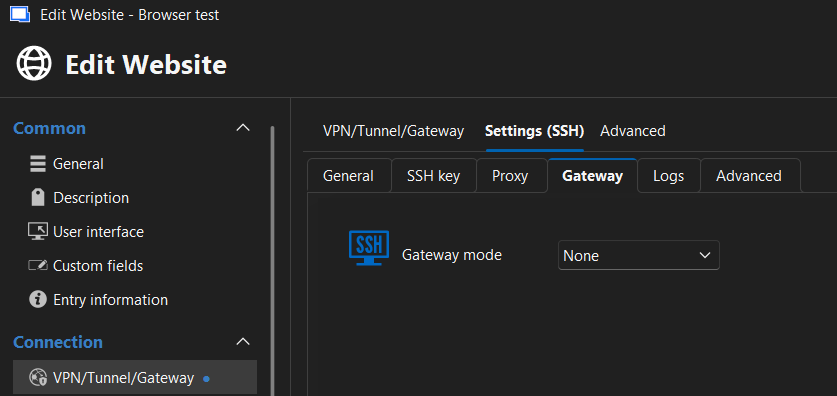 I tried custom and linked. No matter what I setup and save... does not save. it always opens back to "None". it never saves the set one.
7e890b4e-96c6-4609-b365-1c7e321ffdfb.png
8103fb40-b976-40df-866a-9b0e896cd1c4.png
Recommended Answer
Hello,
Thank you for being so patient!
I'm pleased to inform you that a new version of RDM (2025.3.30.0) has been released, featuring the fix for your issue.
Latest Version: Download RDM
Please let us know if this works or if you encounter any issues.
Best regards,
Maxim Robert
All Comments (10)
Hello,
Thank you for reporting this issue.
We attempted to reproduce the behavior on our side but were not able to recreate the problem. The Gateway mode setting is saving correctly in our tests.
As a next step, we recommend resetting Remote Desktop Manager to its default settings, as this can resolve issues caused by corrupted or inconsistent local configuration.
You can follow this guide to reset RDM:
https://docs.devolutions.net/rdm/kb/how-to-articles/reset-rdm-to-default-settings/
After resetting, please verify whether the Gateway mode is saved correctly.
If the issue persists after the reset, let us know and we’ll be happy to investigate further.
Best regards,
Carl Marien
@Carl Marien
followed the steps and created new connection.
Used to use local free DB. this time i chose free hub DB and setup the browser with gateway(custom option) from scratch and saved. Opened back up connection and went to SSH Gateway and it is back to None: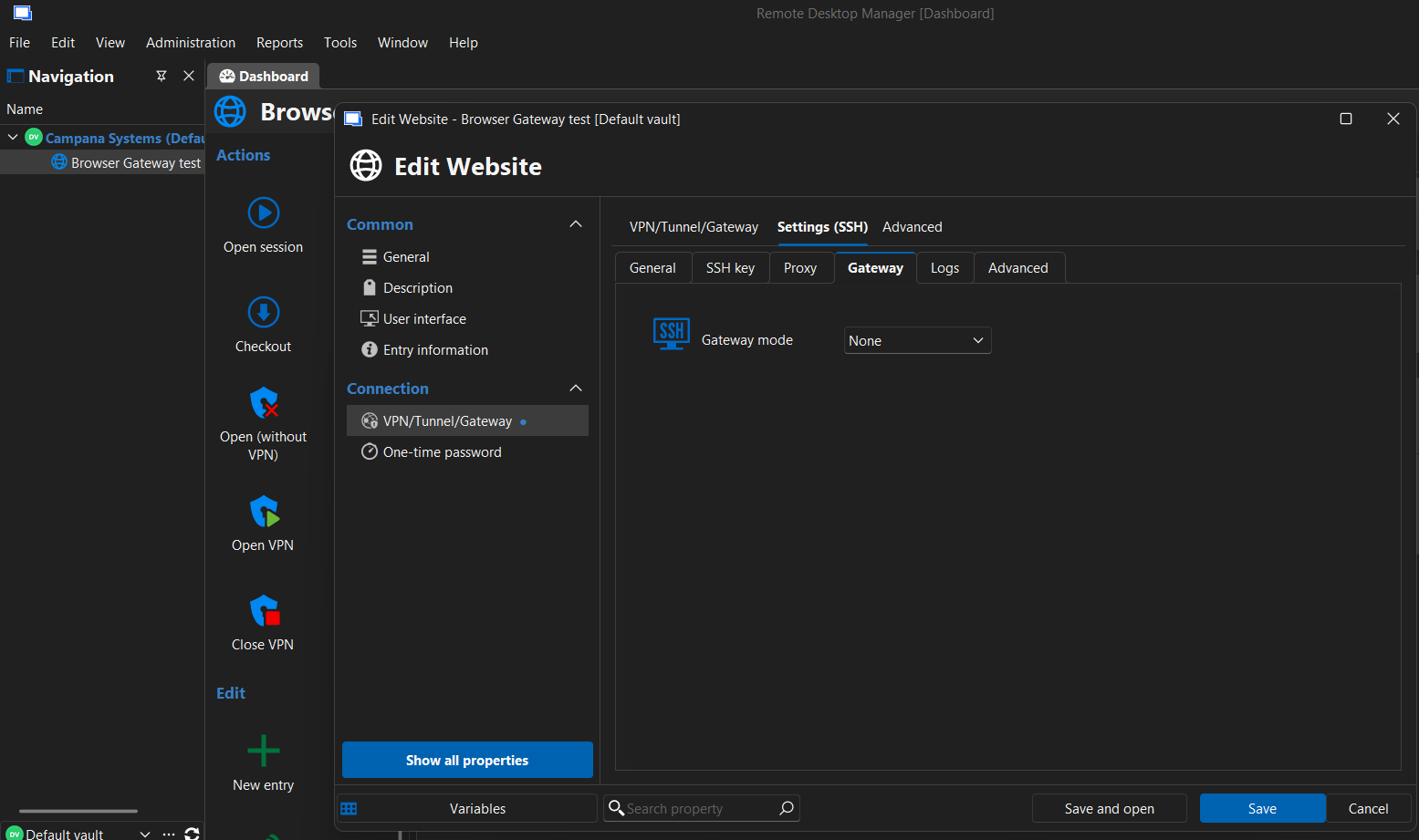
612eaf6b-aaa8-4193-9799-c094a2b1358a.png
Hello,
Apologies for the confusion. I initially attempted to reproduce the issue directly via an SSH session. However, I was able to successfully recreate the issue through the web interface.
I've submitted a bug report and will keep you informed once the issue is resolved.
Best regards,
Carl Marien
Hello,
We have a fix for this issue internally and it should be available starting from the next release of RDM (2025.3.30.0).
Please do let us know if the issue persists after updating to the above-mentioned version.
Best Regards,
Michaël Beaudin
Hello,
We have a fix for this issue internally and it should be available starting from the next release of RDM (2025.3.30.0).
Please do let us know if the issue persists after updating to the above-mentioned version.
Best Regards,
@Michael Beaudin
Do we have a release date for this? I saw .29 release the day after this post but not seen .30 yet
Hello,
We don’t have an ETA at the moment, but I’ll let you know as soon as the version is released.
Best regards,
Carl Marien
Hello Patrick,
If there are no surprises, I should be able to release a 2025.3.30.0 version for you next week.
Best Regards,
Michaël Beaudin
Hello,
Thank you for being so patient!
I'm pleased to inform you that a new version of RDM (2025.3.30.0) has been released, featuring the fix for your issue.
Latest Version: Download RDM
Please let us know if this works or if you encounter any issues.
Best regards,
Maxim Robert
Hello,
Thank you for being so patient!
I'm pleased to inform you that a new version of RDM (2025.3.30.0) has been released, featuring the fix for your issue.
Latest Version: Download RDM
Please let us know if this works or if you encounter any issues.
Best regards,
@Maxim Robert
OK I was finally able to test this today and can confirm the SSH Tunnel settings are now staying saved.
I have however discovered a new issue in this same configuration.
I have it launching the URL in External Display.
With Chrome as the chosen browser to launch it works. SSH tunnel opens and connects and launches the URL in chrome and allows me to interact with the URL.
However if I set the Web Browser to Edge(or IE), SSH tunnel opens and connects and launches the URL in Edge but before the URL finishes loading, the ssh tunnel disconnects. No error provided. But I can not interact with the loaded URL as the tunnel is down.
The only difference changed between the two scenarios is the "Web Browser":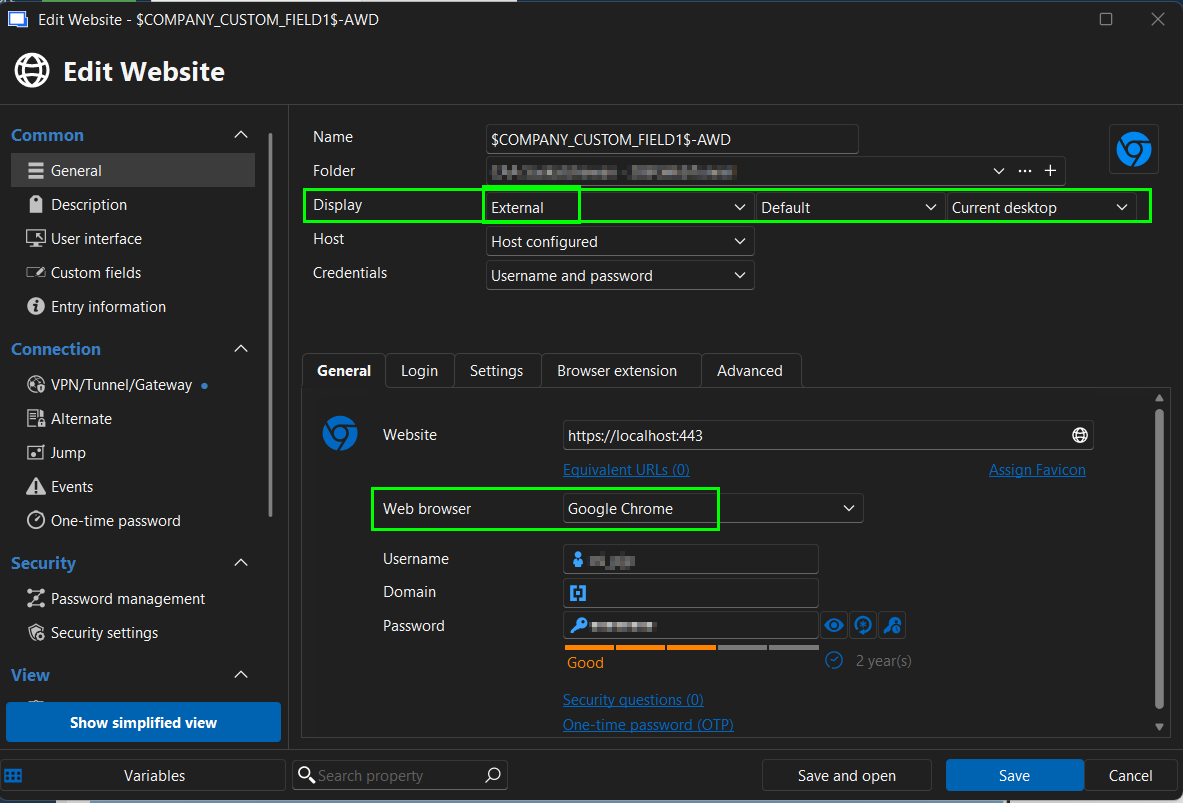
these settings are untouched and stay the same with each of the 2 browsers configured: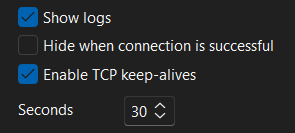
48681b1a-da7d-4118-b398-bda3582b0dda.png
c9f52ecf-a000-40cc-a522-90e94dc4748e.png
Hello,
Thank you for contacting Devolutions Support.
Since this question is not related to the original issue, please create a new thread for your new inquiry. Alternatively, I can create the post for you just let me know.
Best regards,
Carl Marien