CR/LF(?) Issue with Telnet to Keenetic Modem/Router

Hey there,
This looks like an issue that would have been reported and quickly fixed by you guys... As that's not the case, it's most likely something I'm skipping, but let me try to explain:
- Keenetic modems/routers provide a command line interface management option as well through the regular Telnet port+protocol.
- When I add the "Telnet client" feature on my Win11 machine, and use it to connect, the login sequence works fine.
- However, with RDM Telnet (I've tried both regular, and Rebex) (version 2025.2.27.0 64-bit (JIT)), I cannot get the Password prompt, after typing in the username and pressing just
Enter. I have to press another key to see thePassword:prompt. - I've tried most likely all the combinations about carriage return/line-feed in
Terminalsection of the entry's properties.
The reason I was focused on the CR/LF combinations was that, when I tried on Win11 client, I see a \r\n combo sent (in Wireshark) after the last letter of the user name. RDM only sends a \r.
The order and count of "Do", "Will" packets each way, and the order of "Output Marking" (?) bytes (0x1B 0x5B 0x4B) also is a bit different. But let me hold on sharing them, as this may have an easier fix/option change in RDM.
Thanks,
Ozgur
All Comments (8)
Hello,
Thank you for reaching out to us regarding this,
Could you confirm what type of data source you are using?
Additionally, could you provide us with a screenshot of your entry "Properties" with anything sensitive blurred or removed? Is the "Password prompt string" filled?
Let me know,
Best regards,
Samuel Dery
Hey Samuel,
Thanks for the quick response.
This entry was added to "Local XML in AppData". I do have a "Devolutions Hub Personal" data source set up as well. Would it matter where it is?
Here's a screenshot. Since it's using an intranet IP, I won't bother with blurring: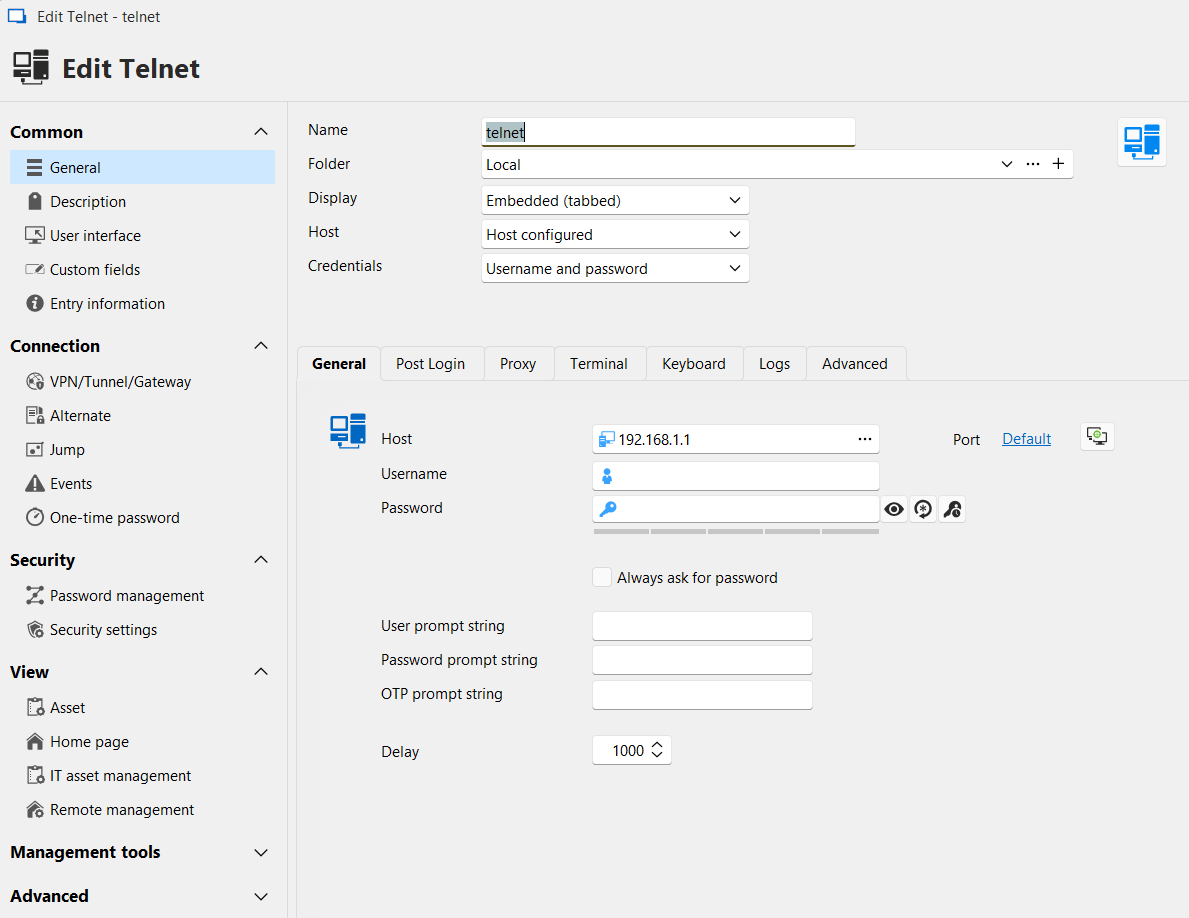
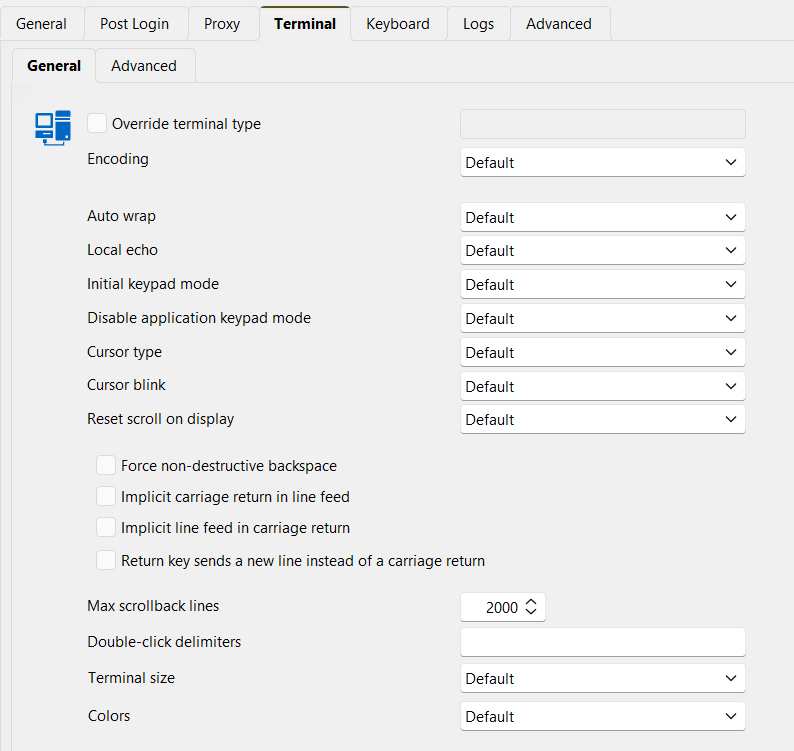
(As I said in the first post, checking "Return key sends a new line...." box does not change the way it behaves).
Trying to have RDM auto-enter username-password was the first problem I ran into actually! But even in this interactive mode, server doesn't send the Password: prompt according to packet capture. So I don't think the value of the pwd prompt matters (yet)(?).
(BTW, the modem/router does send the prompts in a capitilized fashion (as opposed to all-lowercase, like I've seen in other SSH sessions)).
Thanks!
e4d8a684-2401-406a-a2fc-6a4e8a16b09a.png
f99e7ffa-4731-4f1c-9cb1-20072f43c371.png
Hello,
Could you please go to the properties of the entry and enable the logs in the "Log" section? Once that's done, kindly reproduce the issue and send us the resulting logs. Please make sure the log verbosity is set to level 2.
Before sending the logs, ensure that any sensitive or confidential information is removed.
Best regards,
Carl Marien
This is for Custom log, with Verbosity=2, and Log mode=Event (I've removed the blank lines in between):
[9/9/2025 6:30:50 PM] Devolutions.ProtocolsSharp: 2025.8.14.1 OS: Windows
[9/9/2025 6:30:50 PM] Terminal font: Courier New [Courier New, fixed=True]
[9/9/2025 6:30:50 PM] Starting Telnet, verbose level: 2
[9/9/2025 6:30:50 PM] Connecting to: 192.168.1.1:23 (IPV_ANY)
[9/9/2025 6:30:50 PM] Credentials provided: empty user(no prompt), empty password(no prompt)
[9/9/2025 6:30:50 PM] Skipping auto fill for username and password
[9/9/2025 6:30:50 PM] Starting Telnet negociation
[9/9/2025 6:30:50 PM] Client will Negotiate Window Size
[9/9/2025 6:30:50 PM] Client will Terminal Speed
[9/9/2025 6:30:50 PM] Client will Terminal Type
[9/9/2025 6:30:50 PM] Client do Echo
[9/9/2025 6:30:50 PM] Client will Suppress Go Ahead
[9/9/2025 6:30:50 PM] Client do Suppress Go Ahead
[9/9/2025 6:30:50 PM] Client will Binary Transmission
[9/9/2025 6:30:50 PM] Client do Binary Transmission
[9/9/2025 6:30:50 PM] Server do Echo
[9/9/2025 6:30:50 PM] Client will Echo
[9/9/2025 6:30:50 PM] Server do Negotiate Window Size
[9/9/2025 6:30:50 PM] Client sends Window Size: width = 132 height = 83
[9/9/2025 6:30:50 PM] Server will Echo
[9/9/2025 6:30:50 PM] Server will Suppress Go Ahead
[9/9/2025 6:30:51 PM] Connected after Telnet negociation
[9/9/2025 6:30:51 PM] Connection process complete
Let me know if you need to change any of the logging parameters, and try again.
While I'm at it, let me also share the screen text of Wireshark (I've skipped the SYN, empty ACK kind of packets for brevity) (but added info about telnet payload after "#" signs):
4   01:04:02.933164  192.168.1.1    192.168.1.123  TELNET  66  Do Echo, Do Negotiate About Window Size, Will Echo, Will Suppress Go Ahead
5   01:04:02.933769  192.168.1.123  192.168.1.1    TELNET  90   Will Negotiate About Window Size, Will Terminal Speed, Will Terminal Type, Do Echo, Will Suppress Go Ahead, …
7   01:04:02.973175  192.168.1.1    192.168.1.123  TELNET  60   3 bytes data   # Hex: 1b 5b 4b
9   01:04:04.772648  192.168.1.1    192.168.1.123  TELNET  128  74 bytes data  # "KeeneticOS version .... .\r\n"
10  01:04:04.772967  192.168.1.1    192.168.1.123  TELNET  64   10 bytes data  # 4c 6f 67 69 6e 3a 20 1b 5b 4b                     Login: .[K
12  01:04:07.817377  192.168.1.123  192.168.1.1    TELNET  55   1 byte data    # "a"
14  01:04:07.818779  192.168.1.1    192.168.1.123  TELNET  60   1 byte data    # "a"
15  01:04:07.819072  192.168.1.1    192.168.1.123  TELNET  60   3 bytes data   # Hex: 1b 5b 4b
17  01:04:08.133314  192.168.1.123  192.168.1.1    TELNET  55   1 byte data    # "d"
18  01:04:08.134692  192.168.1.1    192.168.1.123  TELNET  60   1 byte data    # "d"
19  01:04:08.134929  192.168.1.1    192.168.1.123  TELNET  60   3 bytes data   # Hex: 1b 5b 4b
21  01:04:08.455961  192.168.1.123  192.168.1.1    TELNET  55   1 byte data    # "m"
22  01:04:08.457195  192.168.1.1    192.168.1.123  TELNET  60   1 byte data    # "m"
23  01:04:08.457526  192.168.1.1    192.168.1.123  TELNET  60   3 bytes data   # Hex: 1b 5b 4b
25  01:04:08.701293  192.168.1.123  192.168.1.1    TELNET  55   1 byte data    # "i"
26  01:04:08.702554  192.168.1.1    192.168.1.123  TELNET  60   1 byte data    # "i"
27  01:04:08.702841  192.168.1.1    192.168.1.123  TELNET  60   3 bytes data   # Hex: 1b 5b 4b
29  01:04:08.918548  192.168.1.123  192.168.1.1    TELNET  55   1 byte data    # "n"
30  01:04:08.920281  192.168.1.1    192.168.1.123  TELNET  60   1 byte data    # "n"
31  01:04:08.920551  192.168.1.1    192.168.1.123  TELNET  60   3 bytes data   # Hex: 1b 5b 4b
33  01:04:10.920998  192.168.1.123  192.168.1.1    TELNET  55   1 byte data    # "\r" 0d
The handshake part is different as well, but in Windows' Telnet client that last packet (after admin's "n") (#33) is sent as "\r\n" 0d 0a.
Edit: In theory the tests should all behave same, but FYI: the packet capture and log capture were of different runs, in case there's a mismatch b/w them according to your expectations.
Hello,
I’ve reached out to the developer for their input. If they have a workaround, I’ll let you know as soon as I receive a response.
Best regards,
Carl Marien
Hello,
Thank you for your patience. Would it be possible for you to open the entry property and check these options in the terminal tabs?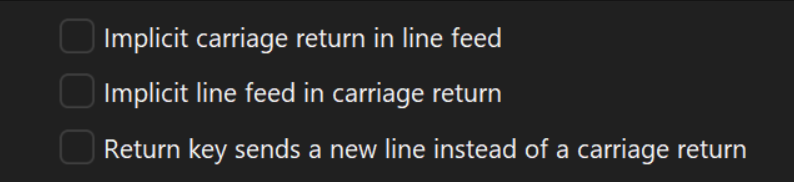
Please let me know how it goes.
Best regards,
Carl Marien
a41c7a2c-6e84-43b9-84ad-b2c3c4db1274.png
image_720.png
2025-09-12_07-55-46.png
Hello,
Thank you for your patience. Would it be possible for you to open the entry property and check these options in the terminal tabs?
Please let me know how it goes.
Best regards,
@carl marien
Please see the second screenshot in my second post on the thread. When I was trying before posting here, none of them were checked, but as I mentioned in my first post, (earlier in my tests) I've probably tried all the possibilities of those 3 checkboxes, and couldn't find a "working as desired" combination.
Thanks,
Ozgur
Hello,
Perfect, I will contact the developer with the logs you provided and will keep you informed of their response.
Best regards
Carl Marien