RDM minimises during session disconnects

Hi Team,
I have the below setup.
From my laptop (win11), i do RDP (using windows native rdp application) into a windows server 2022.
RDM is installed on the windows server. I have a bunch of sessions opened. I have around 20 tab groups with each one having around 5-10 sessions. Most of these sessions are ssh but i do have a few rdp sessions also.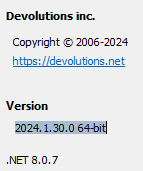
Now when i close a tab (either ssh or rdp) or when a session closes because of server disconnections (server reboots), RDM goes to background and comes back to foreground multiple times. We dont observe anything if we keep looking at the rdm window but if we look at the rdm tile in windows toolbar, we can see that it is flapping.
This gets really annoying when we are actively working on a session and some other session disconnects and then all the mouse and keyboard clicks goes to the application in the background which will come to foreground.
I am attaching a recording of the windows toolbar when it flaps.
Thankyou.
8896b428-f5a2-4e41-a3aa-315197384765.png
Recording 2024-08-14 105155.mp4
All Comments (6)
Hello,
Thank you for reaching out. I have created a case for your concern and sent a video request.
Please provide us with a recording of the issue, as it will greatly assist us in reproducing and investigating it more effectively.
Best regards,
Tommy Sanders
Hello,
Uploaded the video. Unfortunately, i couldn't record the whole RDM window as there is sensitive information. I could only record the windows toolbar. We can clearly see the flapping in the toolbar.
Thankyou.
Try updating RDM to the latest version and adjust settings related to session management and notifications. Check Windows Focus Assist to reduce disruptions. I’ve been using oxessays.com for a few months now, and it’s been a huge help with my assignments. The quality of the essays is always high, and they deliver on time. If you’re a student like me who struggles with writing, this service can make things a lot easier. The writers are professional, and the prices are student-friendly. I’m really satisfied with the service and would recommend it to anyone in need of writing help.
@alexaperez5647,
I would recommend creating a new topic to avoid any confusion between your question and the issue present in this topic.
Please navigate to https://forum.devolutions.net/forums/1/remote-desktop-manager--support and press the + button at the top right to create a new topic for RDM.
Best regards,
Jeff Dagenais
Hi Team,
I have the below setup.
From my laptop (win11), i do RDP (using windows native rdp application) into a windows server 2022.
RDM is installed on the windows server. I have a bunch of sessions opened. I have around 20 tab groups with each one having around 5-10 sessions. Most of these sessions are ssh but i do have a few rdp sessions also.
When a session ends, RDM refreshes its state, bringing it to the foreground, which seems to be a focus issue. Have you tried these solutions:
Go to User Interface > Keep Application in Foreground and disable it to check the RDM settings. Try utilizing a workspace or fewer active sessions in instead of several tab groups. If RDM is set to reconnect automatically, it may cause frequent UI refreshes.Enable Focus Assist to reduce unnecessary UI interruptions.Bugs in older versions might cause flickering, so ensure both are up to date.For a break from troubleshooting, why not try an easy chicken tikka recipe? Check out https://chickentikkarecipes.com/ for a delicious treat while debugging!
@omarhuzaifa72,
Are you a single user of RDM? I am asking this because if you are a single user, I would recommend trying our latest release, which is RDM 2025.1.25.
You can download this latest version here https://devolutions.net/remote-desktop-manager/download/
Best regards,
Jeff Dagenais