1Password w/ TOTP
0 vote

Hi ..
The 1Password application supports saving a TOTP with a credential entry.
https://support.1password.com/one-time-passwords/#:~:text=Sign%20in%20to%20your%20account,%E2%80%9COne%2Dtime%20password%E2%80%9D.&text=to%20the%20right%20of%20the%20field%20and%20choose%20One%2DTime%20Password.
Is there a way to use this in RDM ? A bit like the 'domain' field option in a credential entry.
All Comments (19)
Hello,
We opened an internal case with our development team to see what can be done.
Best regards,
Any news on this ?
I was working with Keeper (another password system) this week and they have also created a TOTP add to a credential field.
It would save a whole bunch of time if RDM could read the TOTP from the same Credential entry, especially as TOTP is becoming the defacto standard for logging in (when you don't have an MFA for your central account).
Hello,
We apologize for the delay, but currently, there have been no updates on the internal case.
We were on a feature freeze with the upcoming release of version 2023.3.0.0.
Best regards,
Hi .. Just a <bump> ..
Any developments on integrating this ?
I don't know how much of the TOTP is available to the API you use for 1Password/Keeper, but it would be nice to let you grab everything.
If it's not going to be an active 'feature', just let me know.
Hello,
As for now, we do not have more development on this feature request.
Best regards,
Hello,
The feature to retrieve OTPs from 1Password as been completed internally and will be available starting from the version 2024.1.4.0 of RDM.
Regards.
Hi .. Great News .
Do you have a link to updated docs that let me know how to leverage it ?
Hi,
To use this new feature you need to configure your 1Password entry. In the properties of your entry go in the "Advanced" section and check the setting "Allow OTP retrieval". Then make sure you're connected to your 1Password account.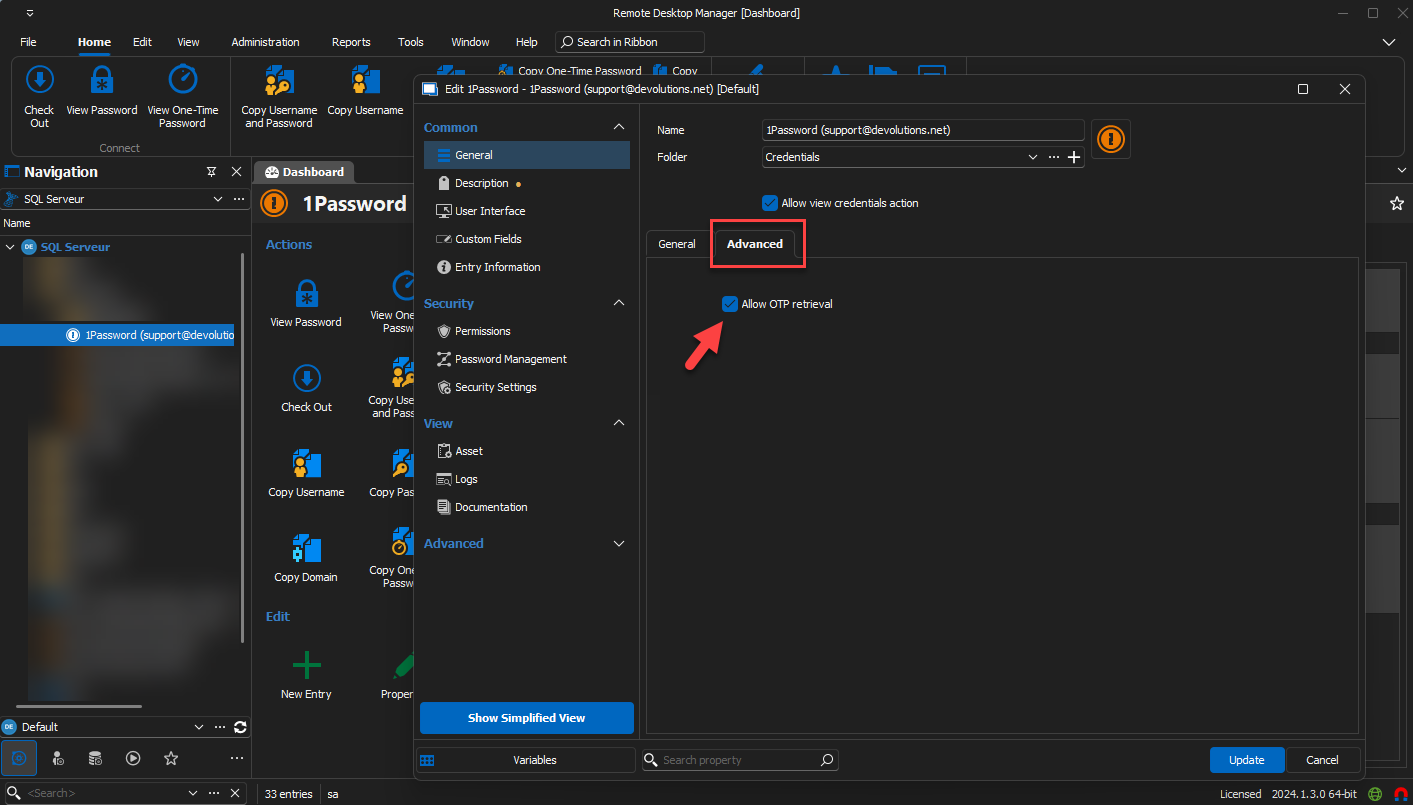
To view the OTP click on "View Password". Then select a credential that contain an OTP if you don't already have one selected. Now you can see the OTP.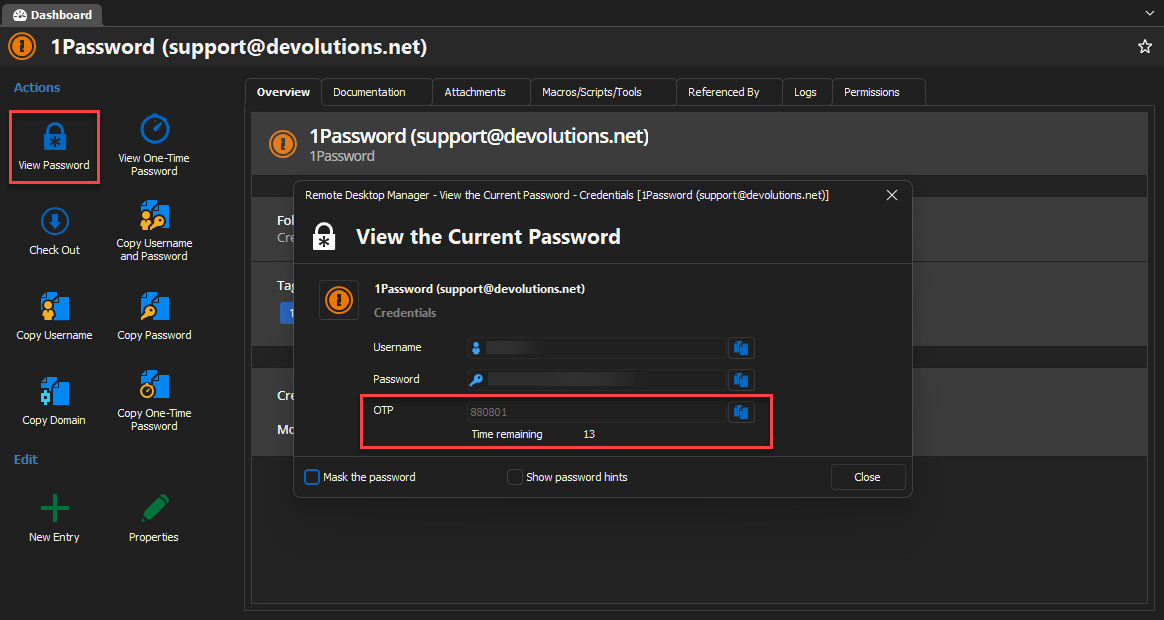
If you only want to see your OTP click on "View One-Time Password". Then select a credential that contain an OTP if you don't already have one selected. Now you can see the OTP.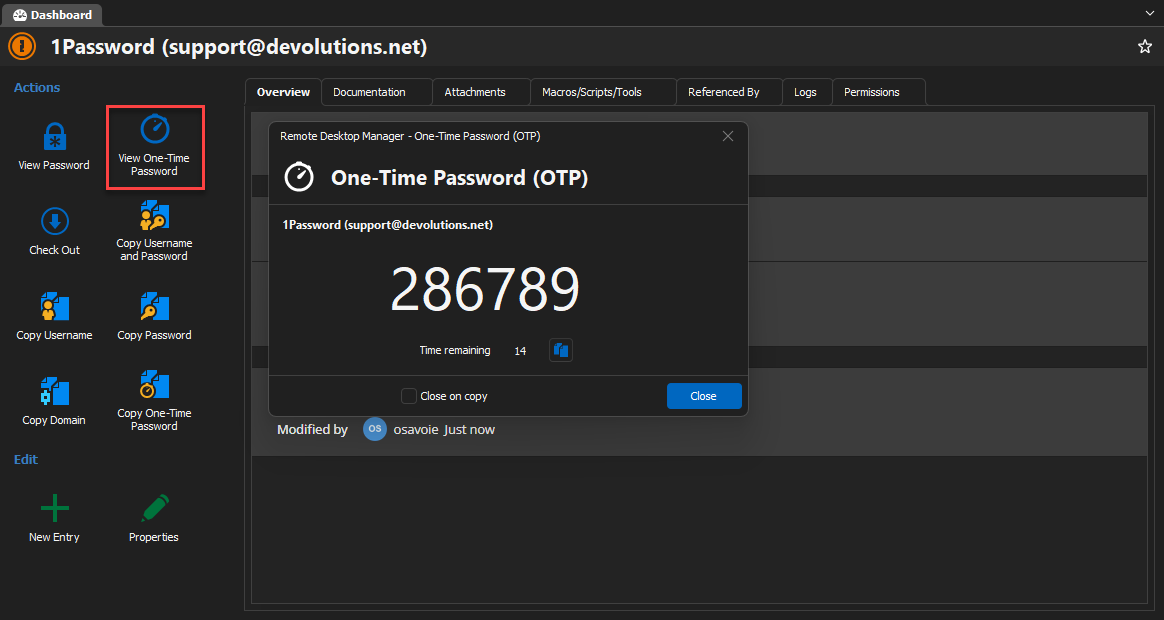
Let us know if you have anymore questions.
Regards.
22d52c5c-c75c-4593-84c2-edda7c9ade26.png
bdce43df-8b67-4282-aab9-2d874fe18502.png
d4bca68f-ab5d-42ce-9655-92fab5109a64.png
download.png
OK .. Good to know ..
Current Release Build = Version 2023.3.37.0 (January 18, 2024)
When do you expect to release 2024.1.4.0 ?
Hi,
We are planning to release 2024.1.4.0 around the end of February/beginning of March.
Regards.
Hi .. Finally got the build today, so I was eager to test.
I added the correct OTP to the 1Password entry and I told my 1Password RDM entry to allow for OTP (per above).
However, when I click the button to 'View OTP' it tells me ..
"The key is either empty or contains invalid characters"
I've checked .. and 1Password is showing the OTP if I look at it in their client.
Hi,
Could you try to create a new OTP entry directly in RDM with you the key you're using in 1Password. I want to know if it's a probleme with the feature or that your key format is not supported.
Regards.
Yes .. I added the QR directly to RDM, and it can display the OTP.
Hello,
Thank you for the information. Since everything seems to be working, I will put this thread as resolved.
Best regards,
Erm .. no ..
If I put the QR into RDM, it works .. sure ..
But the one from 1Password still doesn't work .. so this isn't resolved.
Hi,
I would like to make sure your OTP setup is good in 1Password. When you edit your credential do you have a field of type one-time password set properly with your OTP key set in? You can change the type by clicking the 3 dots button.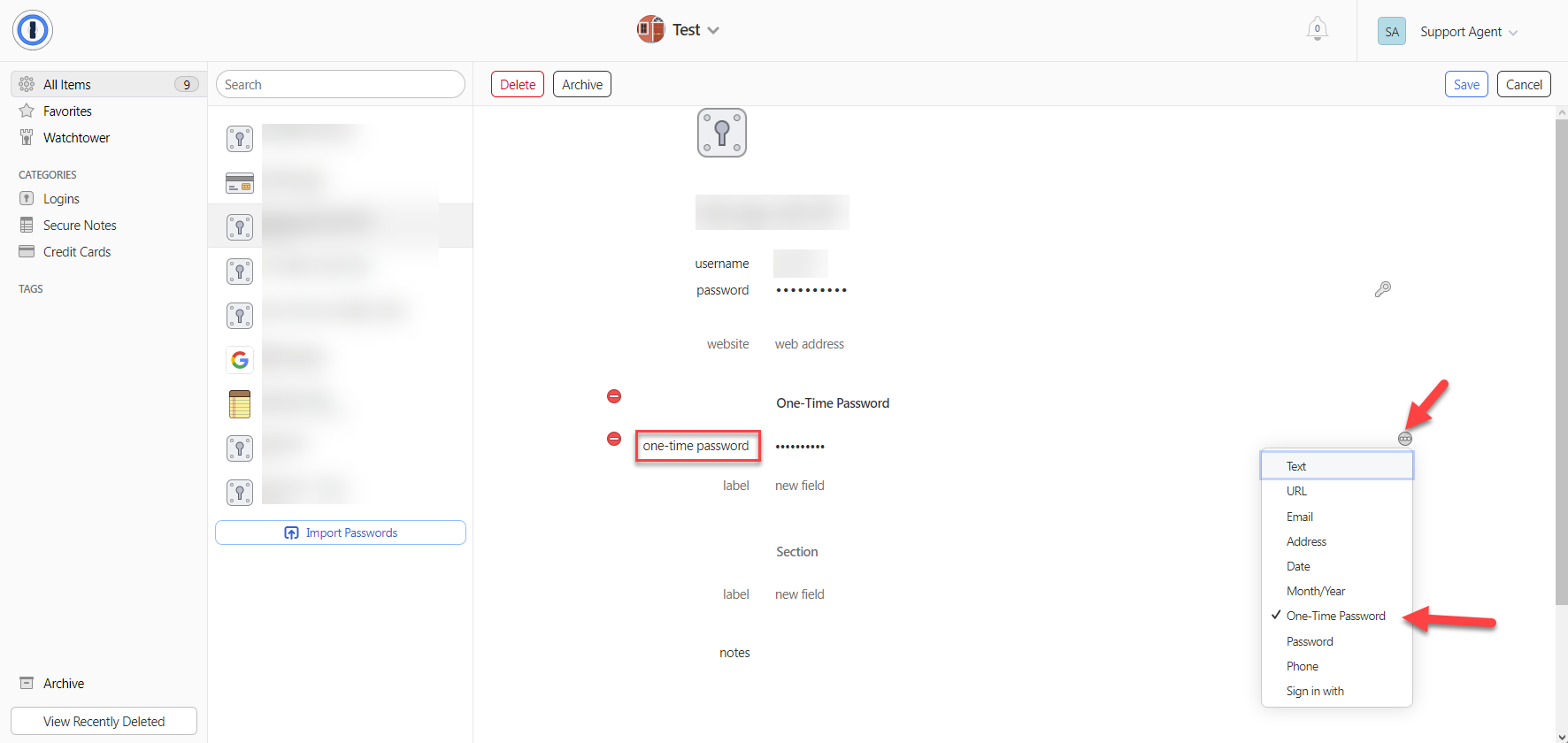
Regards,
9fe72398-c523-48cf-b5a3-54af133ffa67.png
Hi,
We might have found the issue. We'll let you know when it's fixed.
Regards,
Hi,
We fixed the issue it will be available starting from the version 2024.1.21.0 of RDM.
Regards,
Perfect, just tested .. works fine now.