Windows VPN store PSK - Powershell script does not work. Still the best option ?
Windows VPN store PSK - Powershell script does not work. Still the best option ?

Hello
For a long time we've been using an embedded phonebook document to store details about our customers Windows VPN connections. This works mostly well, however it is a pain in the *** that we have to specify the PSK manually every time we connect from a new PC.
I found this topic, explaining how a Powershell script can be used to create the tunnels ad hoc and embed the PSK automatically, that would be a long step ahead from where this implementation is now. https://forum.devolutions.net/topics/33404/store-microsoft-vpn-configuration-profile-in-rdm
My current problem is that as soon as launching the VPN it (the PS script) states that the VPN-connection already exists which it doesn't. I don't know if the script reads the "$RDM.Connection.VPN.Name" wrong or what happens. If I run the script manually outside RDM I can create a VPN with the same name just fine...
I am trying to use the "Default Phonebook" (in Windows) to not have a centrally stored phonebook document, we have had this in the past, but it hasn't been very reliable.
I have attached screenshots of my configuration.
I'm using RDM V.2020.3.18.0
It might be that there is a better way of creating a Windows VPN and storing the PSK with it automatically, if so, please let me know. 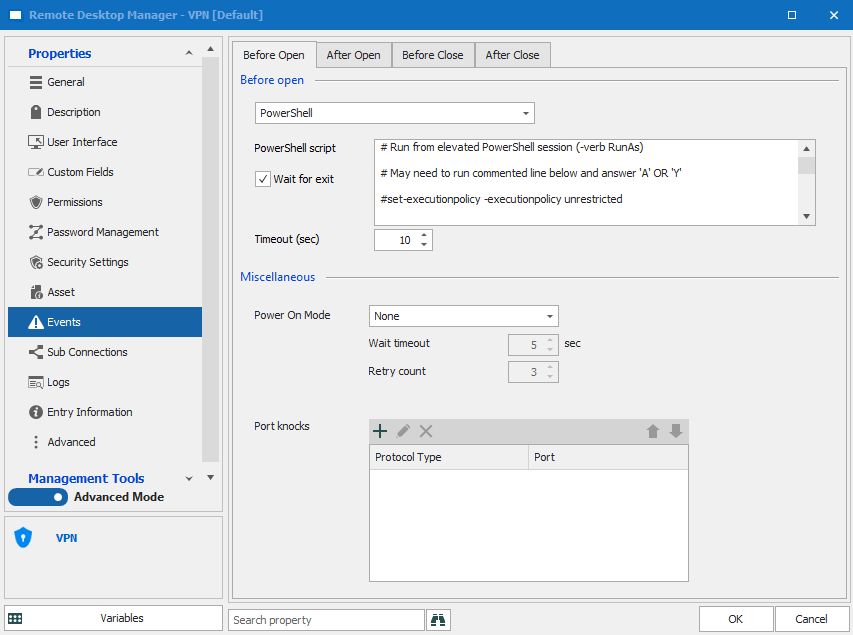


settings2.png
settings1.png
settings.png
alreadyexists.png
All Comments (48)
Hello Joe,
At the moment, the PowerShell script provided here:https://forum.devolutions.net/topics/33404/store-microsoft-vpn-configuration-profile-in-rdm#138180
is indeed the best solution we have.
According to your screenshots, you have selected "Default Phonebook" in the properties of your VPN entry. Could you please select "Phonebook document" instead as shown in the link I have provided you above? I suspect that in doing so, you will not receive this message anymore:
That being said, a feature request has already been opened with our Engineering Department in order to see if that is something that we could add in RDM. For further reference, the ticket number is RDMW-4275.
Best regards,
James Lafleur
Hello James
Just tried to use a phonebook document instead, this fails in the same way...
Anyway I would like to stick to Windows default phonebook as we sometimes has problems closing the Windows VPN from RDM because RDM can't access the phonebook document as it is residing on a network drive which isn't always reachable because our Windows VPNs does not support split-tunneling hence no connection to the drive when on VPN session through RDM.
Hello Joe,
At the moment, I am looking on our end in order to see if we have a test environment that I could use to try this out. Since you confirm that the same script works outside of RDM, it should work in RDM as well.
That being said, after creating the file manually outside of RDM using the script, could you please try to launch it through RDM once more and see if the VPN works? Please note that RDM need to be ran as an administrator in order for the VPN to be launched properly.
Best regards,
James Lafleur
Hi James
Looking forward to hear how it goes with the testing in your end. If you need a Windows VPN to connect to, I can supply you credentials to one in our test-environment.
I just tried to add the following "Before Open"-event to the VPN-entry in RDM: "Add-VpnConnection -RememberCredential -Name test -ServerAddress 1.2.3.4 -TunnelType L2tp -L2tpPsk wegaweg -AuthenticationMethod Pap -Force -ErrorAction SilentlyContinue;" This does successfully create the VPN-adapter on my PC.
The problem is definitely that when running the supplied script in the "Before open"-event it detects the adapter the wrong way, thinking it is already created on the PC even though it's not, and that leads it to not creating the adapter at all.
Best regards
Joe
Hello Joe,
Would it be possible for you to replace the scripts your are currently using with the one below instead and see if this issue still occurs?
$wshell = New-Object -ComObject Wscript.Shell;

$ServerAddress = $RDM.Connection.VPN.Name;

$ConnectionName = $RDM.Connection.VPN.Name;

$PresharedKey = $RDM.Connection.MetaInformation.CustomField1Value;


$Exists = Get-VpnConnection -Name $ConnectionName -ErrorAction

SilentlyContinue -ErrorVariable ProcessError;

If ($ProcessError) {$wshell.Popup('RDM is creating the VPN ' +

$ConnectionName,0,'Creation',0x0);

$Exists = $False};


If ($Exists -eq $False){;

$ServerAddress = $ServerAddress;

$PresharedKey = $PresharedKey;


Add-VpnConnection -RememberCredential -Name $ConnectionName -

ServerAddress $ServerAddress -TunnelType L2tp -L2tpPsk $PresharedKey -

AuthenticationMethod Pap -Force -ErrorAction SilentlyContinue;

$ExistsTest = Get-VpnConnection -Name $ConnectionName -ErrorAction
SilentlyContinue -ErrorVariable ProcessError;
If ($ProcessError) { $wshell.Popup('VPN ' + $ConnectionName + ' -
Cannot be created' + $Error,0,'Error',0x0)} else {$wshell.Popup('VPN ' + $ConnectionName + ' - Succefully Created ',0,'Success',0x0)}; }
Best regards,
James Lafleur
Hello James
Just replaced the script with the new one. This time the VPN is indeed created if not present.
When opening the VPN-session from RDM it doesn't launch the VPN, either after creating it nor concluded it's already there.
Do I have to enter additional information anywhere in order for it to actually start the VPN ?
My exact configuration looks like my screenshots posted earlier. The only change is your updated PS script.
Best regards
Joe
Hello Joe,
After going back through our exchanges, I noticed that I did not have a confirmation from you that RDM was run as an administrator. Is it your case? If not, could you please try to do so and see if the VPN is started properly?
Best regards,
James Lafleur
It is running as admin, still doesn't work.
It opens just fine on your existing Windows VPNs, but those are configured on the parent folder of the entries where we would utilize the VPN. I can't find a option there to add the "Before Open"-Event.
This new VPN entry I'm currently playing with is added under the parent folder as a VPN entry, because I see that I can add the "Before Open"-Event here just as Jeff D's guide on the topic indicates. As stated, the script creates the VPN but it's not launched.
I would prefer to be able to add the "Before Open"-Event on the parent folder, but it doesn't seem like an option to me.
Sorry. Works now. Forgot to change the phonebook back to "embedded" after playing with using our existing document.
Tried to use the following at the "After close"-event to automatically delete the VPN after ended session. It doesn't delete the VPN. Do you have an idea on that too?
Remove-VpnConnection -Name $RDM.Connection.VPN.Name; -Force
Edit: Deleted the semicolon after the variable name, works now.
Hello Joe,
Great! I am glad to see that you have been able to solve this issue!
Do not hesitate to contact us again fi you require further assistance.
Best regards,
James Lafleur
Thank you. I am glad to always receive good help from you guys at this forum.
Merry Christmas
Best regards
Joe
Hi again James
I tried to develop a little further on my implementation on this. Hope you have an idea.
As you know the PS-script is currently running in the VPN-entry under the "Before open"-event which works just fine.
I created a Macros/Scripts/Tools-entry in a folder in RDM named Scripts - This entry is configured as "embedded script" and I pasted the PS-script from earlier on.
In order to not have to copy the script into all of our Windows VPN-entries, I tried changing the "Before open"-event under the VPN-entry from script to Macro/Script/Tool and pointed it at the newly created Macros/Scripts/Tools-entry containing the PS-script to establish the VPN tunnel.
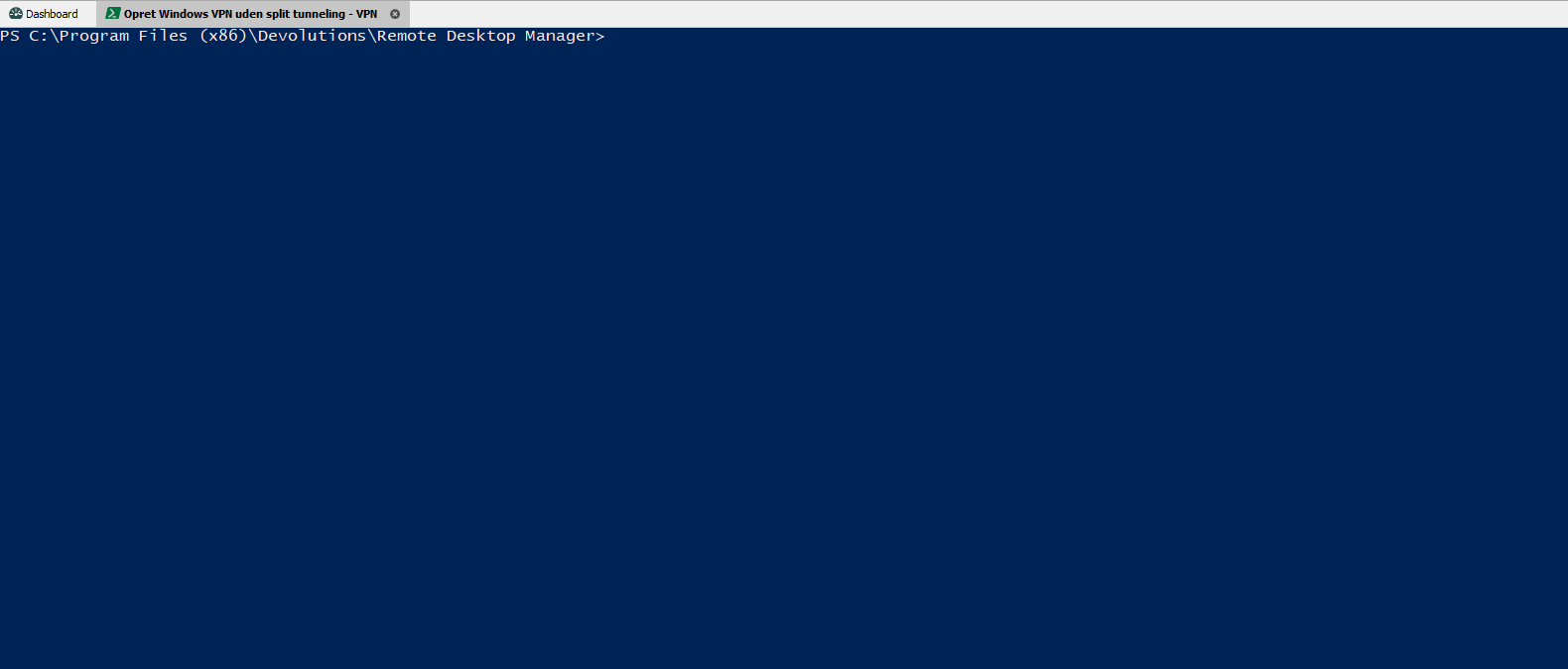
When launching the VPN-entry I now see a powershell-tab open in RDM, but I don't see it execute anything or doing anything. I wonder if it can't execute the script the way I'm utilizing it, or if it's just me missing something here ?
I've attached screenshots for you to see.
Thanks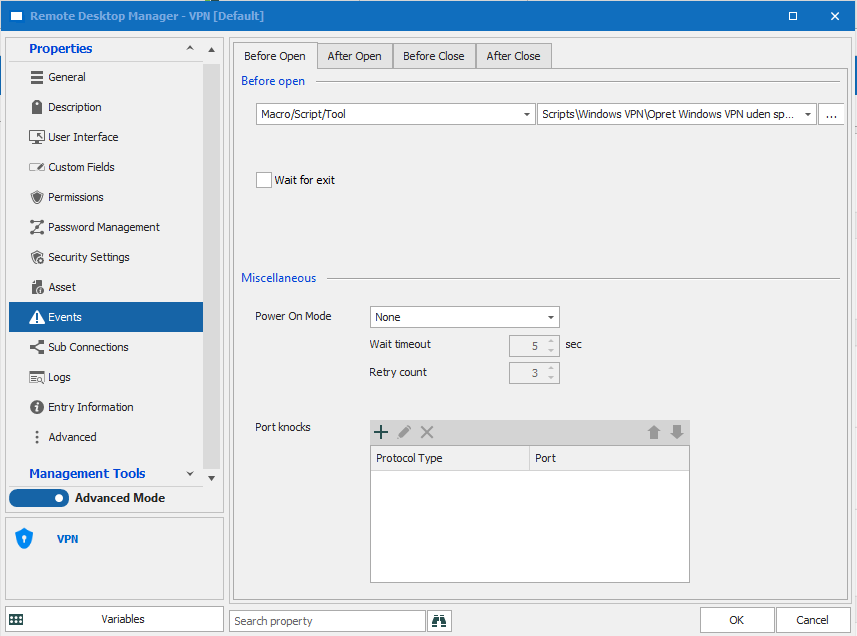

VPN-entry.png
PS-script.png
Powershell.png
Hello Joe,
You are more than welcome! We are always glad to help!
In that case, there are two thing I could recommend:
1- To avoid having to manually paste the script in all of your VPN entries manually, you could instead use the batch edit feature to configure it in multiple entries at once. That way you won't have to change the way it currently works. For more information, please consult this link: https://help.remotedesktopmanager.com/commands_batchedit.html
In short, you will need to select your VPN entries, right-click on them and choose Edit -> Batch Edit -> Edit Entries (General Settings):
Then in the Batch Edit window, you will need to go under the "Events" section and check the "Override" option in the "Before Open" section and paste your PowerShell script. Doing so will configure it for all of your VPN entries at once.
2- Instead of using a PowerShell (local) entry type, could you please try to use a PowerShell entry (the blue one) directly and see if this issue persists?
Merry Christmas.
Best regards,
James Lafleur
Hello James
I would rather keep it in a single script instead of doing batch replace. This way we have only this script to maintain, and we won't have to replace it everywhere.
I just tried to create it as the blue entry (the one called test), however I can't seem to find this one to choose at the VPN-entry ?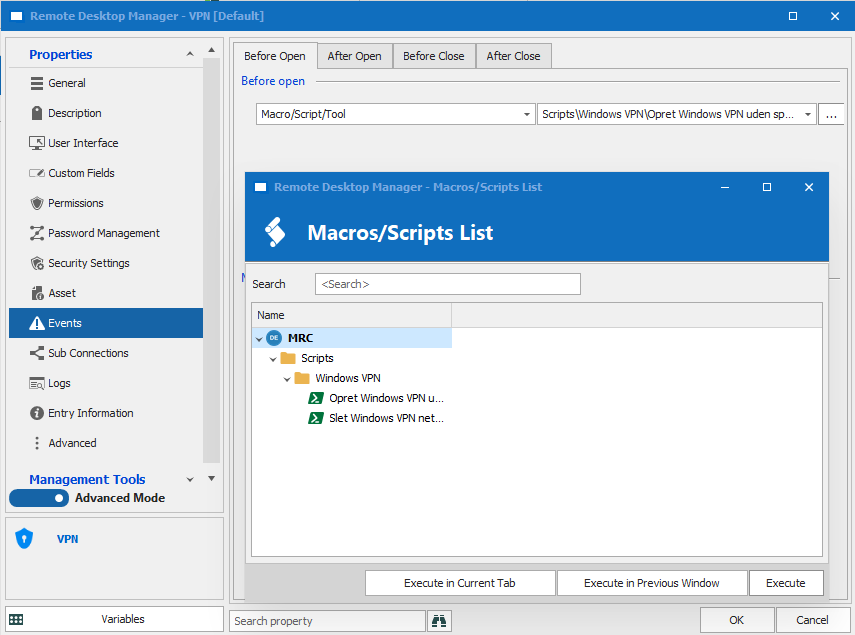
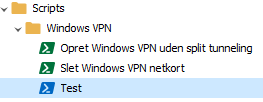
Best regards
Joe
2.png
1.png
Update:
Just tried to create a hello world script (green type) and link it to the before-open-entry in the VPN, this script works just fine (only writes hello world to the host).
Must be something in the VPN-adapter script itself that prevents RDM from executing it maybe ?
Hello Joe,
Unfortunately the blue PowerShell entry cannot be used under Events -> Before Open -> Macro/Script/Tool. Only the entries of the type "Macro/Script/Tool" will be shown on the list.
As for the VPN-Adapter script, I think that it might no longer work as well on the latest version of RDM. This workaround was initially provided to us by a client since RDM did not have a Microsoft L2TP VPN integration.
That being said, while not being optimal, I would recommend that you keep the PowerShell Script in the configuration of your entries directly until the Microsoft L2TP VPN integration is made into RDM. Maintaining the script using the Batch Edit feature will still require some time but it will allow you to use this workaround.
Best regards,
James Lafleur
Damn.. Sorry to hear that. Looks like I'm a bit on my own on this part then.
I really hope the you'll implement the Windows VPN in RDM better to save the PSKs etc. it would make it much easier for us and probably a lot of others too.
Are there any logs I can search through in order to find out why RDM isn't executing the script but just showing the PS-window imbedded ?
There must be something keeping it from executing it. If I can find a hint somewhere I might be able to figure out why.
Best regards
Joe
Hello Joe,
Unless I am mistaken, entering adding the PowerShell script directly in the entry work for you? Even if it is not optimal, it would allow you to achieve something close to what you are looking for until it is implemented in RDM.
Best regards,
James Lafleur
It indeed worked to add the PS script directly to the entry. Just wanted to develop it further by embedding the scripts. Sadly the script does not execute this way for some reason...
Are there any logs I can search through, in order to see why RDM fails to execute the script? As stated it executes my "hello world" script just fine. But not the VPN-script.
Since it seems I cannot get the scripts to execute when calling them as Macro/Script/Tool in the VPN Before Open-events entry I created them as scripts on my PC and placed them on my C: drive in order to simply execute them from there.
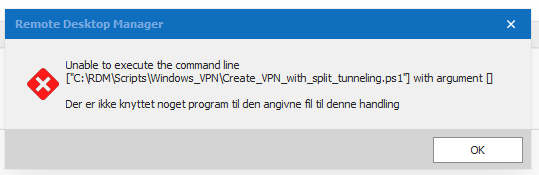
It doesn't work though. When Opening the VPN, RDM is reporting that there's no program to execute the script, which seems weird since I have tied PS1 files to Powershell in Windows, also the scripts launch in Powershell just fine when double-clicking them directly.
Do you know why this happens ?
Best regards

3.png
2.png
1.png
Hello Joe,
While I understand that you want to further develop the script while you wait for our developers to implement this integration, I must say that I am not familiar enough with the script that was originally provided to us by one of our customers to see exactly why the script does not work when you attempt to configure/use it outside of your entry.
I will discuss this with my colleagues and see what can be done. That being said, in the meantime, I would recommend keeping configuring it in the properties of your entry directly. If you need to change this script later on, just use the batch edit feature to apply this change on multiple entries at once.
Best regards
James Lafleur
Hi James
Thanks for your help and support.
I hope that your colleagues has an idea on this.
Best regards
Joe
Hello,
Jumping in to let you know that we've implemented support for Microsoft L2TP VPN. It will be included in version 2021.1.1.0;
Regards
Jonathan Del Signore
Hello Jonathan
This is the best news I have had in a while, great!
When do you expect to release version 2021.1.1.0 ?
Regards
Hello,
Our current expected release date is February 15.
Regards
Jonathan Del Signore
It seems February 15 has passed... Where can I download the new release 2021.1.1.0 ?
@vitexeon,
RDM 2021.1.12.0 can be downloaded here
https://remotedesktopmanager.com/home/download#Beta
Best regards,
Jeff Dagenais
Hello Jeff
Great news, thanks. Do you know when we will see a verison of RDM with Windows VPN support included which isn't in beta ?
Regards
Hello,
RDM 2021.1.20.0 is now available as an official release on our website
https://remotedesktopmanager.com/home/download
Best regards,
Jeff Dagenais
Updated to 2021.1.20.0 On the VPN tab, we configure L2TP and after we have an error or 703 or 868. Please make a detailed isntruction with screenshots how to configure an RDP connection from scratch via Microsoft VPN L2TP ??? A lot of people need it, and we've been waiting for this feature... but the first time it does not work for us ((((
Hello @vitexeon
We do actually have a step by step topic with screenshots: Create a Microsoft L2TP VPN Entry in our Knowledge base.
I hope this will help you out.
Best regards,
Christine Breault
- This instruction is wildly incomplete! Where to specify the IP address of the Microsoft VPN server ? Why doesn't your link specify the VPN Name, what it means, and what it should contain ?
according to this instruction, the VPN connection is not set (and it can not be set because it has IP addresses where you need to knock)
Hello,
Sorry for the confusion. The VPN name is actually where you need to input the VPN host. RDM will then create a VPN profile based on these settings (because it needs to save the pre-shared key), and then launch it.
Please tell me if this works for you.
Regards
Jonathan Del Signore
@vitexeon
Take it easy. We will try to help you but I'm not sure that I will be interested in adding more feature for you.
David Hervieux
We don't need any more features. We would like to see the most frequently used VPN L2TP connection in the world finally working in RDM in a human way....
We describe the sequence of actions:
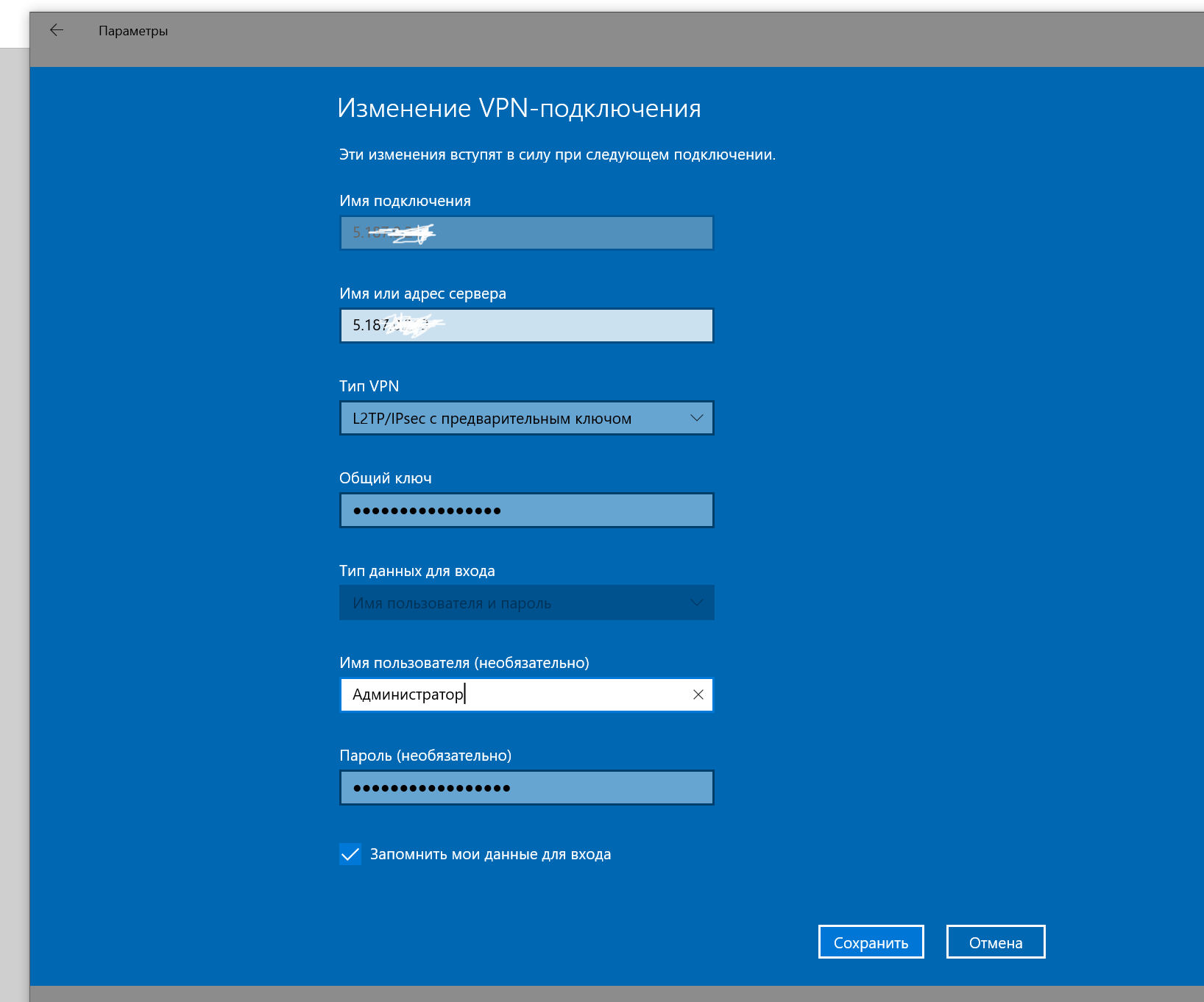
1. Create a VPN account
2. Write its name ITRTS-VPN
3. Select the VPN type equal to L2TP
4. Enter the host IP in the VPN Name field (as you said earlier here)
5. Enter the key
6. Specify the user name
7. Specify the password
8. Specify the method of autism
9. Click OK
10. RDM entry created
11. Click Open Session
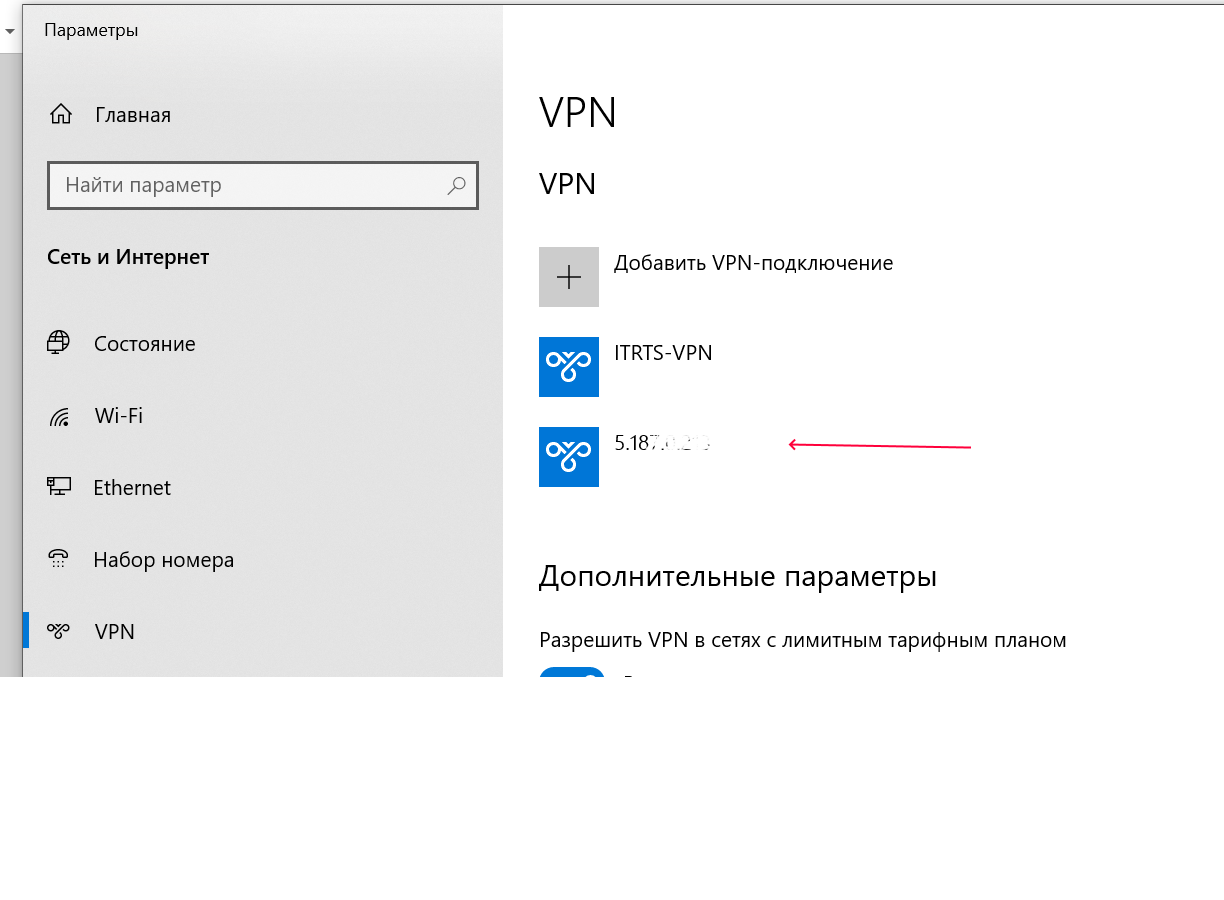
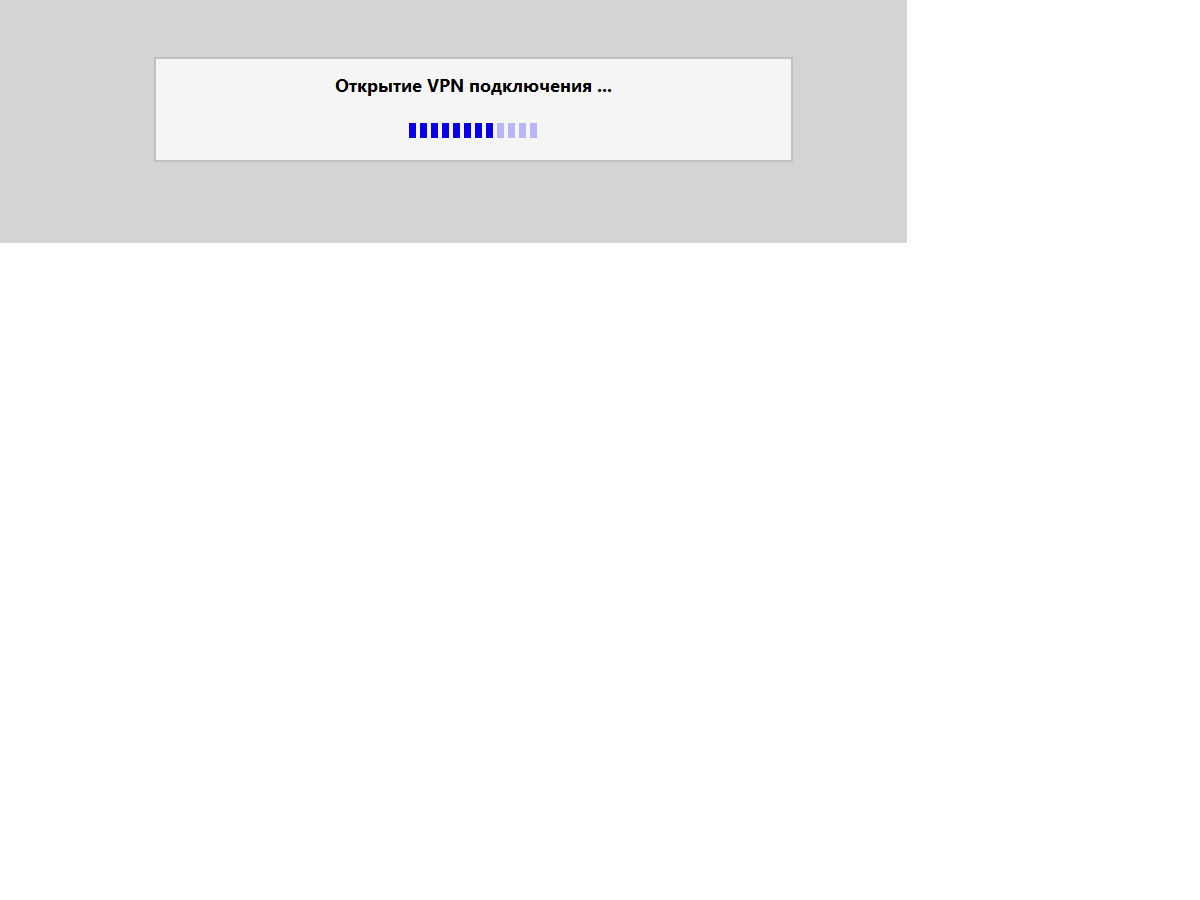
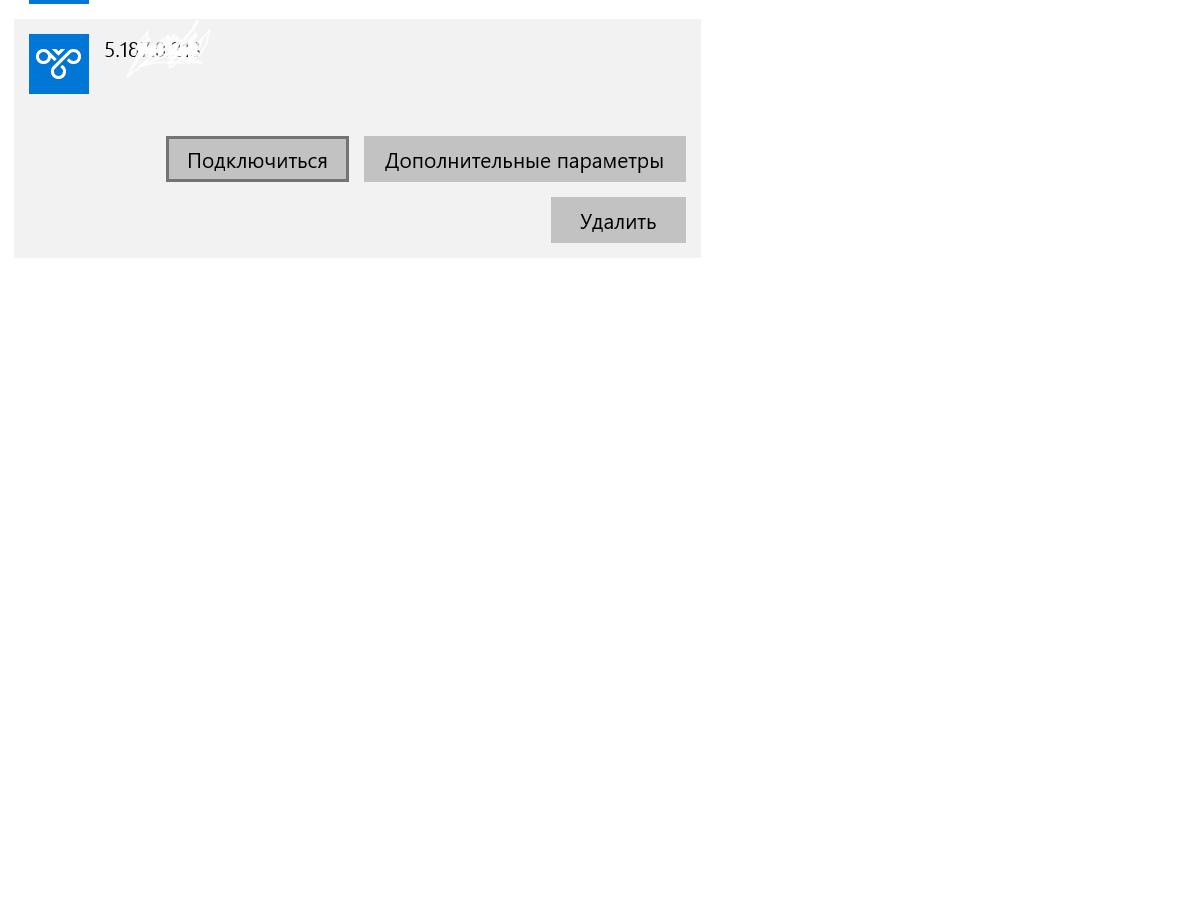
12. In Windows Settings, a new entry
with the host IP name is automatically created in the VPN section
13. At the same time, the VPN SESSION from RDM DOES NOT START !!
Just run through the divisions that the connection
was going on (the shortcut does not turn GREEN, as in cases of a successful connection)
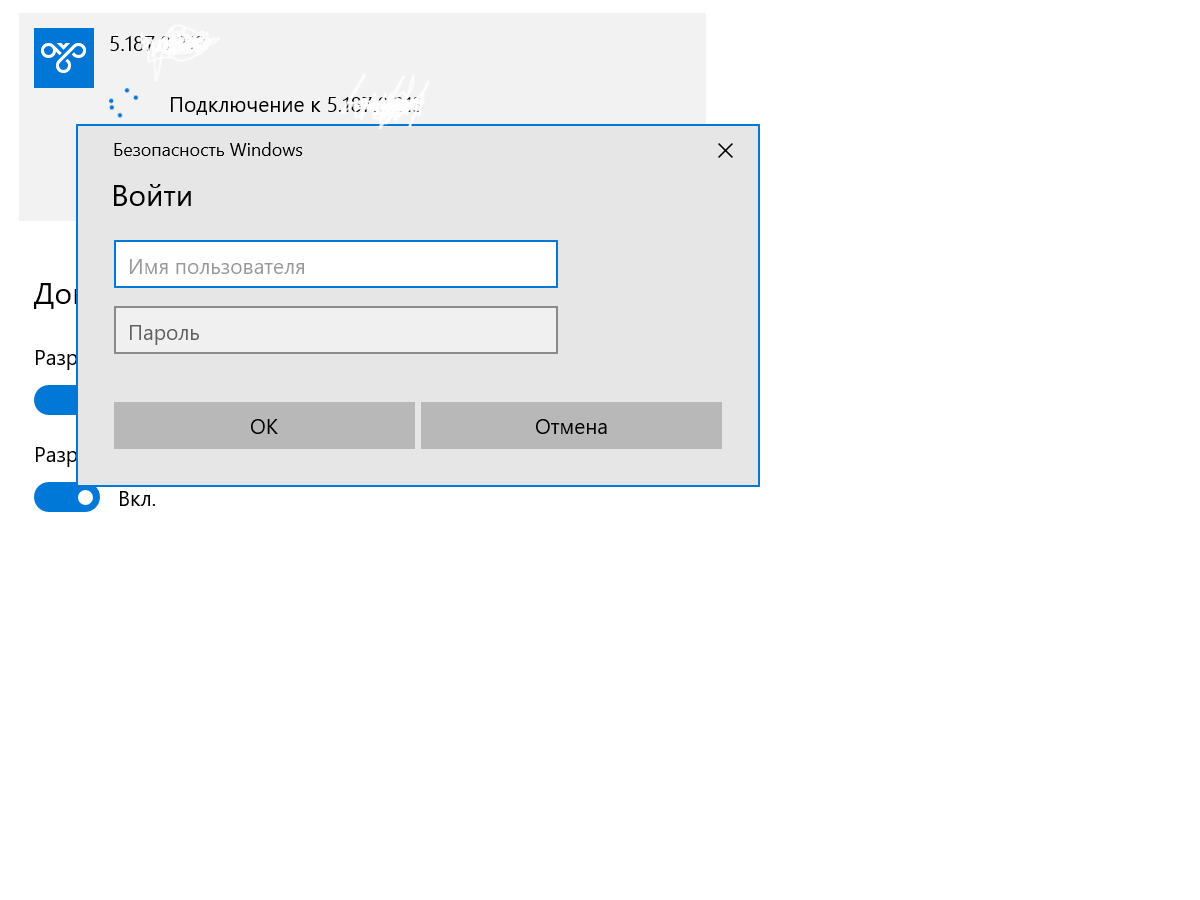
14. If you manually start this connection from Windows
it will ask for a Username and Password (although they have already been entered in RDM before)
15. Add the 100% working Username and Password again to the output fields
And the connection still does not START !!
16. At the same time, if you create a VPN connection from scratch in Windows
absolutely with the same parameters that fit into the RDM
It will work !!!
WHAT are we doing wrong ? Or that you don't have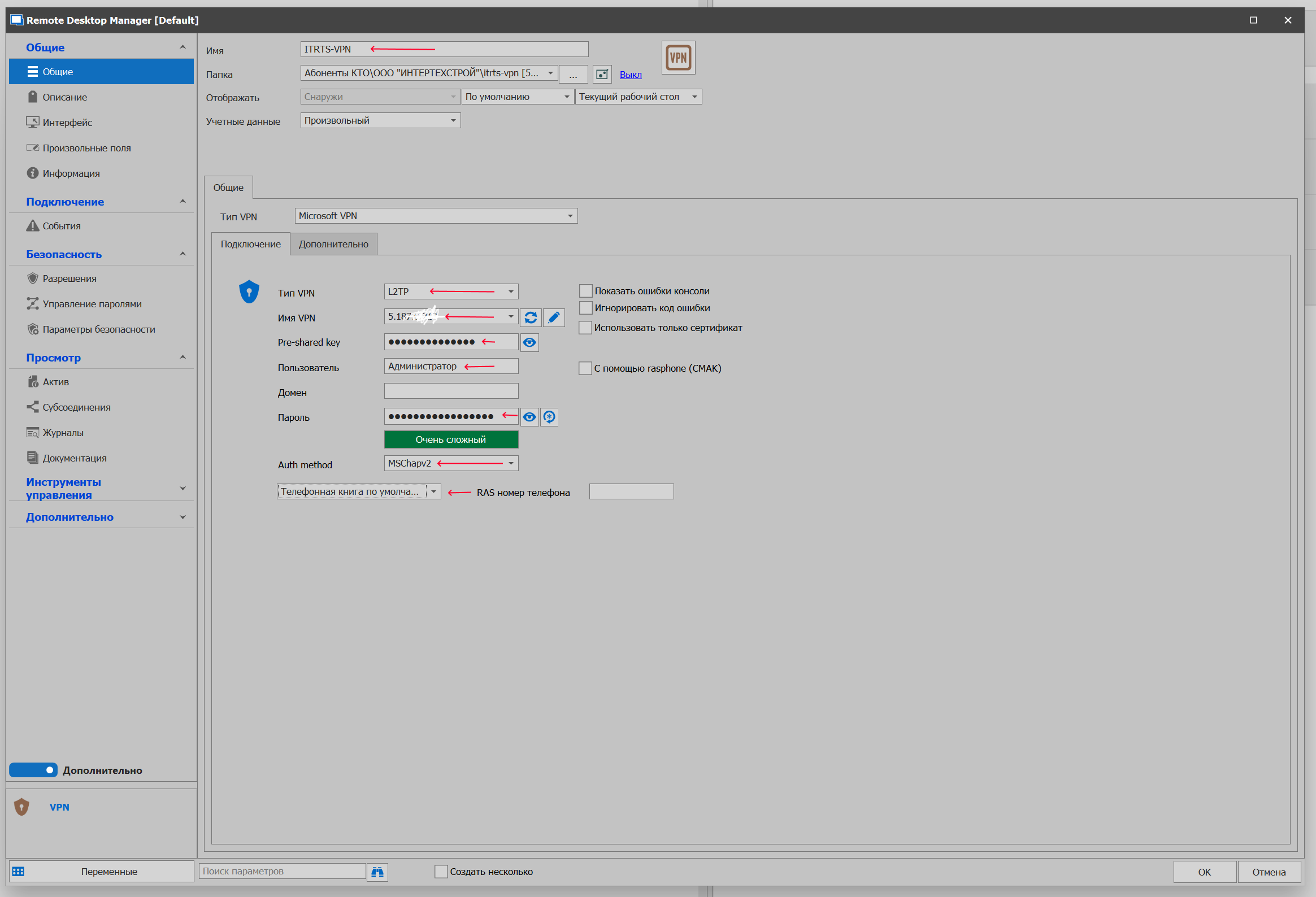
001.png
002.png
003.png
004.png
005.png
006.png
If you enable the display of connection errors in RDM you will get error 691 or 703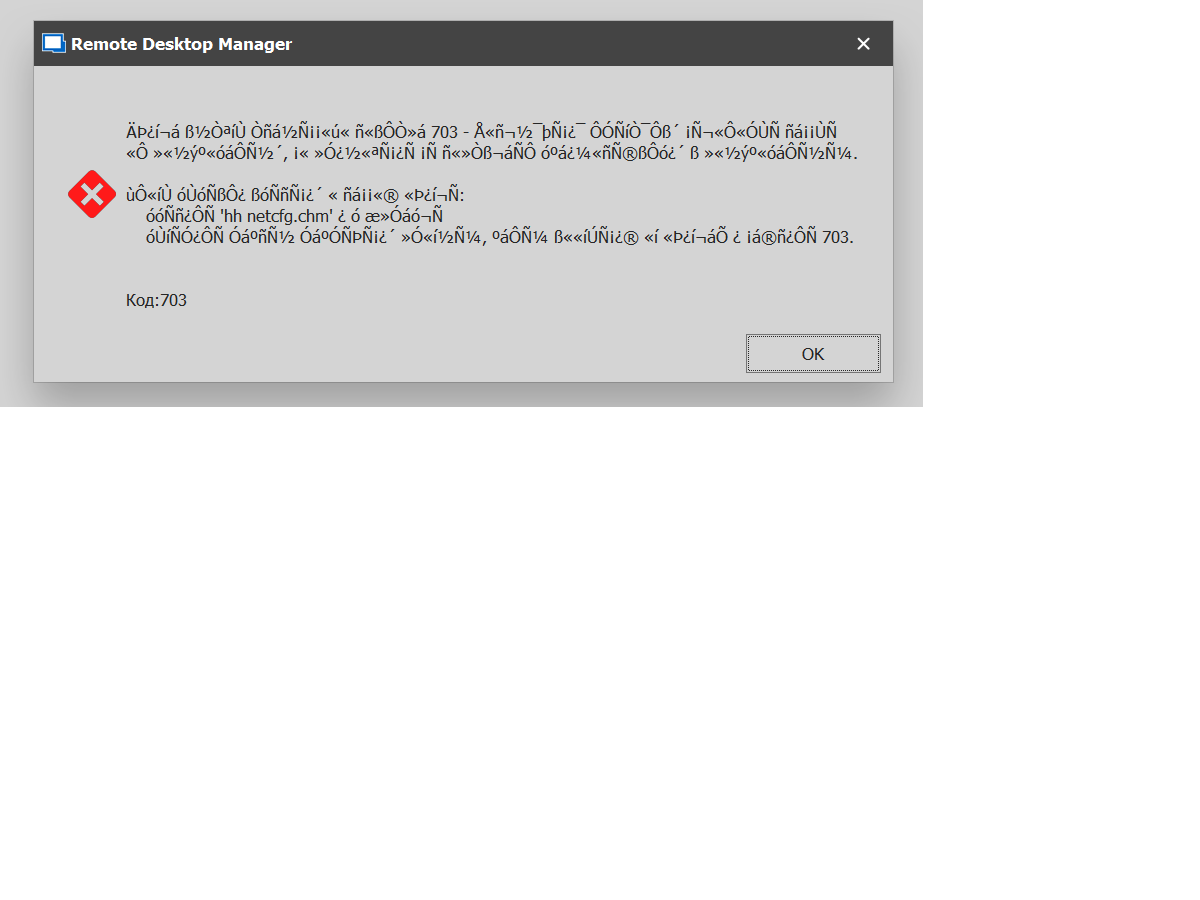 If you enable the display of connection errors in RDM you will get error 691 or 703
007.png
008.png
First of all, have you tried authentication methods other than MS-Chap v2 ? Just in case the server doesn't accept this authentication protocol.
Jonathan Del Signore
The server is configured for MS-Chap v2 authorization by default !! And when you manually create a VPN connection in Windows, everything works fine (I wrote about this earlier) If you still switch to Pap, Chap or Eap, the connection from RDM still does not establish !!
If there are not enough screenshots that we provided above, we can record a video of how the L2TP VPN function does not work in RDM....
How is your solution to the issue of Microsoft VPN L2TP connection error correction progressing? Millions of RDM users have been waiting for this feature from you for years ! And here is a new promised release, and again Microsoft VPN L2TP does not work....
Provided quite a lot of screenshots and comments! Get your testing department to finally test all the features of Microsoft VPN
Typical instructions on how to raise the VPN L2TP SERVER
https://www.youtube.com/watch?v=xOyS1gZ0Lrg
https://www.riptidehosting.com/blog/how-to-install-vpn-server-on-windows-server-2019/
Hello,
We'll add a way for you to export the powershell script that we're using to create the VPN profile. That way you'll be able to test the VPN creation outside of RDM and maybe have a better idea why it's not working for you.
Regards
Jonathan Del Signore
We look forward to this feature from you.
I hope we, together with the entire RDM community, can finally help you in 10 years, to refine one of the most popular functions of connecting Microsoft VPN L2TP with a Secret key... And then we were very disappointed when we saw the new promised version 2021 and it still does not work Microsoft VPN L2TP with a Secret key (((
@Vitexeon
You could try to export both VPN phonebook entries, i.e. yours and the one created by RDM, using the Powershell command Get-VPNConnection. This may offer some clues as to how the two entries differ from each other.
So everything is fine with the records in the Windows environment. By means of Windows, both start, and the one that I created in manual mode myself and the one that RDM created (it differs only in names, since RDM makes it as an IP). It is the launch of the VPN connection from RDM that does not work, it falls out in error 691 or 703.
Therefore, it is clearly in RDM, it seems that it can not work in the current version with the Secret key of L2TP VPN... Somewhere the developers messed up in the scripts...
Moreover, this error is indicated by the majority of users in different branches of the form, but the developers can not normally test this functionality.
They even received frame-by-frame instructions on how to raise a VPN server and step-by-step screenshots that lead to an error. I need to record another video ))))
Since your saying that the VPN creation from RDM is fine, and that it's simply an issue with the launch, I think I may have an idea as to what is causing the issues for you. We're launching the VPN using Powershell, so maybe there's a language issue, where your username/password are not being recognized.
Could you please try this :
- Press the key combination Windows+R
- Run command intl.cpl
- Switch to tab Administrative
- Press Change System locale
- Enable Beta: Use Unicode UTF-8 for worldwide language support
- Press OK
- Restart Windows
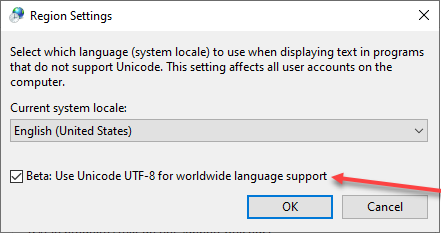
After that, you can delete the VPN profile from Windows and start over from RDM (and make sure to run RDM in Administrator mode, just in case).
Jonathan Del Signore
2021-04-15_12-26-06.png
Hello,
We've also made the change to separate the VPN name from the server host. It will be included in version 2021.1.23.0.
Regards
Jonathan Del Signore
And the VPN connection in Windows itself will be created equal to the VPN Name, I hope ? And inside there will already be a VPN Server IP. And now a new VPN connect is created with the name IP...
We will test your suggestion for enabling the UTF-8 Beta function during the week and let you know if it helped... But as if this should not be (it does not need to be included, for that it is beta) in the world of 7174 languages, and by default, all translations and language packages of Microsoft that it releases in the MSDN channel work without this check mark... What is German what is French