Would it be possible to add "Copy Password" to available options on "Website" entry?
Would it be possible to add "Copy Password" to available options on "Website" entry?
0 vote

I've been using the Session Type of "Web Browser" for much of my entries, and will probably continue to use it, but if the "Website" entry was able to access the Clipboard in the same manner as the "Web Browser" type (namely access to the Password, though URL would also be useful), I may use it more frequently.
Thank you!
Matt Broadfield
All Comments (14)
Hello,
This should not be hard to add. I will add this to our todo list.
Regards
David Hervieux
Hello,
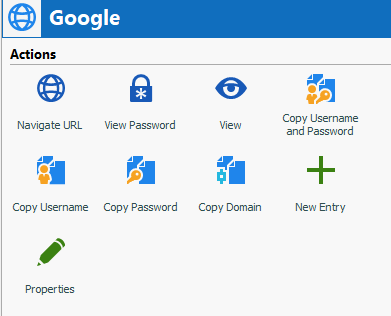
This should already available, when I make a Website entry with credentials inside, I see the following action buttons:
What version of RDM are you using?
Regards,
Hubert Mireault
2019-05-16_7-50-48.png
Hubert,
Sorry - I should have included that in my original post. I'm using 2019.1.20.0.
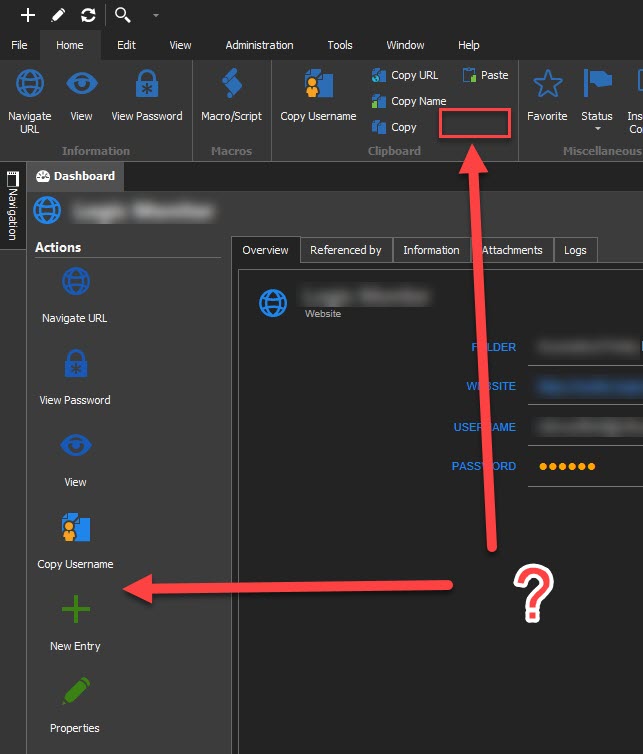
When I create a new Website I have the following action buttons:
There is a "Copy Username", but no "Copy Password" available to me.
Matt Broadfield
WebsiteActionButtons2019-05-16_9-22-42.jpg
Hello,
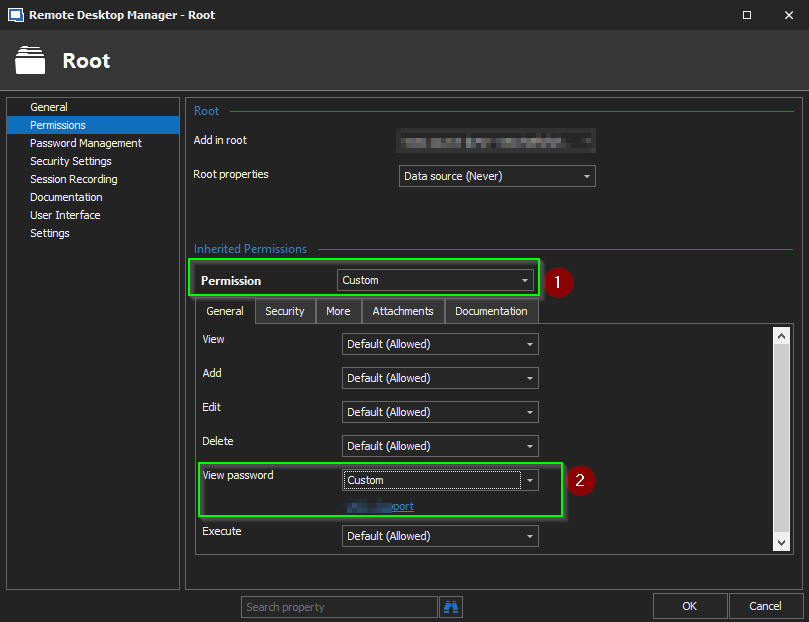
This issue is caused by the fact that your user does not have the "View Permissions" on this entry. Morei nformaiton on that amtter can be found here: https://forum.devolutions.net/topic31812-after-rdm-update-i-cant-copyview-username-and-passwords.aspx?lastpage=1#post128323
In this thread, you will find the following message on that matter:
"If you want to allow Users or specific Roles to be able view the password from all your sessions, you must configure the View Password setting found in Root Settings => Permissions
This setting was changed because of security purposes.
Here the associated line from the Release Notes : https://remotedesktopmanager.com/release-notes#_gac=1.51723355.1554296008.Cj0KCQjws5HlBRDIARIsAOomqA3ywMIfEkq4pM_uVsDLut1r_Ow7RRZKo1D9MrqBBjzyShNd4AoQGBQaAhSiEALw_wcB
"Changed the View Password to not allowed by default for non administrator""
Best regards,
James Lafleur
ViewPassword.png
James,
Thanks for the response.
I'm sure it should be obvious, but I'm not seeing how to change permissions.
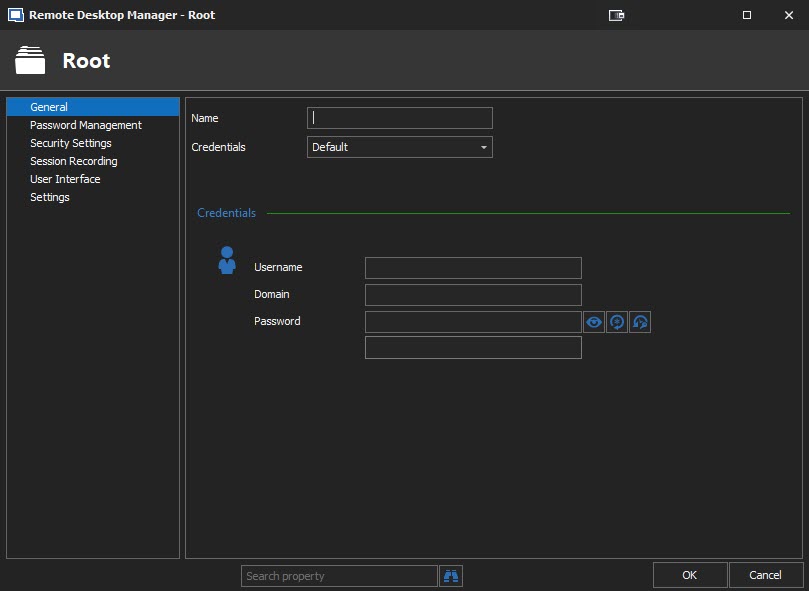
When I look at the Root settings - Permissions is not available to me:
Thanks,
Matt Broadfield
Root_2019-05-16_12-56-53.jpg
Hello,
You are more than welcome!
In order to be able to change the Permissions, you will need to connect using an Administrator account in RDM.
Best regards,
James Lafleur
I am using the Administrator account. I installed RDM with this account on my local machine - it is the Admin account on the local machine, I have full admin privileges everywhere on this machine.
I uninstalled RDM 2019 Enterprise and reinstalled it, using a new datasource and still don't seem to be able to gain access to the Permissions area - what am I missing?
Matt Broadfield
Hello,
Which type of Data Source are you currently using? If you are using a Local Data Source, you won't have a access to this section.
Best regards,
James Lafleur
Yes, I'm using a local datasource.
So does that mean that because I'm using local I will not have access to "View password"?
Matt Broadfield
I switched to SQL datasource just to test - and had the same behavior (no copy password option) - note that I am using "Credential Repository" - when I switched the Credential pick list option to "Default" and filled in the information I was able to see the action buttons.
Is that the expected behavior?
Matt Broadfield
This is true in the local datasource as well - if I switch to Default Credentials, the action buttons are available - if I use Credential Repository, they are not.
Matt Broadfield
Hello,
Thank you for this information. I will open a new ticket with our engineering department in order to enable this feature when using a "Credential Repository".
Best regards,
James Lafleur
Can confirm this is happening to me as well, with a Devolutions Online Drive data source.
Hello, we fixed the possibility to copy password for website entry.
It will be available in the next release of RDM.
Best regards,