sftp connection doesn't allow me to edit files
0 vote

I am trialling the remote desktop manager free version.
I have created an sftp connection to a server, which opens fine. I then right click on a file and choose 'view'. This opens the file using my local text editor (notepad++).
I make a change and click save. However, the change is not saved when I re-open the file.
The connection was originally imported from winSCP, and then I changed the type to Built-in SFTP. I have also tried setting up the connection from scratch.
If I do the same thing in winSCP directly it works fine (except winSCP calls it edit rather than view). This uses the same login details.
Do I need to enable something somewhere to enable me to edit files?
All Comments (11)
Hello,
This is would actually be a feature addition. I will move your topic to our feature requests section.
An engineer has been assigned to it.
Best regards,
Marc Beauséjour
I'll add a +1 to this feature request. I'm liking what I see so far of RDM - but I also expected (hoped) to see a way to edit files directly using the SFTP connection. This is how a few other SSH clients work (e.g. MobaXTerm) and I'd really appreciate that capability being added. It comes down to some nifty work to allow the remote file to be downloaded.. loaded in to the assigned editor... and when the file is saved back to disk to then push that change back via SFTP.
This is in RDM beta and it will be in RDM 14
Regards
David Hervieux
Any news on this feature? Unfortunately it still seems not possible to edit files and save them.
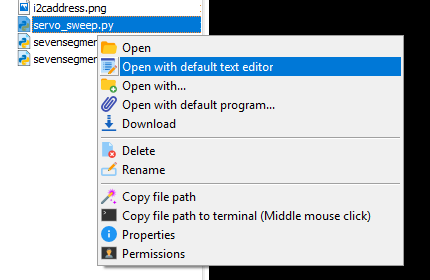
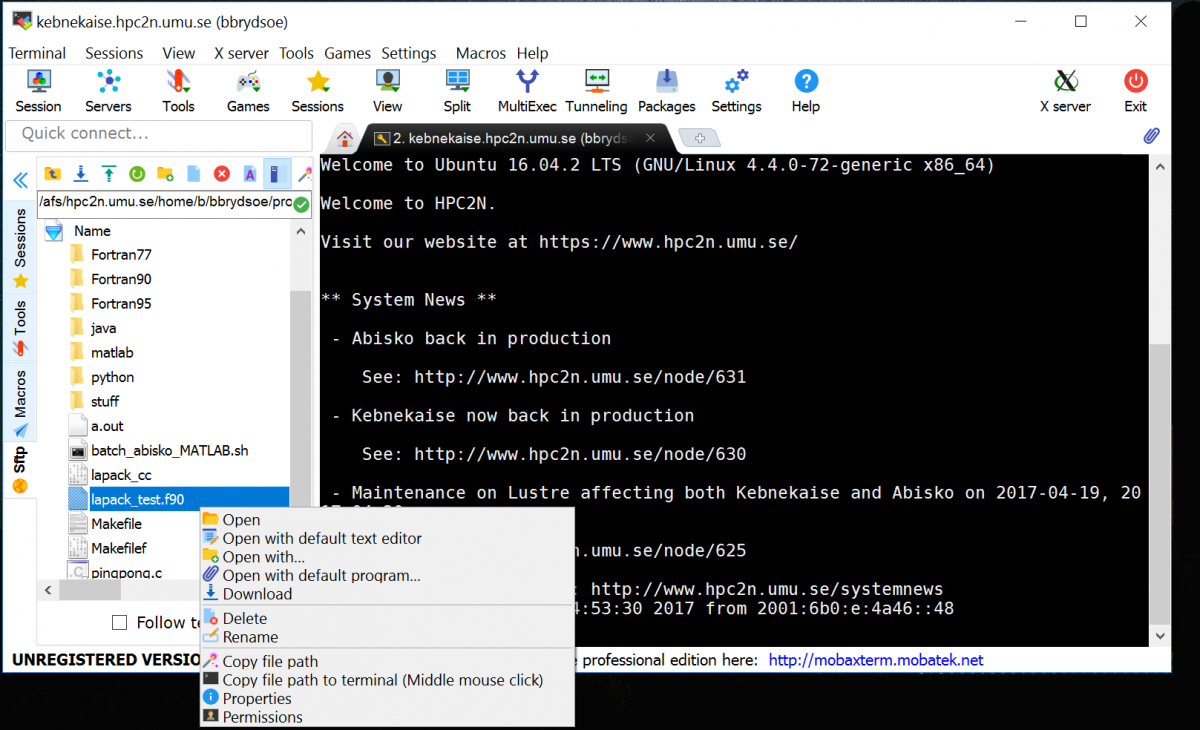
Please have a look at MobaXterm. MobaXterm has the possibility to view directory listing and edit files while you have an open SSH session. So you do not have to separately login via SFTP/SCP.
Next to this you can change the default editor to whatever editor you like eg. notepad++.
Edit files directly in an SSH session would be a very welcome feature. Not having this feature forces me to keep using MobaXterm.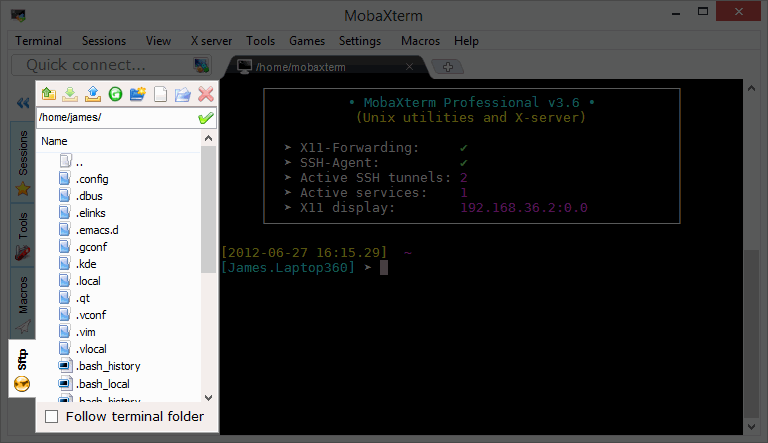


Hello Eddy,
Thank you for the full explanation. I will make sure that it's a high priority. It look like an a really nice feature.
Regards
David Hervieux
Hi David,
Thanks for your quick reply. Very much appreciated!
Cheers,
Eddy
Hey everyone,
is the option available? I'm using RDM for macOS.
Thanks
Hello mateuszpitura,
I did some quick tests in RDM macOS and found that unfortunately, the possibility to edit documents is SFTP is not yet available with this version of RDM, although it is available in RDM Windows. I will open a ticket so our engineering team can look into the possibility of bringing this feature to RDM macOS.
Best regards,
Gabriel Degrandpré
Another vote for this feature in macOS version, it would really help! Thanks for this great app and kudos to dev team!
Hi MarkoR,
Well, good news then, it's being worked on at the moment. We'll post back in this thread when it is available.
Best regards,
Xavier Fortin
Hi,
RDM 2022.1.12.0 is now available. SFTP (and other File Transfer sessions) should now support the Open and Edit menu item.
Best regards,
Xavier Fortin