
paulo7414
RDM 2026.3.16.0 – SSH Duplicate Connection causes flickering tab
Hello Paulo,
Thank you for testing 2026.3.17.0.
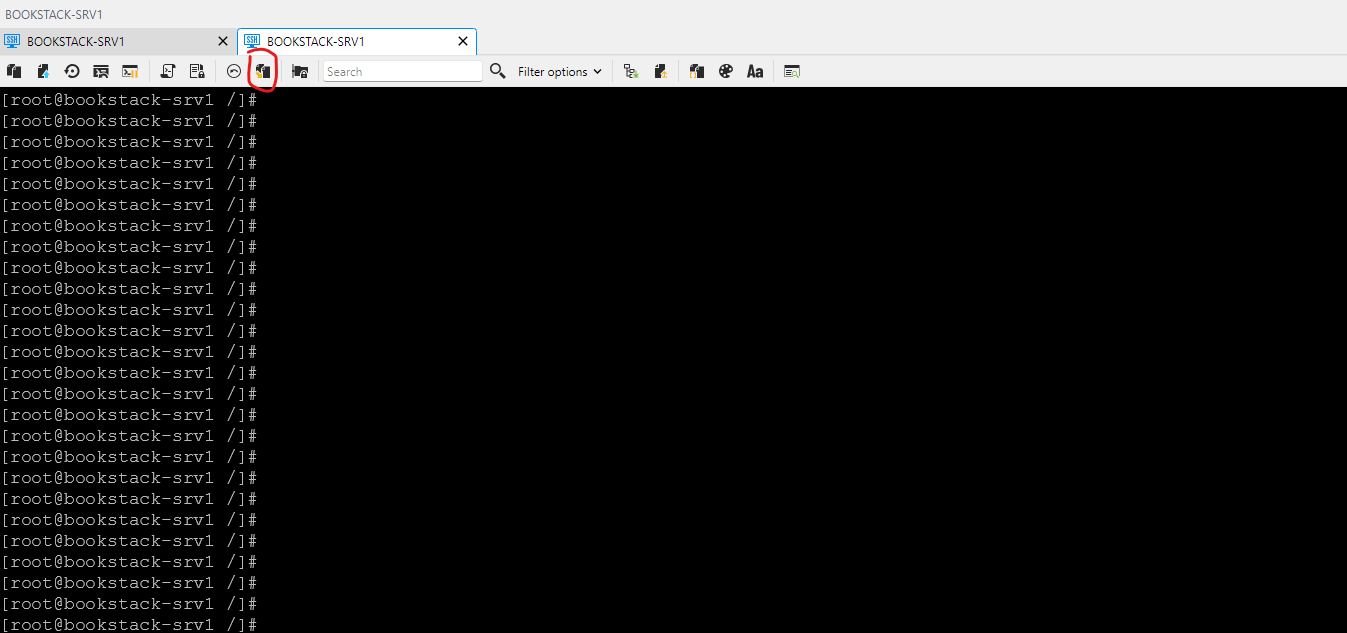
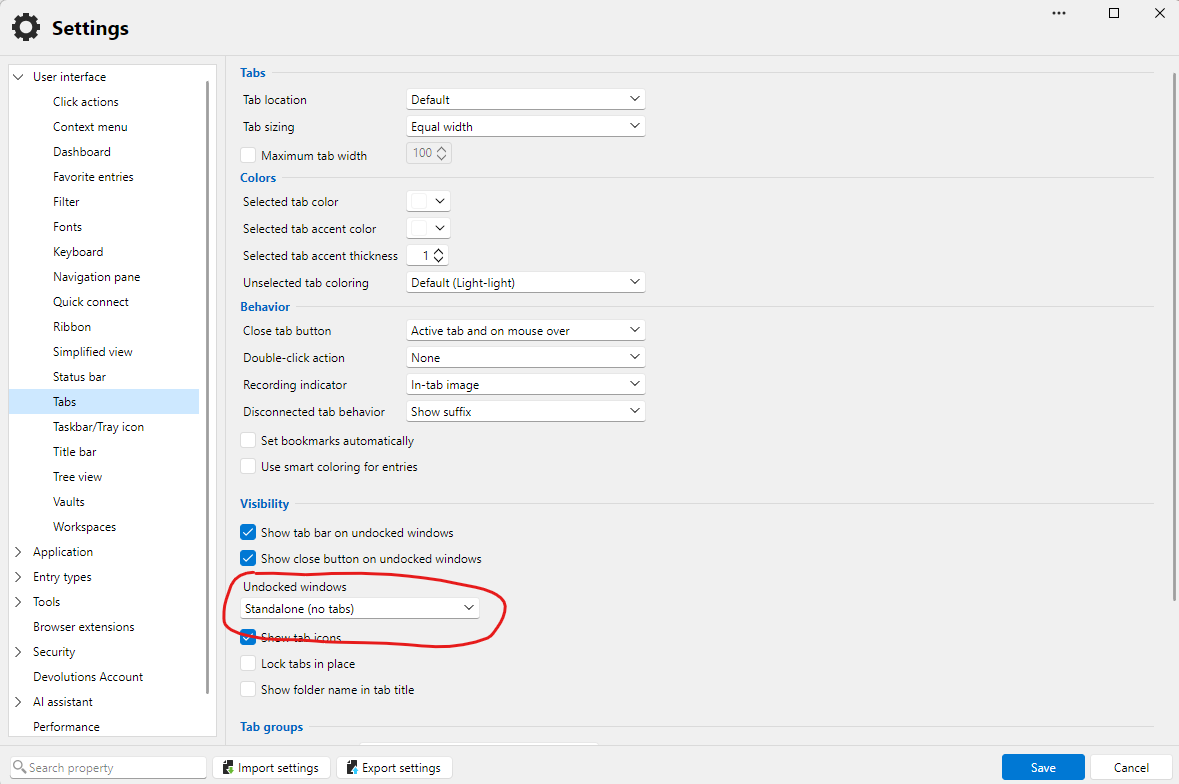
The new tab comes from the Duplicate button itself: it always opens the copy as a tab in the same window. It does not use the entry's Display setting or the "Undocked windows" option, and from what I can remember, previous versions worked the same way, unless you always opened a second session this way, and it was different before?
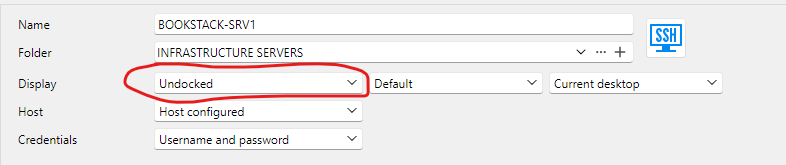
Your settings are correct. To get a second session in its own undocked window, open the entry again from the Navigation pane instead of clicking Duplicate. The entry allows multiple connections and its Display is set to Undocked, so each session you open this way gets its own window.
Thank you again!
Best regards,
@Sam Moynihan
Hi Sam, You are correct! Thank you for your help.
RDM 2026.3.16.0 – SSH Duplicate Connection causes flickering tab
Hi Sam,
Thank you for your help. I always click in the Duplicate button on the terminal window. I've installed the latest version 2026.3.17.0 and now the duplicate appears but on a new tab and i want undocked.
I have on the settings the configuration on the image below, and on the session settings i have Display=Undocked
Thank You
Paulo Pereira
RDM 2026.3.16.0 – SSH Duplicate Connection causes flickering tab
Hello Devolutions Team,
I'm experiencing an issue with the Duplicate Connection toolbar button when using the modern SSH terminal engine in Remote Desktop Manager.
Environment
Application: Remote Desktop Manager for Windows
Version: 2026.3.16.0 (64-bit)
Connection type: SSH Shell
Terminal emulation: xterm
Remote OS: AlmaLinux 10.2
Multiple connections to the same entry: Enabled
Problem description
When I open an SSH session and click the Duplicate Connection button in the session toolbar, RDM attempts to create a second connection in a new tab.
However, the new tab starts flickering, and RDM reports the following exception:
Index was out of range. Must be non-negative and less than the size of the collection. (Parameter 'index')
Exception: ArgumentOutOfRangeExceptionThe duplicate connection does not open correctly.
The error dialog does not always appear again on subsequent attempts, but the flickering and duplication failure persist.
Steps to reproduce
Open an SSH Shell connection using the modern SSH terminal engine.
Confirm that the SSH connection is established successfully.
Click the Duplicate Connection button in the session toolbar.
Observe that RDM attempts to open another SSH tab.
The new tab flickers, and duplication fails.
Troubleshooting already performed
Enabled multiple connections for the SSH entry — issue persists.
Configured sessions to open in undocked standalone windows — issue persists.
Tested with only one monitor — issue persists.
Duplicated the saved SSH entry in the RDM data source and opened both connections simultaneously — works correctly.
Changed the SSH terminal engine to PuTTY (Deprecated) — Duplicate Connection works correctly.
Expected behavior
Clicking Duplicate Connection should open a second SSH connection successfully, respecting the configured display mode, without flickering or exceptions.
Actual behavior
The modern SSH engine attempts to create a new tab, which flickers and fails. The deprecated PuTTY engine does not exhibit this issue.
Additional information
Since the same SSH server, credentials, and RDM configuration work correctly with PuTTY (Deprecated), this appears to be specific to the modern SSH terminal engine or its integration with RDM's duplicate-session functionality.
Could you please confirm whether this is a known issue in RDM 2026.3.16.0 and whether a fix or workaround is available?
Thank you.