davestephenson
Does anyone know what "-PaperStyle" can be used for in Show-UDModal?
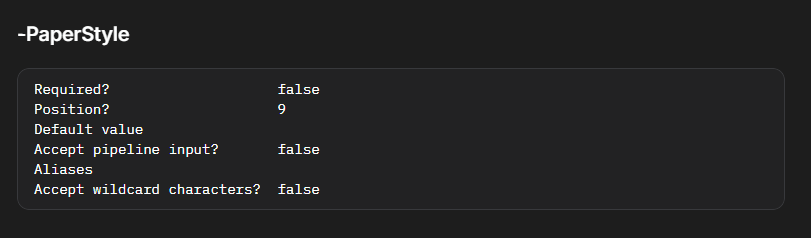
is a style applied to whole modal:
Show-UDModal -Content {
New-UDTypography "test"
} -PaperStyle @{'height' = '420px'} -ContentStyle @{'color' = 'blue'}
Thanks, @krisr!
Does anyone know what "-PaperStyle" can be used for in Show-UDModal?
I'm working on redesigning one of our wizard driven experiences and had a crazy thought of putting a "translucent wallpaper" behind the modal so it could dynamically display the Hypervisor they're working in/on.
Show-UDModal | Devolutions PowerShell Universal | Product guides & reference
Here is a rough thing I put together in a screenshot tool.
Obviously, the images would be more transparent as to not interfere with the form.
But, I think you get the idea.

VSCode updates are slow since upgrading to 2026.2.2
That's great news. Thanks, Adam!
Out of curiosity, do you know when that v2026.3.0 release is tentatively scheduled to be released?
VSCode updates are slow since upgrading to 2026.2.2
Thanks, Adam!
I think we have something misconfigured because we don't have any systemLog<Date>.txt files since 2024.
But, I didn't see any configuration to change that.
All we have is this:
SystemLogLevel=Error (JsonConfigurationProvider for 'appsettings.json' (Optional))
SystemLogPath=%ProgramData%\PowerShellUniversal\ (JsonConfigurationProvider for 'appsettings.json' (Optional))
I did find logs that are just log<date>.txt that I think are what you're needing and just emailed those in for the last few days.
VSCode updates are slow since upgrading to 2026.2.2
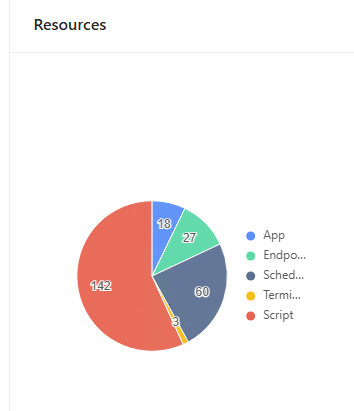
Scripts: 142
Schedules: 50
Endpoints: 27
Apps: 18
Terminals: 3
I couldn't find the log files in ProgramData path, I found some in ..Logs\PowerShellHost
For the past two weeks or so, they all look similar to this:
FileName:
host-5828-134309547103450186.txt
Contents:
2026-08-11 16:45:10.443 -04:00 [ERR] PSUModulePath not set
Are those the correct log files or are you looking for something else?
VSCode updates are slow since upgrading to 2026.2.2
Thanks, @Adam Driscoll !
Yes, it appears to happen anytime I go to save any file in VSCode.
It doesn't seem to matter if it's a Script/Module or a Big/Little change.
I'm happy to provide whatever information about our environment that I can.
However, I'm relatively new to the PowerShell Universal world.
Do you have a KB or instruction that can help me find the information you're needing?
VSCode updates are slow since upgrading to 2026.2.2
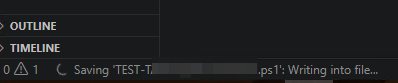
Ever since our latest upgrade to PowerShell Universal (PSU), anytime we modify something in VSCode, it's taking a noticeably long time to save/write those changes to PSU.
We see a spinning wheel at the bottom and it takes anywhere from 5-20 seconds to actually make the change.
Is there a configuration we can change to make this instantaneous like it was before or is this just the new way of saving with the upgrade VSCode extension + PSU?