
danieltsam01
Unable to make tailscale VPN work
facing this issue still from tailscale installed via homebrew so in /opt/homebrew/bin/tailscale
Proxmox stuck in "Credential is required" loop on macOS
App Version: 2026.2.2.1
Hi team,
I'm trying to set up a Proxmox entry (that I assume will) pull my lab's VMs and containers into my navigation tree, but I’m running into a configuration roadblock. I'm not actually entirely sure what the difference between a Proxmox and Proxmox dashboard entry are?
When I fill out the host URL, select Ticket (or Token) as the authentication mode, and type my username and password directly into the inline fields, clicking Create throws a hard blocking popup saying: "Credential is required".
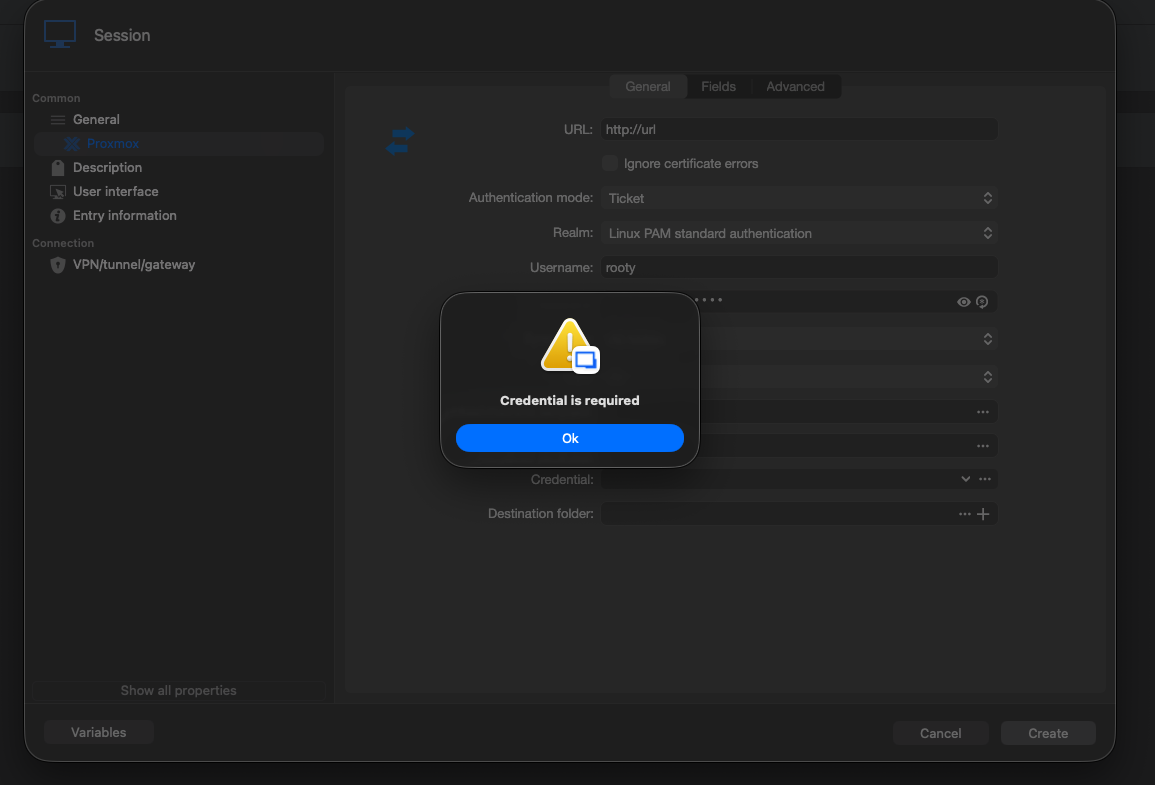
I notice that the full Proxmox panel has a dedicated Credential field at the very bottom that doesn't exist on the standard Proxmox dashboard entry (which works completely fine for me with just inline credentials).
When I try to use that bottom Credential dropdown on the synchronizer card to satisfy the validation:
Clicking the ... button opens up a completely empty Credentials list search modal.
It doesn't show any of the entries currently sitting in my sidebar, even though I have verified username/password and token entries saved in my local workspace.
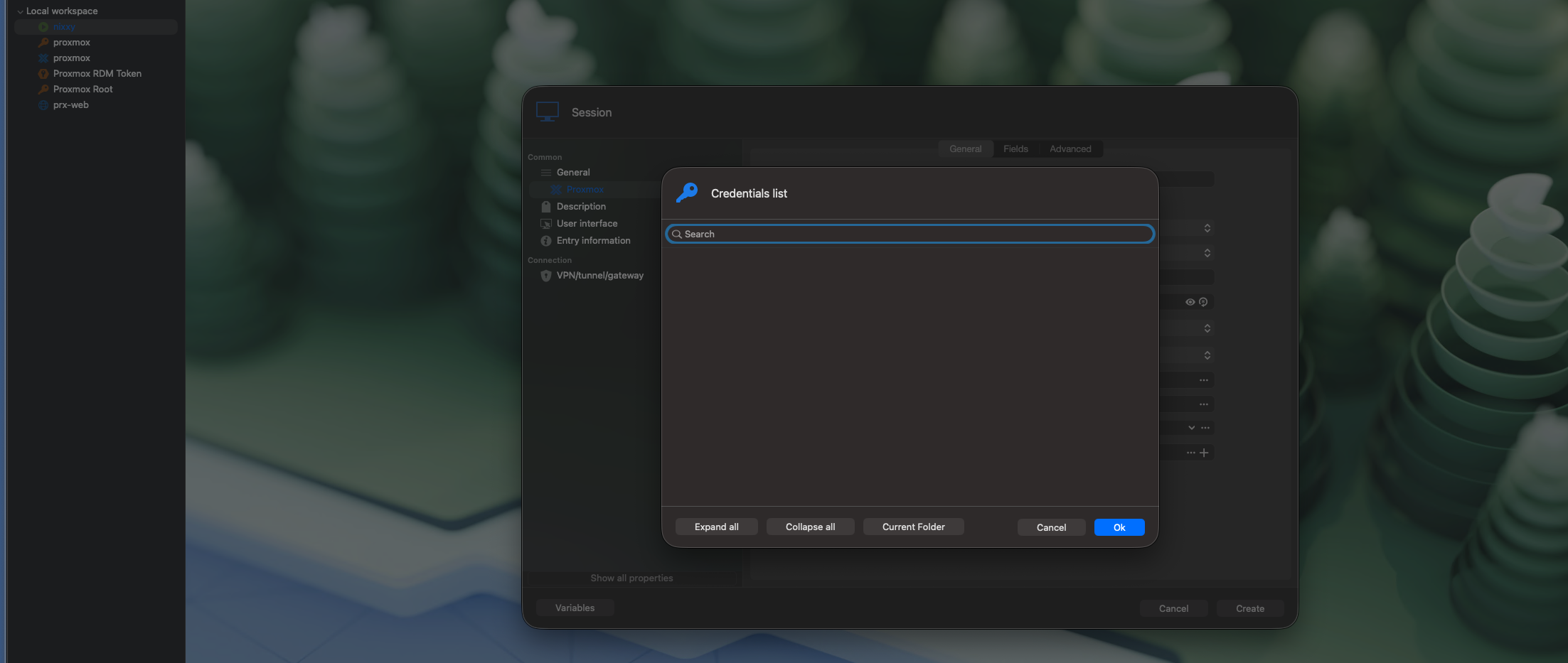
Am I structuring my credentials or inheritance paths wrong for this 'Proxmox' entry on macOS, or is there a trick to passing inline credentials to it without triggering that block?
Thanks for any guidance!