Dynamic66
Blank pages after coming back to a session
@Adam Driscoll i had something similar today. But actually got a error this time

Rest of the page is blank. Im on version 2026.3.4.
Dynamic Mermaid Flowchart
Very nice @Marco!
Any change you share the code or make a Module?
BTW We miss you in the community calls
Next one is the 18.11 - 17 Uhr✌️
Git discard all changes 2026.3.4
Thanks for the fast response!
Good catch, indeed the new files stay, modified once get the rest.
Case closed.
" changes to ' in config files
Thanks for explaining. I will keep an eye on it and update this thread if I see it converted back. Maybe I'm misremembering, but I thought I saw it switched up.
Git discard all changes 2026.3.4
Hello,
I wanted to discard all changes after testing some pwsh modules.
Clicking the discard all & stop editing button does not seem to work, except showing the confirm prompt and redirecting to admin/git after a few seconds.
No errors in the console, but the logs show this every time I press discard all & stop editing:
2026-10-30 10:49:05.169 +00:00 [ERR][PowerShellUniversal.Configuration.RoleService] Attempted to delete built-in role: API Editor
2026-10-30 10:49:05.172 +00:00 [ERR][PowerShellUniversal.Configuration.RoleService] Attempted to delete built-in role: API Reader
2026-10-30 10:49:05.172 +00:00 [ERR][PowerShellUniversal.Configuration.RoleService] Attempted to delete built-in role: App Editor
2026-10-30 10:49:05.172 +00:00 [ERR][PowerShellUniversal.Configuration.RoleService] Attempted to delete built-in role: App Reader
2026-10-30 10:49:05.172 +00:00 [ERR][PowerShellUniversal.Configuration.RoleService] Attempted to delete built-in role: Script Editor
2026-10-30 10:49:05.173 +00:00 [ERR][PowerShellUniversal.Configuration.RoleService] Attempted to delete built-in role: Script Reader
2026-10-30 10:49:05.173 +00:00 [ERR][PowerShellUniversal.Configuration.RoleService] Attempted to delete built-in role: Portal Editor
2026-10-30 10:49:05.173 +00:00 [ERR][PowerShellUniversal.Configuration.RoleService] Attempted to delete built-in role: Portal Reader
2026-10-30 10:49:05.173 +00:00 [ERR][PowerShellUniversal.Configuration.RoleService] Attempted to delete built-in role: Agent
I do not have any pending changes regarding these roles.
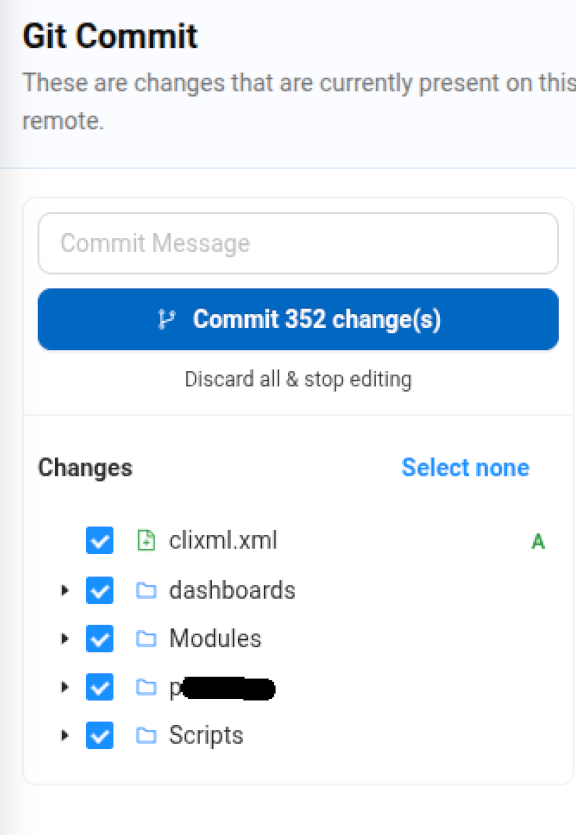
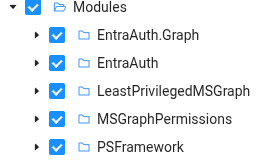
Discarding individual items works as expected.
It's not an immediate issue for me since I can mainly discard, just thought I’d let you know.
Best regards
Dy
" changes to ' in config files

Here is another example, but I actually did not change anything about the schedule. It just appeared in the git tab.
I might have only toggled the pause on and off again, I don't remember touching the schedules apart from this on my testing instance.
" changes to ' in config files
This has been a thing for a while:
Sometimes, after making changes on the admin UI, the " change to '' (and also back after some times) in the configuration files without me touching the actual files.
This does not cause problems but bloats my git commits with fake changes.
I'm not sure how this occurs apart from me changing stuff in the UI and I did not put much effort into finding out when this happens, but I want to point it out because it's annoying 😂
Best regards, Dy

(the screenshot is cut off for privacy reasons, there is an accrual change below)
creating Rate Limits bug 26.3.3
Thanks for the tips and explanation.
Endpoints.ps1 - my bad, I meant ratelimits.ps1.
Git sync with pending changes - yes.
Read-host in the Portal resets to the form
No pressure on that one.
Some of my clients only have very low-level PowerShell scripts, and I just want to show them that they can plug and play their existing scripts to make adoption easier.
Read-host in the Portal resets to the form
First, I like how the portal visually handles the Read-Host prompt now.
However, after entering the data, it rests to the form and hides the ongoing job output.
Removing the Read-Host from the same script fixed the issue.
The job and its output are still visible in the history.
If the Script contains a Second Read-Host the feedback can not be supplied over the Portal, also not over the history tab.
Version: 2026.3.3
Portal icons not centered 2026.3.3
When the side bar in the portal is minimized, the icons are not alight in the center.

creating Rate Limits bug 26.3.3
I created it using the UI.
Created it under /api/v1/myendpoint, so from my understanding, it should not affect all the other endpoints, right?
I have not experienced a slowdown of the Admin UI or any rate limits.
Best regards,
Dy
Terminal breaks sometimes
Sometimes opening the terminal at the top right does not work.
no error in the Dev console or network tab.


removing the elements of the broken terminal reveals this error
XtermBlazor fit addon assets failed to initialize.
Error: XtermBlazor fit addon assets failed to initialize.
at registerXtermFitAddon (https://'**********/assets/js/site.js?v=2026.3.3-37052641275:415:11)
at async w.beginInvokeJSFromDotNet (https://psu3.carollo-it.de/_framework/blazor.server.js?v=2026.3.3-37052641275:1:4167)
at async Xt._invokeClientMethod (https://********/_framework/blazor.server.js?v=2026.3.3-37052641275:1:67161)
at Microsoft.JSInterop.JSRuntime.InvokeAsync[TValue](Int64 targetInstanceId, String identifier, JSCallType callType, Object[] args)
at Microsoft.JSInterop.JSRuntimeExtensions.InvokeVoidAsync(IJSRuntime jsRuntime, String identifier, Object[] args)
at PowerShellUniversal.PsuTerminal.OnAfterRenderAsync(Boolean firstRender) in D:\a\powershell-universal\powershell-universal\src\Universal.Server\Shared\Components\PsuTerminal.razor:line 144
at Microsoft.AspNetCore.Components.RenderTree.Renderer.GetErrorHandledTask(Task taskToHandle, ComponentState owningComponentState)
Scripts in Subfolders are "Not Found" in the Portal
It seams that script are only usable in the portal when they are in the Script directory without nested folders.
steps to reproduce:
create a script
add configuration for portal
check script in portal - works
create sub folder for scripts
move script to sub folder and adjust settings
check in portal - Script not found - same with portal pages

(idk if it is relevant but i set a script folder)

Best, Dy
creating Rate Limits bug 26.3.3
If i encounter it again of find a way to reproduce this i will post it here.
creating Rate Limits bug 26.3.3
Hello @rubentapia,
New-PSURateLimit -Endpoint 'GET:/api/v1/[endpointname]' -Period '00:00:30' -Limit 1 -Name 'limit [endpointname]' was the the data that got created in the endpoints.ps1.
The infinite loading persisted through server restarts.
I got it fixed my removing the line, saving and pasting it in without changing it.
I was not able to recreate this behavor after this.
Logs from that day:
2026-10-08 15:07:07.205 +00:00 [WRN][Microsoft.EntityFrameworkCore.Query] The query uses a row limiting operator ('Skip'/'Take') without an 'OrderBy' operator. This may lead to unpredictable results. If the 'Distinct' operator is used after 'OrderBy', then make sure to use the 'OrderBy' operator after 'Distinct' as the ordering would otherwise get erased.
2026-10-08 15:07:07.211 +00:00 [WRN][Microsoft.EntityFrameworkCore.Query] The query uses a row limiting operator ('Skip'/'Take') without an 'OrderBy' operator. This may lead to unpredictable results. If the 'Distinct' operator is used after 'OrderBy', then make sure to use the 'OrderBy' operator after 'Distinct' as the ordering would otherwise get erased.
2026-10-08 15:08:36.370 +00:00 [WRN][Microsoft.EntityFrameworkCore.Query] The query uses a row limiting operator ('Skip'/'Take') without an 'OrderBy' operator. This may lead to unpredictable results. If the 'Distinct' operator is used after 'OrderBy', then make sure to use the 'OrderBy' operator after 'Distinct' as the ordering would otherwise get erased.
2026-10-08 15:08:36.370 +00:00 [WRN][Microsoft.EntityFrameworkCore.Query] The query uses a row limiting operator ('Skip'/'Take') without an 'OrderBy' operator. This may lead to unpredictable results. If the 'Distinct' operator is used after 'OrderBy', then make sure to use the 'OrderBy' operator after 'Distinct' as the ordering would otherwise get erased.
2026-10-08 15:20:23.937 +00:00 [ERR][AntDesign.Table] AntDesign: an exception was thrown at Table `DisposeAsync` method.
System.Threading.Tasks.TaskCanceledException: A task was canceled.
   at Microsoft.JSInterop.JSRuntime.InvokeAsync[TValue](Int64 targetInstanceId, String identifier, JSCallType callType, Object[] args)
   at Microsoft.JSInterop.JSRuntimeExtensions.InvokeVoidAsync(IJSRuntime jsRuntime, String identifier, Object[] args)
   at AntDesign.AntComponentBase.JsInvokeAsync(String code, Object[] args)
   at AntDesign.Table`1.System.IAsyncDisposable.DisposeAsync()
2026-10-08 20:01:29.296 +00:00 [WRN][Microsoft.EntityFrameworkCore.Query] The query uses a row limiting operator ('Skip'/'Take') without an 'OrderBy' operator. This may lead to unpredictable results. If the 'Distinct' operator is used after 'OrderBy', then make sure to use the 'OrderBy' operator after 'Distinct' as the ordering would otherwise get erased.
2026-10-08 20:01:29.296 +00:00 [WRN][Microsoft.EntityFrameworkCore.Query] The query uses a row limiting operator ('Skip'/'Take') without an 'OrderBy' operator. This may lead to unpredictable results. If the 'Distinct' operator is used after 'OrderBy', then make sure to use the 'OrderBy' operator after 'Distinct' as the ordering would otherwise get erased.
Best, Dy
creating Rate Limits bug 26.3.3
I set up a new API Rate Limit like allways but the saving took for ever

After Reloading the page all rate limit entries are gone / not loading anymore. The page is still responsive.
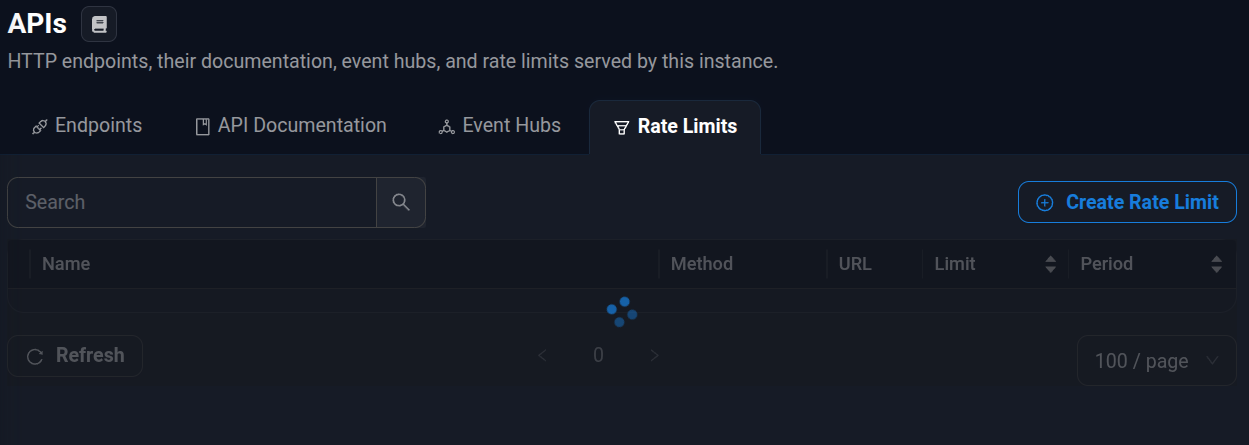
I can see the newly created rate limit in the ratelimits.ps1 file.
Generell PSU API Problems (2026.3.3)

Found another API issue.
I have an API that has always used POST, with me never changing the method. Today, I fixed a typo in the request path, and after that, the API method automatically changed to GET. I changed it back to POST and confirmed that my API works again successfully. After a few minutes, I get a 404 when using the API, and I see that the method has been reset to GET again. I don't know what behavior could have triggered the reset the second time. Maybe updating the API script again, but I have never had that problem before when making modifications.
Published Folders Uploads Fails 2026.3.2
Thanks Patrick, renaming has the same issue btw.
Using the integrated Admin Terminal works as a good workaround for deleting and renaming for now.. thanks to the autocomplete features added recently. 👍
Public Folder Variables
More like injecting some dynamic element, like a variable, into a static HTML file served by a published folder... but after thinking about it, it does not make much sense to implement something like this when the PSU API already covers what I wanted.
This can be closed.
Commit changes page lag 2026.3.3
Commit changes page lag 2026.3.3
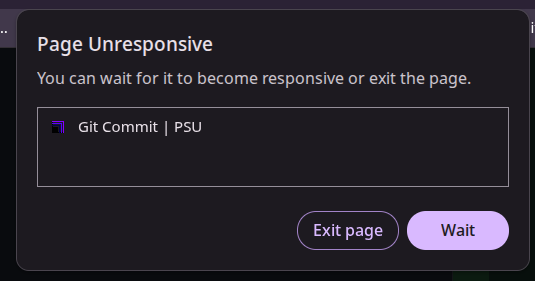
Had about 44 changed files pending in my dev instance.
Clicked "Commit Changes" at the top (to get to the Git tab), and the page froze for about a minute.
Did not have this issue on previous versions.


(browser task manager, it got even higher then in the screenshot for both size and CPU)
I think this is due to all checked files being loaded at once when the page opens.
I suggest the content of the changed files to be loaded upon expanding the change editor and having all changes closed by default.
Generell PSU API Problems (2026.3.3)
https://docs.devolutions.net/powershell-universal/api/endpoints
The log is not live and is lacking a refresh button. Currently only refreshing the page shows new logs.
The documentation states:
"You can write to the live log from within your endpoints with cmdlets like Write-Host."However, that does not work. OnlyWrite-PSUErrorseems to write anything.I would appreciate it if the documentation contained more examples on how to use the Test tab correctly.
Looking into the dev tools shows requests to /assets 404 Not Found. This is for all admin UI pages as far as i can tell
Please refer to my other issues for questions about my setup.
PowerShell Universal Community Call - October 2026
announced Beta channel releases
Published Folders Uploads Fails 2026.3.2
Sure,
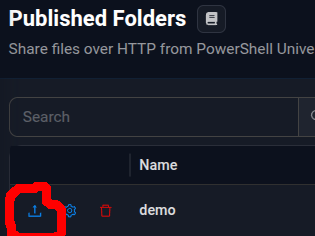
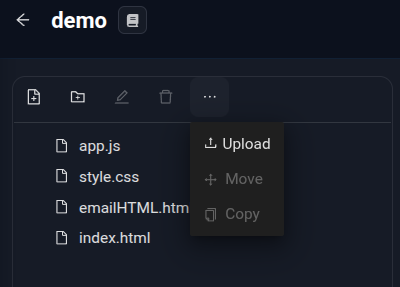
uploading a non-text file with the following dropdown button fails:
Current workarount:
Use the upload button at the Published Folders overview page