creating Rate Limits bug 26.3.3

I set up a new API Rate Limit like allways but the saving took for ever
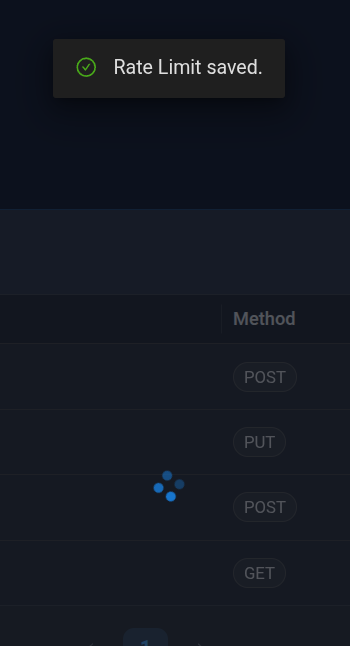
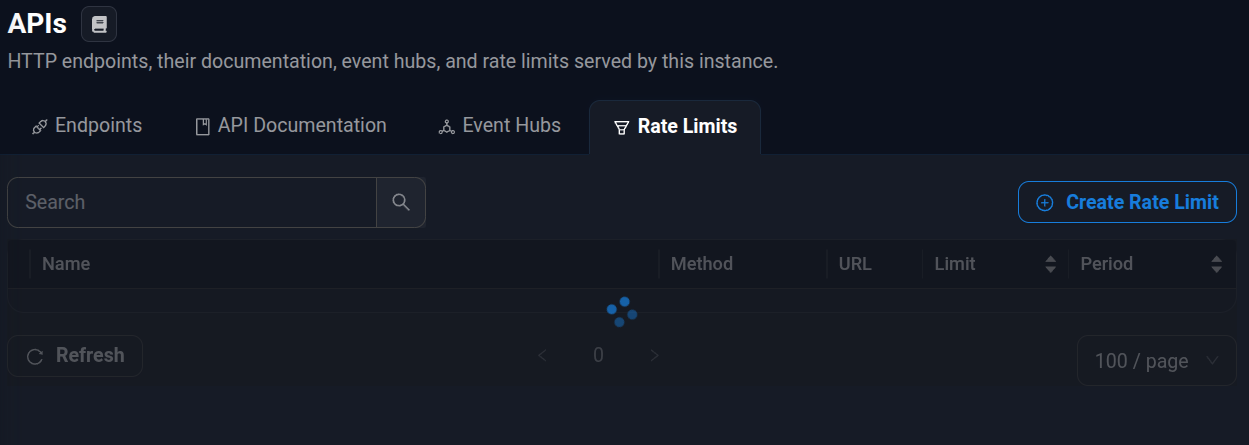
After Reloading the page all rate limit entries are gone / not loading anymore. The page is still responsive.
I can see the newly created rate limit in the ratelimits.ps1 file.
All Comments (8)
Hello @Dynamic66
Thank you for reporting this issue and for providing the screenshots.
I understand that when creating a new API Rate Limit in PSU 2026.3.3, the save operation takes an unusually long time. After refreshing the page, the Rate Limits list remains loading, even though the new configuration is present in `ratelimits.ps1`.
To help us narrow down the cause, could you please confirm the following?
1. Does this happen with every new Rate Limit, or only with a specific configuration?
2. Could you share the Method, URL pattern, Limit, and Period used for the affected rule?
3. Do you see any errors in the PSU System Logs around the time you save the rule or reload the page?
4. When the Rate Limits page remains loading, does your browser's Developer Tools (Network tab) show any failed or pending requests? If so, please share the HTTP status code and relevant error message.
We will also look into reproducing this behavior in PSU 2026.3.3 to better understand what may be happening.
Because this is a public forum, please sanitize all evidence before posting. Remove credentials, tokens, license keys, cookies, private keys, full connection strings, email addresses, usernames, customer data, tenant or account identifiers, internal domains, hostnames, IP addresses, and private URLs. Please do not upload unredacted HAR files, memory dumps, database backups, or complete configuration files to this public thread.
Best regards,
Ruben Tapia
Hello @rubentapia,
New-PSURateLimit -Endpoint 'GET:/api/v1/[endpointname]' -Period '00:00:30' -Limit 1 -Name 'limit [endpointname]' was the the data that got created in the endpoints.ps1.
The infinite loading persisted through server restarts.
I got it fixed my removing the line, saving and pasting it in without changing it.
I was not able to recreate this behavor after this.
Logs from that day:
2026-10-08 15:07:07.205 +00:00 [WRN][Microsoft.EntityFrameworkCore.Query] The query uses a row limiting operator ('Skip'/'Take') without an 'OrderBy' operator. This may lead to unpredictable results. If the 'Distinct' operator is used after 'OrderBy', then make sure to use the 'OrderBy' operator after 'Distinct' as the ordering would otherwise get erased.
2026-10-08 15:07:07.211 +00:00 [WRN][Microsoft.EntityFrameworkCore.Query] The query uses a row limiting operator ('Skip'/'Take') without an 'OrderBy' operator. This may lead to unpredictable results. If the 'Distinct' operator is used after 'OrderBy', then make sure to use the 'OrderBy' operator after 'Distinct' as the ordering would otherwise get erased.
2026-10-08 15:08:36.370 +00:00 [WRN][Microsoft.EntityFrameworkCore.Query] The query uses a row limiting operator ('Skip'/'Take') without an 'OrderBy' operator. This may lead to unpredictable results. If the 'Distinct' operator is used after 'OrderBy', then make sure to use the 'OrderBy' operator after 'Distinct' as the ordering would otherwise get erased.
2026-10-08 15:08:36.370 +00:00 [WRN][Microsoft.EntityFrameworkCore.Query] The query uses a row limiting operator ('Skip'/'Take') without an 'OrderBy' operator. This may lead to unpredictable results. If the 'Distinct' operator is used after 'OrderBy', then make sure to use the 'OrderBy' operator after 'Distinct' as the ordering would otherwise get erased.
2026-10-08 15:20:23.937 +00:00 [ERR][AntDesign.Table] AntDesign: an exception was thrown at Table `DisposeAsync` method.
System.Threading.Tasks.TaskCanceledException: A task was canceled.
   at Microsoft.JSInterop.JSRuntime.InvokeAsync[TValue](Int64 targetInstanceId, String identifier, JSCallType callType, Object[] args)
   at Microsoft.JSInterop.JSRuntimeExtensions.InvokeVoidAsync(IJSRuntime jsRuntime, String identifier, Object[] args)
   at AntDesign.AntComponentBase.JsInvokeAsync(String code, Object[] args)
   at AntDesign.Table`1.System.IAsyncDisposable.DisposeAsync()
2026-10-08 20:01:29.296 +00:00 [WRN][Microsoft.EntityFrameworkCore.Query] The query uses a row limiting operator ('Skip'/'Take') without an 'OrderBy' operator. This may lead to unpredictable results. If the 'Distinct' operator is used after 'OrderBy', then make sure to use the 'OrderBy' operator after 'Distinct' as the ordering would otherwise get erased.
2026-10-08 20:01:29.296 +00:00 [WRN][Microsoft.EntityFrameworkCore.Query] The query uses a row limiting operator ('Skip'/'Take') without an 'OrderBy' operator. This may lead to unpredictable results. If the 'Distinct' operator is used after 'OrderBy', then make sure to use the 'OrderBy' operator after 'Distinct' as the ordering would otherwise get erased.
Best, Dy
If i encounter it again of find a way to reproduce this i will post it here.
Hello Dy,
Thank you for the details and the logs.
I read both warnings in the log.
The Entity Framework warning only says that a paged database query has no explicit sort order.
It does not report a failure, so it is unlikely to be the cause on its own.
The Ant Design Table message appeared while the page component was closing.
That usually happens when the browser connection drops or the page is reloaded.
So it likely reflects your reload, not the root cause.
Because we cannot see a clear error in the logs, we have not yet confirmed the cause.
Two details would help us reproduce it.
Did you type the New-PSURateLimit line by hand, or did the Rate Limits page write it for you?
Also, does the endpoint in that line sit under /api/v1/, the path used by the management API?
A limit of 1 request per 30 seconds on a management API path could slow down the admin console itself.
We want to rule that out.
If it happens again, please do these checks before changing anything:
Copy ratelimits.ps1 to a safe location so we can compare it with the working version.
Open the browser developer tools (F12), reload the Rate Limits page, and note any request that stays pending or returns a status such as 429.
Check the PSU system log for errors at the same time.
To recover, remove the rate limit line from ratelimits.ps1, save, and restart the PowerShell Universal service.
Best regards,
Patrick Ouimet
I created it using the UI.
Created it under /api/v1/myendpoint, so from my understanding, it should not affect all the other endpoints, right?
I have not experienced a slowdown of the Admin UI or any rate limits.
Best regards,
Dy
Hello Dy,
Thank you for confirming those details.
You are right, a rule on /api/v1/myendpoint only counts requests to that method and path.
It does not slow down your other endpoints or the admin console.
The warning in our documentation means the rate limiter checks every request the server receives, including the management API.
So a broad rule, such as * or /api/v1/*, would also throttle the admin console.
A rule scoped to one path, like yours, is safe.
One tip: your endpoint shares the /api/v1/ prefix with the management API.
If you later add a wildcard rule for your own APIs, a different prefix would keep the admin console out of its scope.
You also found that pasting the same line back fixed the issue.
That tells us the rule itself is valid.
The problem was most likely the state left behind by the save that hung.
Two details would help us narrow this down.
In your first post you mentioned ratelimits.ps1, and in your second post endpoints.ps1.
Could you confirm which file held the New-PSURateLimit line when the list was empty?
Also, does this instance use Git sync, and did it have pending changes at that time?
If it happens again, the checks from my previous reply will give us what we need to report it to the development team.
You can find more details on rate limits here:
https://docs.devolutions.net/powershell-universal/api/rate-limiting
Best regards,
Patrick Ouimet
Thanks for the tips and explanation.
Endpoints.ps1 - my bad, I meant ratelimits.ps1.
Git sync with pending changes - yes.
Hello Dy,
Here is a quick update on the empty Rate Limits list.
We have now reported the issue to our development team.
The report covers the duplicate rate limit name that keeps the page loading.
It also covers the admin console accepting a name that is already in use.
We will update this thread when a fix is planned.
While testing, we found one more thing you may want to check.
On version 2026.3.3, the 1 Day option in the rate limit form saves a period of 24 days and 1 second.
If you used that option, the Rate Limits list shows its period as 24.00:00:01.
You can correct it by changing that rule's period to 1.00:00:00 in ratelimits.ps1 and clicking Save.
The workaround and the duplicate check from my previous reply still apply.
If the list goes empty again, the system log from that moment would still help us find what slowed the save.
Best regards,
Patrick Ouimet