cjp_jx
Is there a way to hide the overlay toolbar in Apple Remote Desktop (ARD) sessions?
Hello RDM Team,
I am using Remote Desktop Manager on Windows to connect to a Mac using the "Apple Remote Desktop (ARD)" session type.
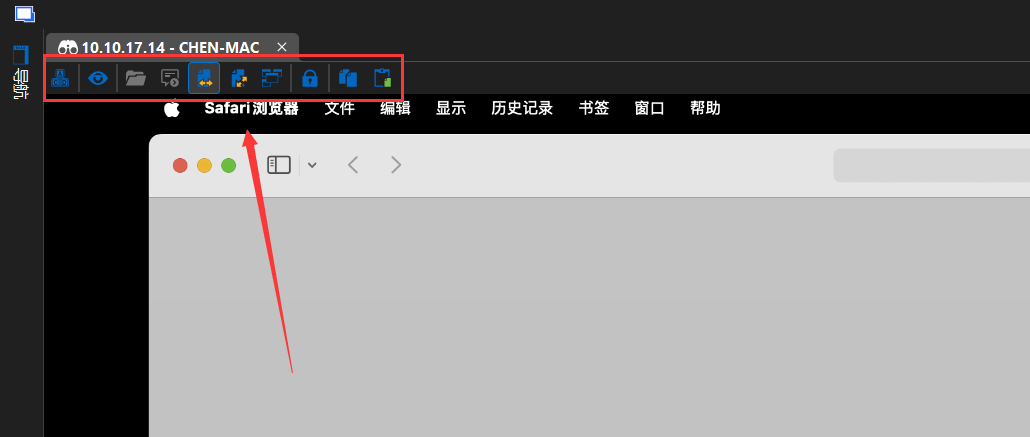
I have noticed there is a persistent overlay toolbar in the top-left corner of the session window (please refer to the attached screenshot).
The Issue:
I feel this toolbar is rarely used, but it occupies valuable screen real estate.
I am aware that the standard "VNC" session type provides a "Hide Toolbar" option. However, the performance and experience of VNC on macOS are significantly worse compared to the native ARD integration, which is why I prefer using the ARD session type. Unfortunately, I cannot find a similar option to hide this toolbar within the ARD session settings.
My Environment:
RDM Version: 2025.3.28.0
OS: Windows
My Question:
Is there currently a hidden setting or configuration to disable/hide this toolbar for ARD sessions? If not, could you please consider this as a feature request for a future update?
Thank you!