
thomasprovin
LDAP Authentication to the wrong Domain
I followed your suggestions and configured a prefered domain controller and also enabled the dubug log.
The "Domain users and user groups cache" feature doesn't exist in our Devolutions Server.
However, I hope the new setting resolves the issue, or at least that we get more details in the debug log. Thanks.
LDAP Authentication to the wrong Domain
We are using Devolutions Server v2025.3.19.0 and are experiencing the following issue.
It has already happened three times this month that suddenly no login with a domain user was possible.
The Devolutions Server is a member of Domain A. The user accounts are located in Domain B.
When the problem occurs, we observe that the LDAP account configured on the Devolutions Server (Administration > Server settings > Authentication > Domains) for the domain suddenly authenticates against Domain A instead of Domain B. We can clearly identify this because we see audit failure events (Event ID 4625) for the ldap account on the domain controllers in Domain A.
This state persists until we restart the server.
When the issue occurs, it always happens at the same time of day. In the Windows Event Log, we consistently see the following events. It is clear that these events can trigger this issue: (These events occur daily but do not always lead to the problem.)
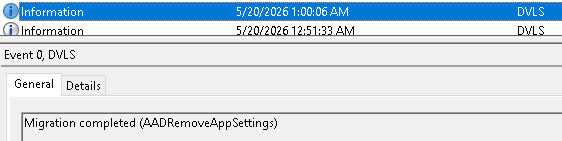
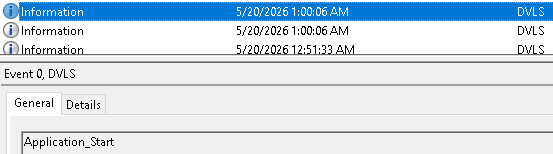
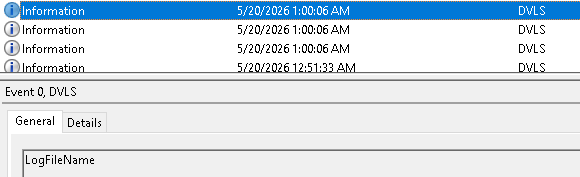
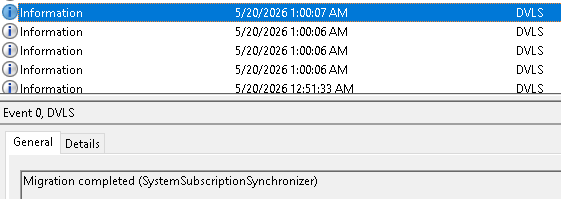
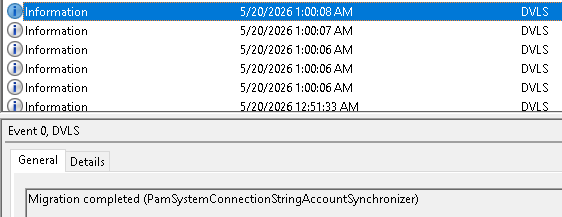
Is this behavior a known issue? Are there any configuration options to resolve this problem?
Unable to connect wit Devolutions Gateway - user must have a valid license for Devolutions Gateway
Hello,
I have received the message that there are no longer 5 free licenses available since version 2024.2.

But as I wrote, I fundamentally misunderstood the licensing model and we will use a different solution.
Thanks for all the informations.
Unable to connect wit Devolutions Gateway - user must have a valid license for Devolutions Gateway
If I click on the pencil beside the gateway licanse, I see the following window:

Regardless of the fact that I cannot issue a license, does that mean I can only license 5 users for one gateway?
I thought I could create 5 gateways (for free) and all my users could then use them without any additional licenses.
Unable to connect wit Devolutions Gateway - user must have a valid license for Devolutions Gateway
RDM: 2024.3.19.0
DVLS: 2024.3.9.0
Gateway: 25.2.3

Unable to connect wit Devolutions Gateway - user must have a valid license for Devolutions Gateway
Hi,
I am currently trying to expand our Devolutions server with a Devolutions gateway. The installation of the gateway was successful and the health checks are also successful.
The Gateway is allowed for all vaults and showes up in Remote Desktop Manager.
When I configure a session to use this new gateway in Remote Desktop Manager, I receive the following error message when starting the session:

I have not been able to find a way to assign a gateway license to a user.
I was also under the impression that no additional licenses were required to use a Devolutions gateway.
Do we need additional licenses or why do we receive the error message?
Passing stored credential from user vault to target server via jumphost
I was just about to create the requested recording, but the problem no longer occurs. :)
Passing stored credential from user vault to target server via jumphost
Hello,
we are using the jumphost feature in RDM.
The jumphosts are configured with embedded credential.
The target servers are also configured with embedded credential.
This setup works very well. A user establish connection to the target server in RDM and will be automatically logged on to the jumphost and also to the target server withou any user/password prompt.
The issue starts if I override the credential for the target server with user specific settings stored in my personal user vault.
The connection to the jumphost still works without user/password prompt.
But for the connection to the target server Windows presenting the logon prompt and mention "your credentials did not work - the logon attemt failed".
I can see that the promt does receive the corret domain and username information.
If I retry the logon process a few times my domain account will be locked out.
It seems that RDM doesn't passing the password correctly.
If I enter the password manually I can successfully logon.
And of course - the password in my user vault is correct :)
RDM on jumphost and on my computer are both version 2024.1.32.0 64-bit
I'm not 100% sure but I think this problem started with version 2024.1.28.0 64-bit