
sa1
Memory Issues and Frequent Freezes
Hi there, I had the same problem for quite some time and spent many hours trying to figure out what is happening, I finally found out that it is related to these 2 things:
When the time is out of sync on my client or when using a different time format e.g. AM-PM / 24H
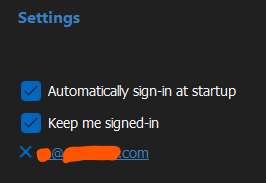
RDM is linked to my Devolutions account and when I start up RDM it opens Edge automatically for authentication. Sometimes the 2FA does not pop up on my phone, and even if it says "you can close your browser now" it's not correctly authenticated. To make it work i basically have to stay on edge until i get 2FA authentication working, then the memory error goes away.
Hope it helps.
On a side note, i think the 2FA is a bit flimsy and acts strangely, and I wonder if it's possible to use the embedded browser instead for the 2FA.
Sebastian
Solution
The first fix to this problem, was setting up my client to sync it's time for the same source as the rest of the network and ensure that my client was running the same time format (in my case 24h) as the rest of the network
The second fix for me was to make sure that my Edge Browser is Logged in with 2FA/MFA
RDM Version: 2023.2.27.0
License: Free
Data Source: SQLite, Data source stored on a network drive.
OS: Windows 11 22H2 22621.2134
Problem 1:
When trying to connect to RDP sessions, the software tells me that there is an unexpected error when trying to connect to some RDP sessions. The error in the application log is:
System.OutOfMemoryException: Insufficient memory to continue the execution of the program.
at MSTSCLib.IMsRdpClient9.Connect()
at AxMSTSCLib.AxMsRdpClient9NotSafeForScripting.Connect()
at Devolutions.RemoteDesktopManager.Frames.Embedded.FreEmbeddedRDP.Connect()The release notes say that my version of RDM was intended to fix an out of memory issue, but it seems to have caused one for me. My system is not out of or low on memory when this error occurs, nor does the RDM process appear to be using an unusually high amount of memory.
Problem 2:
Frequently (at least once every other day, though sometimes more than once a day) my Remote Desktop Manager will simply freeze up in the background. When this happens I cannot get the window to come into the foreground to use it. If I minimize other windows and attempt to use it, nothing happens until I try to close the application, in which case it tries to pull up what I've clicked on, along with the "Are you sure you want to exit? sessions are open" screen. If I tell it that I do not want to exit, thinking that the issue is fixed, it continues to exhibit the same behavior, not letting me do anything without threat of being closed. When I do confirm that I want to exit, the application process never terminates after the window is closed. I have to go into task manager and terminate the process or I cannot restart the application.
Problem 1 is the more urgent of the two. This is happening so frequently right now that it is making it hard to work because I either need to open several instances of Microsoft Remote Desktop, or I need to keep restarting Remote Desktop Manager.
I don't mind downgrading if there's a specific version I should try downgrading to, but I am nervous about staying on a downgraded version because of the lack of security patches.