
romaneglin
Devolutions Password Manager browser extension - Add/Edit Equivalent URLs
Hello Olivier,
Thanks for replying and the screenshots.
We're using DPM browser extension 2026.2.1.3 with DVLS 2026.2.9.0. Additional URLs get considered and the browser extension uses them - but there's no option for adding/managing equivalent URLs:
Website entry shows equivalent URL (added using RDM):
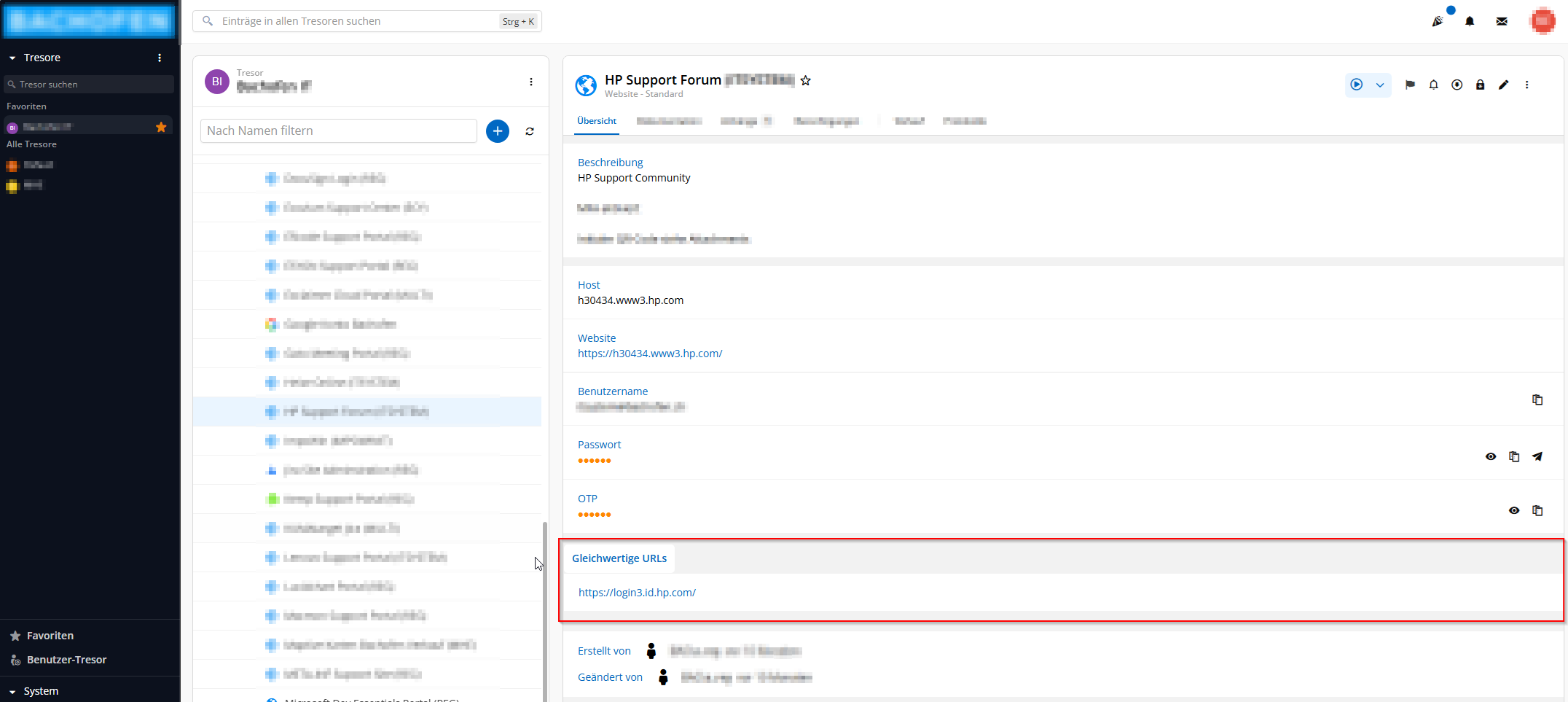
While editing the Website entry in Web UI (opened through browser extension) there is a button "Sicherheitsfragen" to add security questions, but no button "Add equivalent URL".
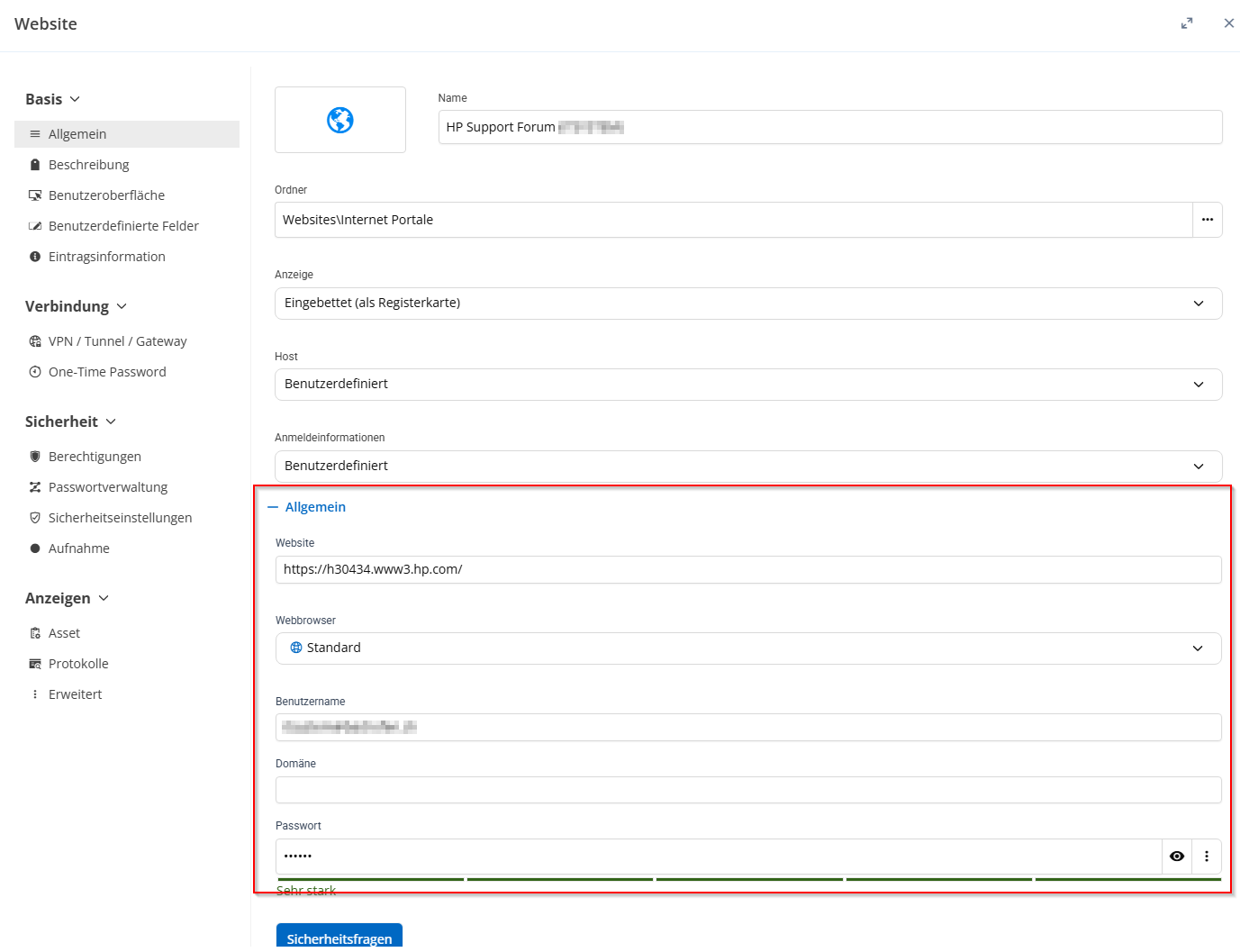
Please find additional information in ticket 00123023: Add/Edit Equivalent URLs in DPM, Browser Add-on and DVLS Web UI, where your colleague suggested opening a feature request for the browser extension.
Best regards,
Roman Eglin
Devolutions Password Manager browser extension - Add/Edit Equivalent URLs
Dear Development Team,
More and more websites use separate login providers or dedicated login URLs. Currently, in the Devolutions Password Manager browser extension, a website entry can only handle a single URL, which makes it difficult to match these scenarios.
It would be very helpful to have the ability to add and manage multiple (or equivalent) URLs for a single website entry.
Best regards
Roman Eglin
Data limit for (website) entries through the Devolutions Gateway
Hi there!
We use Remote Desktop Manager and Devolutions Gateway from within a jump zone to effectively limit open ports and accesses to server and management VLANs by the firewall. This might not be the original intended use case for the Gateway. However, that provides an effective way to protect our systems and avoids bypassing RDM.
Updating our Dell VxRail vSAN Cluster requires uploading large Dell VxRail update bundles (>16 GB) over https to the VMware Virtual Center Service Appliance. With the Gateway's low bandwith those uploads take forever and tend to fail. Either because of timeouts or certifcate issues. Additionally, the vCenter Client Web-UI isn't accessible after an upload failed.


Would be great if the developers at Devolutions could find a solution to get rid of this Gateway's limitation.
Best regards
Roman
RDM Extension for Veeam Backup for Microsoft 365
Hi,
There is some information available in the online user guide: Launching Veeam Backup for Microsoft 365 - Veeam Backup for Microsoft 365 Guide
Adding an entry to RDM of type "Command Line (External Application)" with executable "C:\Program Files\Veeam\Backup365\Veeam.Archiver.Shell.exe" and arguments "/host=[IP or hostname] /port=9895 /account=tech.local\Administrator" works well, but asks for password. This can be ommited for further logins by saving a shortcut to the users desktop (option on login screen), even if you delete the shortcut (looks they're saving the password (hash) somewhere.
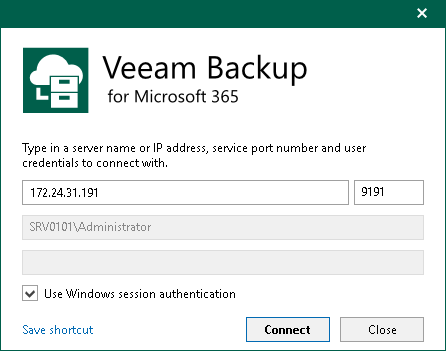
For me it looks to be similar how they do it for Veeam Backup & Restore Console login.
Best regards
Roman
RDM Extension for Veeam Backup for Microsoft 365
Would be great to have an extension in RDM to launch the Veeam Backup for Microsoft 365 Console (like the existing one for the Veeam Backup & Replication Console).