RDM Extension for Veeam Backup for Microsoft 365
0 vote

Would be great to have an extension in RDM to launch the Veeam Backup for Microsoft 365 Console (like the existing one for the Veeam Backup & Replication Console).
All Comments (3)
Hello,
Could you give us a bit more information on Veeam Backup for Microsoft 365 Console? Do you know if the application has a command line with parameters? We are usually limited by what is available to be sent through the command line for that kind of integration.
Regards,
Hubert Mireault
Hi,
There is some information available in the online user guide: Launching Veeam Backup for Microsoft 365 - Veeam Backup for Microsoft 365 Guide
Adding an entry to RDM of type "Command Line (External Application)" with executable "C:\Program Files\Veeam\Backup365\Veeam.Archiver.Shell.exe" and arguments "/host=[IP or hostname] /port=9895 /account=tech.local\Administrator" works well, but asks for password. This can be ommited for further logins by saving a shortcut to the users desktop (option on login screen), even if you delete the shortcut (looks they're saving the password (hash) somewhere.
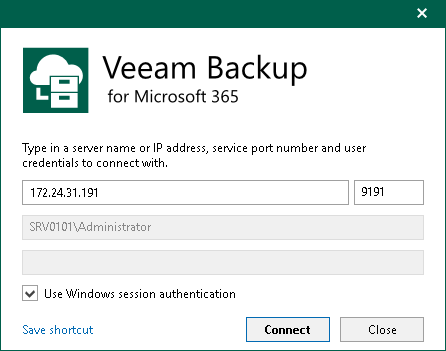
For me it looks to be similar how they do it for Veeam Backup & Restore Console login.
Best regards
Roman
Thank you for the information! I will open a ticket for this.
Regards,
Hubert Mireault