
vladimir_holub
SSH Shell terrible slow on 2026.3.5.0 64bit RDM
Hello,
I'm having a similar problem in both version 2026.3.5 and version 2026.3.8.
Connecting to various SSH servers always takes 25+ seconds.
Ways to Open a New SSH Client
Hello,
exactly, yes, that's correct...
Thank you.
Ways to Open a New SSH Client
Hello support,
I recently converted some of my SSH client entries
from the Kitty version to your new built-in client and started using it.
However, I find it annoying that there are only two options for opening it:
embedded and undocked.
I never use “embedded,” and with “undocked,” it really bothers me
that when it’s running and then minimized,
its icon is “hidden” behind the RDM app in the taskbar,
and it doesn’t behave like a completely normal standalone program.
Would it be possible to define an option in the settings that’s similar in function to “External”?
Thank you.
RDM and an Issue with RVTools Version 4.8.1
Hello support,
after installing the new version of RVTools 4.8.1, RDM (version 2026.2.17) is unable to pre-fill the data into this excellent tool,
i.e., neither the IP address nor the login name and password.
The documentation, available here:
https://downloads.dell.com/RVTools/Rvtools.pdf
states that a new parameter, -BypassSSLCheck, has been introduced,
and its absence could be the cause of this behavior.
Perhaps the parameters for command-line invocation have also changed, but I’m not sure.
Everything you need can be found in the above-mentioned document starting on page 117.
Please fix this, or at least provide an option to ignore the untrusted certificate.
Thank you very much.
P.S.
I can’t imagine doing my work without RDM...
RDM and the problem with the latest version of RVTools
Hi,
after installing RVTools version 4.5.1 and changing the path to the executable application
(yes, the installation of the new version installs in a different directory: C:\Program Files (x86)\Dell\RVTools),
I get this error message:
RVTools: login failed!
Can not complete login due to incorrect user name or password.
If I uninstall this new version and install the older version 4.4.4,
it runs and connects to the vCenter/ ESXi server with no problem.
Please fix this or give a tip on how to fix it.
Thank you.
P.S.
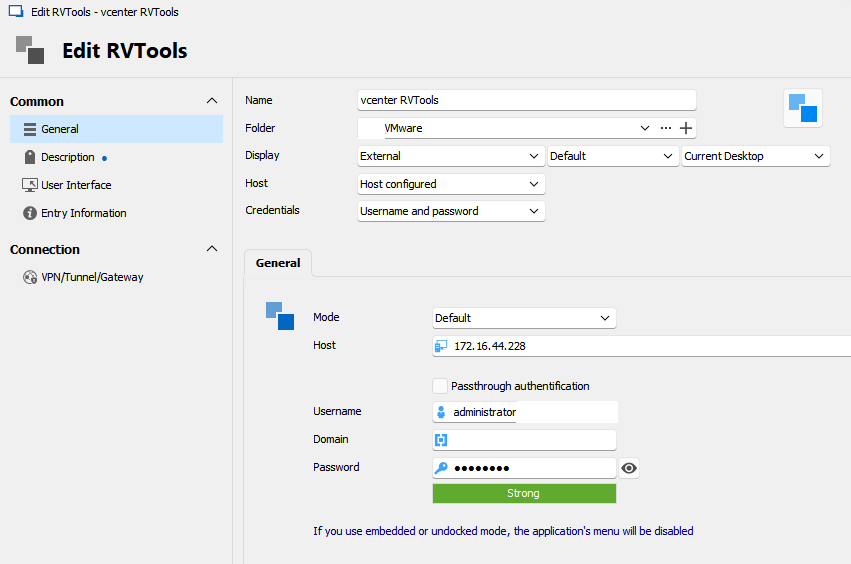
I have this setup:
Filling logging data in the separate window
Hello Samuel,
yesterday, I sent you a direct message that I published to the internet access to our SDS web interface.
Here you can check if there is a way to automatically fill in the authentication data in that separate window.
Thank you.
Filling logging data in the separate window
Hello,
our customers are using Software Defined Storage SvSAN from StorMagic.
The management of this SDS is done via a web browser.
A login is required on connection, but an "additional" window appears to fill in the data, see image bellow.
How do I automatically insert the login name and password from the Devolutions Web Login plugin?
Thank you
P.S.
Excuse my bad English

Kitty and unknown option -pwfile
Hello everyone,
I am using Kitty client for SSH calls with Remote Desktop Manager (RDM),
which does a few extra things compared to the more well-known Putty.
After upgrading RDM from version 2023.2.9 to version 2023.2.14 I get an error message:
Unknown option: -pwfile...
I'm looking at the release notes here:
https://devolutions.net/remote-desktop-manager/release-notes/free/
and for version 2023.2.11 I see this entry:
Improved Putty integration with a more secure way to provide the password to the command line
Oh, you changed the password passing via file using the -pwfile parameter, right?
But this parameter was introduced in Putty in version 0.77,
see here: https://www.chiark.greenend.org.uk/~sgtatham/putty/changes.html
but Kitty is so far only ported from version 0.76,
so Kitty doesn't support the -pwfile parameter yet.
Switching the use of Putty to Kitty in RDM does not solve the problem,
obviously you use this method for both applications equally.
Please, would it be possible to implement the original (previous) password passing method for Kitty?
Or would it be possible to specify somewhere in the configuration,
which password passing method (old or new via -pwfile) should be used?
Thank you.
P.S..
Sorry for my bad English.