
(user deleted)
wsl terminal support
For the 2nd part of your post, I think this is not bad for WSL sessions, a shortcut and you choose the arguments for the sessions.
Kélian
wsl terminal support
Hi,
Here is a slightly better solution using the "Command Line (External Application)" session type instead of PowerShell:
It even works with WSLg on Windows 11:
I know it isn't ideal to manually create WSL entries this way, so we're looking into creating a new WSL entry type instead. I have tried mobaxterm to see what kind of integration they're doing, and here's the list of things I came up with:
1) Automatic detection of WSL distros, lets you launch them
2) Automatic injection of embedded X11 server in WSL sessions
3) WSL filesystem browser tab to the left of WSL terminal by default
While many of these features are nice-to-have, I would like to know what you consider essential. If you're on Windows 11, then WSLg is already there, so you don't need an X11 server. Maybe GUI apps are not even a requirement for you. The embedded filesystem browser is nice, but the Windows 11 file explorer added simplified WSL filesystem browsing already (otherwise, just type "explorer.exe ." in a WSL terminal). As for listing WSL distros, we could probably list them when creating new WSL entries, as a shortcut. After that, it would be a matter of creating options matching the command-line arguments accepted by wsl.exe when launching a new WSL session.
Let me know what you think,
Best regards,
Hello,
Thanks, i'll try this.
Kélian
Hello,
That's work but whitout the -d argument

Thanks for the tips :)
Kélian
wsl terminal support
Hi,
Here is a slightly better solution using the "Command Line (External Application)" session type instead of PowerShell:
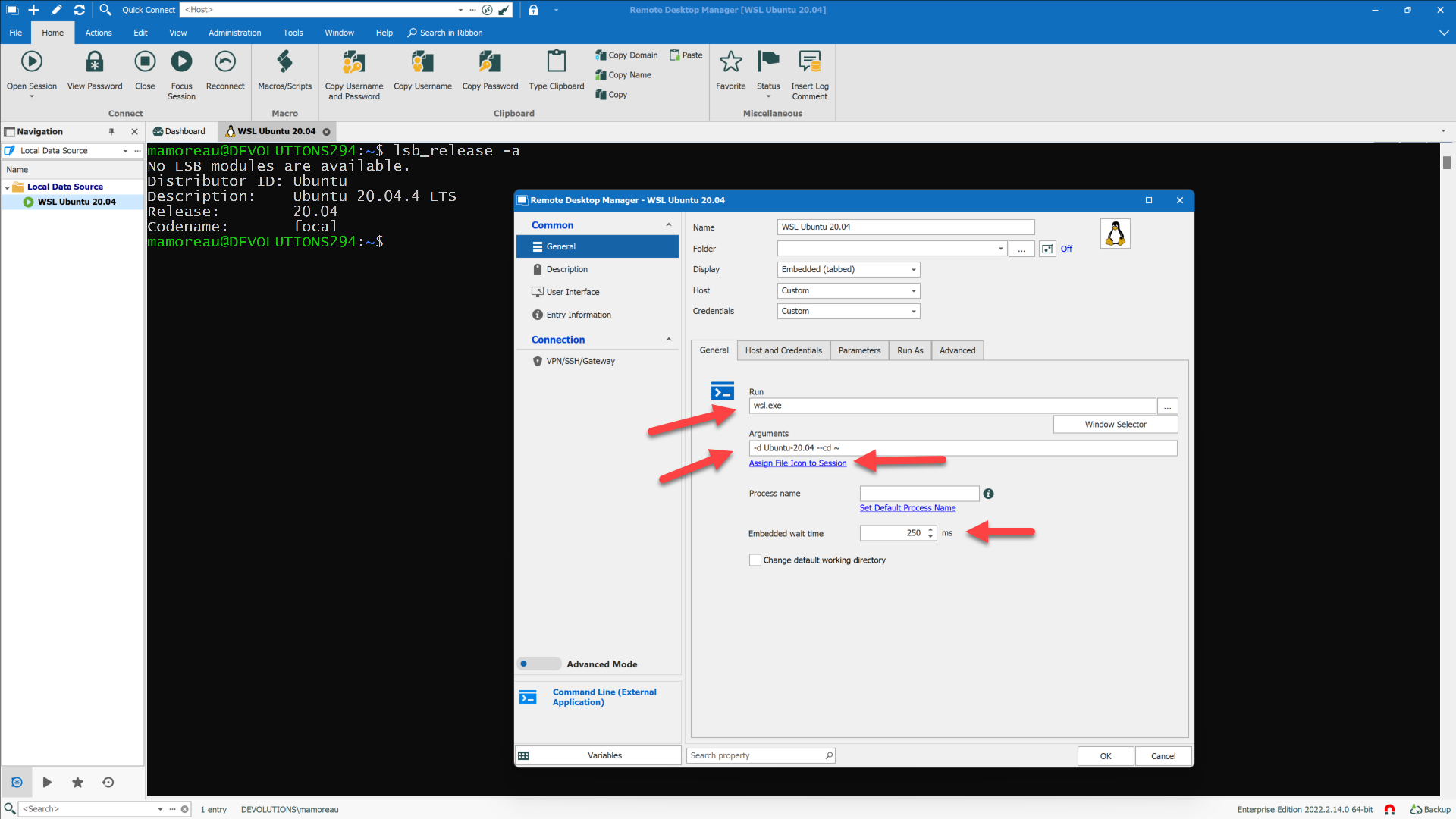
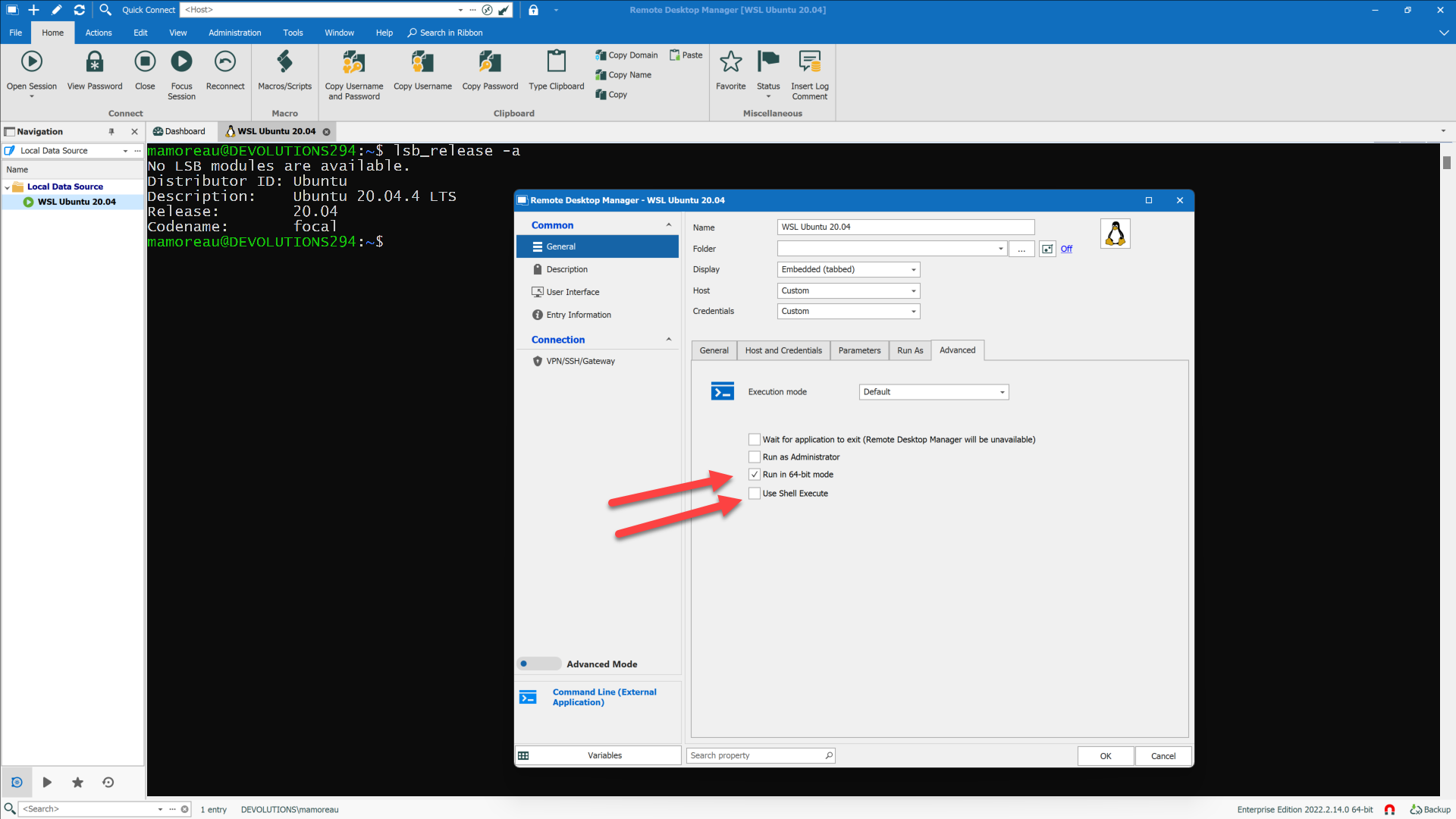
It even works with WSLg on Windows 11:
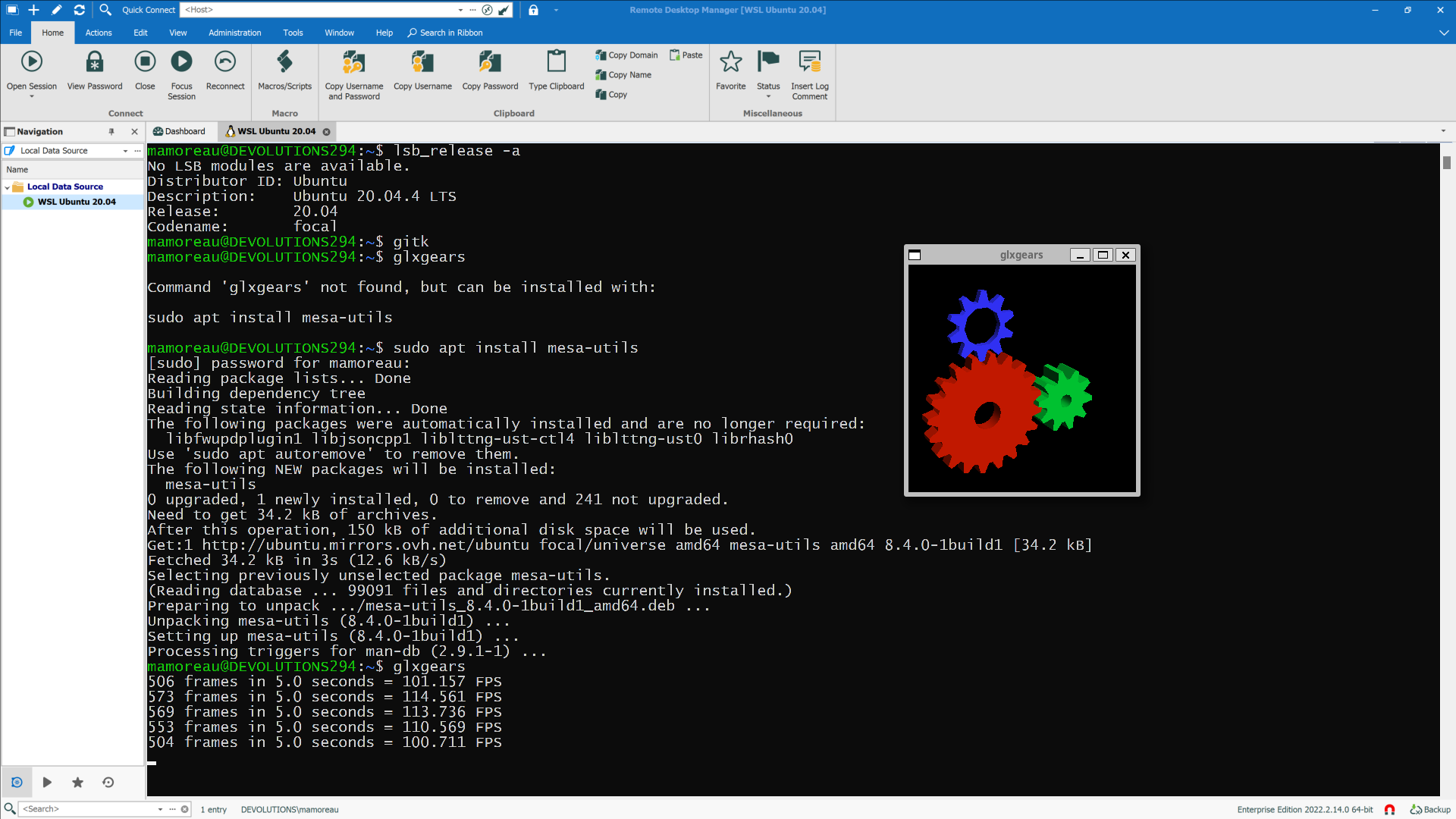
I know it isn't ideal to manually create WSL entries this way, so we're looking into creating a new WSL entry type instead. I have tried mobaxterm to see what kind of integration they're doing, and here's the list of things I came up with:
1) Automatic detection of WSL distros, lets you launch them
2) Automatic injection of embedded X11 server in WSL sessions
3) WSL filesystem browser tab to the left of WSL terminal by default
While many of these features are nice-to-have, I would like to know what you consider essential. If you're on Windows 11, then WSLg is already there, so you don't need an X11 server. Maybe GUI apps are not even a requirement for you. The embedded filesystem browser is nice, but the Windows 11 file explorer added simplified WSL filesystem browsing already (otherwise, just type "explorer.exe ." in a WSL terminal). As for listing WSL distros, we could probably list them when creating new WSL entries, as a shortcut. After that, it would be a matter of creating options matching the command-line arguments accepted by wsl.exe when launching a new WSL session.
Let me know what you think,
Best regards,
Hello,
Thanks, i'll try this.
Kélian
wsl terminal support
Hello,
I switched from mobaxterm to RDM, I use for the moment the windows terminal for the WSL sessions, I hope I will be able to use RDM only soon ^^
Regards,
Kélian
wsl terminal support
Ok, thanks, do you any idea when you'r able to post some news ?
wsl terminal support
Hello there,
Do you have some news about this topic ?
Kelian
No numpad with vim
I spoke when the dev in charge of our SSH implementation and that's how SSH works.
Some application can activate "Application Mode" that will ensure the numpad is set for navigation instead of number input.
Good news is that can be disabled.
Bad news is we don't have the UI in RDM Linux to make that change.
If your data source is shared and accessible from RDM Windows, you can make the change there and RDM Linux will be able to use the setting.
If you have access to RDM Windows but your data source cannot be access, you could create the same entry, export it and import it in RDM Linux.
Last resort, you could export the entry in RDM Linux, modify the resulting file and import back in RDM.
Just let me know what scenario suits you best and I can help you get through it.
I tried on my side, I found this solution on your forum: https://forum.devolutions.net/topics/26678/no-numlock-in-ssh-session
in the tab "terminal" in the field "disable keypad mode" I put "yes" and it works for the moment in VIM
No numpad with vim
Hi Kélian,
I'll look into it.
In VIM or NANO, does the numpad do nothing or is it reverting back to up, down, left, right arrow?
Regards
Hi, when i press for example the button 2, the cursor goes down (in vim)
Kélian
No numpad with vim
Hello,
i am currently using Remote Desktop Manager Free for SSH sessions.
When i edit file with VIM or NANO i can't use my numlock even if it is activated on the keyboard.
numpad work fine in the terminal

but not in VIM for example
Could you please help me with this problem?
Best regards
Kélian