
paul_lewis
Support for ARD (Apple Remote Desktop) Curtaining When Connecting to a macOS System
Hello,
I apologize. I didn’t see any indication that curtain mode was supported and when I asked via a support incident was told that it was not currently supported. At any rate, thank you very much for pointing out to me what I *should* be seeing. I say should because for whatever reason, probably something I’m doing, I do not see the toolbar with a lock icon (actually any toolbar) in an active ARD session. What I see during an active ARD session when using RDM Free is provided as an attachment.
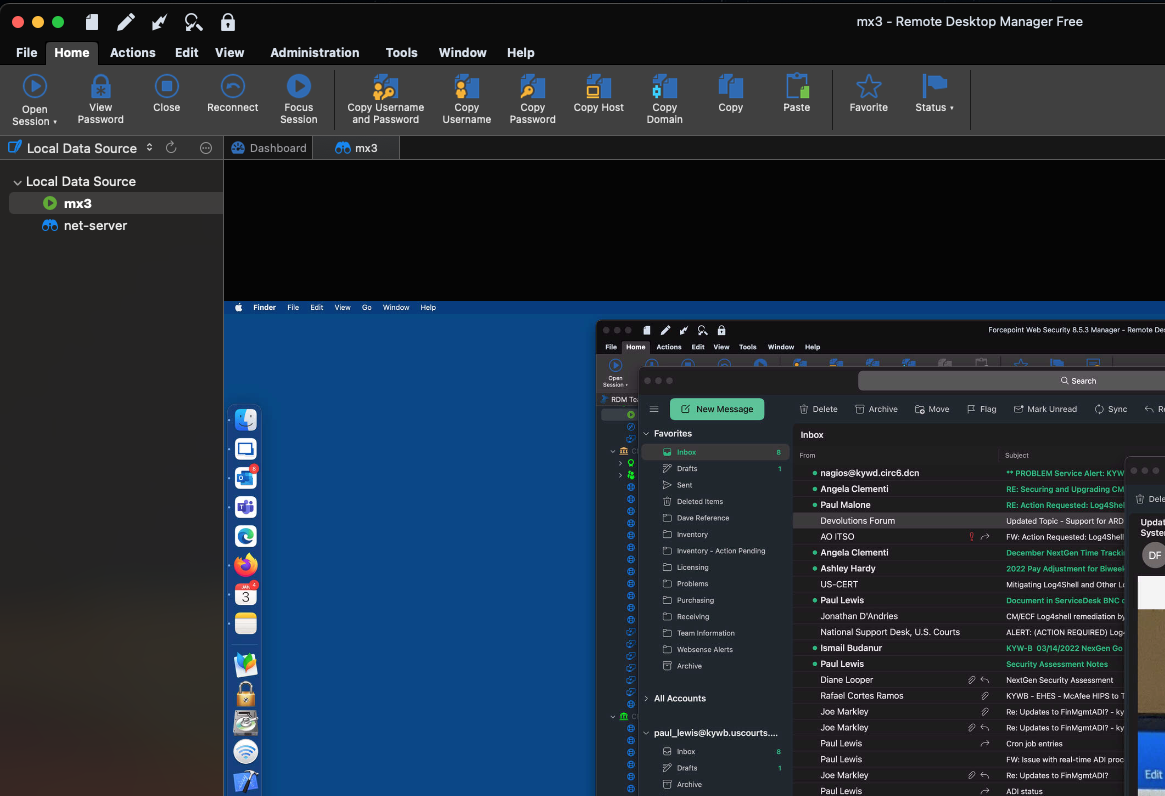
In case it matters, I am using the free version of “Remote Desktop Manager” at home on a Mac to establish an ARD session with a Mac at work (where I have a licensed version of “Remote Desktop Manager” installed). I don’t know if the free version has the capability or not? I am running the latest free version, 2021.2.11.0.
Does the toolbar always appear or is it dependent on a setting being enabled?
Support for ARD (Apple Remote Desktop) Curtaining When Connecting to a macOS System
I use a licensed (individual) version of Remote Desktop Manager at work and Remote Desktop Manager Free at home. I have a couple of cases where I need to connect to a MacOS system. Using Apple Remote Desktop (ARD) in Remote Desktop Manager works great; however, I am unable to indicate in the RDM entry for a macOS system to "curtain" the remote desktop so that activity can not be seen. Apple’s application “Remote Desktop” has a curtain mode that hides the display of a target Mac system while one is working with that system.
Please consider adding a "curtaining" mode/checkbox for Apple Remote Desktop connections established within Remote Desktop Manager. Thank you.