Support for ARD (Apple Remote Desktop) Curtaining When Connecting to a macOS System
Support for ARD (Apple Remote Desktop) Curtaining When Connecting to a macOS System
0 vote

I use a licensed (individual) version of Remote Desktop Manager at work and Remote Desktop Manager Free at home. I have a couple of cases where I need to connect to a MacOS system. Using Apple Remote Desktop (ARD) in Remote Desktop Manager works great; however, I am unable to indicate in the RDM entry for a macOS system to "curtain" the remote desktop so that activity can not be seen. Apple’s application “Remote Desktop” has a curtain mode that hides the display of a target Mac system while one is working with that system.
Please consider adding a "curtaining" mode/checkbox for Apple Remote Desktop connections established within Remote Desktop Manager. Thank you.
All Comments (4)
Hi,
We already support the Apple Remote Desktop curtain mode, but the controls may not be obvious. Inside an active session, you should see a toolbar with a lock icon, click on it to enter the curtain mode message and it will lock the remote screen from view while you can keep working remotely.

Here is the end result with a laptop in curtain mode:
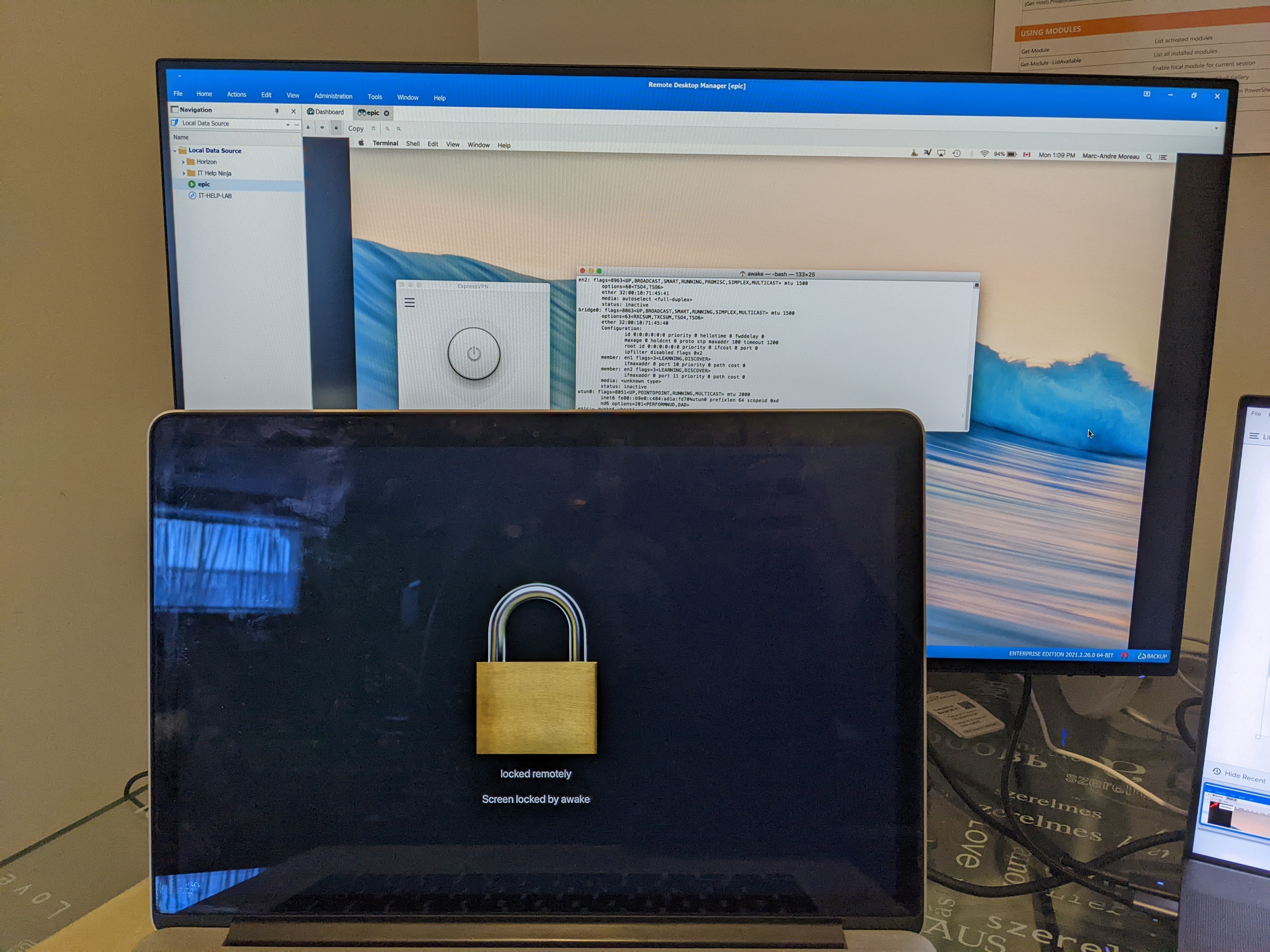
Let me know if this is what you were looking for
Best regards,
Marc-André Moreau