
thuijsmans
Auto-Typing like KeePass
Hello Jonathan,
Great to hear this feature is available in the new version of RDM.
Also my compliments for the engineering team for implementing this functionality.
Best regards,
Tim
Entry Event on Click
During the configuration of some
‘Before Open Events’ on entries a question popped up in my head.
Would it be possible to trigger ‘an
event’, like powershell or cmd etc, when only selecting the specified entry?
At the moment the events only get
triggered when you actually double-click or use Open Session.
When you’ve got an http/https entry
and only copy the username and password you don’t get prompted with the Before Open event.
I think it could be a relevant feature to RDM.
Auto-Typing like KeePass
Hello Hubert,
Thank you for your response.
Regarding your questions I've set up some more tests.
The main thing why we are looking for an auto-type feature like KeePass is because you can use that directly into console sessions.
When we generate password we don't want to manually type these into a console session.
I set up a Web Browser HTTP/HTTPS entry with a typing macro in RDM that should only input the password to the previous window.
This functions like expected when transferred to a Google Chrome search bar. This does not function in console windows like VMware Web Console or Solarwinds Take Control.
Because we often use those 2, and pasting password is not possible, a feature like auto-type from KeePass works excellent.
Hope to have you informed about our situation.
Regards,
Tim
Auto-Typing like KeePass
Is it possible to design a macro (or something else) that functions like the Auto-Type feature from KeePass?
I know it is possible to design a macro in RDM that performs almost the same as the auto-typing from KeePass, however the major difference is that KeePass actually types the input directly.
This feature comes in handy when you need to login directly to a server console in which you cannot paste the generated password of 20+ characters long with all the special characters in it.
With support of James we already tried using the macro feature and the Type Clipboard feature however they do not completely simulate the KeePass perform auto-type.
For more reference you can always check ticket DEVO-35699.
Let me know what you think!
Documentation HTML Editor
Hello Devolutions,
It would be nice to be able to use an HTML Editor in the 'Documentation' tab inside entries.
At the moment you've got the Viewer and the Editor. I think it would be an improvement to use an HTML Editor in which you can see your changes immediately.
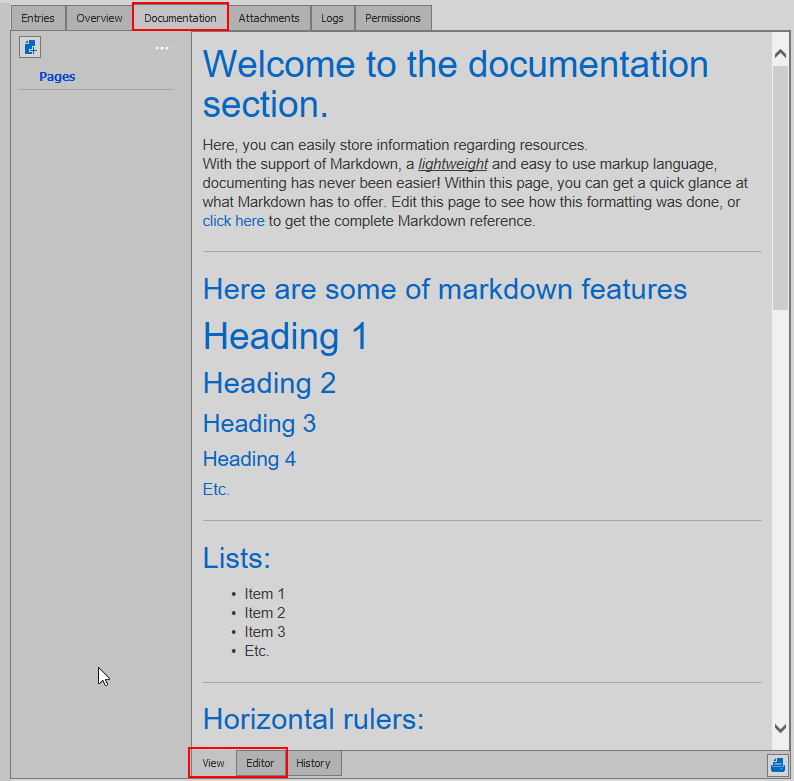
Please let me know what you think of this.
Best regards,
Tim
Easy switch rdp hosts from Work Area Screen
Hello,
We love working with the Work Area Screen mode because it provides you with a little more screen.
Since we often open multiple sessions at once, we would love to see a feature where you can switch/select to another session from within your Work Area Screen.
For example an addition to the top bar in the Work Area Screen where you can select which session you want to control. (Maybe through a drop-down menu)

Please let me know if this would be possible. Thanks in advance!
Prohibit editing Default Settings for Entry Templates
Hello Jafran,
Today I was looking for the added feature, however I could not find it in the location you specified.
My client version is 2020.2.12.0 64-bit. Our DPS version is 2020.1.13.0.
I am looking forward to your reply!
Kind regards,
Tim

Prohibit editing Default Settings for Entry Templates
Hello,
Thanks for the update, I'll be looking forward to this new feature.
Kind regards,
Tim
DLA ICT
Prohibit editing Default Settings for Entry Templates
Since there currently is no option to prohibit access for users to the Default Settings to edit Entry Templates, I'll be submitting a feature request because this would be a really nice feature.
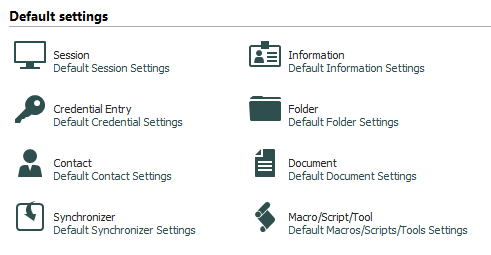
We would like to see the possibility where this section can be blocked with either a GPO (.admx) or through the Data Source System Settings.
Thanks!