
HNS
FortiClient VPN Client Support
Hi David,
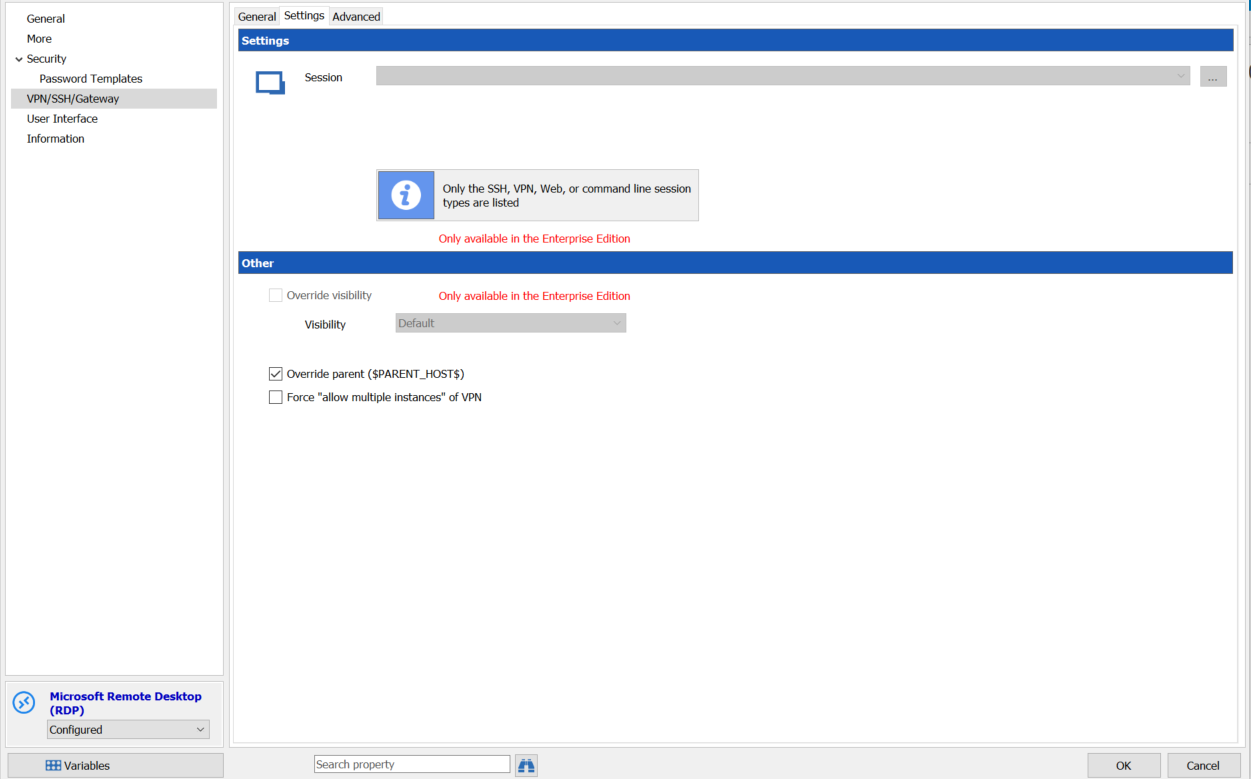
Thank you for your answer, but it seems again this feature is restricted for RDM Enterprise :cry:. i'm using RDM free for the moment ;)
KeePass plugin credential not working
Hi Mark
Thank you for information,
Have a nice week-end.
KeePass plugin credential not working
Hello,
it seems i'm not able to create credentials entry.

Is it a limitation of RDM Free version ?
I already have :
RDM last update : 4.5.3
KeePass plugin installed with dll present in folder
Plugin status installed with green check on RDM's Path
KeePass updated 2.38
Plugin status installed on KeePass side
Thank your for your help,
FortiClient VPN Client Support
Hi all,
There is feedback for using RDM addon with FortiSSLVpNClient.exe from tools
I'm able to add a VPN manually directly in the RDP Entry.
Using "VPN/SSH/Gateway" menu and configurin my FortiSSL credentials
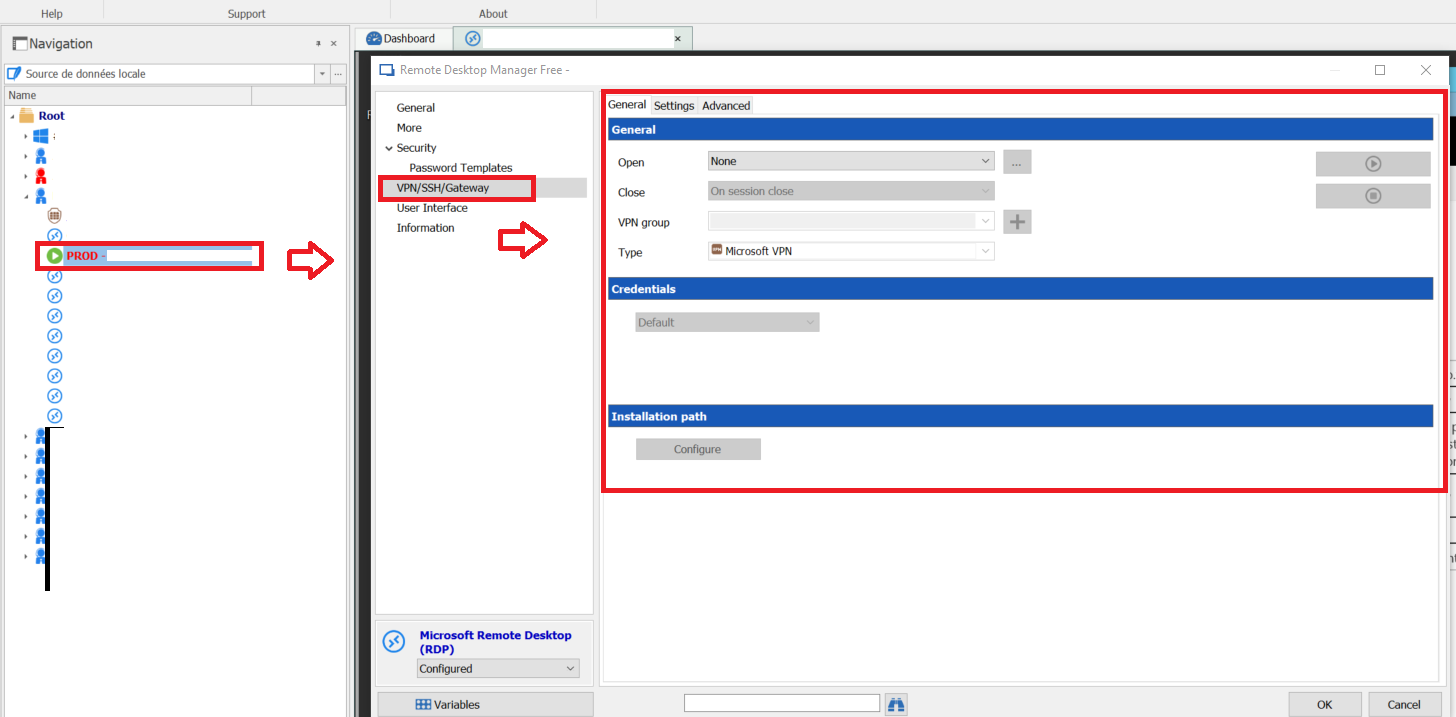
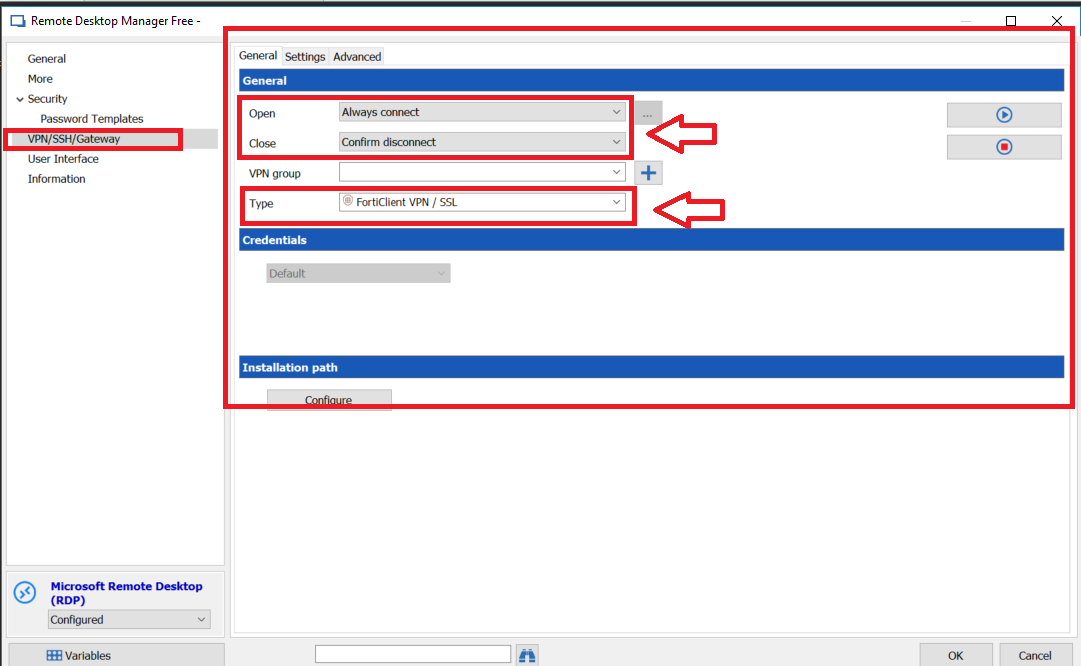
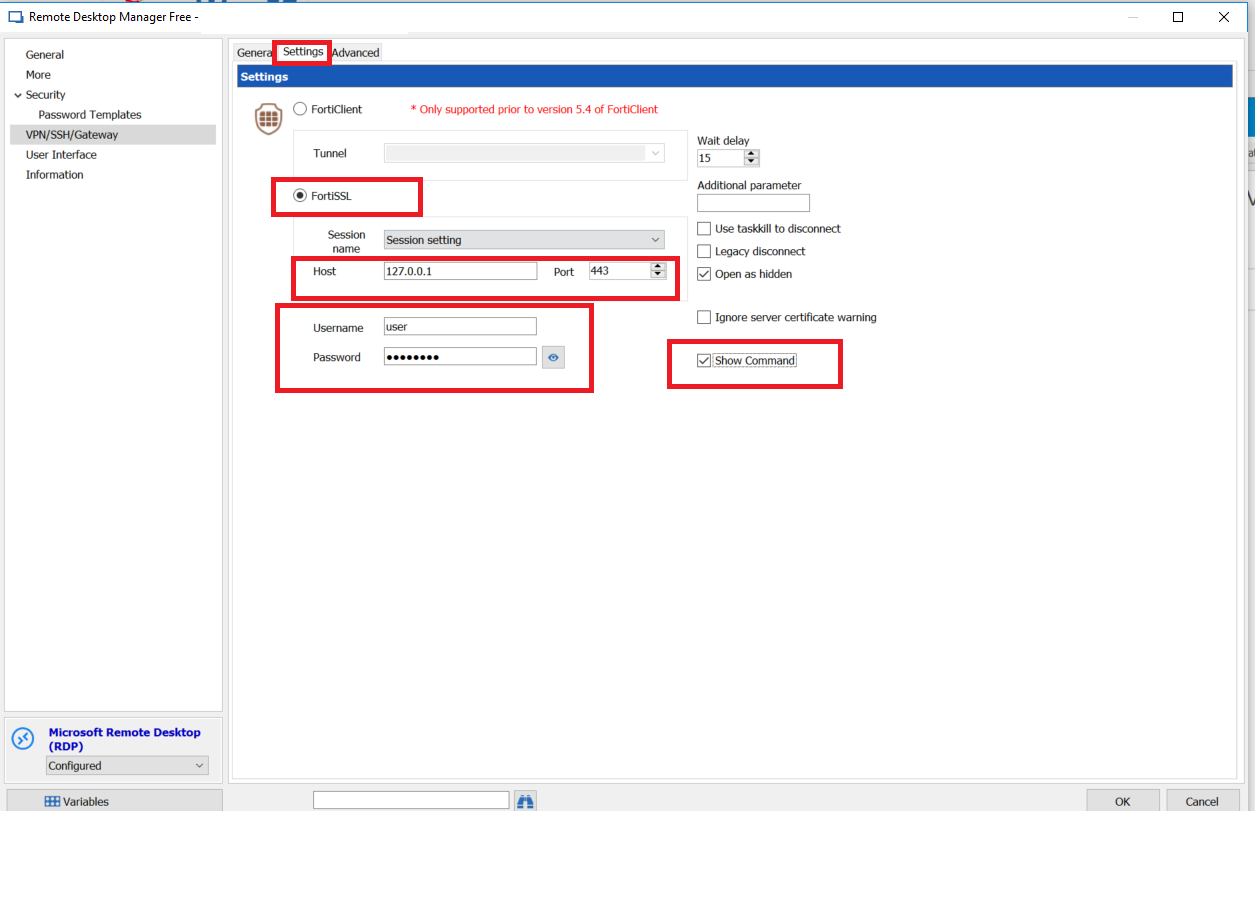
BUT that's not what i want because in this situation i have to manual configure VPN for each entry in a folder.
I tryed to add 1 entry as VPN FortiSSL type :
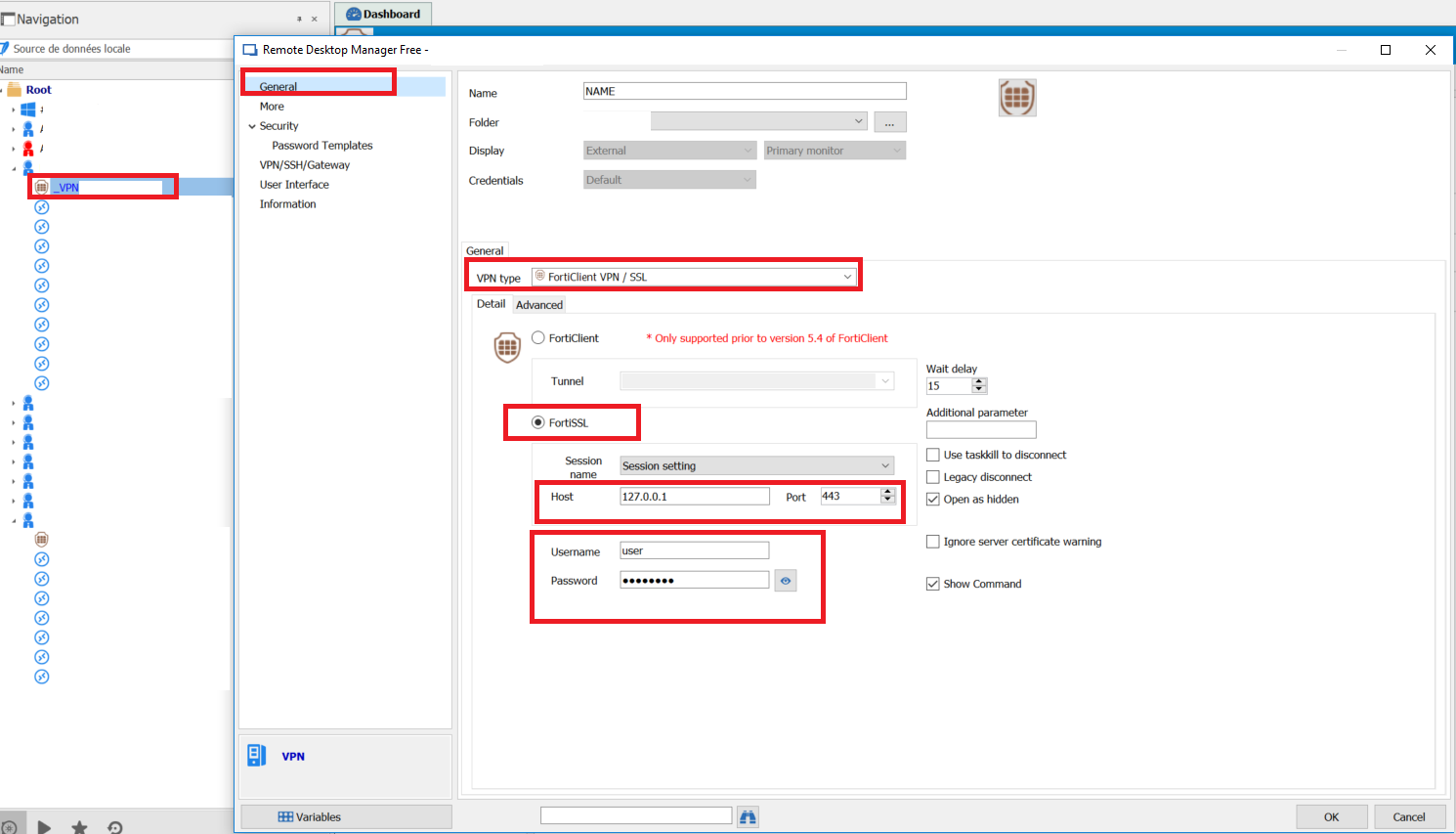
This situation is better because i dont need to configure each RDP entry
QUESTION :
I'm not able to use "session name" for a RDP entry : field stays empty.
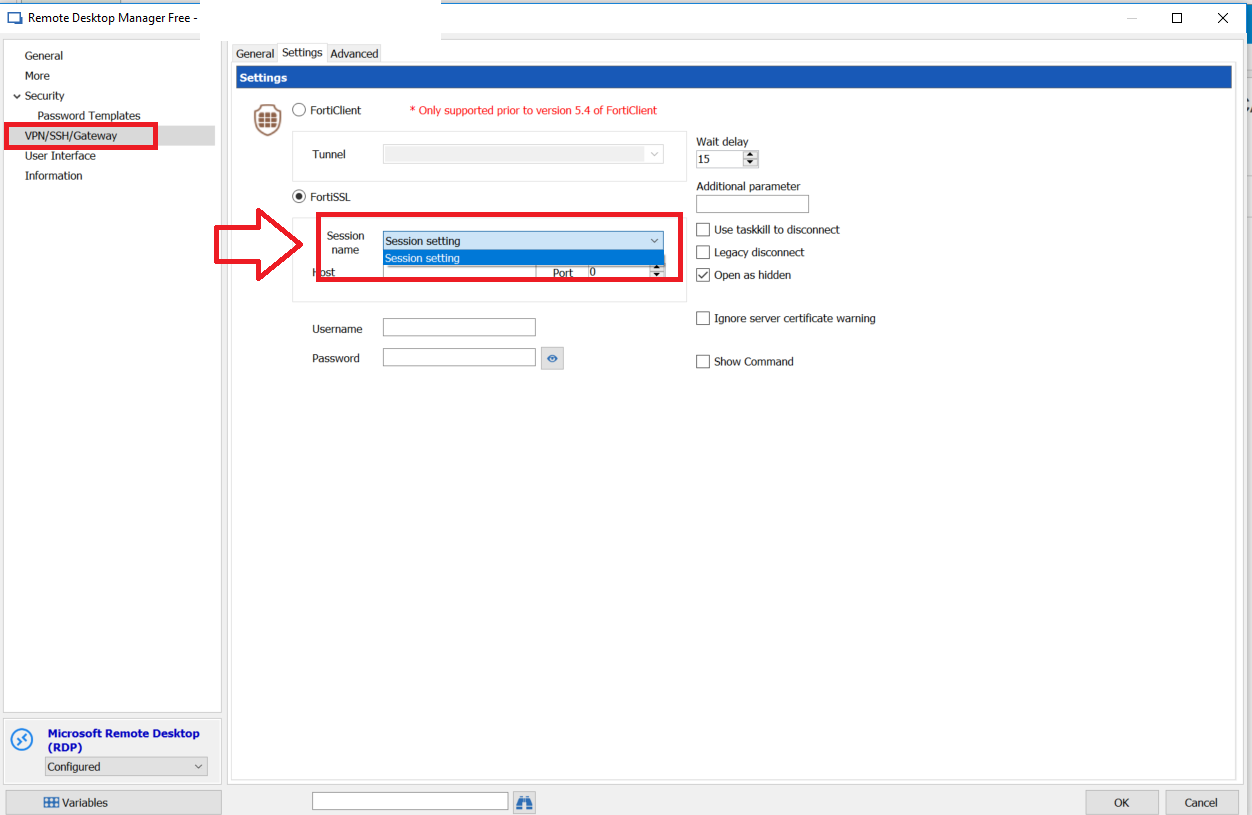
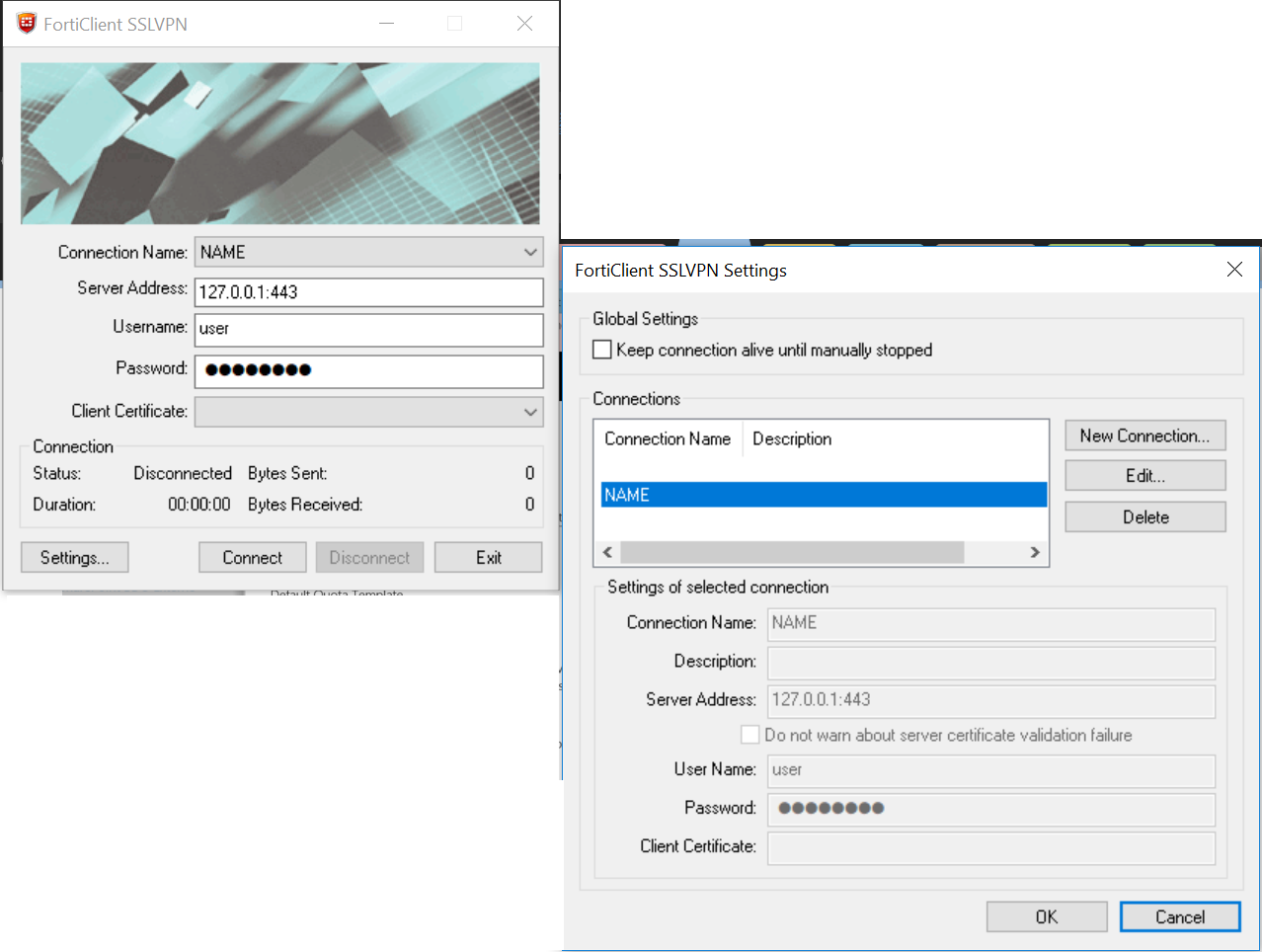
How is it possible to use it ? For information I allready configured session with name in FortiSSL
FortiClient VPN Client Support
Hi,
After searching for FortiClientTools, i found it... (my bad your solution was clear : https://help.remotedesktopmanager.com/index.html?troubleshooting_forticlient.htm )
Stop FortiClient
Copy/Paste folder "..\FortiClientTools_5.6.6.1167\SSLVPNcmdline" with FortiSSLVPNclient.exe and 3 *.dll files to "C:\Program Files (x86)\Fortinet\FortiClient"
in my case i used unlocker (http://www.emptyloop.com/unlocker/) to force
After that i was able to connect with RDM through Forti SSL ... BUT ONLY with "FortiSSL".
FortiSSL use FortiSSLVPNClient.exe => Working
FortiVPN use ipsec.exe => Not Working
That's a big step.:)
BTW : i didn't change password yet, i still have special caracter and that's working, maybe ipsec.exe is more sensible to that. i'll try later and let you know .
Thx for your help,
FortiClient VPN Client Support
Hi,
There is all action i tryed :
Uninstall forticlient
Setup forticlient with exe from customer support (last update)
Trying to Reinstall Forticlient addon => i used "manuel installation" because when using reinstallation or setup from zip the dll is missing in application folder. (VPNAddOn.dll)
trying to connect vpn with RDM => Not working on both option in RDM : FortiClient and FortiSSL
trying to start RDM with run as administrator => No change
trying to connect vpn directly from cmd (with ipsec.exe) => Not working... i start to asking myself is there is not issue from this ipsec.exe ....
Not tryed yet : https://serverfault.com/a/534107 => i have special caracter in my password
Thx for your help,
FortiClient VPN Client Support
Hi David,
I will try that and give you feedback asap.
Thanks for your help,
FortiClient VPN Client Support
Hi, thx for quick answer.
I dont know how to get command line we have to used with those .exe.
There is commande line i found for FortiSSLVPNCLIENT.exe : https://forum.fortinet.com/tm.aspx?m=124185 but the post seems a little outdated.
It seems those 2 .exe doesn't accept parameters anymore. Do we/you/us need to open a request on forticlient support ?
Thx for your help,
FortiClient VPN Client Support
Hello had you have any update on this ?
I'm using FortiClient last update (5.6.6.1167) and RDM last update (4.5.3.0) but forticlient ssl/vpn addon is not working.
There is 2 exe on default setup path : C:\Program Files (x86)\Fortinet\FortiClient .
FortiSSLVPNClient.exe
ipsec.exe
those 2 exe seems to be able to recieve command line but it's not working on my side. I also tried manual command line from cmd/powershell without any success.
Any idea or solution ? :)
Thx for help,