FortiClient VPN Client Support
Is there any plan/road-map to support the modern implementations of FortiClient (5.4.X and 5.6.X)?
All Comments (15)
Do you know if they have a command line that we could use?
Regards
David Hervieux
I opened a ticket with Fortinet Support. I'll update when I hear back from the escalation team.

Hello had you have any update on this ?
I'm using FortiClient last update (5.6.6.1167) and RDM last update (4.5.3.0) but forticlient ssl/vpn addon is not working.
There is 2 exe on default setup path : C:\Program Files (x86)\Fortinet\FortiClient .
FortiSSLVPNClient.exe
ipsec.exe
those 2 exe seems to be able to recieve command line but it's not working on my side. I also tried manual command line from cmd/powershell without any success.
Any idea or solution ? :)
Thx for help,
@HNS,
We need the working command lines for these two .exe so that we can compare them with the one present in our code.
Best regards,
Jeff Dagenais
Hi, thx for quick answer.
I dont know how to get command line we have to used with those .exe.
There is commande line i found for FortiSSLVPNCLIENT.exe : https://forum.fortinet.com/tm.aspx?m=124185 but the post seems a little outdated.
It seems those 2 .exe doesn't accept parameters anymore. Do we/you/us need to open a request on forticlient support ?
Thx for your help,
Hello,
After few discussions with FortiGate specialists, they explain to me that the Forticlient from the web site contain yes a ipsec.exe but this ipsec doesn't support command line. You need to be login as a FortiNet customer on their support web page and download the dedicated FortClient application.
From there, the application will support the command line.
Best regards,
David Grandolfo
Hi David,
I will try that and give you feedback asap.
Thanks for your help,
Hi,
There is all action i tryed :
Uninstall forticlient
Setup forticlient with exe from customer support (last update)
Trying to Reinstall Forticlient addon => i used "manuel installation" because when using reinstallation or setup from zip the dll is missing in application folder. (VPNAddOn.dll)
trying to connect vpn with RDM => Not working on both option in RDM : FortiClient and FortiSSL
trying to start RDM with run as administrator => No change
trying to connect vpn directly from cmd (with ipsec.exe) => Not working... i start to asking myself is there is not issue from this ipsec.exe ....
Not tryed yet : https://serverfault.com/a/534107 => i have special caracter in my password
Thx for your help,
Hi,
Base on the information you gave us, the issue is clearly a fortinet issue.
Regarding the special characters, I found a topic from Fortinet docs ( Special Characters not supported ).
Base on Fortinet documentation special characters are usually not permitted in CLI. They gate a trick to enclose the characters in quote or backslash.
I recommend trying with a different password if possible or to open a ticket with fortinet about the VPN isn't working in CLI.
As soon as it works in CLI, RDM will be able to connect to the server.
Best regards,
David Grandolfo
Hi,
After searching for FortiClientTools, i found it... (my bad your solution was clear : https://help.remotedesktopmanager.com/index.html?troubleshooting_forticlient.htm )
Stop FortiClient
Copy/Paste folder "..\FortiClientTools_5.6.6.1167\SSLVPNcmdline" with FortiSSLVPNclient.exe and 3 *.dll files to "C:\Program Files (x86)\Fortinet\FortiClient"
in my case i used unlocker (http://www.emptyloop.com/unlocker/) to force
After that i was able to connect with RDM through Forti SSL ... BUT ONLY with "FortiSSL".
FortiSSL use FortiSSLVPNClient.exe => Working
FortiVPN use ipsec.exe => Not Working
That's a big step.:)
BTW : i didn't change password yet, i still have special caracter and that's working, maybe ipsec.exe is more sensible to that. i'll try later and let you know .
Thx for your help,
Hi,
Thanks for this information and please let us know about the ipsec.exe for the standard FortiClient connection.
Best regards,
David Grandolfo
Hi all,
There is feedback for using RDM addon with FortiSSLVpNClient.exe from tools
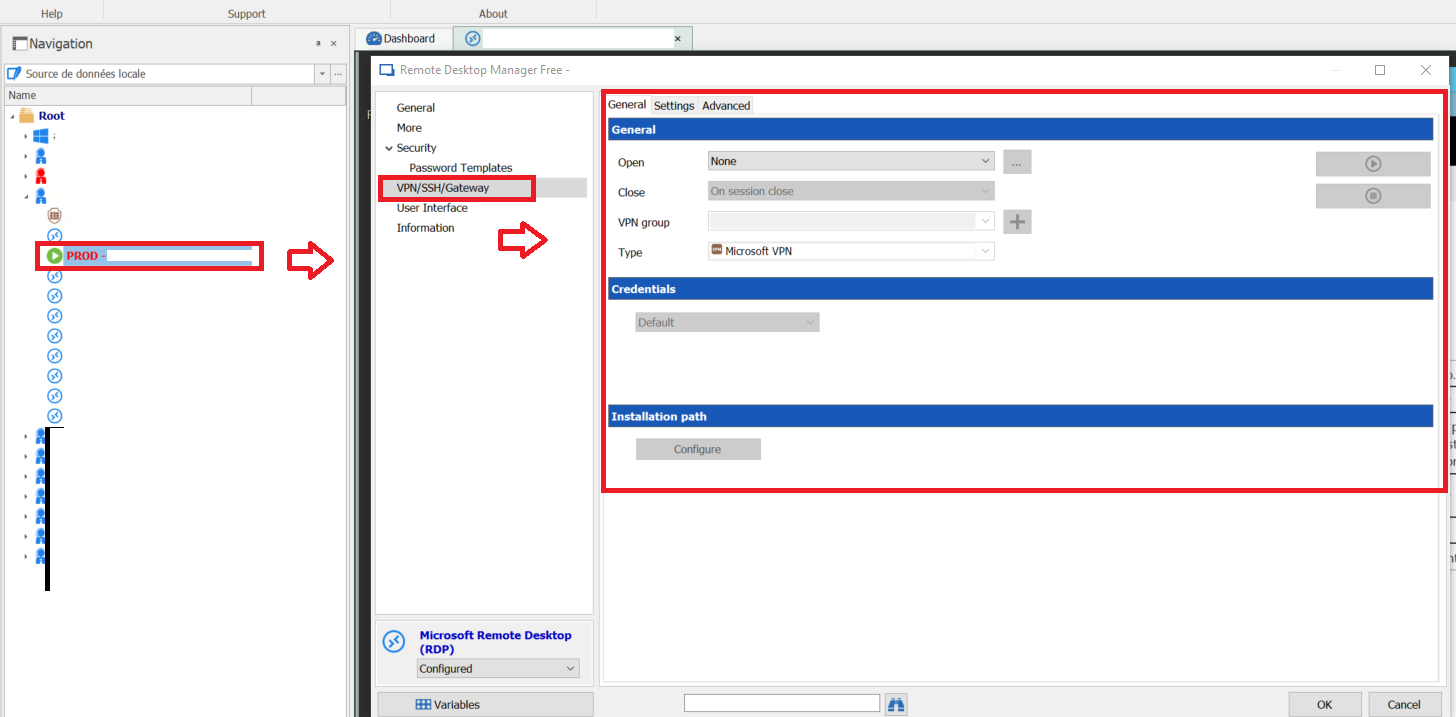
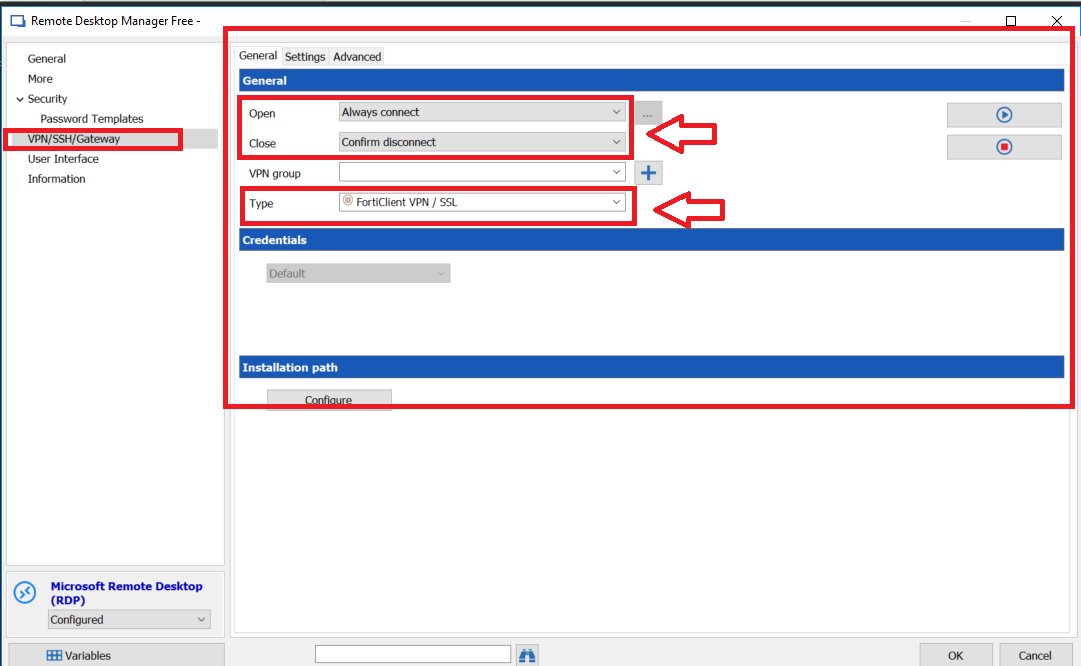
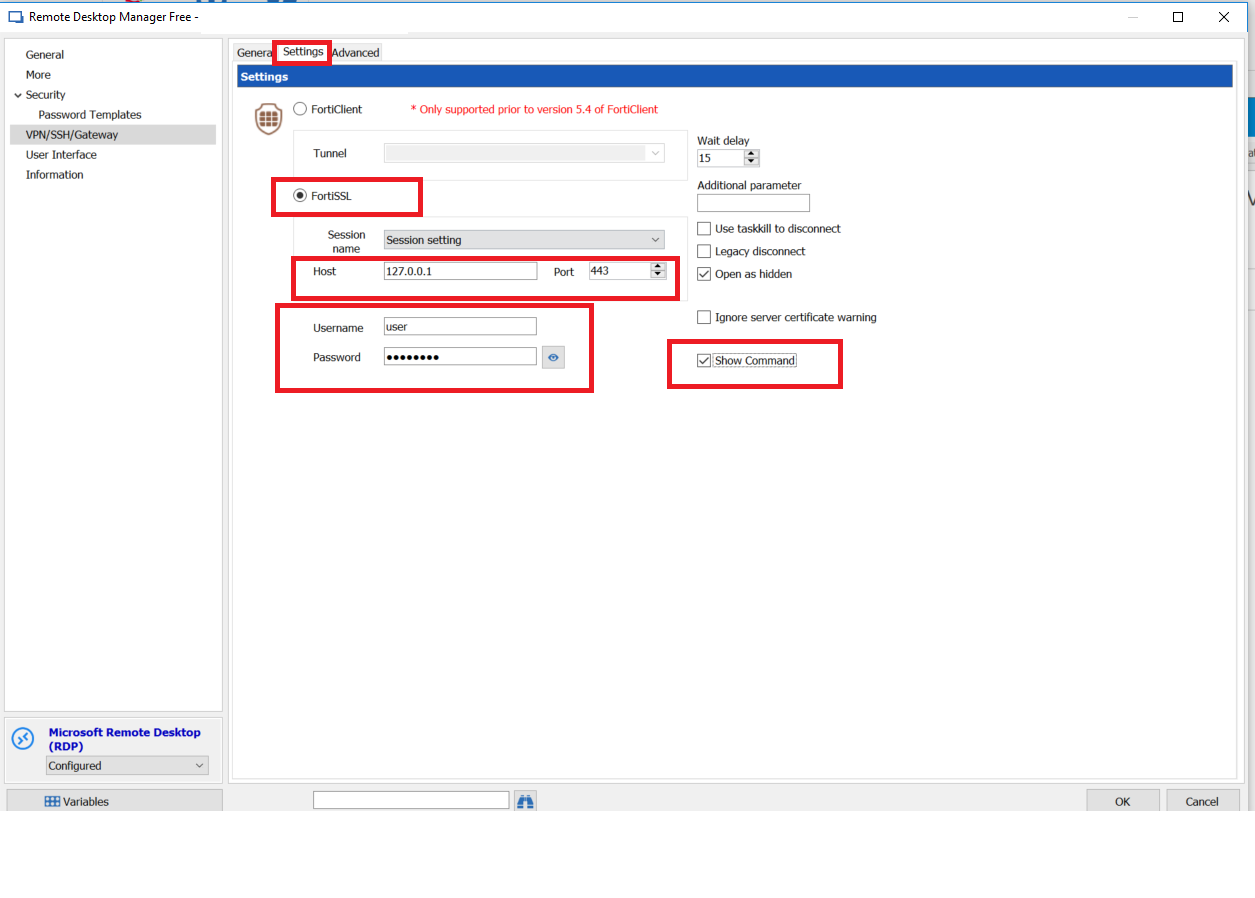
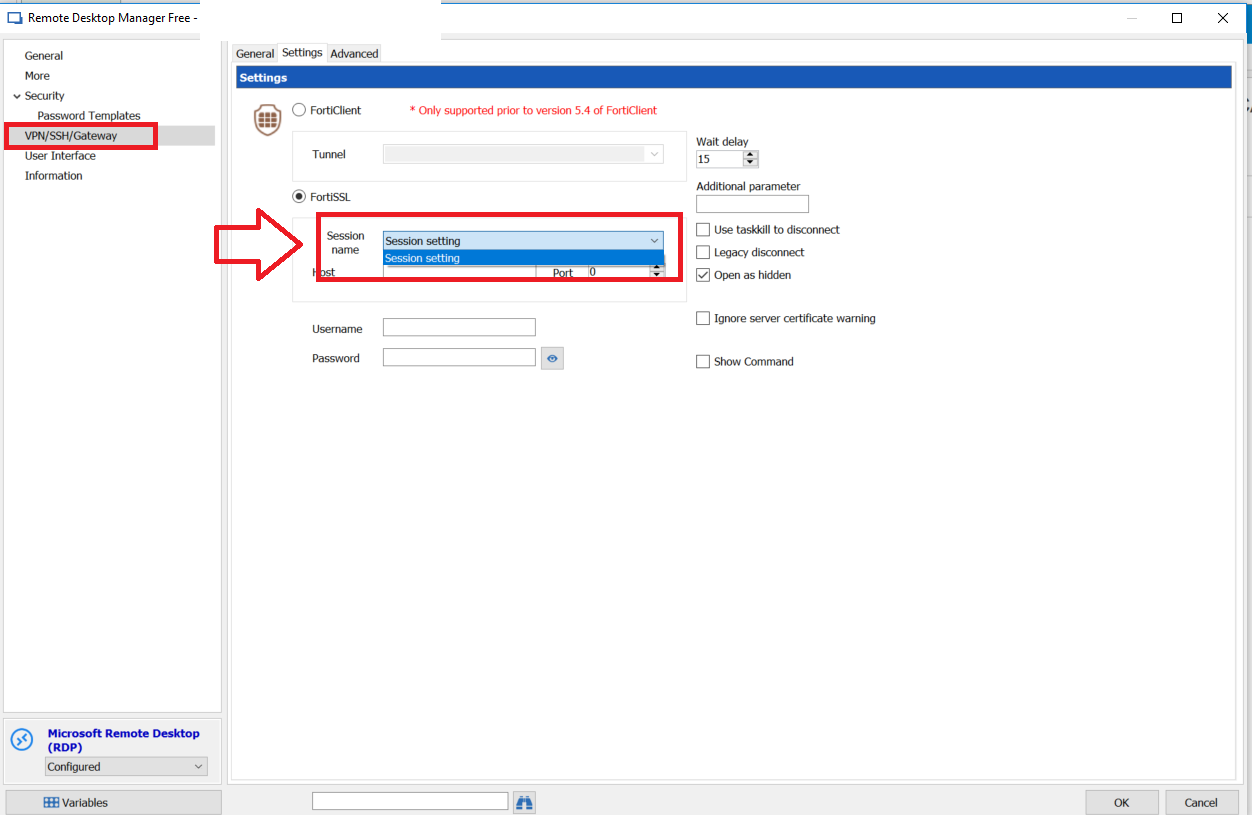
I'm able to add a VPN manually directly in the RDP Entry.
Using "VPN/SSH/Gateway" menu and configurin my FortiSSL credentials
BUT that's not what i want because in this situation i have to manual configure VPN for each entry in a folder.
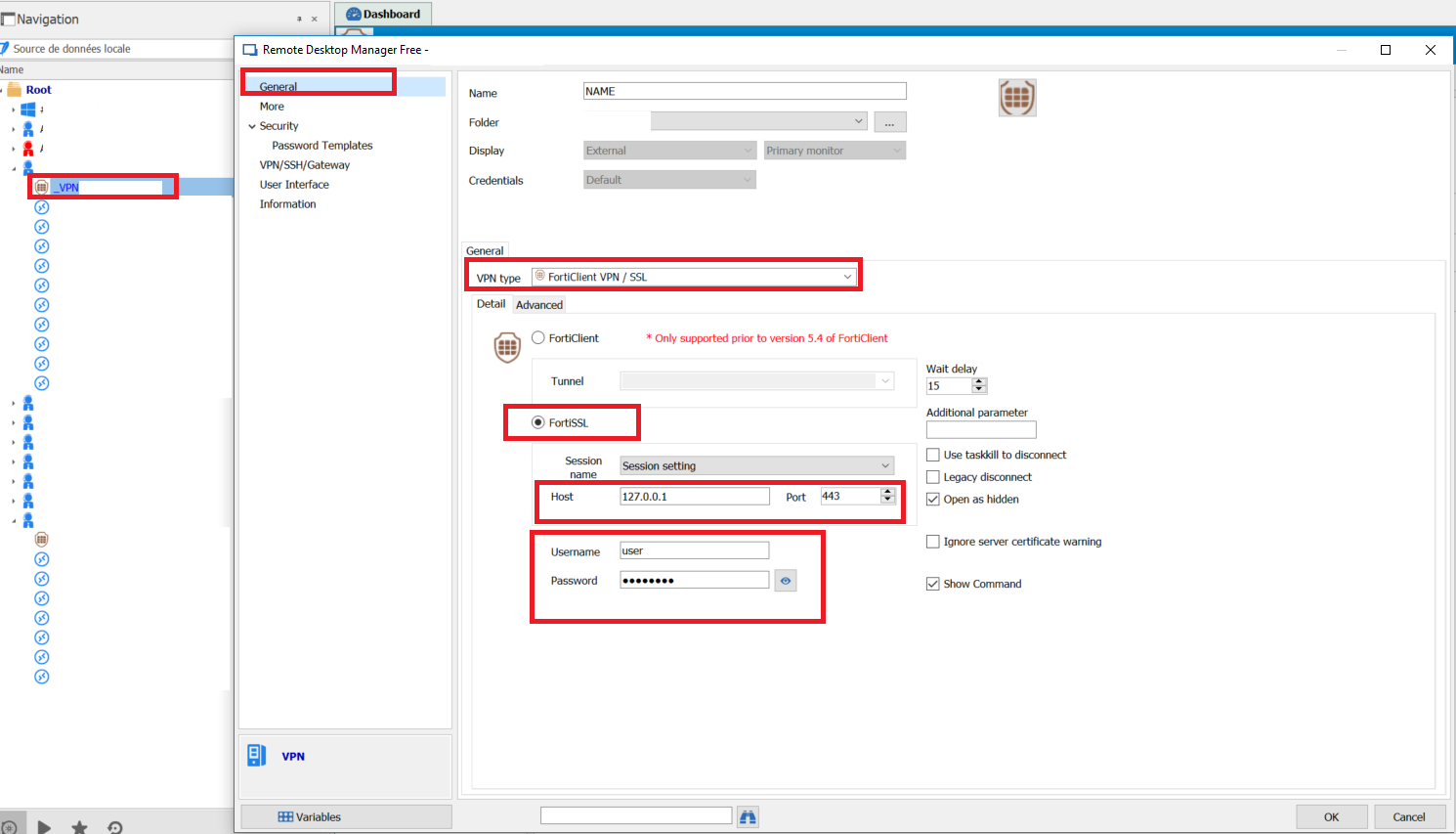
I tryed to add 1 entry as VPN FortiSSL type :
This situation is better because i dont need to configure each RDP entry
QUESTION :
I'm not able to use "session name" for a RDP entry : field stays empty.
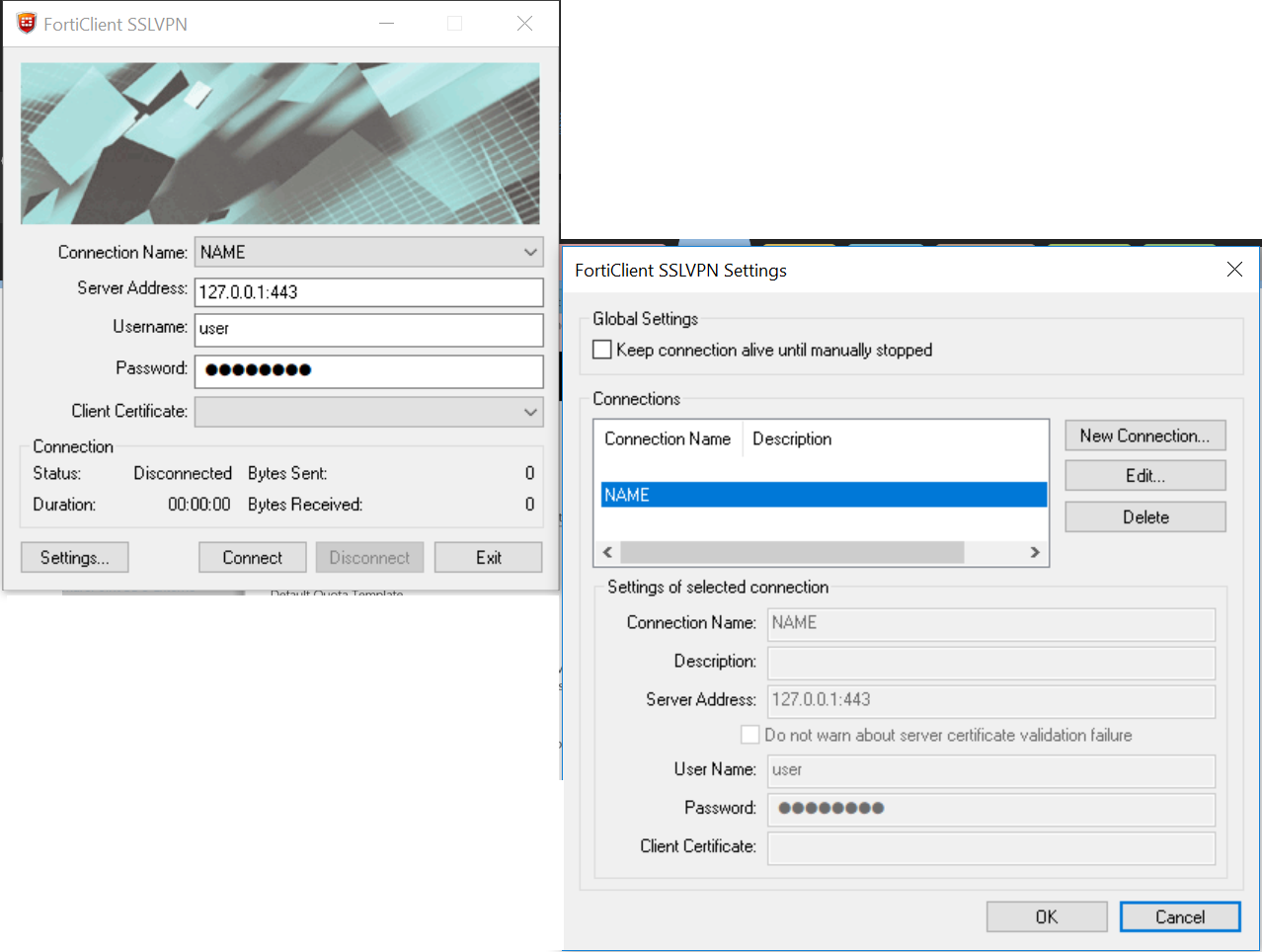
How is it possible to use it ? For information I allready configured session with name in FortiSSL
configVPN08.PNG
configVPN01.PNG
configVPN03.PNG
configVPN04.PNG
configVPN09.PNG
configVPN02.PNG
Hi,
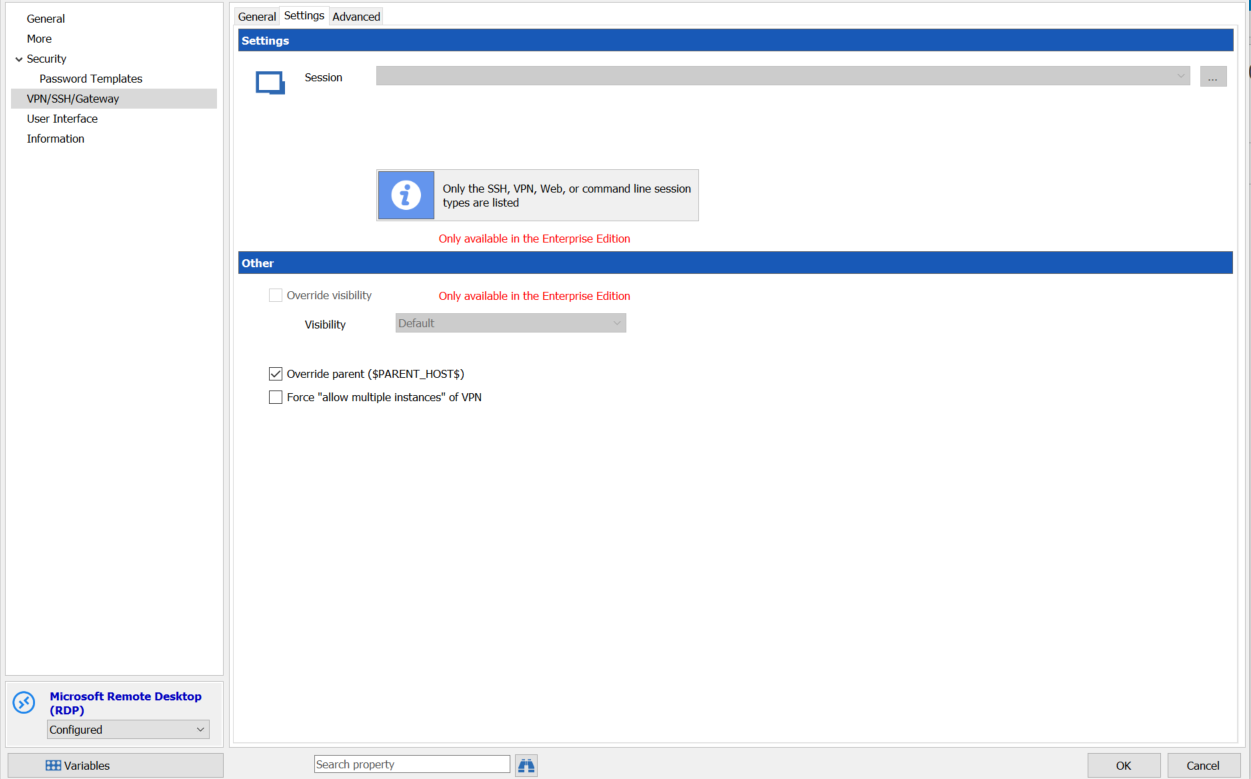
Thanks for theses print screen, I think we mix two issue. The first one is to use an existing session. So go to VPN/SSH/Gateway field and select Session then if you switch to the Setting tab you should be able to select the already existing FortiNet VPN session.
The second issue, looks like RDM doesn't read the information in the FortiNet application.
I send you a link by email to schedule a remote session.
Best regards,
David Grandolfo
Hi David,
Thank you for your answer, but it seems again this feature is restricted for RDM Enterprise :cry:. i'm using RDM free for the moment ;)
configVPN10.PNG
Hi,
I'm sorry I didn't notice you were on RDM Free. Another way to share the same entry to multiple sessions is to set to your RDP session the VPN/SSH/Gateway to inherited. Inherited will use the information from the folder above. After on the folder, above you configure the VPN/SSH/Gateway with the Fortclient session as the VPN to use.
So the VPN configuration set on the folder will be used by all sessions under it.
Best regards,
David Grandolfo