
c03
automatic logon to reddit website
Hello Carl,
Thanks for checking.
This is a growing concern for using RDM. As I wrote before... Other solutions don't have issues with this.
We see a growing number of websites were autofill credentials is not working anymore with RDM.
Could this be added to the development wish list? I think this is core functionality for RDM as a connection manager.
automatic logon to reddit website
Thanks for the support,
I had tried that before. Didn't work.
Auto detect can't find the fields.
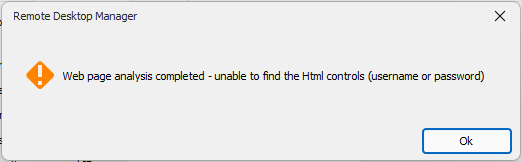
Analysing the source code does not tell me the exact fields needed.
For username this is the code:
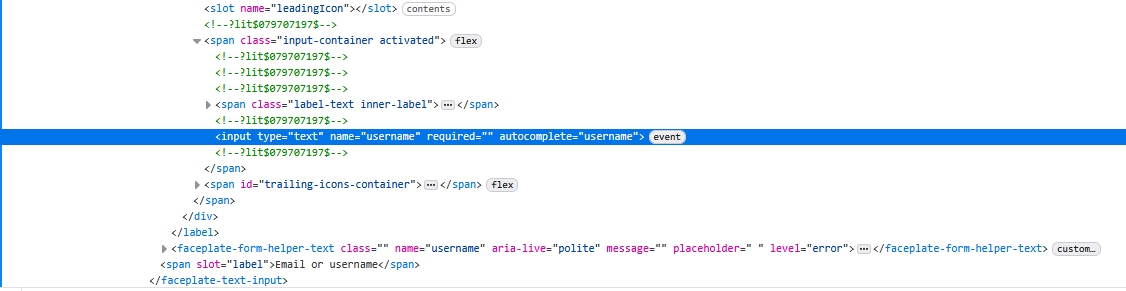
But username isn't filled automatically.
Same for the password field.

I tried a lot of combinations, nothing worked.
Other password managers, like bitwarden have no issues with filling the password fields. So it should be possible. I just can't see why RDM is not able to do this.
I've used reddit as an example, more and more websites have the same issue. If it's not possible to fix this, RDM looses a lot of it's value to me.
automatic logon to reddit website
I'm always struggling to get automatic logon to websites working. Could someone please give an excample.
I'm trying to logon to reddit, configured in RDM as:
New entry => website session
Display External, default, current desktop
Credentials find by name (uservault)
General tab => url https://www.reddit.com/login/ and default webbrowser
Log in tab => Auhentication Form
Autofil login, delay 300ms, auto submit
HTML control => default profile, Username ID = username, password ID = password, login button ID = [Enter]
The browser extension finds my reddit credentials in the private vault, but nothing is filled in in the input boxes on the reddit login page. What am I doing wrong?
Database not upgraded when updating RDM
Thanks.
Thread didn't pop up on my search
It's exactly as my problem and fix works.
Database not upgraded when updating RDM
After the latest update of RDM we get an error message when opening RDM
The data souce '......' requires a Remote Desktop Manager version lower or equal than 2021.2.9999. Please contact your Remote Desktop Manager administrator.
Currently running RDM 2022.1.13.0 64-bit
Seems that the database was not upgraded when upgrading RDM software.
How to get RDM database in sync with latest software release?
Image properties in documentation
Thanx!
Allready waiting for next release :)
Image properties in documentation
Hi,
Got it working.
Thanx for the help.
Really appreciate the quick response!
I see that max image size is limited somewhere around 470px width
Guess I'll have to wait for the new version to get bigger images :)
Some nice to have's (no need to reply)
- download images from the Documentation tab (windows client)
- "e-mail manual" option beside the print option
Image properties in documentation
Hi Mathieu, thanks for the quick response
We're using the server based version. I think you're mentioning the web based version.
In the server version there's no img tag or a src tag.
Just an example.
Quick screenshot to document firewall rules in corelation with a specific device is added to the documentation.
After adding via the image menu, I see this link in de documentation.
**Firewall**

Where should I place the "width" property?
Image properties in documentation
RDM is great for keeping basic documentation on connections / devices.
Formatting with Markdown is OK (for me), except for images.
I can't find how to manipulate image size in the documentation tab.
When adding an image it's resized to a very small image.
Resolution is to low to read the info.
Are there any options to adjust resizing by RDM?