
dsthilaire
Access DPS from RDM??
It works I downloaded the new Beta last night and already have DPH credential entries working! Many thanks, Keep the new features coming! When will we get DPH as a data source is there a time line yet?
Thanks
JK
"BIG Devolution's Fan"
Hey John,
Since you're a Devolutions Fan I would like to invite you to join our private community!
Could you reach out to dsthilaire@devolutions.net? I will tell you more about it and give you a private link to join.
You will definitely enjoy the experience.
Derick
[NEW RELEASE] Devolutions Launcher 2019.1

Yesterday, we launched Devolutions Password Server 2019.1, and today we’re keeping the momentum going by introducing you to DPS’s favorite companion tool: say hello to Devolutions Launcher 2019.1!
The latest version of Devolutions Launcher offers many new features and improvements. If you can’t wait to give it a try, then you can download it here. If you want to know more about the new additions, then keep reading!
What is Devolutions Launcher? Find out here: https://blog.devolutions.net/2019/06/new-release-devolutions-launcher-2019-1?utm_source=social_share&utm_medium=forum
[NEW RELEASE] Devolutions Password Server 2019.1

We have some great news! After months of hard work and testing, Devolutions Password Server 2019.1 is now available. There are many new features, improvements and enhancements to our on-premises privileged account management platform.
What’s New
Devolutions Password Server 2019.1 features many changes! Here are some of the most notable:
DPS Console - New option in manage database to set pool size
DPS Console - Scheduler service is now optional when installing DPS
DPS - Add encryption key backup step after installing DPS
DPS Console - Remove every settings accessible in web
Find the complete list here: https://blog.devolutions.net/2019/06/new-release-devolutions-password-server-2019-1
Improved Features in Remote Desktop Manager Enterprise 2019.1

Last week, I highlighted some of my favorite new features in Remote Desktop Manager Enterprise 2019.1, which is presently only available in Beta. Today, I’m switching gears to look at some of the exciting improvements: https://blog.devolutions.net/2019/04/improved-features-in-remote-desktop-manager-enterprise-2019-1
New Features in RDM Enterprise 2019.1

With spring arriving in only a couple of weeks, we’re all excited around here for the grass to grow, for the flowers to blossom, for the birds to sing, and of course: to dive into Remote Desktop Manager Enterprise 2019.1! RDM 2019.1 is currently in Beta if you want to try the new features right away you can download it here.
Today, I thought it would be fun to take a closer look at some of the new features that Remote Desktop Manager Enterprise 2019.1 will have (and I’ll highlight some of the improved features in an upcoming blog).
Find out the new features here: https://blog.devolutions.net/2019/04/new-features-in-rdm-enterprise-2019-1
Key New Features in Remote Desktop Manager Free 2019.1

Here at Devolutions, ALL of our users are important to us, whether they choose RDM Free or RDM Enterprise. That’s why thelatest free version – 2019.1– is equipped with some great new features.
Here are some of the key additions we hope you’ll enjoy: https://blog.devolutions.net/2019/03/key-new-features-in-remote-desktop-manager-free-2019-1
Remote Desktop Manager Free 2019.1 Beta is Here!

As you hopefully know, one of the guiding principles here at Devolutions is to help as many IT pros around the world control IT chaos. That’s why we are proud to continue improving Remote Desktop Manager Free with the release of version 2019.1! The Beta version includes everything that the official release will include.
What’s in Store? Find out in our blog here: https://blog.devolutions.net/2019/03/remote-desktop-manager-free-2019-1-beta-is-here
Devolutions Cloud Open Beta
Hi everyone,
Devolutions Password Hub (DPH) is now in open Beta.
If you would like to join the Beta testing team, please contact us at hub@devolutions.net to get your invitation code.
Once you have your invitation code, head over to https://cloud.devolutions.net/password-hub to register and create your vault.
Please note that you’ll need a valid Devolutions Account is order to access Password Hub. You may create your account here: https://devolutions.net/accounts/create
If you have questions, feedback or bug reports, you may contact the DPH team at hub@devolutions.net or join the discussion on the Password Hub forum.
Regards,
Derick
Devolutions Recognized as a 2019 Gartner Peer Insights Customers’ Choice for PAM

We are delighted to share that Devolutions has been recognized as a 2019 Gartner Peer Insights Customers’ Choice for Privileged Access Management.
Gartner defines Privileged Access Management solutions as those that help organizations provide secure privileged access to critical assets, meet compliance requirements by managing and monitoring privileged accounts and access.
Read the article here: https://blog.devolutions.net/2019/03/devolutions-recognized-as-a-2019-gartner-peer-insights-customers-choice-for-privileged-access-management
Join the Devolutions Affiliates Program

Since the beginning here at Devolutions, most of our marketing and advertising has been driven by “word of mouth” referrals and recommendations from our satisfied customers around the globe. And to thank our community for their efforts and loyalty, we have created the Devolutions Affiliates Program.
How It Works: https://blog.devolutions.net/2019/03/join-the-devolutions-affiliates-program
The Basics: How to Manage Role-Based Access Control Using Vaults in Remote Desktop Manager 2019.1

The more clothes you have, the more drawers you need to keep things neat and tidy (actually for me, I just need a beautiful, glorious, huge walk-in closet!). Well, the same goes for entries: the more you have, the more vault you need.
What Are Vaults in RDM 2019.1?
Vaults, which used to be named Repositories in RDM’s previous versions, are virtual drawers that let you organize your entries into multiple vaults, which are stored in the same data source (either Devolutions Password Server, MySQL or SQL Server).
Vaults improve security and boost performance, since using them limits the volume of entries that are loaded at the same time. It also simplifies user management, as Active Directory groups define who has access to a vault.
Learn How to Manage Role-Based Access Control by Vaults: https://blog.devolutions.net/2019/03/the-basics-how-to-manage-role-based-access-control-using-vaults...
[IMPORTANT ANNOUNCEMENT] Password Vault Manager Now Fully Integrated in Remote Desktop Manager

Why Did We Do This?
Password Vault Manager has been around for many years helping non-technical users manage their passwords in a similar way that was similar to Remote Desktop Manager. However, Password Vault Manager was never designed to specifically address the needs of business users.
We have been working closely with our customers over the last year to better understand the specific needs of their business users, and this has resulted in the Devolutions Password Server web application, along with the Devolutions Web Login browser extension for credential injection and autofill in websites and applications.
Our CEO David Hervieux described the transition in this way: “With Devolutions Password Hub, which is currently in preview mode and due to be released in the near future, we can offer a very robust and secure cloud-based password management platform that is far superior to Password Vault Manager – ideal for both technical and non-technical business users, and focused on team environments and sharing.”
Read our Advice for Current Password Vault Manager Users here: https://blog.devolutions.net/2019/03/important-announcement-password-vault-manager-now-fully-integrated-in-remote-desktop-manager
Remote Desktop Manager Enterprise 2019.1 Beta Is Here

Remote Desktop Manager 2019.1 (aka 15) has arrived! Our team has been working hard for several months to get RDM 2019.1 ready! You can now try it by joining the beta!
Remote Desktop Manager 2019.1 Beta comes with many new features, such as:
Complete UI relooking (SVG)
Black theme
Session recording – RDP, ARD, Wayk and VNC (SQL Server and mySQL) for now; coming soon for all data source types
Smart folders
2FA (Google Auth, Microsoft Auth) for 1Password Web
Multi-vault search
VPN Link option to open a VPN depending on OS
VNC vino's auth (TLS)
Many UI improvements
Learn more about Remote Desktop Manager 2019.1 Beta here: https://blog.devolutions.net/2019/03/remote-desktop-manager-enterprise-2019-1-beta-is-here
How to Update Your Devolutions Password Server Registration Serial

If you replace the lock on your door, then obviously your old key won’t fit. Well, the same is true when you renew your Devolutions Password Server license: you’ll get a new registration serial, which means your old one will no longer work.
But don’t worry: updating your Devolutions Password Server registration serial is fast and easy.
Here’s what to do: https://blog.devolutions.net/2019/02/how-to-update-your-devolutions-password-server-registration-serial
Devolutions 2019 Road Map

It’s the start of a new year here at Devolutions, which means that it’s my privilege to share our 2019 Road Map, which highlights the goals we have planned for the year ahead.
Before getting started, I’d like to take a moment and thank all of our users for being such a critically important part of our world. Since launching more than a decade ago, we have been committed to listening to our amazing community — not just when you tell us what you like, but also when you tell us what we should improve or fix. We do not exist to serve ourselves: we exist to serve YOU, and to help you control the IT chaos in your organization. So once again, on behalf of everyone here at Devolutions, thank you for making us part of your organization’s security, governance and productivity solution.
Now, please join us as we look ahead at some of the big milestones we have planned for this year: https://blog.devolutions.net/2019/02/devolutions-2019-road-map
Devolutions 2019 Road Map
It’s the start of a new year here at Devolutions, which means that it’s my privilege to share our 2019 Road Map, which highlights the goals we have planned for the year ahead.
Before getting started, I’d like to take a moment and thank all of our users for being such a critically important part of our world. Since launching more than a decade ago, we have been committed to listening to our amazing community — not just when you tell us what you like, but also when you tell us what we should improve or fix. We do not exist to serve ourselves: we exist to serve YOU, and to help you control the IT chaos in your organization. So once again, on behalf of everyone here at Devolutions, thank you for making us part of your organization’s security, governance and productivity solution.
Now, please join us as we look ahead at some of the big milestones we have planned for this year: https://blog.devolutions.net/2019/02/devolutions-2019-road-map
Devolutions 2019 Road Map
It’s the start of a new year here at Devolutions, which means that it’s my privilege to share our 2019 Road Map, which highlights the goals we have planned for the year ahead.
Before getting started, I’d like to take a moment and thank all of our users for being such a critically important part of our world. Since launching more than a decade ago, we have been committed to listening to our amazing community — not just when you tell us what you like, but also when you tell us what we should improve or fix. We do not exist to serve ourselves: we exist to serve YOU, and to help you control the IT chaos in your organization. So once again, on behalf of everyone here at Devolutions, thank you for making us part of your organization’s security, governance and productivity solution.
Now, please join us as we look ahead at some of the big milestones we have planned for this year: https://blog.devolutions.net/2019/02/devolutions-2019-road-map
How to Configure 2FA in Devolutions Password Server

We all need to keep up-to-date with everything nowadays! If you’re old enough, you’ll know the old saying “Keeping up with the Joneses” – and no I don’t mean Keeping up with the Kardashians. It means keeping up with the times, and keeping up with the wild pace of technology is never easy! (Hello iPhone 6, 6s, SE, 7, 8, 10, X, XR, XS – and all of that in the last 5 years?!?)
It’s hard to believe that it has been three years since I last wrote about using 2FA with Devolutions Password Server. Time really flies! So I thought it was time for an update.
What is 2FA? Learn it here: https://blog.devolutions.net/2019/02/how-to-configure-2fa-in-devolutions-password-server
The Basics: Protect Your Data Source with 2FA in Remote Desktop Manager
The start of a new year means that it’s also the season for New Year’s Resolutions! My pledge this year is to eat healthier and go to the gym, so that I can fit into those jeans I bought two years ago thinking they would fit me…eventually!
Actually, I have another resolution that is much easier to keep, and it doesn’t involve going to battle with my scale. I would like to improve security across all of my accounts. Thankfully, 2FA is here to help me with this important task.
2FA (two-factor authentication) is an extra layer of security that requires you to verify your identity by providing your username and password, as well as another piece of information. This extra information can be:
Something you know, such as the answer to a secret question, a PIN or a password.
Something you have, such as a smartphone, a token or a credit card.
Something you are, such as your fingerprint, voice recognition, or an eye scan.
The basic idea is that even if your login credentials are stolen, it’s highly unlikely (but still technically possible) for hackers to provide the additional information.
Learn how to configure 2FA in Remote Desktop Manager here: https://blog.devolutions.net/2019/01/the-basics-protect-your-data-source-with-2fa-in-remote-desktop-manager
Principle of Least Privilege (POLP): What, Why & Best Practices

The principle of least privilege (POLP) is a policy in which end users are given only the amount of access they need to carry out their jobs — nothing more and nothing less.
Understandably, some end users aren’t thrilled with POLP, because once enforced, it means they can no longer access certain non-essential apps, tools and networks. In some cases, it can involve removing interfaces such as USB ports from devices so that end users cannot unintentionally facilitate an infection by copying malware-laden files from a USB drive – or intentionally exfiltrate confidential information by copying it to a USB drive.
However, POLP is not designed to punish end users and make their lives more difficult. Rather, it is meant to minimize the size of the attack surface, and ultimately reduce the likelihood and severity of a cyber attack. This is especially important now that hackers routinely exploit compromised low-level accounts in order to spread laterally across devices and networks, and ultimately access critical systems and sensitive data.
Read the complete article here: https://blog.devolutions.net/2019/01/principle-of-least-privilege-polp-what-why-best-practices
Principle of Least Privilege (POLP): What, Why & Best Practices
The principle of least privilege (POLP) is a policy in which end users are given only the amount of access they need to carry out their jobs — nothing more and nothing less.
Understandably, some end users aren’t thrilled with POLP, because once enforced, it means they can no longer access certain non-essential apps, tools and networks. In some cases, it can involve removing interfaces such as USB ports from devices so that end users cannot unintentionally facilitate an infection by copying malware-laden files from a USB drive – or intentionally exfiltrate confidential information by copying it to a USB drive.
However, POLP is not designed to punish end users and make their lives more difficult. Rather, it is meant to minimize the size of the attack surface, and ultimately reduce the likelihood and severity of a cyber attack. This is especially important now that hackers routinely exploit compromised low-level accounts in order to spread laterally across devices and networks, and ultimately access critical systems and sensitive data.
Read the complete article here: https://blog.devolutions.net/2019/01/principle-of-least-privilege-polp-what-why-best-practices
[UPDATED] 2019 Most Popular Free Remote Desktop Solution

Updated January 24, 2019: We have added Zoho Assist! Please look below for the added Remote Desktop software review and also take a look at our updated comparison table.
JoinMe vs AnyDesk vs Chrome Remote Desktop vs Windows RDP vs UltraVNC vs Remote Utilities vs TeamViewer (Personal Use) vs ScreenConnect vs LiteManager Free vs Wayk Now vs Zoho Assist
In the same way there is an abundance ofPassword Managersoftware and2 Factor-Authenticationmethods to choose from, finding the perfect remote connection software for you or your company can be as hard as finding the perfect date on Tinder. But don’t worry, we’ve worked hard and done the background search so you won’t have too. After much in-house debate and research, the following are our favoritesfreeremote connections:join.me,AnyDesk,Chrome Remote Desktop,Windows Remote Desktop Connection,UltraVNC,Remote Utilities,TeamViewer (Personal Use),ConnectWise Control, LiteManagerFree, WaykNowandZoho Assist.
Remote connection software helps users work on a computer through another computer. These programs are a must for technical support staff, as they enable IT pros to help when physical access is impossible. It also allows anyone to start or attend meetings, collaborate on projects, and discuss business, even when they are nowhere near their desktops.
So let the comparing begin: https://blog.devolutions.net/2019/01/updated-2019-most-popular-free-remote-desktop-solution
How to Export All Remote Desktop Manager Entries to Devolutions Password Server

I have a confession to make: prior to working at Devolutions, I wasn’t as cautious as I am today with password security. Don’t get me wrong. It’s not like I did unforgivable things like choose “123456” or “QWERTY” as my passwords. I’ve always been a techie, and so I selected long, complex passwords and changed them pretty often (which by the way is a practice that the National Institute of Standards and Technology/NIST is now advising against — we’ll be blogging on that soon!)
But once I started working here as an intern (read about that here), I was shocked to see how much more I needed to do. So, I started using Remote Desktop Manager as my password management platform, and I’ve found it easy and fast to create entries, scan passwords and generate new passwords. Over the years, I’ve also added some more layers of security and protection, such as high-end encryption and 2-factor authentication.
Recently, I decided to switch my password management platform from Remote Desktop Manager to Devolutions Password Server. If you’re thinking of joining me on the journey from RDM to DPS, you might be wondering how to transfer all of your entries. Well my friends, let me tell you that it’s very simple!
Here is what to do: https://blog.devolutions.net/2019/01/how-to-export-all-remote-desktop-manager-entries-to-devolutions-password-server
How to Export All Remote Desktop Manager Entries to Devolutions Password Server
I have a confession to make: prior to working at Devolutions, I wasn’t as cautious as I am today with password security. Don’t get me wrong. It’s not like I did unforgivable things like choose “123456” or “QWERTY” as my passwords. I’ve always been a techie, and so I selected long, complex passwords and changed them pretty often (which by the way is a practice that the National Institute of Standards and Technology/NIST is now advising against — we’ll be blogging on that soon!)
But once I started working here as an intern (read about that here), I was shocked to see how much more I needed to do. So, I started using Remote Desktop Manager as my password management platform, and I’ve found it easy and fast to create entries, scan passwords and generate new passwords. Over the years, I’ve also added some more layers of security and protection, such as high-end encryption and 2-factor authentication.
Recently, I decided to switch my password management platform from Remote Desktop Manager to Devolutions Password Server. If you’re thinking of joining me on the journey from RDM to DPS, you might be wondering how to transfer all of your entries. Well my friends, let me tell you that it’s very simple!
Here is what to do: https://blog.devolutions.net/2019/01/how-to-export-all-remote-desktop-manager-entries-to-devolutions-password-server
[NEW FEATURE] Office 365 Authentication with Devolutions Password Server
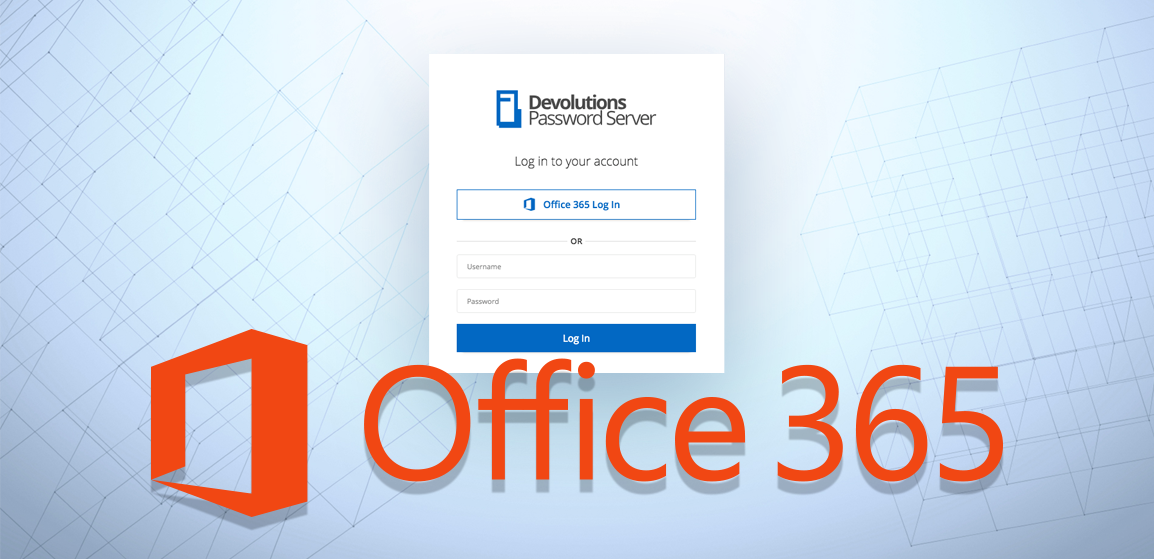
You know how, in every movie, there’s always THE star? In Iron Man, it’s Iron Man. In Thor, it’s Thor. And in Spiderman, it’s Spiderman…OK, maybe my examples here aren’t the most diverse, but you get the idea. Well, in the recently-released Devolutions Password Server 6.0, there’s one feature that I believe is the brightest star: Office 365 authentication!
Find out how to configure Office 365 Authentication with DPS and its key benefits: https://blog.devolutions.net/2019/01/new-feature-office-365-authentication-with-devolutions-password...