
tol
Mikrotik RDM add-on on Citrix.
I have found the solution to this strange problem.
What I did was delete the "WinboxAddOn.dll" at the users location "%appdata%\Devolutions\RemoteDesktopManager" - then it worked :-)
Mikrotik RDM add-on on Citrix.
That has allready been done (as administrator in install mode), but it does not apply to the normal users.
I have tried the Add-On Manager to manuelle install the plugin with a normal user, but it does not work due to not enough rights (I guess).
Should I maybe try to regsvr32 the "WinboxAddOn.dll" in install mode. What do you think?
edited by tol on 9/4/2012
Mikrotik RDM add-on on Citrix.
Hi,
I have copied the Mikrotik program on to the servers and the default installation folder. Then when the users starts RDM he/she get's this window (see attachment).
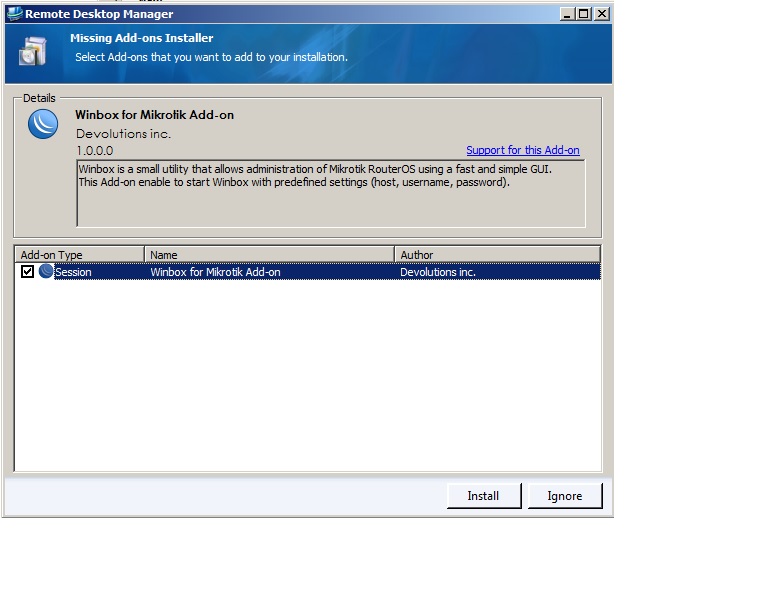
The user then press install add-on but when RDM restarts it shows up Again (only Works for the Administrators on Citrix servers).
How do I install this or other add-ons to all users? If the user just needs the "WinboxAddOn.dll" then where do I place it?
Regards
Thomas
Logs view missing: "On Close Comment"
Sweet. Thanks.
Logs view missing: "On Close Comment"
Hi,
We use RDM to document what is done everytime a user logs of at session. But only with "On Close Comment".
When we open the Logs view, then we really miss the "On Close Comment" - the "On Open Comment" we are not interested in at all (see the attachment image).
Can you please add the "On Close Comment" tab in the next version :)
Regards
Thomas
Lose login info when opening VMware vSphere client
Hi,
You are right, the same thing happens when you use the VpxClient.exe seperate in a command line. I will take it up with VMware :-)
Thanks for your respond.
Lose login info when opening VMware vSphere client
Hi,
When you open a VMware vSpehere session in RDM, then it always uses the Username and Password info from the previous time you used the vSphere client. It does this on both the VMware vSphere 4 and 5 client. The current solution is to open the vSphere session twice to get the correct login info from the vSphere session in RDM.
Please respond if this is a bug in RDM.
RDM 6.6.0.0 is used here.