Contact entries are not accessible in Offline Mode with SQL Server – RDM 2026.3.15 / 2026.3.16
Contact entries are not accessible in Offline Mode with SQL Server – RDM 2026.3.15 / 2026.3.16

Product: Remote Desktop Manager (Windows)
Version: 2026.3.16.0
Data Source: Microsoft SQL Server
Operating Mode: Offline Mode
Description
I'm experiencing an issue with Contact entries when using Remote Desktop Manager in Offline Mode with a Microsoft SQL Server data source.
When connected to the SQL Server database, Contact entries work as expected. However, after manually switching RDM to Offline Mode, I can no longer access the Contact entries.
I regularly use RDM outside my corporate network, relying on the offline cache to access my sessions, credentials, and contacts.
Steps to Reproduce
- Open RDM while connected to a Microsoft SQL Server data source.
- Ensure the offline cache is synchronized.
- Verify that Contact entries are accessible in Online Mode.
- Manually switch RDM to Offline Mode.
- Try to access the same Contact entries.
Expected Behavior
Contact entries should remain accessible in Offline Mode, just like other cached entries.
Actual Behavior
Contact entries are accessible in Online Mode but cannot be accessed when RDM is switched to Offline Mode.
Additional Information
- The issue occurs when Offline Mode is manually enabled, not as a result of an unexpected SQL Server connection failure.
- Other entries, such as remote sessions and credentials, remain accessible offline.
- Contact entries worked correctly in Offline Mode with RDM 2026.2.20.0.
- I upgraded directly from RDM 2026.2.20.0 to 2026.3.15.0, and Contact entries have not been accessible in Offline Mode since the upgrade.
- The issue persists in RDM 2026.3.16.0.
- I noticed that version 2026.2.12 included a fix described as "Fixed an issue with Contact entries in offline mode."
- This appears to be a regression introduced in the 2026.3.X release series, as the same SQL Server data source and offline configuration worked without issues in 2026.2.20.0.
Could this be a regression of the issue previously fixed in version 2026.2.12?
Has anyone else experienced this behavior with a Microsoft SQL Server data source?
All Comments (4)
Let me chime in. Having a local cache of entries is absolutely crucial especially for personnel who work with networking devices and can break internet connectivity as part of normal work, resulting in inability to reach Devolutions Cloud. Myself I don't use SQL Server sources, but I do use paid and free Devolution Cloud offerings which also exhibits some issues.
RDM must have a local cache of entries which is available whenever I switch to different hub or different vault, when it has been opened previously, without the internet connectivity, or connectivity to that remote source (as in case of OP), even if it's not up to date. RDM then should attempt background sync after connectivity is restored.
Right now I'm not 100% certain if I'll have my RDM entries available when working in a basement server room, where even the mobile internet may not be available, so my workaround is - every now and then I manually export hub entries into my own local data source. But you must admit it defeats the purpose of efficient work, it hinders team work and entry security (I have a local copy of the entire vault) and creates many other usability problems.
In addition to that, working with Devolution Cloud is still very slow: opening a data source, opening entry properties, saving things is still not as efficient as it should be. I don't know how it works under the hood, you just need to be aware that users have thousands of entries, possibly with docs and other attachments, so it's not practical to sync it all at the opening of the data source/vault.
Devolutions team, you must prioritize making working offline reliable and efficient. That's the most important aspect overall after my 2 years with remote/centralized data sources in RDM. The rest is most often just an annoyance. Not having entries when I need them is a disaster.
Please consider making substantial improvements to that. Thank you!
Hello,
@theblackid We have opened a ticket to investigate why this is happening. There should be no difference in accessibility between contacts or sessions for example, so it does seem to be a bug. Thank you for providing so much detail, we'll post back here when we have an update on this.
@RDMTinkerer Are you encountering specific issues with the offline mode at the moment, or is it a more general comment on what has been a pain point in the past years for you? If there are any issues you're currently experiencing, please let me know if you have any opened tickets or threads relating to it and I'll ensure they are prioritised. As you mention, this is a core feature of the application and users need to be able to rely on it without having to use workarounds like you do.
For your information, we're working on a rework of the offline mode for 2027.1, so that it's not only more easily maintainable by our developers (less bugs, easier to add features), but also more performant. Among other things, at the moment there's big performance issues when it comes to offline mode with documents, as even a change as simple as the name of an entry will force you to redownload the entire document attached to the entry, which is not practical.
EDIT: I also forgot to mention as well, but we have a lot of plans to improve performance in general in our future versions. With 2026.3 we made our first big step with our entire UI rework in Avalonia which will help us in a lot of ways, but it's also meant we had to focus developer time on this migration and not elsewhere.
Regards,
Hubert Mireault
The issue is right here as we're speaking. I don't rule out entirely that I'm doing something wrong, but have no idea what.
Consider the following scenario: one workspace is a paid team hub, the second is the free personal hub, and the third is a local SQLite-based data source. Assume you had it for several days, and you switched between them a few times at least.
Now open RDM. After it's open just disconnect your computer's network (by switching off Wi-Fi or unplugging Ethernet cable).
Now try to switch to another hub. It will not work. The best you can get is the "loading sessions from workspace" message and the spinner, and hanging RDM, and it may load entries one time, or not even that.
Then try to switch to another hub or local data source. The only thing that'll work reliably is switching to the local data source. Then try to switch from local data source back to hubs, and maybe switch between vaults in a hub, while network connection is unavailable. You'll see it doesn't work.
Now you can reconnect to the network and stop the experiment.
Note that the solution where I consciously have to predict that my internet may go down and switch to offline mode, and then remember to bring it back manually to online mode, is not a user-friendly, acceptable solution. RDM must by default be able to work when internet connectivity is intermittent. I am okay (of course) with it disconnecting my sessions, when I break the configuration of the nearby switch during my work, but it should preserve and cache my entries, so that I can connect to other devices.
Thanks.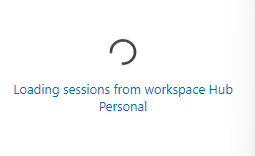
45d31de8-8812-4e88-9a88-ef128d4f03d8.png
BTW I don't have any open tickets as of now. Just tried to raise awareness a few times, a few changes have been made, but the fundamental philosophy of caching and synchronizing data did not yet change that much, unfortunately.