Offline mode when using Cloud does not trigger properly when network connection fails
Offline mode when using Cloud does not trigger properly when network connection fails

The issue is right here as we're speaking. I don't rule out entirely that I'm doing something wrong, but have no idea what.
Consider the following scenario: one workspace is a paid team hub, the second is the free personal hub, and the third is a local SQLite-based data source. Assume you had it for several days, and you switched between them a few times at least.
Now open RDM. After it's open just disconnect your computer's network (by switching off Wi-Fi or unplugging Ethernet cable).
Now try to switch to another hub. It will not work. The best you can get is the "loading sessions from workspace" message and the spinner, and hanging RDM, and it may load entries one time, or not even that.
Then try to switch to another hub or local data source. The only thing that'll work reliably is switching to the local data source. Then try to switch from local data source back to hubs, and maybe switch between vaults in a hub, while network connection is unavailable. You'll see it doesn't work.
Now you can reconnect to the network and stop the experiment.
Note that the solution where I consciously have to predict that my internet may go down and switch to offline mode, and then remember to bring it back manually to online mode, is not a user-friendly, acceptable solution. RDM must by default be able to work when internet connectivity is intermittent. I am okay (of course) with it disconnecting my sessions, when I break the configuration of the nearby switch during my work, but it should preserve and cache my entries, so that I can connect to other devices.
Thanks.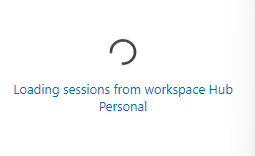
45d31de8-8812-4e88-9a88-ef128d4f03d8.png
All Comments (3)
BTW I don't have any open tickets as of now. Just tried to raise awareness a few times, a few changes have been made, but the fundamental philosophy of caching and synchronizing data did not yet change that much, unfortunately.
Hello @RDMTinkerer,
Thank you for the detailed feedback and reproduction steps. We take the user experience seriously, and we understand your concern: losing connectivity unexpectedly should not prevent you from accessing your cached entries or leave RDM unresponsive.
There are a few settings worth checking to ensure all your vaults are available offline:
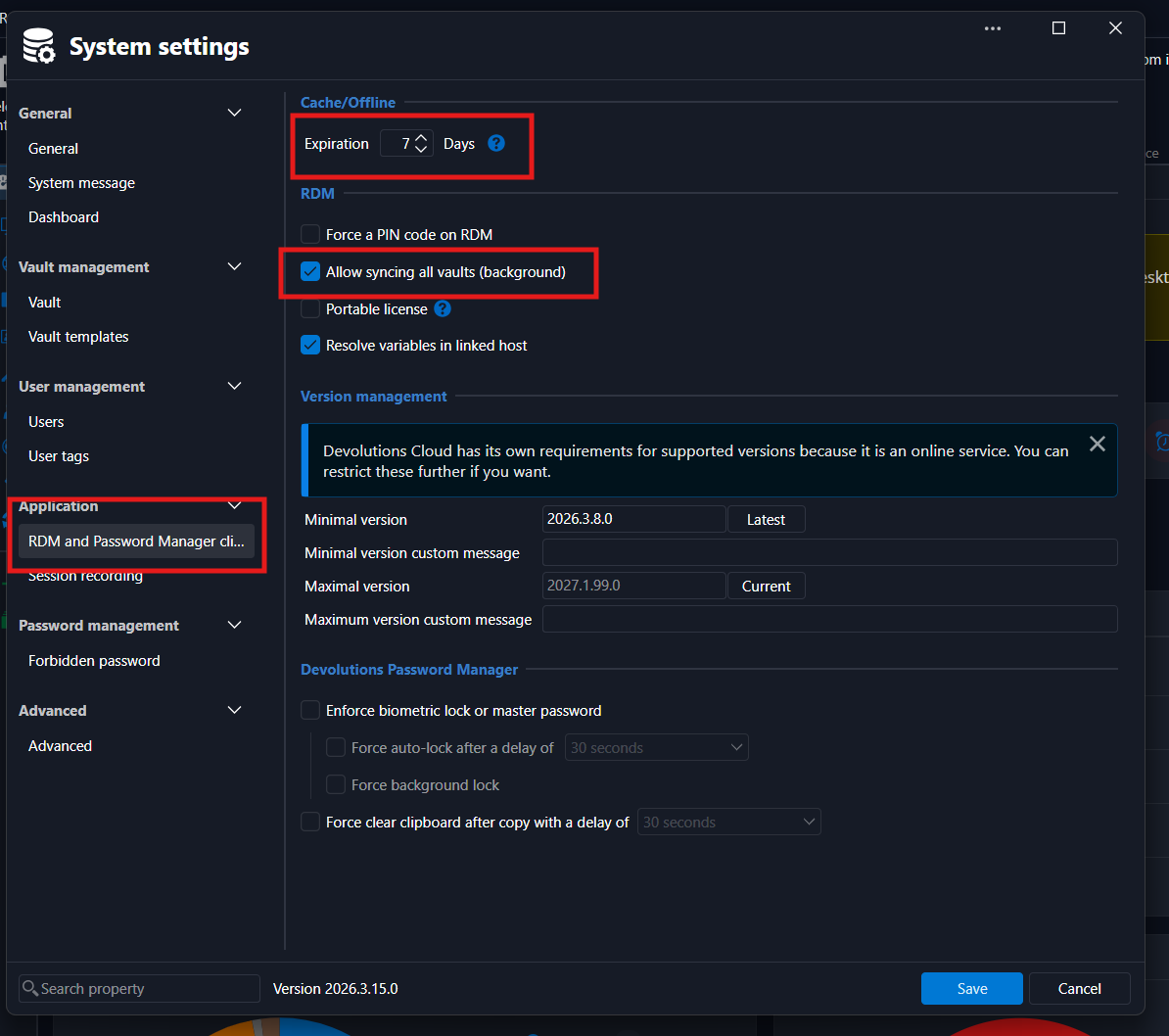
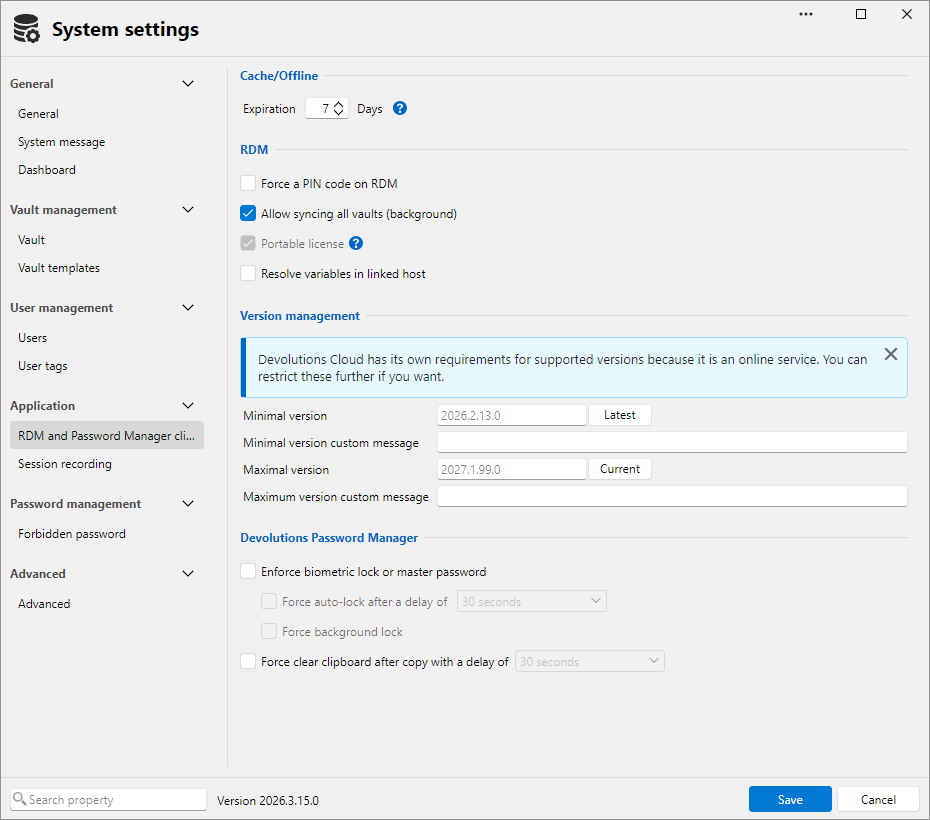
- In each Hub, go to Administration → System Settings → RDM and Password Manager Clients:
- Cache/Offline: Set the cache duration to suit your needs. We recommend keeping the default of 7 days. This period is refreshed each time you access your Hub online.
- Allow syncing all vaults (background): Make sure this is enabled. This security setting is enabled by default.
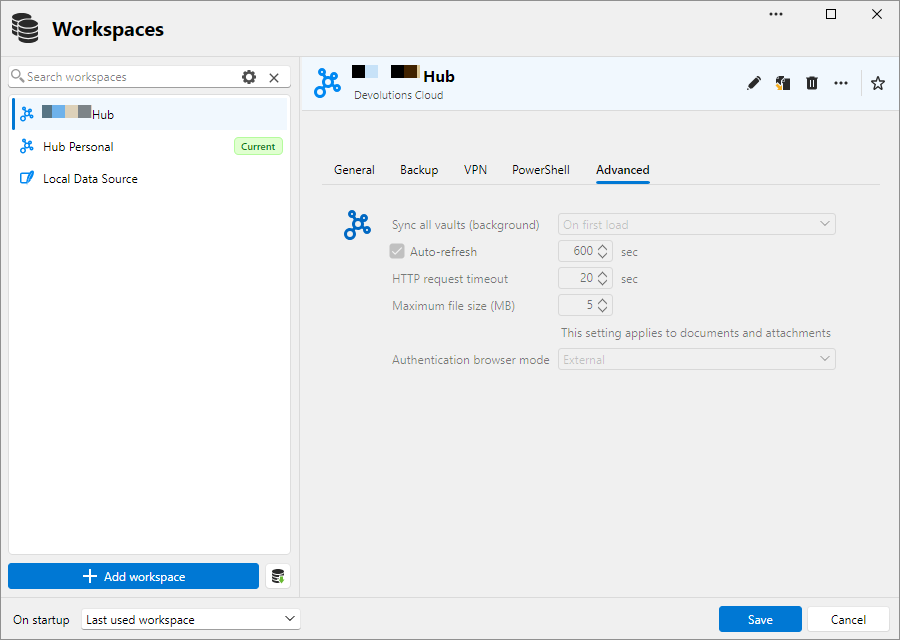
- In RDM, go to Workspaces Overview → Edit Workspace → Advanced:
- Set Sync all vaults (background) to On first load for each Hub workspace.
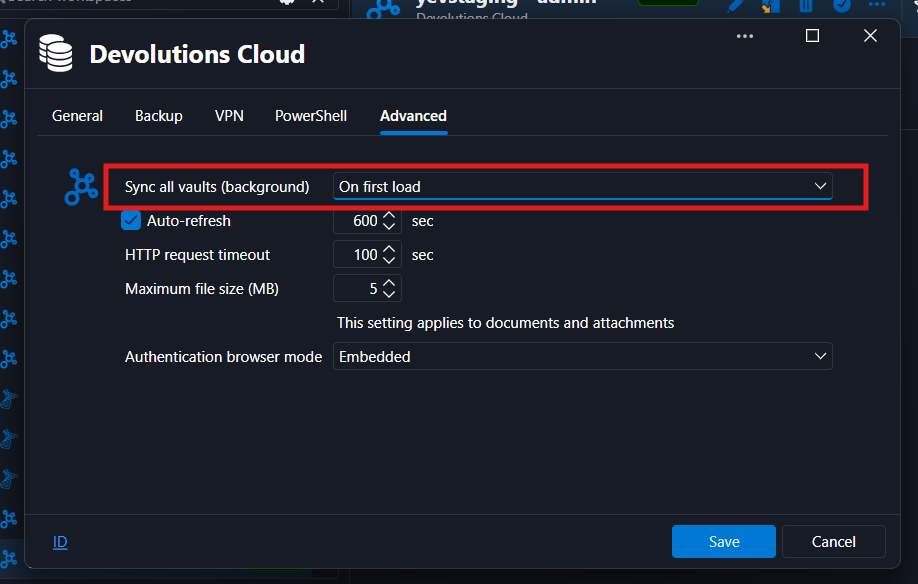
Together, these settings allow RDM to synchronize all vaults in the background when the workspace first loads, so their entries are available offline once synchronization completes. The workspace setting provides an additional user-controlled option alongside the Hub’s policy. We are currently reviewing whether this separate option is still needed.
We also understand that preparing the cache does not fully address your concern about switching offline automatically. Currently, when RDM detects a lost internet connection, it displays a notification that you can click to enter offline mode. You can also use the globe icon in the bottom-right corner. We will investigate automatically switching to offline mode when connectivity is lost, along with the workspace and vault switching behavior you described.
We are also making performance and responsiveness improvements for the next major release.
Thank you again for taking the time to raise this and explain the impact on your work. Please let us know if the behavior persists with these settings enabled, or if you have any questions.
f10661c5-14b9-4dbf-9318-dcb3f5c398f8.png
6a07b915-2c99-4746-a13a-ccad1a7e52ed.png
Thanks for your elaborate response and advices on changing settings. Most settings were set according to your screenshots (disregarding the number of days to expiration).
I could certainly show these things live if you want, I do have a VM where I set up RDM in the same way I use every day, so I can simulate network disconnection easily without losing e.g. Meet/Zoom/Teams call.
Unfortunately changing settings doesn't change much. You can check it by disconnecting your wifi and then going to the workspace selector in the Navigation bar. RDM will hang for some 30 seconds, because it wants to reach the server, and is doing that pretty much in UI thread (or those are the symptoms). After those 30 seconds it shows the dialog suggesting to go offline. If you cancel that dialog (because I don't really care much about in which mode RDM wants to be in, especially when working under stress, when fixing an outage), then you no longer see your entries.
Do fiddle with that. Not the usual way that you used to, but with more random clicking, multiple workspaces, disabling/enabling the network (just to simulate lost connection to the server - or the DNS, not the entire network).
Or let me know if you want to see my issues live.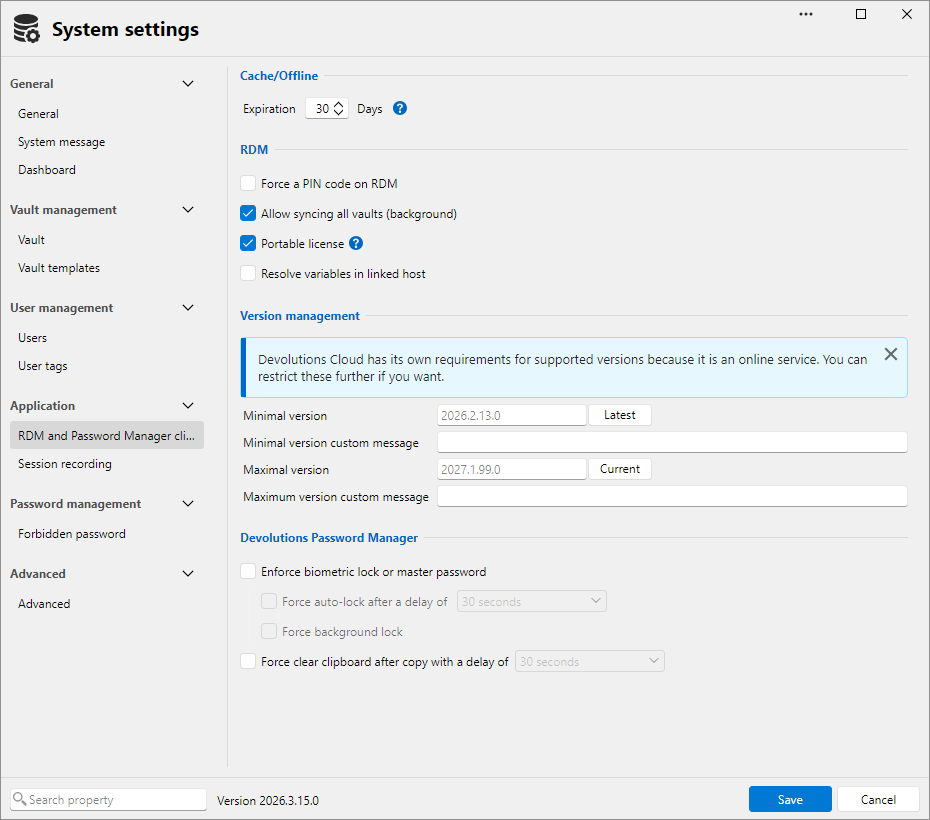
8b05adf1-d59d-4d17-8a87-42532b39586c.png
c9539390-9737-4850-9656-c170ec5bed19.png
017a1605-40c3-4dd1-af6b-3eb05593f701.png