RDM 2026.3.15 – Frequent DVLS Authentication Prompts, Slow Connections, and Freezing
RDM 2026.3.15 – Frequent DVLS Authentication Prompts, Slow Connections, and Freezing

We’ve been experiencing intermittent issues connecting to our Devolutions Server (DVLS) vaults. While these issues were extremely rare in earlier RDM 2026.3 releases, they have become significantly more frequent since upgrading to RDM 2026.3.15.
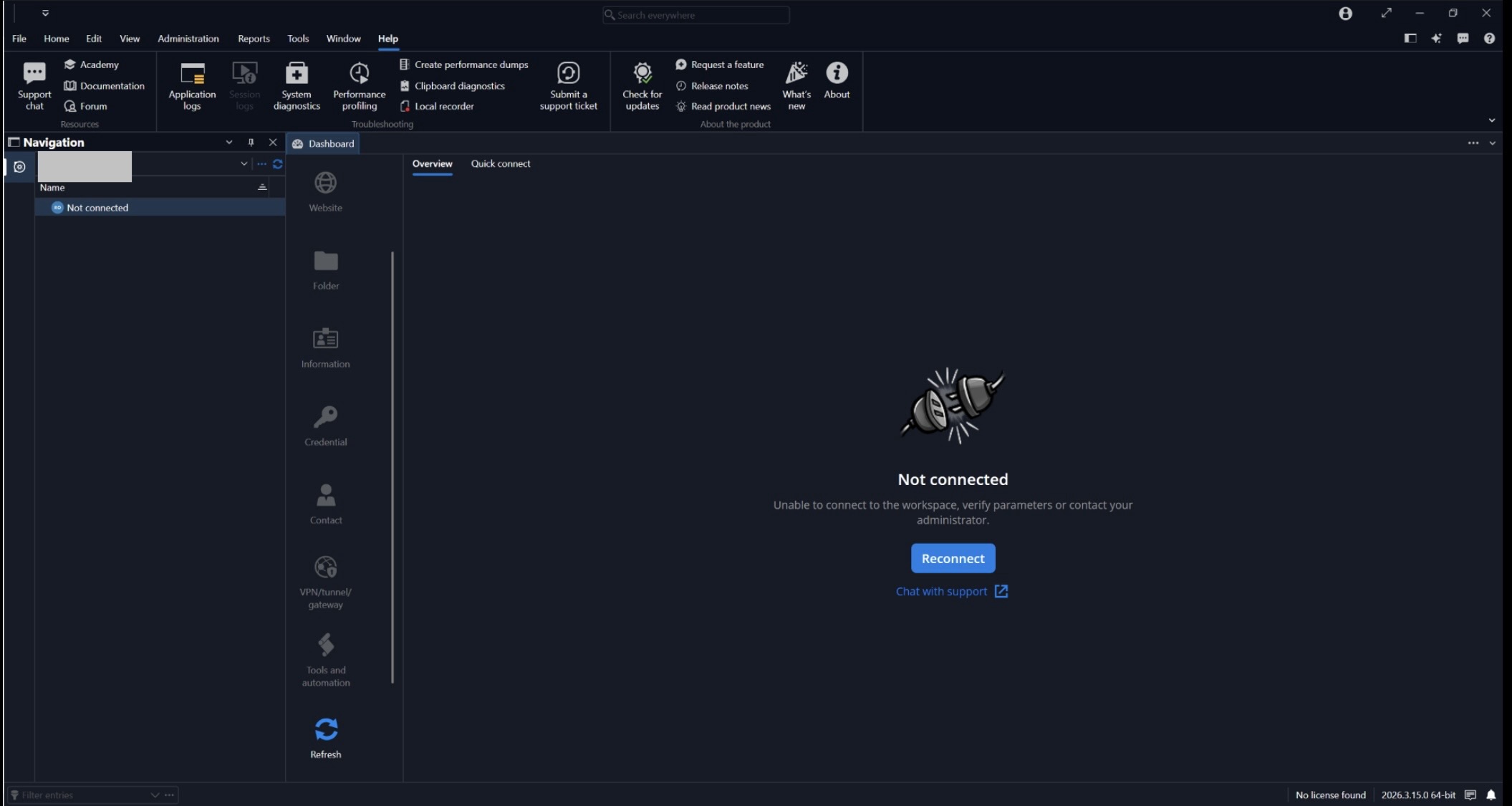
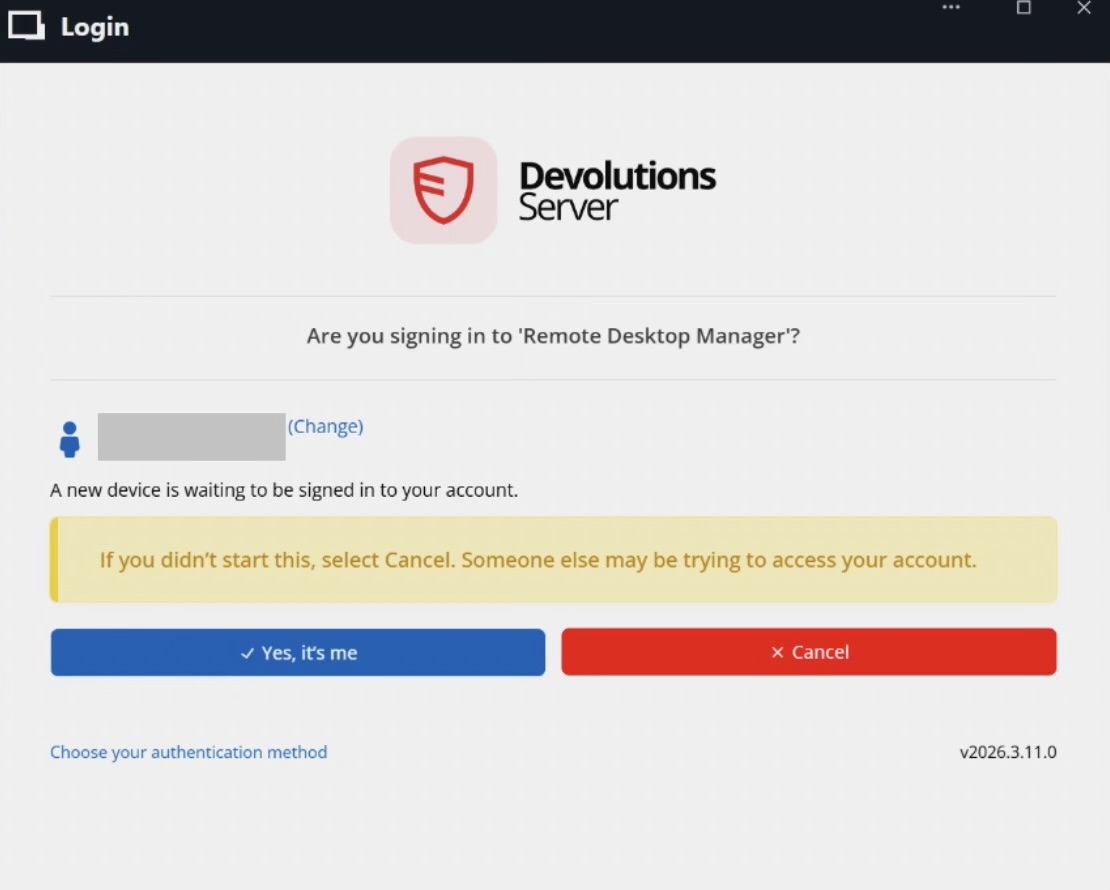
Users are repeatedly encountering authentication prompts asking them to confirm a new device sign-in, along with “Not connected” errors indicating that RDM is unable to connect to the workspace.
Repeatedly closing RDM and then selecting “Yes, it’s me” often results in extremely slow connection attempts, and RDM will sometimes become unresponsive or freeze during the process. Eventually, after multiple attempts or an extended delay, the connection succeeds, and everything works normally afterward. The issue appears to be primarily during the initial authentication and connection process rather than during normal operation once connected.
I’ve upgraded DVLS to the latest version available to us and rebooted the DVLS server, but neither has resolved the issue.
Our environment:
RDM: 2026.3.15.0 (64-bit)
DVLS: 2026.3.11.0
Operating System: Windows Server 2022 (virtual machine)
Database: Microsoft SQL Server 2022
User base: Approximately 200 users, with 25–50 concurrent users
Server performance metrics have remained extremely stable, with no apparent resource constraints or performance degradation that would explain these connection failures.
The timing suggests a possible regression introduced in the RDM 2026.3 releases, particularly 2026.3.15, given the substantial increase in frequency. Updating and rebooting DVLS have made no noticeable difference (sometimes it works and sometimes it doesn’t).
I’ve attached screenshots showing the repeated authentication prompt and subsequent workspace connection failure.
Has anyone else experienced similar behavior with RDM 2026.3 and DVLS? Is Devolutions aware of any authentication, session management, or connection-handling issues introduced in these releases?
We’re particularly interested in whether there are any known issues involving repeated device verification prompts, authentication timeouts, or RDM becoming unresponsive while connecting to DVLS.
Any recommended troubleshooting steps, fixes, or workarounds would be appreciated, as this is becoming increasingly disruptive to our users.
Thanks!
All Comments (5)
Hello,
Thank you for reaching out to Devolutions Support, and for the screenshots.
The "Yes, it's me" confirmation comes from a security change in recent Devolutions Server versions, which fixed a phishing risk in the device sign-in flow. This step can't be turned off, but it should only appear when Remote Desktop Manager needs a completely new sign-in. Normally, RDM restores the previous session at startup using a token saved on the device.
The "Not connected" screen in your screenshot appears when that sign-in doesn't complete. Because your users see the prompt this often, it seems their session isn't being restored, which also explains the slow connection attempts.
Could you please confirm the following?
Which authentication method is used for the Devolutions Server workspace (Windows SSO, Microsoft Entra ID, or a Devolutions Server user)
Whether Always ask for username is enabled in File > Workspaces > Edit workspace > General
The Refresh token lifetime value in Administration > Server settings > Advanced in the Devolutions Server web interface
Whether the affected users are on persistent workstations or non-persistent VDI
When the "Not connected" screen appears, whether clicking Reconnect connects right away or RDM becomes unresponsive
Could you also collect a debug log from an affected user by following the "Collect a debug log" section of this article, ideally including a time when the "Not connected" screen appears or RDM becomes unresponsive, with the approximate time it happened? This will help me find out why the session isn't being restored and what happens while RDM is frozen.
I look forward to your reply.
Best regards,
Jacob Lafrenière
Hello,
Thank you for reaching out to Devolutions Support, and for the screenshots.
The "Yes, it's me" confirmation comes from a security change in recent Devolutions Server versions, which fixed a phishing risk in the device sign-in flow. This step can't be turned off, but it should only appear when Remote Desktop Manager needs a completely new sign-in. Normally, RDM restores the previous session at startup using a token saved on the device.
The "Not connected" screen in your screenshot appears when that sign-in doesn't complete. Because your users see the prompt this often, it seems their session isn't being restored, which also explains the slow connection attempts.
Could you please confirm the following?
Which authentication method is used for the Devolutions Server workspace (Windows SSO, Microsoft Entra ID, or a Devolutions Server user)
Whether Always ask for username is enabled in File > Workspaces > Edit workspace > General
The Refresh token lifetime value in Administration > Server settings > Advanced in the Devolutions Server web interface
Whether the affected users are on persistent workstations or non-persistent VDI
When the "Not connected" screen appears, whether clicking Reconnect connects right away or RDM becomes unresponsive
Could you also collect a debug log from an affected user by following the "Collect a debug log" section of this article, ideally including a time when the "Not connected" screen appears or RDM becomes unresponsive, with the approximate time it happened? This will help me find out why the session isn't being restored and what happens while RDM is frozen.
I look forward to your reply.
Best regards,
Thanks Jacob. I appreciate the solid explanation. Note, this hasn't been happening to all users or is more frequent for others. To answer your questions:
Which authentication method is used for the Devolutions Server workspace (Windows SSO, Microsoft Entra ID, or a Devolutions Server user)
Windows Domain SSO
Whether Always ask for username is enabled in File > Workspaces > Edit workspace > General
Always ask for username is NOT enabled and we do not have them use that setting
The Refresh token lifetime value in Administration > Server settings > Advanced in the Devolutions Server web interface
30 days
Idle log off time is set 120 min
Whether the affected users are on persistent workstations or non-persistent VDI
Persistent workstations that are connected to the corporate domain whether locally at the corporate office or remote
When the "Not connected" screen appears, whether clicking Reconnect connects right away or RDM becomes unresponsive
RDM becomes unresponsive. After a few moments (typically a minute or few) it may become responsive again.
I'll work to get some logs when this happens again.
Hello,
Thank you for the follow-up.
This issue matches an existing case that has already been escalated to our development team. The team has implemented a fix, and we are currently awaiting QA validation and the release of a new RDM version.
I have linked the development case to this support case so that you will be notified once the new RDM version containing the fix is released.
In the meantime, I would also recommend updating DVLS to the latest version, as a similar issue on the DVLS side was addressed in version 2026.3.12.0.
Thank you for your patience and understanding.
Best regards,
Jacob Lafrenière
Hello,
Thank you for your patience while our team looked into the issue you reported.
I'm happy to let you know that the latest version of Remote Desktop Manager (2026.3.16.0) includes a fix for this problem. You can download it from our website here:
https://devolutions.net/remote-desktop-manager/download/
Once you have installed the update, could you please test it in your environment and confirm that everything now works as expected? If the issue persists or if you notice anything unusual related to the same original problem, just reply to this message with a few details, and we will be glad to look into it further.
Thank you for your collaboration.
Best regards,
Maxim Robert
Hello,
Thank you for your patience while our team looked into the issue you reported.
I'm happy to let you know that the latest version of Remote Desktop Manager (2026.3.16.0) includes a fix for this problem. You can download it from our website here:
https://devolutions.net/remote-desktop-manager/download/
Once you have installed the update, could you please test it in your environment and confirm that everything now works as expected? If the issue persists or if you notice anything unusual related to the same original problem, just reply to this message with a few details, and we will be glad to look into it further.
Thank you for your collaboration.
Best regards,
This worked perfectly! Thank you so much!