RDM doesn't go anymore online on MAC OSX 26.7.1

Hello
RDM for MAC osx tahoe 26.7.1 V2026.3.1.2 and V2026.3.0.5 (i make rollback) doesn't reconnect to workspaces.
It rest OFF line without the possibility to see any password of credential items.
Lates version in windows 11 work well with same Devolution server.
Can be a Mac OSX problem?
Thanks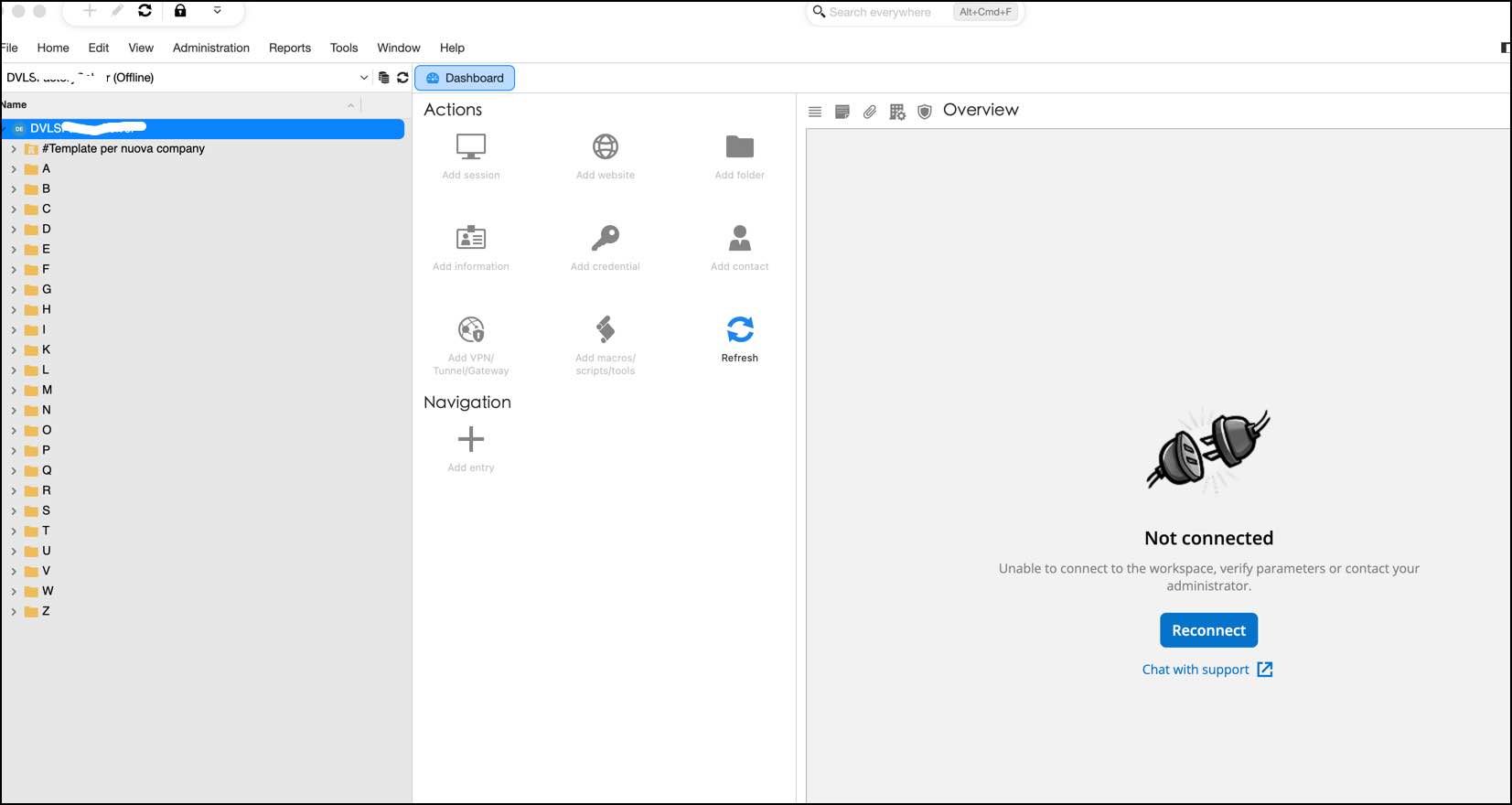
2026-10-02_08-49-44.jpg
All Comments (15)
Hello,
I would like to confirm something first, is the connection failing all the time, or when it fails the "Reconnect" button doesn't work ?
If it's the first, can you please send us the logs that show when the connection fails and sends you offline ?
If it's the second one, we are aware of a problem with this specific empty state and we are looking into a fix, until then you can use the refresh button next to your workspace picker.
Best regards,
Maxim Buisson
Hello Maxim
after opening RDM he pop up "autenticating" appears and close after some seconds, but the repository won't load.
The overview panel show the message "not connected":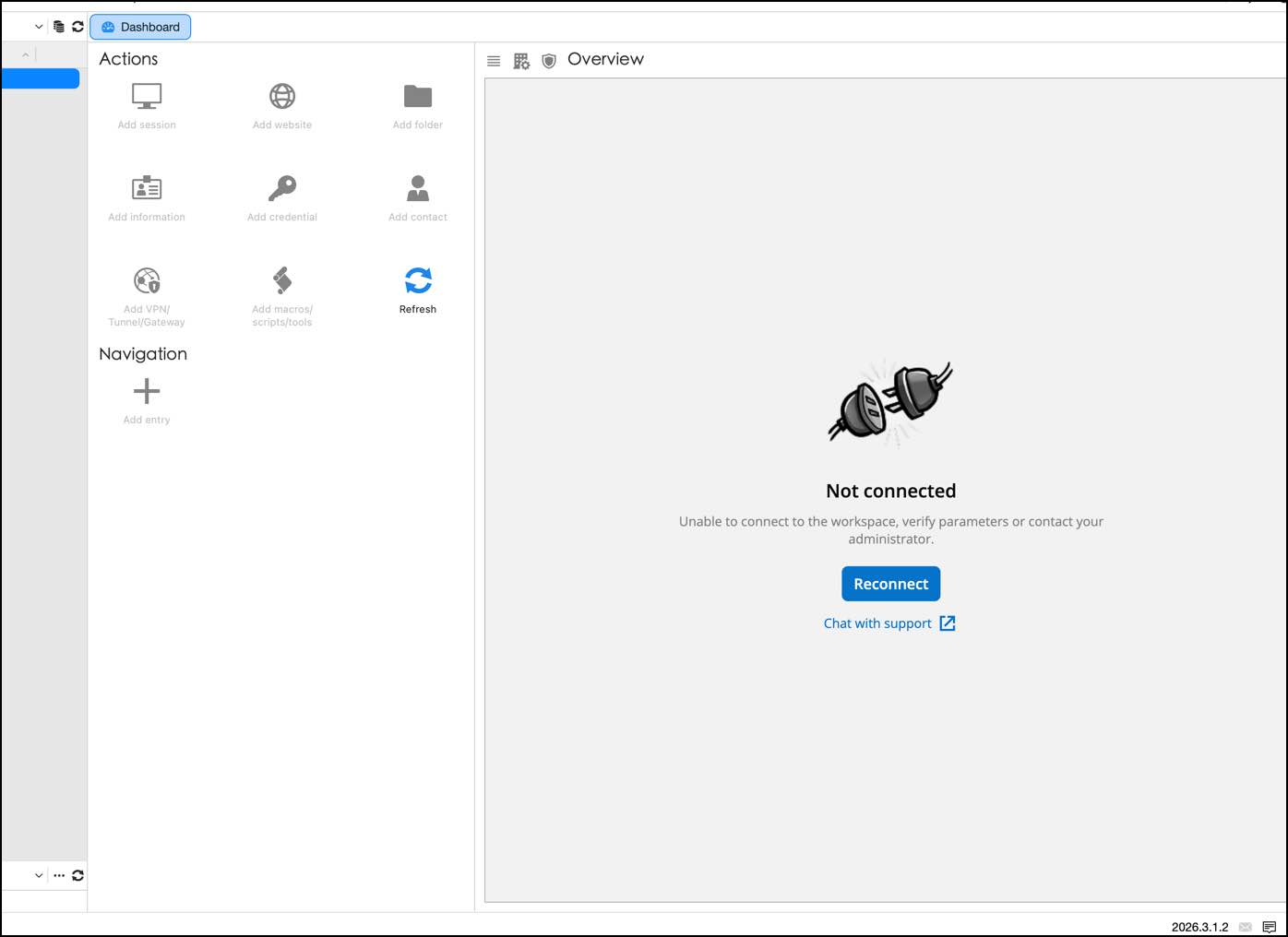
The application log show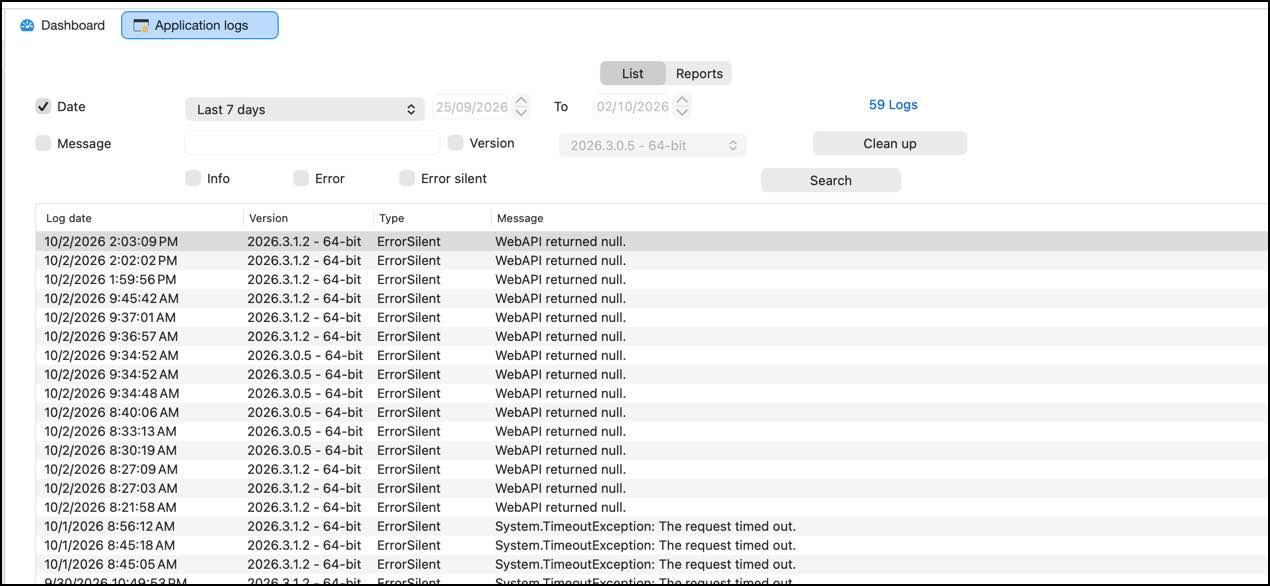
WEB API return NULL.
I think the problem appears after i update the DEVOLUTION SERVER To version 2026.3.7.0.
The LOG of server show
ArgumentException - Value does not fall within the expected range.
at Devolutions.Server.V2.Application.Common.GuardClause.IGuardExtensions.IsGuid[G](G guard, String value, Guid& guid)
at Devolutions.Server.Controllers.APIControllers.V2.PartialConnectionController.GetPartialConnectionWithResolvedVariables(String id)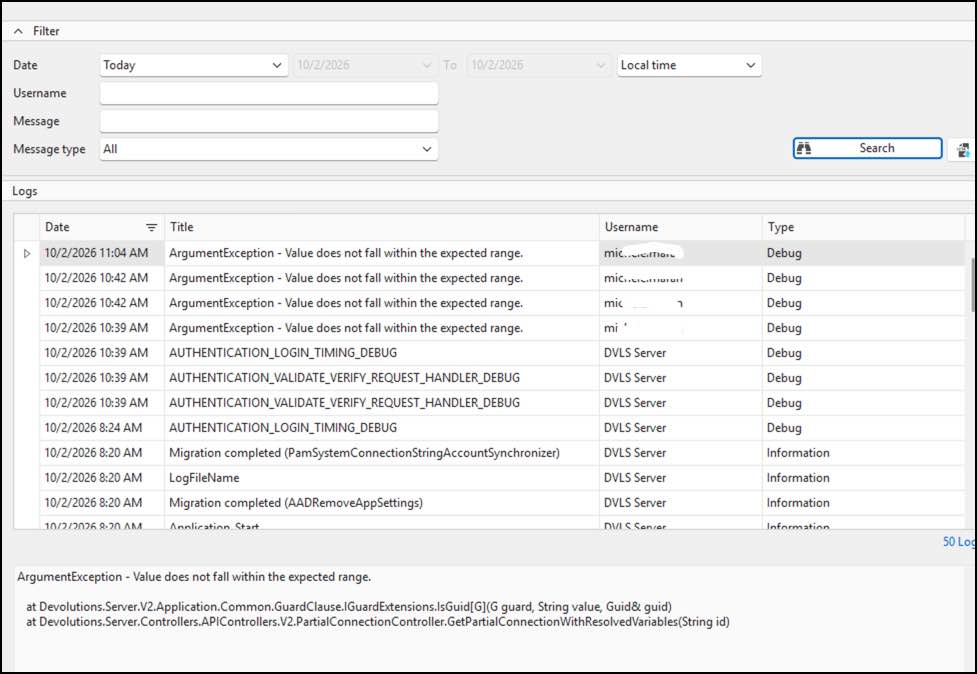
Thanks
2026-10-02_14-15-30.jpg
2026-10-02_14-06-55.jpg
2026-10-02_14-03-50.jpg
Hello everyone
I find myself in a rather awkward situation.
RDM for Mac isn't working at all, while RDM for Windows is suffering from an issue where RDP sessions launch without respecting the video resolution specified in the template (Open with Template).
It’s not exactly pleasant: I update as soon as a notification arrives, but those bugs can give me a real headache.
It seems the updates aren't properly tested, and we end up acting as beta testers.
Thanks
Hello,
We may need to jump on a remote session with a member of my team, but prior to do this, I would like to know if you delete your workspace via the File -> Workspaces menu and recreate a new one from scratch, is it working?
Best regards,
Jeff Dagenais
Hello
i recreated but unsuccessfully.
It seems a devolution server comunication problem.
Hello,
Thank you for your reply,
Are you currently able to access the Devolutions Server from the web interface without issues?
Can you confirm which version of DVLS you are currently using?
Let me know,
Best regards,
Samuel Dery
Yes, devolution web work well.
It's only RDM mac with te problem.
The windows 11 virtual in parallels desktop with RDM windows version work well.
Latest DVLS _ 2026.3.7.0
Hello Michele,
Thank you for the details.
To see which request fails from the Mac, we need Profiler logs. In Remote Desktop Manager, go under "Help" - "Performance Profiling" in the Debug menu, press the Level button and check the API option. With it enabled, reproduce the issue and send us the Profiler logs.
Best regards,
Samuel Dery
Default Browser is EDGE version 154.0.4258.48
Devolution Server in 2026.3.7.0
Profiling log
~~CLEAR~~
*** WARNING [Load Connections Detailed] Enabled ***
[API-Wrapper] Beginning Login OAuth process
[DVLS] Save and sync refresh token for url: https://xxxxx key: xxxxx HasAccessToken: False, HasRefreshTokens: False
[API-Wrapper] No refresh token provided or provided one is invalid. Get verification uri...
[API-Wrapper] Open browser to login...
AuthBroker: GetSsoDataStoreMode - WebPrivateSessionMode: Enabled, resolved mode: private
AuthBroker: ConfigureSsoCookiePersistence - DataStoreMode is private, not Connection, skipping cookie persistence
AuthBroker: broker post-launch signature check: Valid
DVLSEmbedded: AuthBroker returned non-OK result: navigation-error
[DVLS] LoginOAuth - LoginInfo is null
DVLS - Api - .GetCacheValues : 2688 ms
Offline Security Info
>>>>>>>>>>>>>>>>>>>>>
CanAdd: {0}
CanDelete: {0}
CanEdit: {0}
OfflineHash:
OfflineUser:
> SecurityValues:
UserInfoID:
UserOverrideString:
>>>>>>>>>>>>>>>>>>>>>
Offline security has no user entity, falling back to an empty user. Administrative permissions will be denied.
Offline identity resolved: hasUserEntity=True userInfoID=853f1806-0b77-408b-8f2e-4d935596e702 isAdministrator=False roles=0 vaults=1 offlineEngine=MemoryOfflineEngine
*** WARNING [Load Connections Detailed] Enabled ***
[MDM] LoadPolicies complete — 154 properties scanned, 0 keys found in NSUserDefaults
Hello
in this line of the log the browser must open to request login to DVLS but nothing appears.
[API-Wrapper] Open browser to login...
I try to change default browser (from EDGE to SAFARI) but nothing changes.
Could be a mac osx 26.7.1 realted problem?
Thanks
Any news?
Hello Michele,
I'll send you a private message with a link to book a support session with me.
Best regards,
Érica Poirier
Hello Michele,
Thank you for your time during the support session.
We solved the issue by disabling the Use embedded browser for login option in File - Settings - Advanced.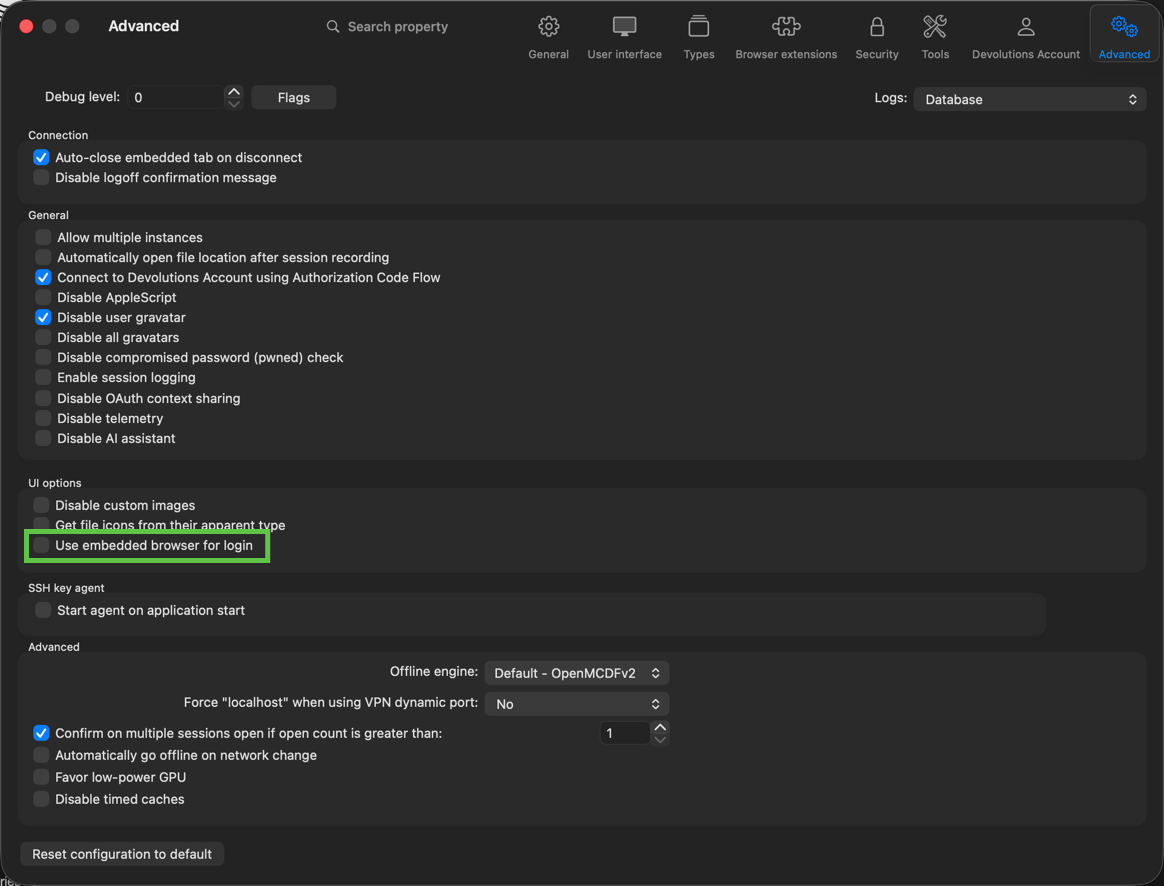
We will try to reproduce this issue and get back to you once a solution is available.
Thank you for being so patient.
Best regards,
Érica Poirier
9d9910e9-2d0a-4f82-ba3a-70ed1f6b7b7a.png