How to hide the “Search Everywhere” bar in Remote Desktop Manager 2026.3?
How to hide the “Search Everywhere” bar in Remote Desktop Manager 2026.3?

Hi,
I’m using Remote Desktop Manager 2026.3.12.0 and I would like to hide the “Search Everywhere” box that appears in the top bar of the main window.
I have checked the application settings but I haven’t found any option to disable or hide this search box.
Is there currently a setting to remove it from the interface?
If it cannot be hidden from the GUI, is there any configuration file, registry setting, or advanced option that can be used to disable it?
I’ve attached a screenshot showing the search bar I’m referring to.
Thanks in advance.
Captura_6207.jpg
All Comments (7)
Hi,
Thanks for the feedback. There's no option to hide it completely yet, but we're adding one: a Hidden choice under Quick search location will be available in an upcoming version.
In the meantime, you can move the box out of the title bar:
Right-click the status bar at the bottom of the main window.
Under Position, open Quick search location and select Status bar.
The box leaves the title bar right away and the setting is kept after a restart. If you also uncheck Show status bar in that same menu, the search box is no longer shown anywhere.
Best regards,
David Hervieux
Hello,
Thank you for your patience while our team looked into the issue you reported.
I'm happy to let you know that the latest version of Remote Desktop Manager (2026.3.13.0) allows to hide the “Search Everywhere” bar. You can download it from our website here:
https://devolutions.net/remote-desktop-manager/download/
Let us know if this implementation doesn't work.
Thank you for your collaboration.
Best regards,
Érica Poirier
Hello,
Thank you for your patience while our team looked into the issue you reported.
I'm happy to let you know that the latest version of Remote Desktop Manager (2026.3.13.0) allows to hide the “Search Everywhere” bar. You can download it from our website here:
https://devolutions.net/remote-desktop-manager/download/
Let us know if this implementation doesn't work.
Thank you for your collaboration.
Best regards,
@Erica Poirier
And where is located the option? In Settings?
I can't see the option.
Thanks in advance.
I also cannot find this setting in the new build .13? ty in advance for noting where it is.
Hello. Thank you for the update, but like others, I can’t find the option to hide that search bar.
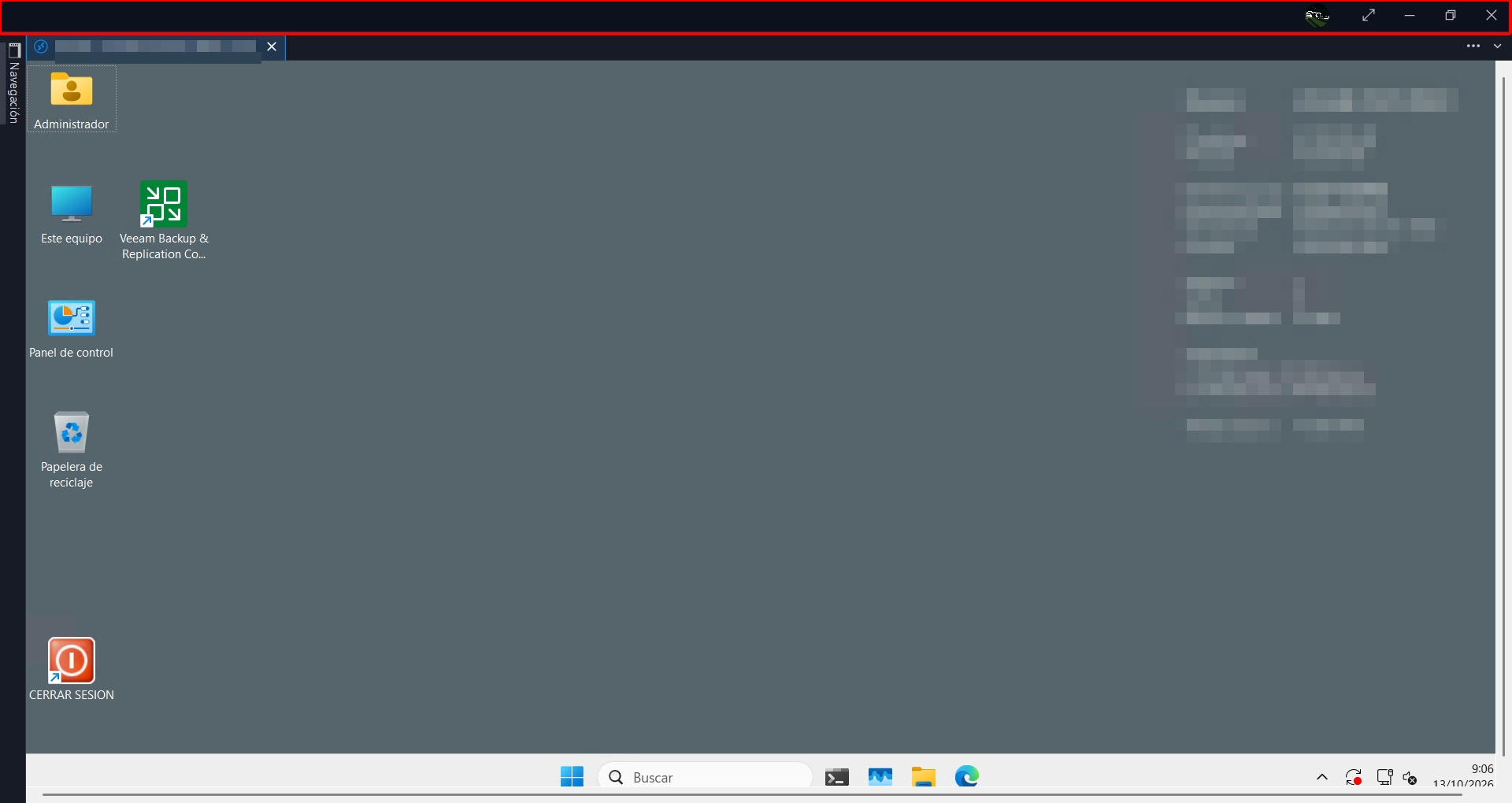
I thought that if I hid ‘Search Everywhere’, the top bar would also disappear to free up some space.
Captura_6418.jpg
Just follow the steps mentioned by David Hervieux:
In the meantime, you can move the box out of the title bar:
Right-click the status bar at the bottom of the main window.
Under Position, open Quick search location and select Status bar.
The box leaves the title bar right away and the setting is kept after a restart. If you also uncheck Show status bar in that same menu, the search box is no longer shown anywhere.