Cannot hide Quick Access toolbar in either Ribbon or Menu modes (ver. 2026.3.12.0)
Cannot hide Quick Access toolbar in either Ribbon or Menu modes (ver. 2026.3.12.0)

Is that by design?
I tried enabling, closing/reopen RDM, then disabling, closing/reopen RDM, all to no avail.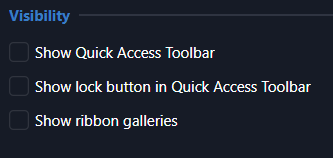
37f46538-f301-4584-85ad-f6560c9e854b.png
All Comments (4)
Hello,
This indeed seems to have been broken due to the UI migration. However, it might not be necessary anymore. If you right click a button in your toolbar, you should have a "customize" button which will prompt you a menu to edit what can be seen in the toolbar. You could technically remove everything from the section on the right.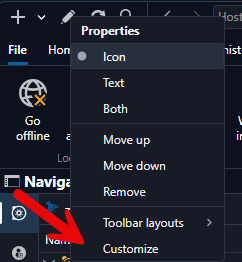
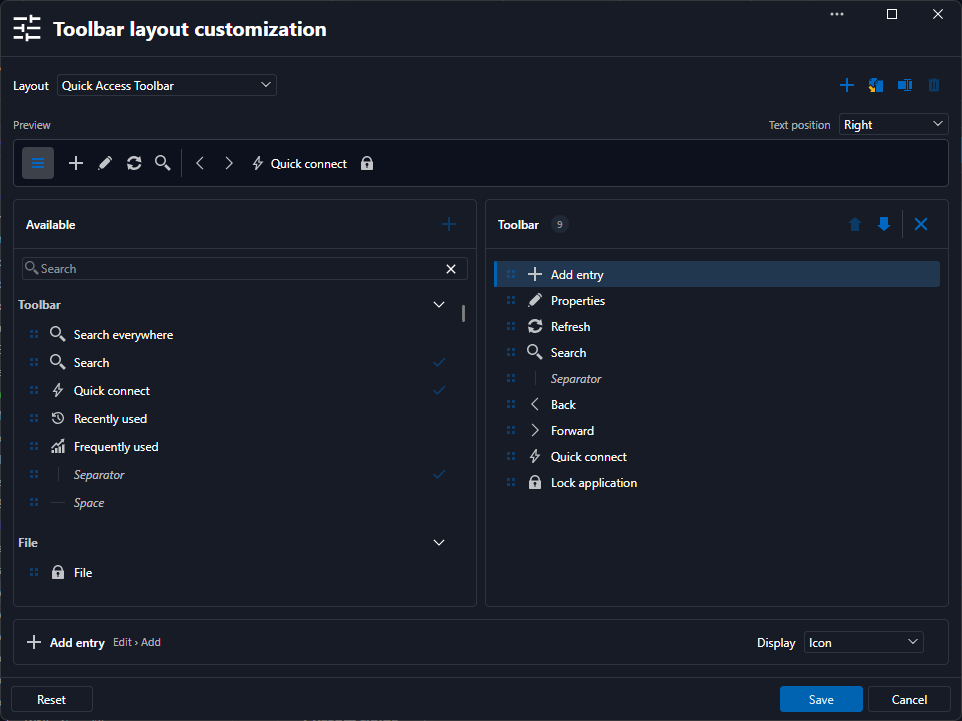
Let us know if this works for you or if the previous checkbox to show/hide the toolbar as a whole is still necessary in your case.
Best Regards,
Michaël Beaudin
0cd84ad1-0513-4708-ba19-9b74d7ab5d77.png
f357021e-2206-4caf-bdf3-95a0de247c35.png
Thanks, I've removed everything but the one control is still visible. De-selecting "Below" moved it above the menu bar, where the search field was already occupying space, so that helped me gain the real estate needed to obviate the scroll bars.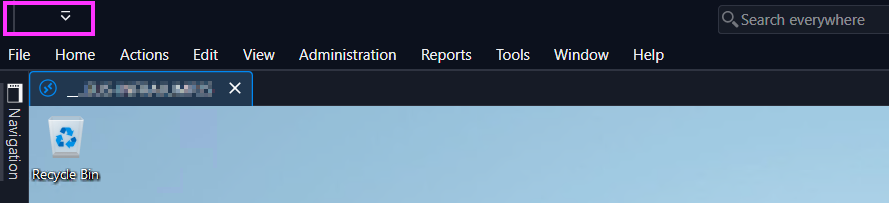
4ebc8543-e687-4256-b769-1ec81552c3cf.png
Hello,
I've fixed the option itself, it will now properly hide the toolbar at the top (unless you're using the UI in Toolbar mode, in which case it won't have any effect).
This will take effect with the upcoming 2026.3.13.
Regards,
Jafran Majeau
Hello,
Good news: Remote Desktop Manager 2026.3.13.0 has just been released. It includes a fix for the issue you reported, where the Quick Access toolbar could not be hidden in either Ribbon or Menu mode.
Could you please update to 2026.3.13.0 and let us know whether the Quick Access toolbar can now be hidden as expected?
If the issue persists after the update, please tell us and we will take a closer look.
Best regards,
Alexis Geller Peiro