Navigation pane display issue

Running 2026.3.9.0 and the navigation pane contents do not display unless it is pinned.
Here you can see the navigation pane is selected to be in view but its contents are not drawn.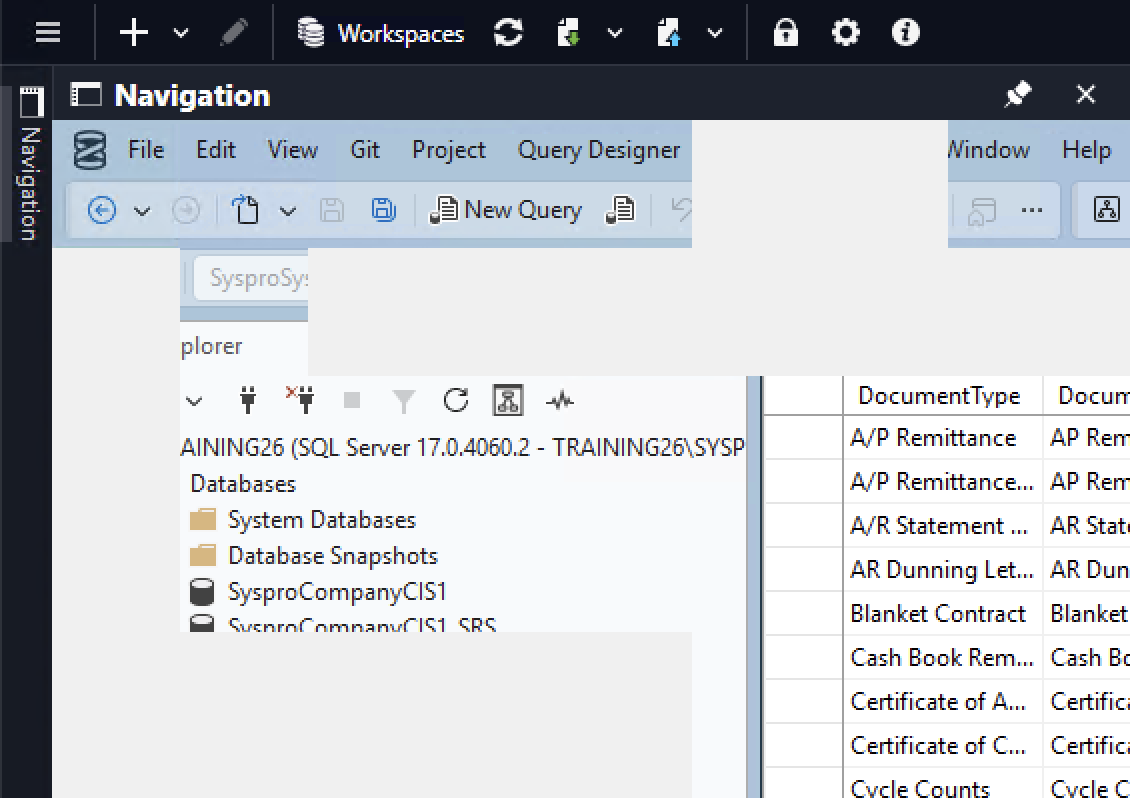
But if I pin it then the contents are drawn.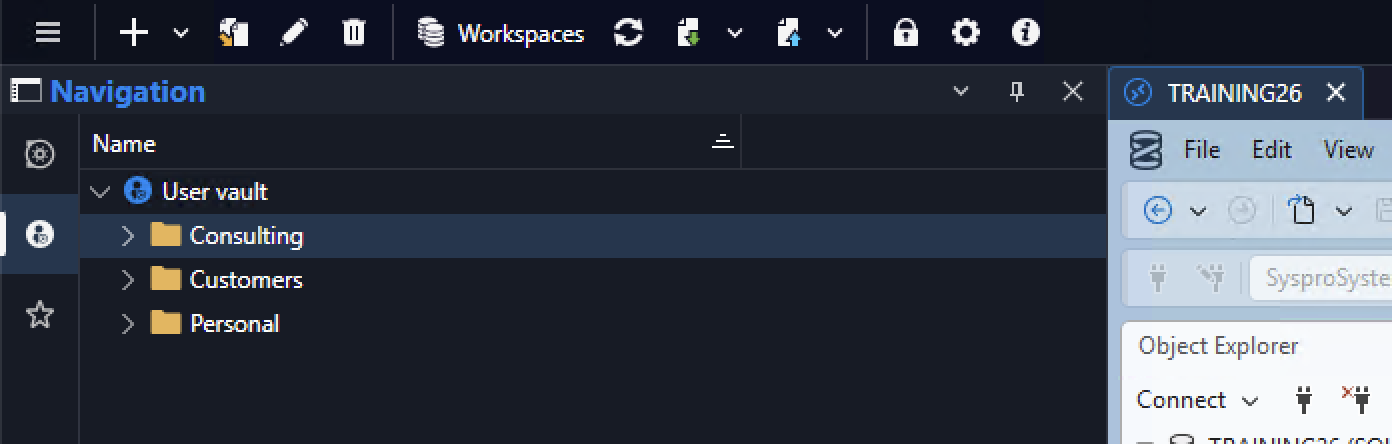
af7a9d89-0ce8-4d03-a716-32307467b8f5.png
bd70121d-d173-40ec-85ce-38d45c28d604.png
All Comments (6)
having same problem. It only occurs when RDP session is established. With no active session, the navigation pane appears.
Same problem here. I normally use "auto hide" to get more work area, but if a RDP or SSH session are active, the Navigation bar "pop-under" that session.
If go to the Dashboard, and then click Navigation it shows the Navigation menu.
Hello,
this issue should be fixed in the upcoming version 2026.3.10.0.
Best Regards,
Antoine Mauger
Hello,
Thank you for being so patient!
If possible, could you update your RDM to the latest version (2026.3.10.0) and see if the problem persists? This version should resolve your issue.
Latest Version: Download RDM
If the problem persists after the update, please let us know so we can inform our development team.
Best regards,
Maxim Robert
Thank you Antoine and Maxim, I can confirm that this looks to be fixed now. Appreciate the quick time and attention to this. I know the new 2026.3.x builds have brought with it some issues, but am seeing some nice aesthetic changes and performance is looking reasonable too (not sure if this was a directly addressed factor in these releases).
Hello,
I'm happy to hear that the issue has been resolved.
Please, don't hesitate to contact us if you have any other issues.
Best regards,
Antoine Mauger