RDP coonections are by default opened in very low resolution - v2026.3.5
RDP coonections are by default opened in very low resolution - v2026.3.5

when opening connection from workspace with updated database schema, the connection resolution is very tiny: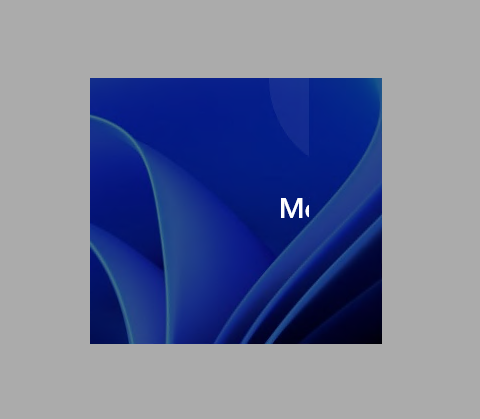 using Reconnect on opened connection restores normal resolution, but when opening connection again, the same tiny resolution is used
5c96a4b6-7d1b-4034-b701-8a324aefd715.png
All Comments (6)
the RDP session settings state, that Remote desktop size is Automatic. How can I set it so, that (embedded) RDP session fills current window size, whatever it is?
When using Open (embedded/tabbed), the RDP session fills the window size.
This Setting also helps: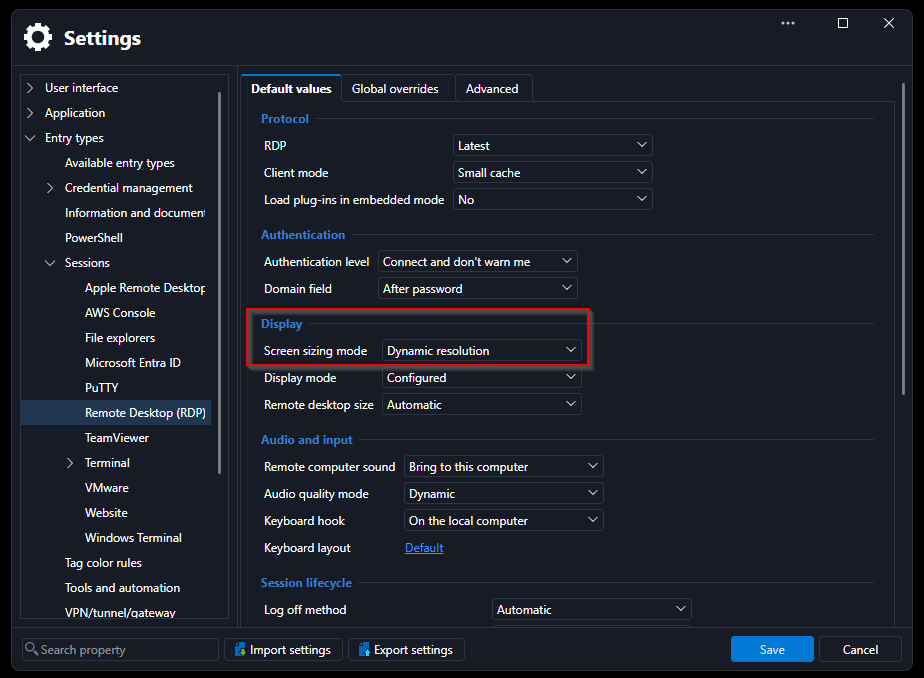
98150363-5ee5-4584-89bf-0133508b9b26.png
that helped. thanks.
Hello,
A fix will be included in the next version to resolve these resolution issues.
Regards
Jonathan Del Signore
Hello,
A new version containing a fix has been released. Please update to version 2026.3.8.0 or later, it should resolve the issue where RDP entries open at a small size.
Regards,
Hubert Mireault