Single search result Enter key press no longer launches RDP

On new version 2026.3.5.0 this morning and there has been a minor change that I've been unable to find a solution for an need help. 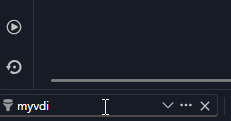
When I use the search in the bottom and type in the hostname of a device, it comes back with the object I want to connect to. In previous versions, once I had this input and pressed ENTER, it would begin the RDP connection.
Now, with this version, that is not working. I have to then double-click the result object as shown from the vault. (Or click the open session button under Actions)
My hands are already on the keyboard; ENTER is right there. I'd like not to have to mouse to something to engage RDP. When you're in and out of servers all day, little quality-of-life things like this are nice. 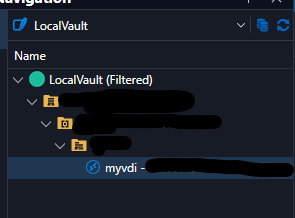
Is there any way to enable this ability that I'm not able to find after clicking and looking around?
3809b281-0f6c-44f4-b36b-6b3cab717fda.png
c109a078-ff64-42a6-8783-45cfbc07b312.png
All Comments (3)
Hello,
We are currently investigating this issue, we'll let you know once we have more information and/or a possible fix.
Regards
Hello,
We have fixed an issue. It will be available starting from version 2026.3.7.0 of RDM.
Regards,
Hello,
Thank you for being so patient!
I'm pleased to inform you that a new version of RDM (2026.3.8.0) has been released, featuring the fix for your issue.
Latest Version: Download RDM
Please let us know if this works or if you encounter any issues.
Best regards,
Maxim Robert