No shortcut works when Focus is running

Hi,
I currently switched from Sysinternal RDCMan to your RDM but I have one massive issue:
No matter what I try, I can't get defined shortcuts to work when the focus is on a remote desktop. I need— as is possible in RDCMan —the ability to switch between different open RDP sessions using a shortcut when the focus is in the RDP session. I’ve checked various forum posts (e.g., https://forum.devolutions.net/topics/55803/ctrl---tab-move-to-last-active-session), but none of them work.
All Comments (13)
Hi devolutions88,
Thanks for the details. The thread you found is on the right track but missing the key part.
In RDM each shortcut has a key combination and a Mode, both in File – Settings – User interface – Keyboard. The Mode decides when RDM is allowed to listen. Only Global hotkey works while your focus is inside the remote desktop, because the RDP view captures your keystrokes and forwards them to the remote machine before RDM can see them. That is why your combos do nothing in a session.
To set it up:
- Open File – Settings – User interface – Keyboard
- Find Select next tab / Select previous tab (Ctrl+Shift+Right / Ctrl+Shift+Left by default). For RDCMan-style "back to the last session I used", also bind Back and Forward, which are unbound out of the box
- Set each one's Mode to Global hotkey
- Click OK and restart RDM
Keep in mind a global hotkey is reserved system-wide while RDM runs, so pick combinations you do not use in other applications.
Could you please share:
- Your RDM edition and exact version (Help – About)
- Your workspace type (local, SQL Server, Devolutions Server, Devolutions Hub)
- The actions and combinations you assigned, and the Mode each was set to
If it still does not switch on the latest version, a short screen recording would help and I will look at it with our developer team.
Best regards,
Eduard Sepulveda Lopez
Hi,
thanks for your replay, but all the suggested settings I already tested in advance with many different key combinations.
I repeated the test to create some screenshots. A screencast wouldn't lead to addition information, because simply nothing happens / could be seen in the moment when I hit the shortcuts.
The about dialog: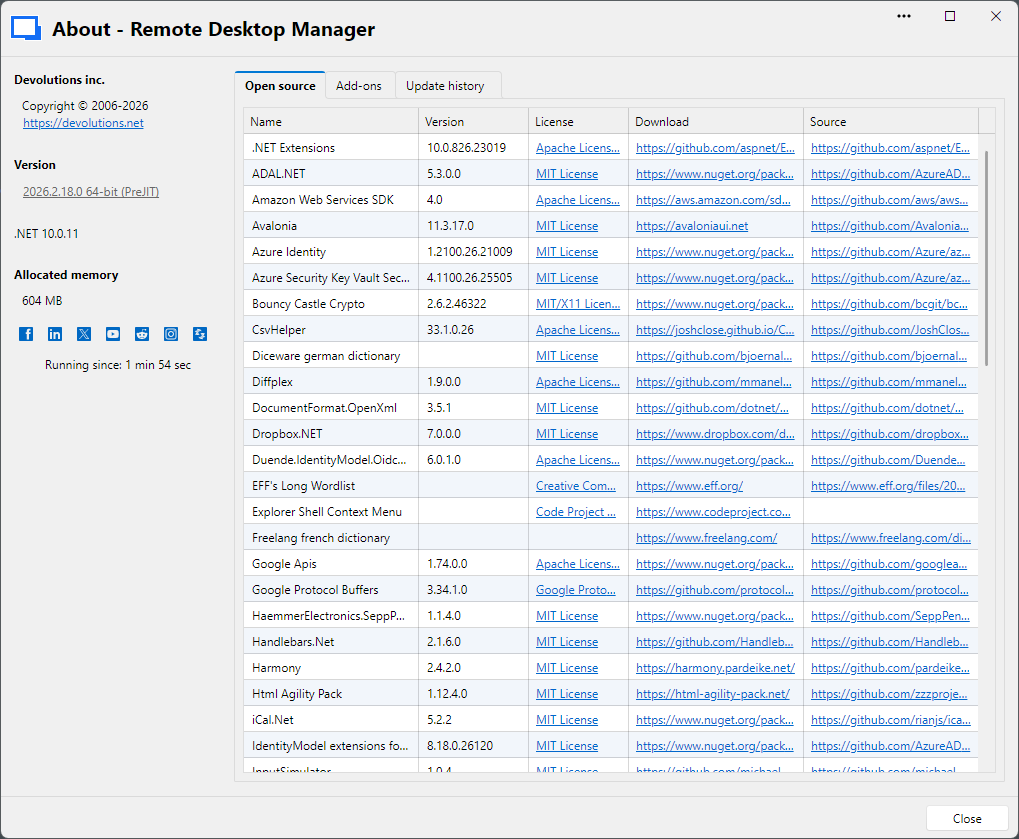
My test setting with two opened sessions and the focus inside the visible session: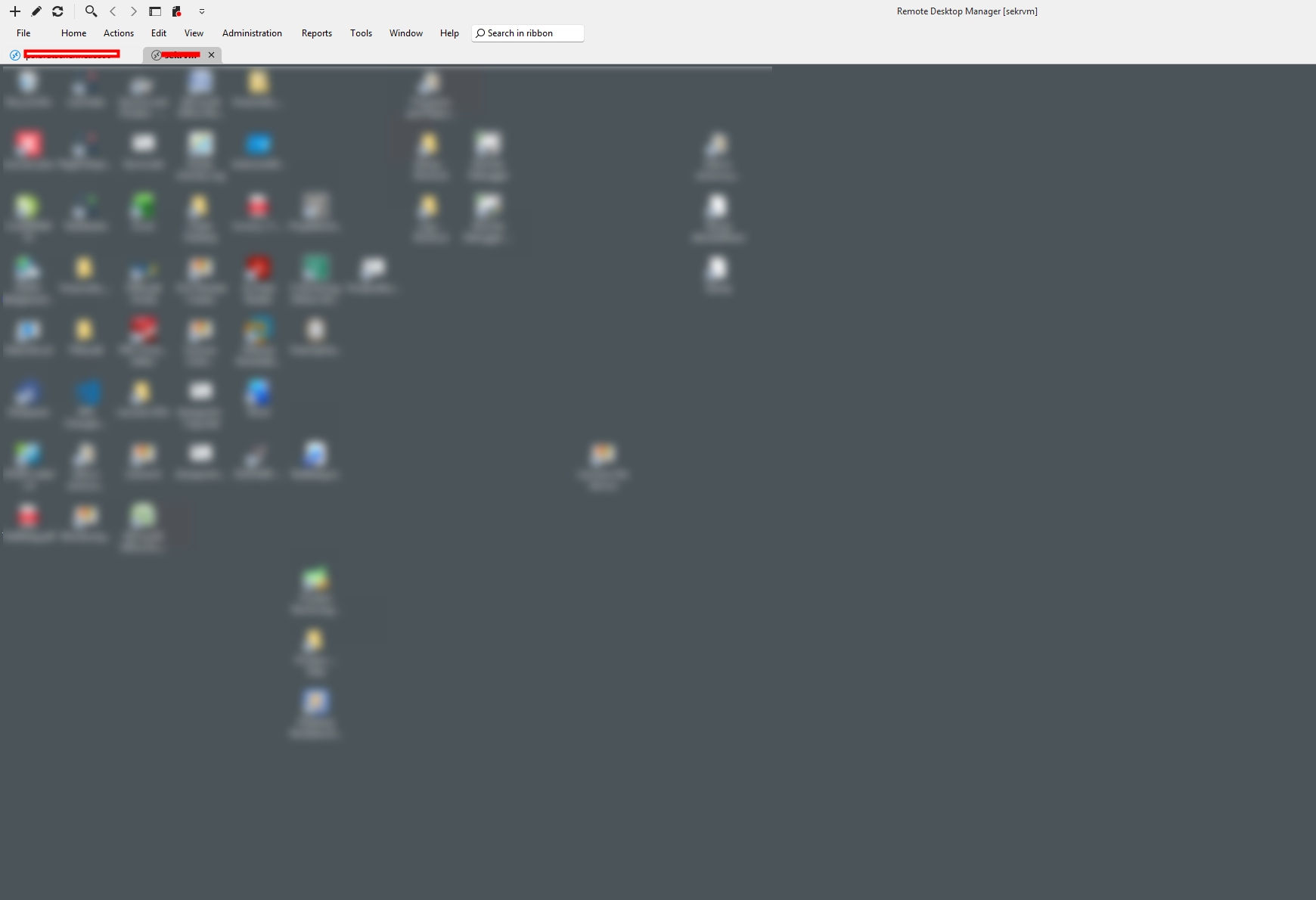
My Windows 11 system where I use a local installation of RDM: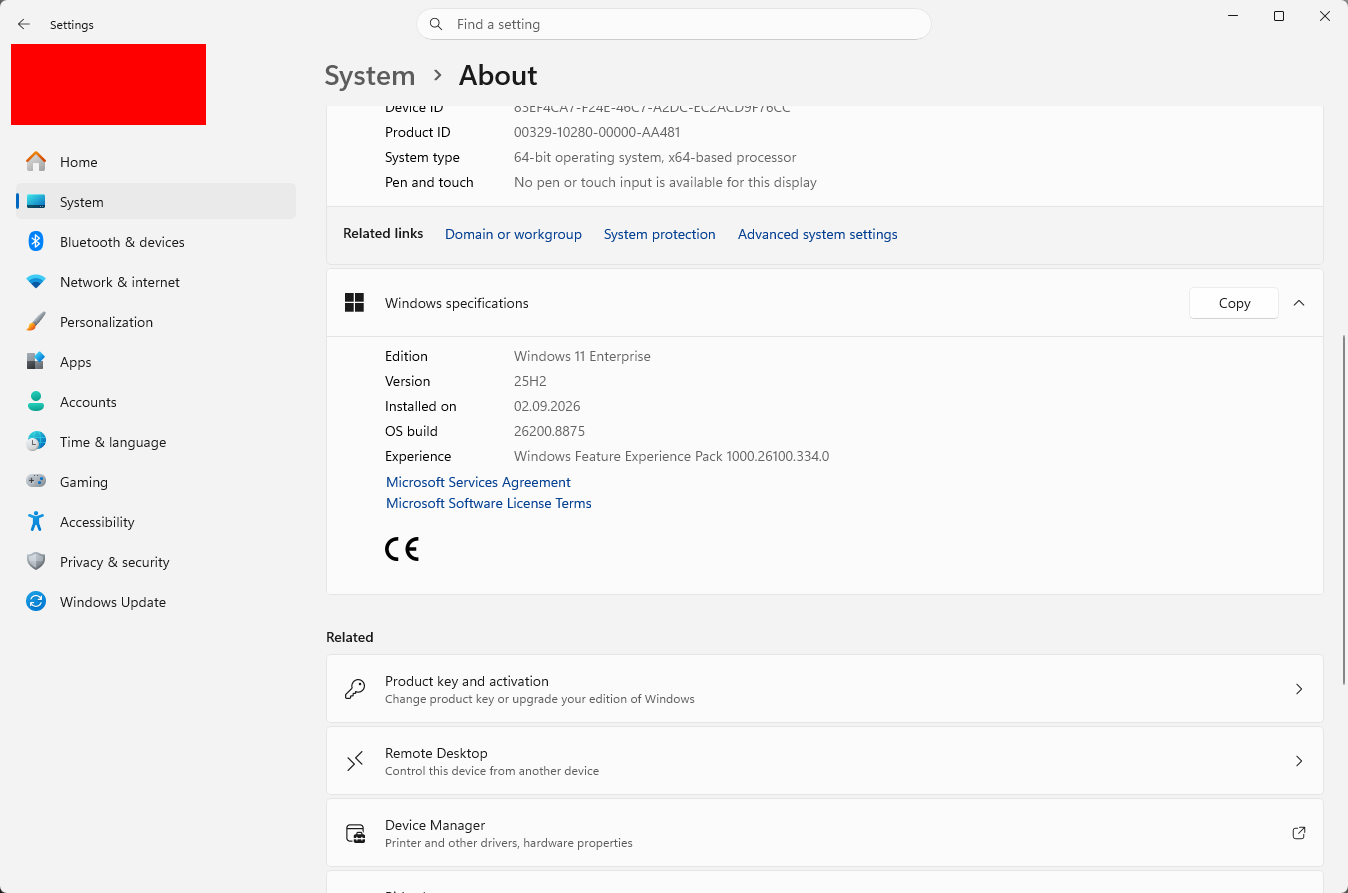
One of many tested global hotkey shortcut settings: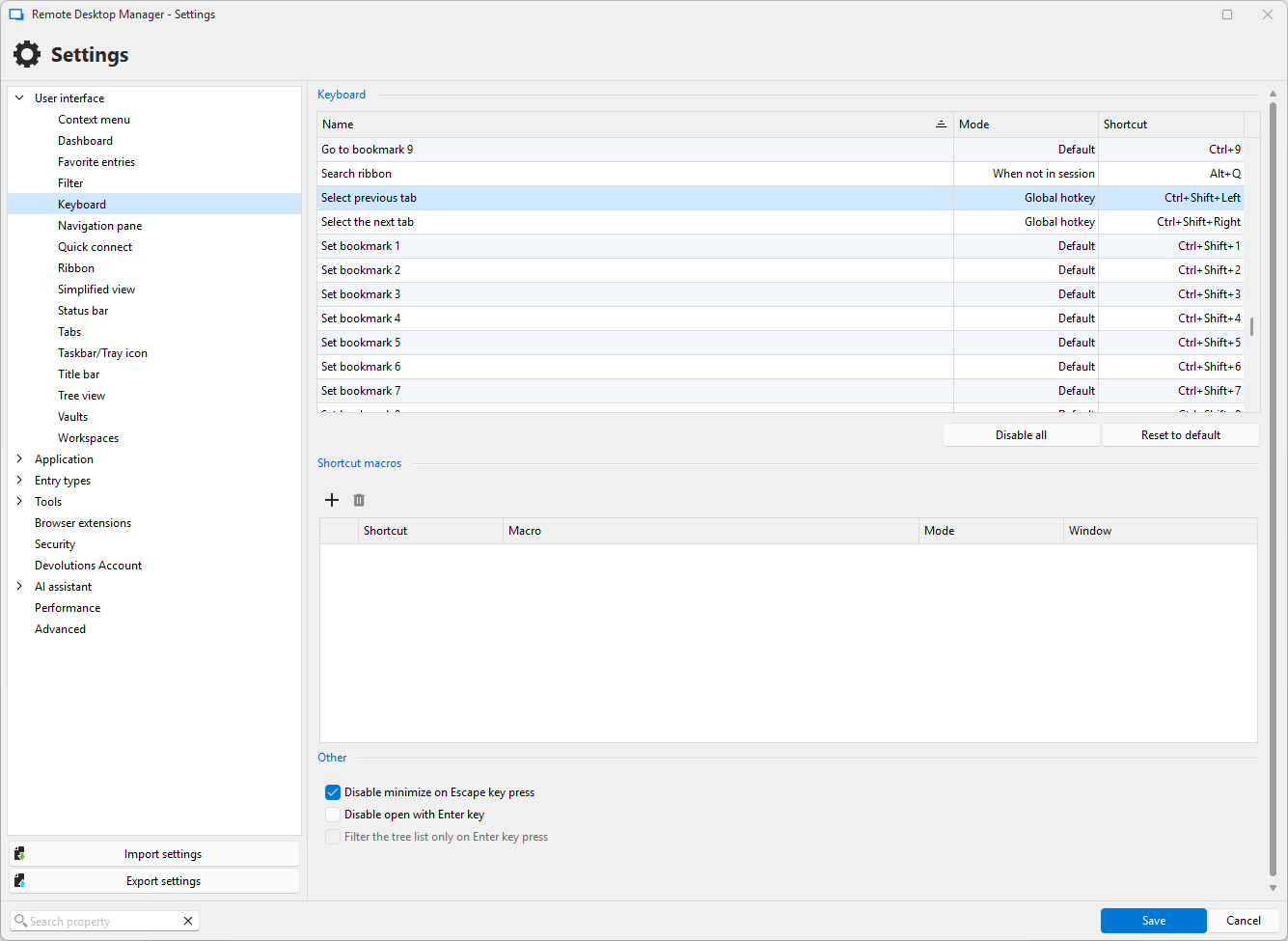
But I think, it may also rely to some known bugs in Windows or be related to a same issue in RDCMan:
Shortcut Problem - Screenshot10506.png
Shortcut Problem - Screenshot10505.png
Shortcut Problem - Screenshot10504.png
Shortcut Problem - Screenshot10503.png
Hi devolutions88,
Thanks for the screenshots, and fair enough on the screencast.
They actually show the problem, and it is on us: I sent you to the wrong mode. Global hotkey is for firing a shortcut when RDM is not the active app at all. The mode that reaches into an open session is Default.
So in File – Settings – User interface – Keyboard, set Select previous tab and Select the next tab to Default, keep your Ctrl+Shift+Left/Right, click Save and restart RDM.
And for what you asked for originally, jumping back to the session you came from instead of stepping through tabs in order: since 2026.2 we have Navigate back and Navigate forward. The buttons are in the Window ribbon tab under Windows, and they retrace your tab history like a browser. No shortcut is assigned by default, so bind them in the same Keyboard screen, also on Default. Try the buttons with the mouse first to see if that is the behaviour you want.
Your KB5101650 lead is a good catch by the way. That update did change hotkey cleanup behaviour, which hits the Global hotkey path, so it fits what you saw. Worth installing your pending updates too, you are two cumulative updates behind.
If Default still does nothing inside your RDP sessions, let me know and I will take it to our developer team.
Best regards,
Eduard Sepulveda Lopez
Hi,
I tested the "Default" setting but couldn't get any other result, shortcuts still not working for me.
hmm....
Hi devolutions88,
Thanks for trying it and let me know.
There is one setting we have not checked yet (or maybe you already did), and it is entry-level rather than global: open your RDP entry's properties, go to Local Resources – Keyboard, and make sure Apply Windows key combinations is set to On the local computer. If that is sending combos to the remote host, they never reach RDM.
Beyond that I would like to log this with our developer team, and three quick answers would make that report solid:
- Does Ctrl+Shift+Right switch tabs if you click the connection tree first, so the focus is not inside a session?
- Do the Navigate back / Navigate forward buttons in the Window ribbon tab work with the mouse?
- Same behaviour in a non-RDP tab, for example an SSH session or a website entry?
Those tell us whether the shortcut is dead everywhere or only inside RDP, which points at very different causes.
In the meantime the ribbon buttons give you the jump-back behaviour, just not on a key.
Thanks for your cooperation and best regards,
Eduard Sepulveda Lopez
Hmm,
I can't set "On the local computer" because I also need shortcuts in the remote session, probably I can't
do the same as in RDCMan, where it is possible to have a shortcut to switch the active session although
the shortcut focus is in the session and windows shortcuts are handled on the remote mashine. This is
some kind of "Killer-Feature" for me :-)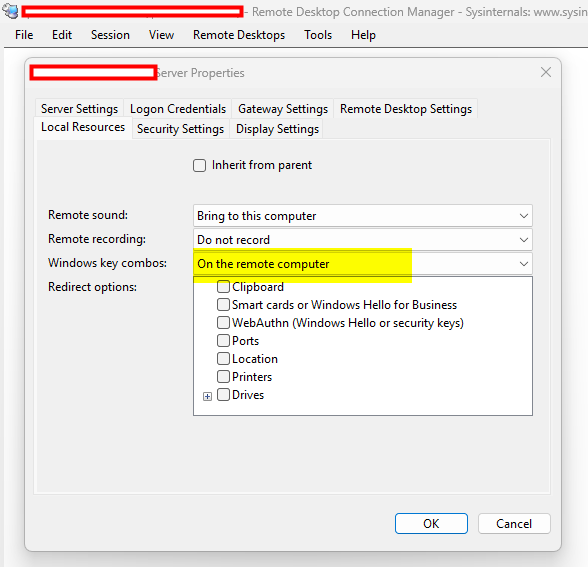
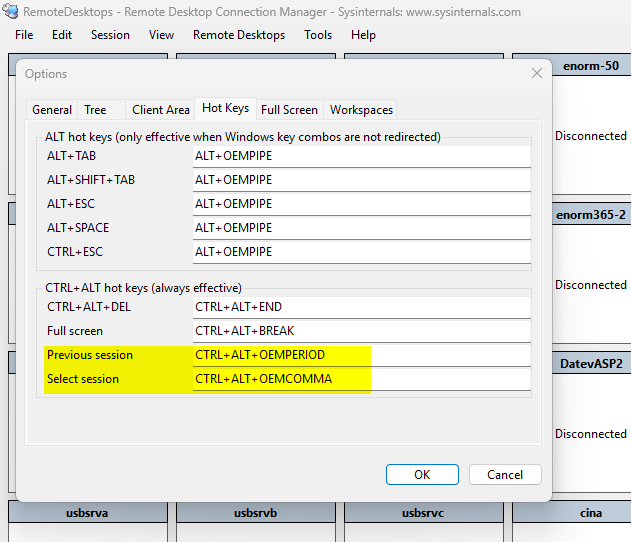
Do you think there may be a way to replikate RDCMan's capabilites?
Here the answers to your questions:
- yes
- yes
- yes
Screenshot10526.png
Screenshot10525.png
Hi devolutions88,
Thanks for confirming, and keep your keyboard setting on the remote computer if you need it that way.
One thing left to try: everything so far has been Ctrl+Shift. Please try a Ctrl+Alt combination instead, for example Ctrl+Alt+Left and Ctrl+Alt+Right for previous and next tab, Mode Default. RDM already uses that space for Ctrl+Alt+End, so it behaves differently when the keyboard goes to the remote host. Note that punctuation keys cannot be assigned, so stick to the arrows or page keys.
Also, do the shortcuts fail in a website entry too? No keyboard routing is involved there, so that would point to something broader.
If Ctrl+Alt does not work either, would you allow me to move this thread to our Feature Request section? A shortcut that stays local while the keyboard goes to the remote machine would then sit with the product team, who can track it and plan based on demand. Your write-up is detailed enough to make a strong entry.
Best regards,
Eduard Sepulveda Lopez
Hi,
Ctrl-Alt+Right/Left doesn't seem to be available in the list of shortcuts, I tried Ctrl-Alt+PageUp/Down, but it doesn't work.
Yes, please create a "Feature Request" :-)
Hi devolutions88,
Before I move the thread, some new information. One of our developers tested this on his side and his shortcuts do work with the focus inside an RDP session. So this is not a missing capability, and something more specific is happening in your setup. That is better news for you, since a bug gets fixed and a feature request waits.
Three short tests would pin it down. All of them with the focus inside an RDP session, and no settings changed from what you have now:
- Press Ctrl+L. That is Focus tree/list, a stock shortcut. Does the focus jump out of the session and into the connection tree?
- Press Ctrl+Shift+Up. That is Focus tab, also stock. Same question.
- Rebind Select next tab from Ctrl+Shift+Right to Ctrl+Shift+J, leave the Mode on Default, save and restart. Does it switch tabs from inside a session?
The reason for the split: tests 1 and 2 do almost the same thing, one on a letter and one on an arrow key. Everything you have tried so far has been arrows or Page Up and Page Down. If the letter works and the arrow does not, we know the arrow keys are being handed to the remote machine before RDM sees them, and test 3 confirms it from the other direction.
If all three fail, the problem is on the machine rather than in the shortcut, and I will go looking there instead.
Thanks for staying with it this long.
Best regards,
Eduard Sepulveda Lopez
Here my results...
- No
- No
- No
...by the way, how can you live with Ctrl+L bound per default, this is one of my most often used default shortcuts in Windows to focus the pathbar in explorer an the adress bar in any browser. If this would work, I already had changed it #shortcut-heavy-user ;-)
Ok, if the problem is in my Windows 11 environment, we're probably back to the some kind of Windows Update Issue I mentioned initially?
b.r.
Dirk B.
Hi devolutions88,
Thanks for running those tests!
On Ctrl+L, you can have it back. Clear it in the same Keyboard screen if you want it gone.
On the Windows update, I read what actually changed: the known issue is in how Windows cleans up registered hotkeys, and Microsoft scopes it to built-in Windows components. Registered hotkeys are also the mechanism behind our Global hotkey mode, and your last three tests were all Default mode, which does not use it. So it does not explain these results.
One thing to confirm, because I may have read your earlier answer wrong: with the focus inside an SSH session or a website entry, did the shortcuts fail there too? A website tab does no keyboard redirection at all, so if they die there as well, this has nothing to do with where your Windows key combinations are sent.
Otherwise: nothing reaches RDM while the focus is in a session, while the same shortcuts work as soon as the focus is on the connection tree. A colleague has the equivalent working on their machine, so something in your environment is stopping RDM from seeing the keystrokes.
For the developers, could you send me:
- Exact version and build from Help, About, as text if possible
- Whether you start RDM as administrator
- Any endpoint protection or security agent on the machine. Some block the keyboard hooks applications depend on, which would produce exactly this
- One run of the same test from a fresh Windows user account, new local data source, single RDP entry
The last one matters most. Works in a clean profile means it is your configuration and we can find it. Fails there too means machine wide, which is a much narrower search.
Best regards,
Eduard Sepulveda Lopez
Hi,
I just upgraded from 2026.2.28.0 to 2026.3.8.0...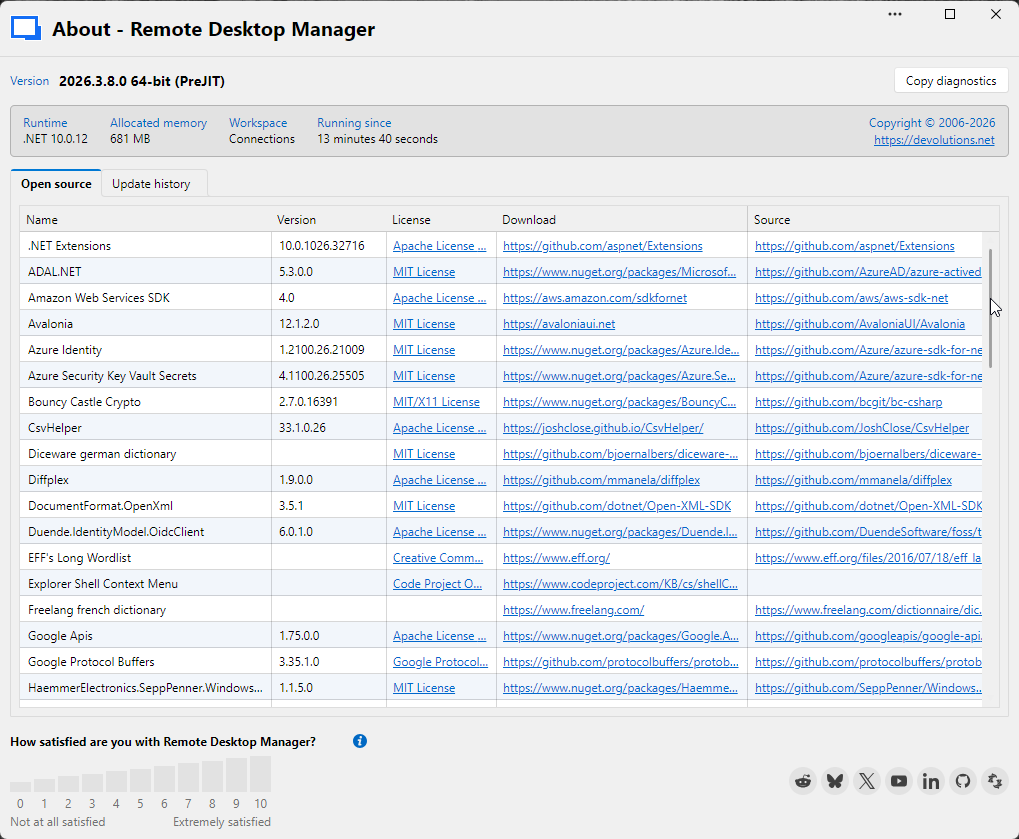 ...and got lot of different bugs/problems:
- Ribbon settings partially lost
- Sidebar settings partially lost
- Some Session settings lost (e.g. display resolution)
- Session setting "Shortcuts on remote computer" only worked after setting has been reapplied.
- ReadOnly Session results in an gray Window without content.
- Sometimes Remotesession conent doesn't render after switch back to tab.
What happened?
Screenshot10589.png
Hello,
Sorry about that.
We have released RDM 2026.3.9.0 yesterday and this version should fix a few issues that you mentioned. Could you give it a try?
You can download it here https://devolutions.net/download-center/?product=rdm
Best regards,
Jeff Dagenais