Unknown Amount of Text Pasted/Typed After Exiting RDM on MacOS
Unknown Amount of Text Pasted/Typed After Exiting RDM on MacOS

I'm currently on the most recent RDM 2026.2.4.4. This issue has existed even prior to this release also.
When I quit RDM and select "Yes" for the "Are you sure you want to close Remote Desktop Manager" prompt, I will get a MacOS notification noise (not actual notification, just the noise like when you click tab in a terminal and it's telling you it's done the autocomplete). During this time, it seems to be pasting a bunch of gibberish text in a massive dump of uknown data. I'm not sure exactly what's in it, jsut that it's doing it. Often, I'll notice later that my MacOS hard drive is renamed because the random gibbersish pasted after the exit somehow managed to select my hard drive (presumabily hit Enter, and rename it with text).
I have no idea what would cause this or how the applciation still has permissions to type after it's exited, but it's somewhow escaping the application sandbox and pasting text outside of the application itself.
All Comments (11)
Hello,
I’ve seen something similar in the past, so I’d like to confirm a couple of settings that could potentially be related.
Could you let me know if:
- You open your sessions in Untabbed mode.
- You use the Logoff mode: Macro option.
- You have the option to automatically log off when disconnecting enabled.
You can find these settings in the entry properties under RDM > Display and RDM > Advanced.
This will help us determine if you’re encountering the same behavior I’ve seen previously.
Best regards,
Carl Marien
Where is the RDM > Display and RDM? I'm not finding that in the MacOS version.
Hello,
These settings are located in the session entry properties, not in RDM’s global settings.
Please open the properties of the affected entry and look under rdm -> Display and Advanced sections.
Best regards,
Carl Marien
Looks like I'm using the Default option for both the "Log off method" and "Automatically log off when disconnecting."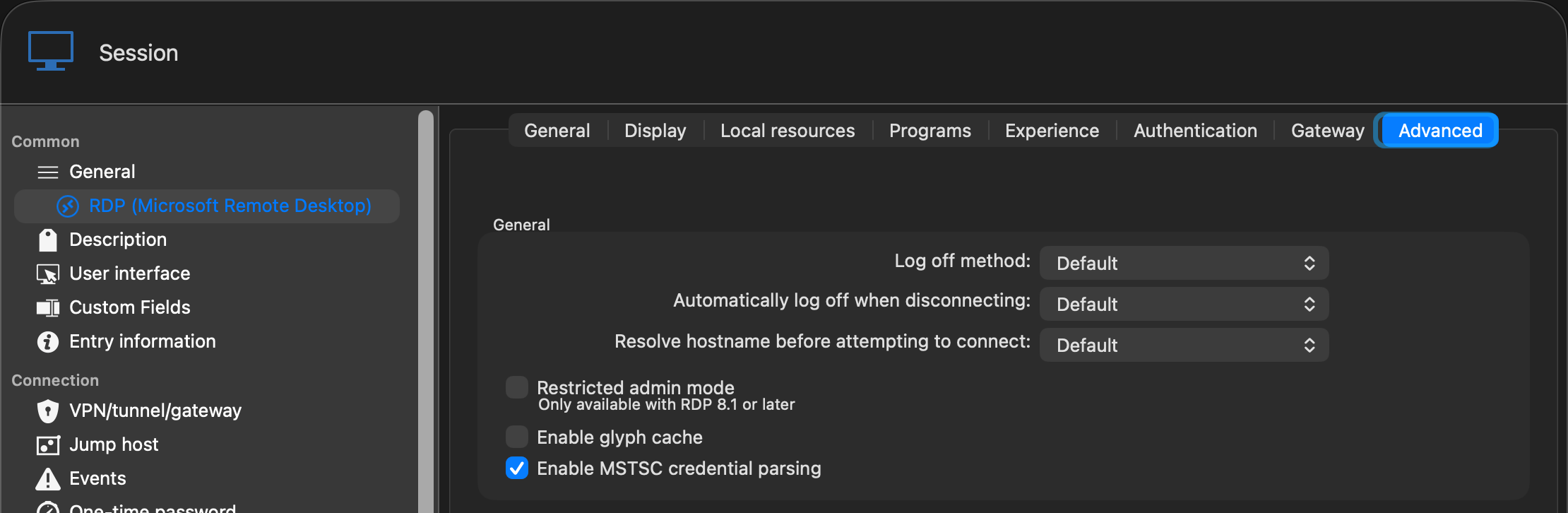
I'm using the Embedded (tabbed) display for my Display settings. 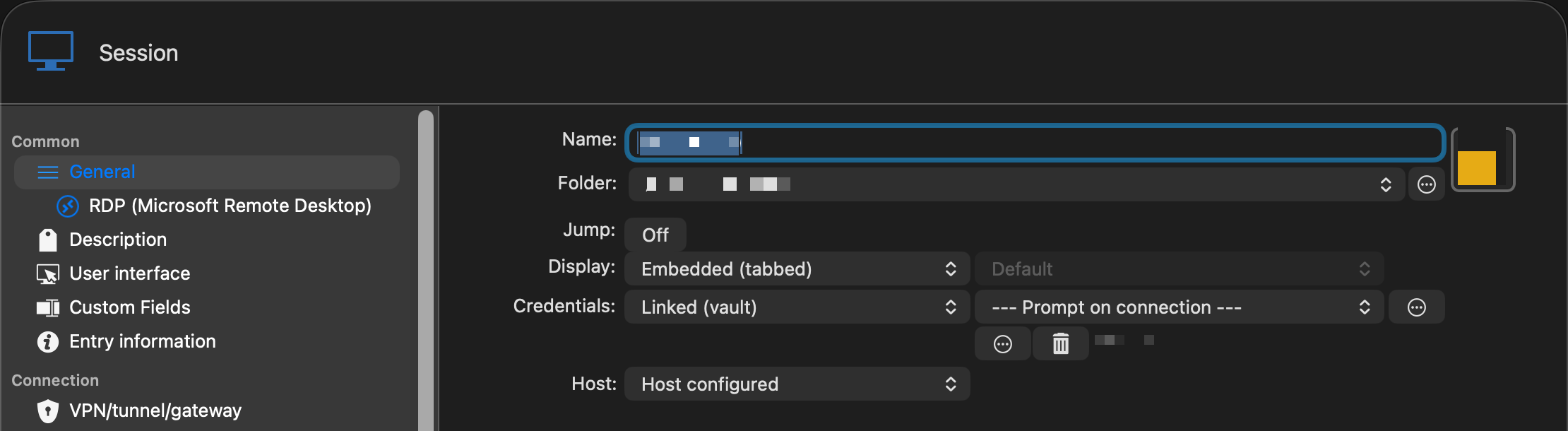
7e342a52-822a-43f3-ad7c-3f76be1e669d.png
5a868a96-e58f-45fa-b676-3e7182df0058.png
c82dae56-45d2-466a-b149-2e95846a9cf1.png
Hello,
Thank you for confirming these settings.
As a test, please change the Log off method from Default to Automatic, save the entry, and then try reproducing the issue again.
Please let us know whether the unexpected text input still occurs after making this change.
Best regards,
Carl Marien
Hello,
Thank you for confirming these settings.
As a test, please change the Log off method from Default to Automatic, save the entry, and then try reproducing the issue again.
Please let us know whether the unexpected text input still occurs after making this change.
Best regards,
@Carl Marien
Is there a way to make this change in bulk? I have hundreds of RDP connections saved in my settings? If not in the UI, perhaps there's a sqlite query that could make the change for me?
Hello,
Yes, you can make this change in bulk directly from the user interface.
Select the affected entries using Shift-click for a range or Ctrl-click for individual entries. Then right-click the selection and navigate to:
Edit > Batch Edit > Edit Entry (Session Type)
From there, you can change the Log off method for all selected entries at once.
Best regards,
Carl Marien
I switched all of those to Automatic and haven't seen the issue yet. It has only been about 24 hours of the change though, so it may have not yet occurred since I haven't figured out how exactly it triggers since it doesnt' always occur on exit of the application.
In the meantime, is there any specific logging settings I coudl enable that woudl be beneficial for if it occurs again with all of them set to Automatic? I also don't want the logging to fill my disc space (I had that happen once when I forgot to turn it off after a support ticket).
Hello,
As mentioned earlier, this is a known issue and will be addressed in a future version of Remote Desktop Manager.
Since changing the Log off method to Automatic appears to prevent the behavior, you can continue using this workaround for now. There is no need to enable additional logging,
Please let us know if the issue occurs again despite this change.
Best regards,
Carl Marien
@Carl Marien
Not sure if it's relevant, but I was able to capture this large amount of text after quitting RDM. I had my terminal open so it typed it in the terminal window. As a result, I could see exactly what it was pasting repeatedly. The text I was able to capture is below. There was also a lot before this because Terminal was not in the foreground when it first occurred. Looks like a repeat of updanyover and over followed eventually by an occasional updaminetrctt\dany
The captured output I could see is below:
ny updany updany updany updany updany updany updany updany updany updaminetrctt\dany updany updany updany updany updany updany updany updaminetrctt\dany updany updany updany updany updany updany updany updaminetrctt\da
Hello,
Thank you for capturing that output. It’s very helpful, and it confirms that the keystrokes are sent after RDM closes, not pasted from the clipboard.
To help our development team, could you confirm:
- Were the affected entries still set to Log off method: Automatic when this happened?
- Roughly how many RDP sessions were open when you quit, and were any of them already disconnected?
- Do you have “Automatically log off when disconnecting” or a “log off on close” option enabled anywhere (entry or global settings)?
In the meantime, the safest workaround is to close or disconnect your RDP tabs before quitting RDM, so no logoff runs during shutdown. We’re escalating this to the macOS development team with your capture, and I’ll update you with the ticket reference.
Best regards,
Carl Marien