Why!

Ok look, I am trying to create new sessions and this annoying problem is happening. I am working on getting this session created and you can see it is further down the line. but I have an open connection to another device further up. when I close out of this session is shoots me back to the top. So i have scroll down again makes new changes and repeat each time. This is annoying.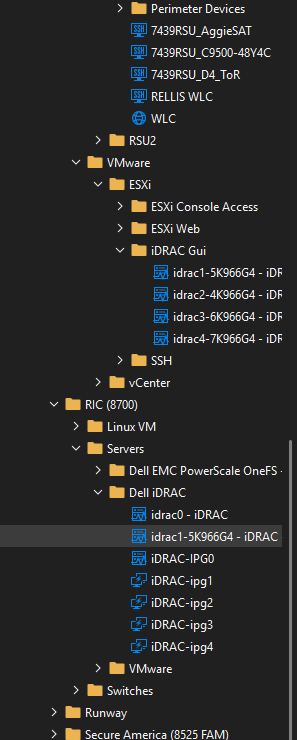
It scrolls the left side back to the open connections. If I had 10k of devices this would be a pain in the you know what.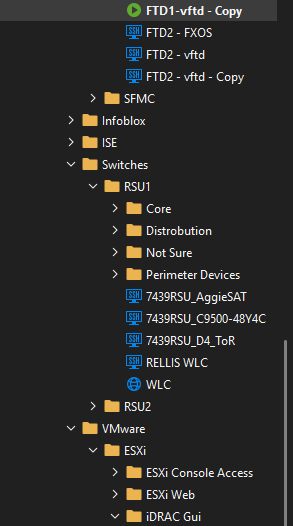
f4741c21-e96c-4bca-92dc-56ad17b0e87f.png
35a0a2d7-25de-4746-a767-0fa6c28a9220.png
All Comments (7)
Hello,
How do you close your session?
I am assuming you are hitting the default behavior of the File -> Settings -> "Auto-select item on tab focus". This is a setting that focuses the entry in the treeview when you focus the opened tab.
We also have other settings like "Auto-focus tab on item select" which will focus the embedded opened entry when it is clicked in the treeview and "Auto-focus dashboard" which will focus the dashboard of the selected entry if it isn't opened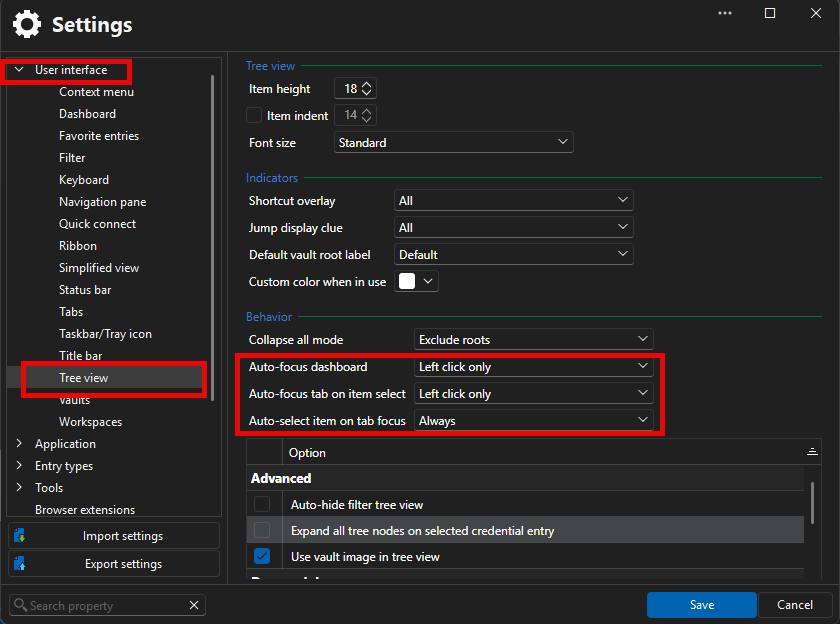
Even with those settings I do not reproduce the issue on my end as long as I do not focus the tab and only click on the "X" of the tab.
Best Regards,
Michaël Beaudin
7c44fe23-5515-4e91-b6c3-3b304c4ccdfe.png
67276210-c9f1-4a76-a79b-5bbd10fbc3fa.png
Sweet Jeez that fixed that annoying problem. Why did this change in an update. Why was this applied to users? Functionality shouldn't change with updates.the other thing is i could not scroll to Always, you can see it is half missing. Kind of strange. But this is now fixed for me, so thank you!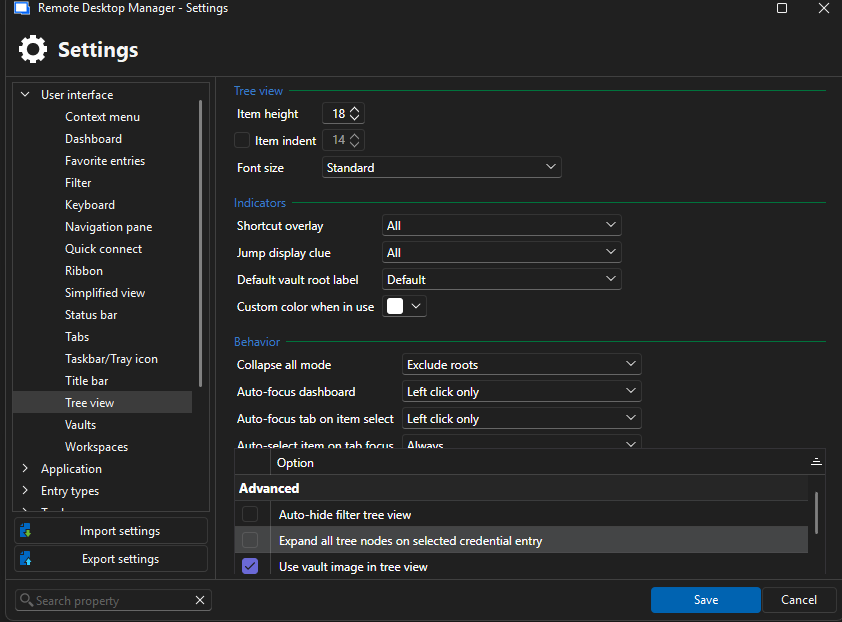
23dc87b8-be43-4140-b239-d1f7632ac359.png
Hello,
As far as I know, there shouldn't have been any changes to this behavior in recent updates and the option should have always been set to "Always" by default on new instances of RDM.
Did you maybe change computers and lose your file -> settings you had configured before? Or maybe your vault is getting bigger which made you notice this behavior more recently?
Thanks for reporting the missing scrollbar, it must have been forgotten during our migration to Avalonia (cross platform UI technology). We will add it back.
Best Regards,
Michaël Beaudin
No sir, not at all. I just upgraded to .12 the other day. Started noticing the odd behavior to the point I opened this ticket after it annoyed me enough. I personally don't get this nerdy with the program. I can't even see the value in this setting.
Hmm well that's weird. In any case, it's good to know that changing this fixed the problem for you. Thanks for keeping us up to date and answering our questions.
Best Regards,
Michaël Beaudin
Your welcome, but i agree that is strange and shouldn't be something that changes with an update. This would be considered a preference. But, I would be curious if there is a bug or a program changed that caused it.
I've looked more into it and my best guess is that you were impacted by these changes
https://forum.devolutions.net/topics/50614/add-leftclick-only-option-to-autofocus-tab-on-item-select-setting
https://forum.devolutions.net/topics/50531/change-behaviour-of-rightclick-on-an-item-in-the-navigation-tree
Basically, before there was only a true or false (true by default) which you had most likely changed to false (unchecked).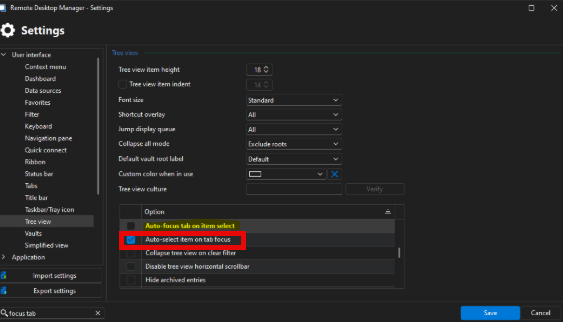
This option along with the 2 others I mentioned in my earlier post were remade into combobox choices to allow more versatility. This means we swapped from a bool to a multiple choice and resetted you to the default value.
We had multiple users that wanted the behavior only on the left click and not the right click for the other 2 similar options and they were saying it was weird that the options were not grouped together. So all 3 were remade into multiple choice and grouped in the UI.
These changes were made about 10 months ago for the 2025.3 release of RDM.
We apologize for the inconvenience.
Best Regards,
Michaël Beaudin
4fe64c17-b530-431b-9775-bdb06acc7f0c.png