Remove userid / password display from session overview with inherited personal credentials
Remove userid / password display from session overview with inherited personal credentials
1 vote

Almost all my rdp sessions use inherited credentials from the folder above and those credentials are linked to Secret Server accounts. Works fine. Recently during some testing, I used my "personal credentials" from a folder.
To my surprise, my userid and password (hidden) were added to the session overview screen. Sugesting to me that I added a user/password in my sessions properties. Which was not the case. Other users of my vault do not see my credentials, but their own credentials.
I do not see this with any other account than my "personal credentials".
Please remove it from the session overview if it is not direct added into the session-properties. Just only show Credentials "inherited"
All Comments (3)
Hello,
What version of RDM are you using?
On the latest release of 2026.2, it should show both the credential mode "inherited" as well as the credentials if an administrator configured the "Resolve credentials in overview" system setting.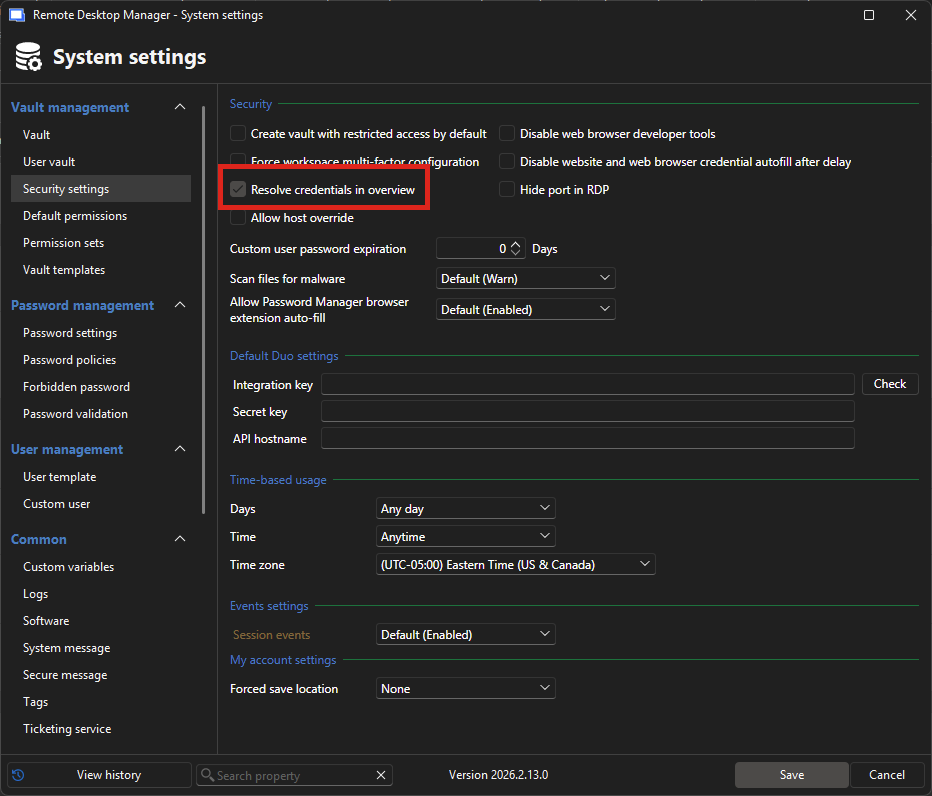
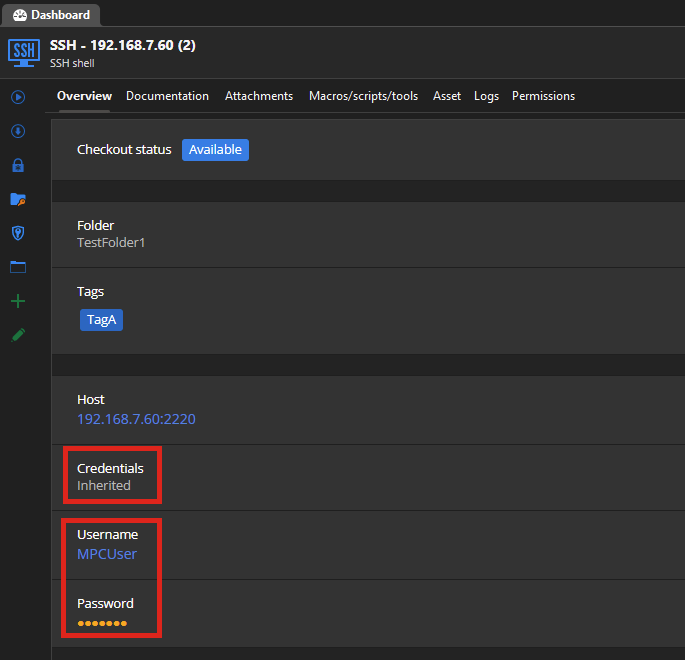
If you don't want to see the resolved credentials, then you would need to remove this setting.
Let me know if this helps explain the behavior.
Regards,
Hubert Mireault
3a034270-727e-419b-a30b-43aaa5a7ce67.png
00f79520-a042-4db2-8d07-edd4428fd813.png
Ah, that's is fixing my issue. Thanks.
Perfect, I'm glad to hear this works how you'd expect.
Regards,
Hubert Mireault