Pop-Up Prompt Windows Not On Same Scree

I use 4 montiors, often repositioning RDM (and/or sub-windows) across them. It seems more recent that message pop ups do not follow the screen that they are on. So I do something on screen 1, looking at screen 1, but the pop-up stopping me from proceeding is on screen 2.
All Comments (4)
Hello,
Thank you for bringing this issue to our attention.
I was able to reproduce the behavior you described in our test environment. Based on the results, I have created a bug report and submitted it to our development team for further investigation.
Thank you for your patience and for helping us identify this issue.
Best regards,
Carl Marien
Hello,
Could you please try enabling the following option in Remote Desktop Manager and let me know whether you can still reproduce the issue on your side?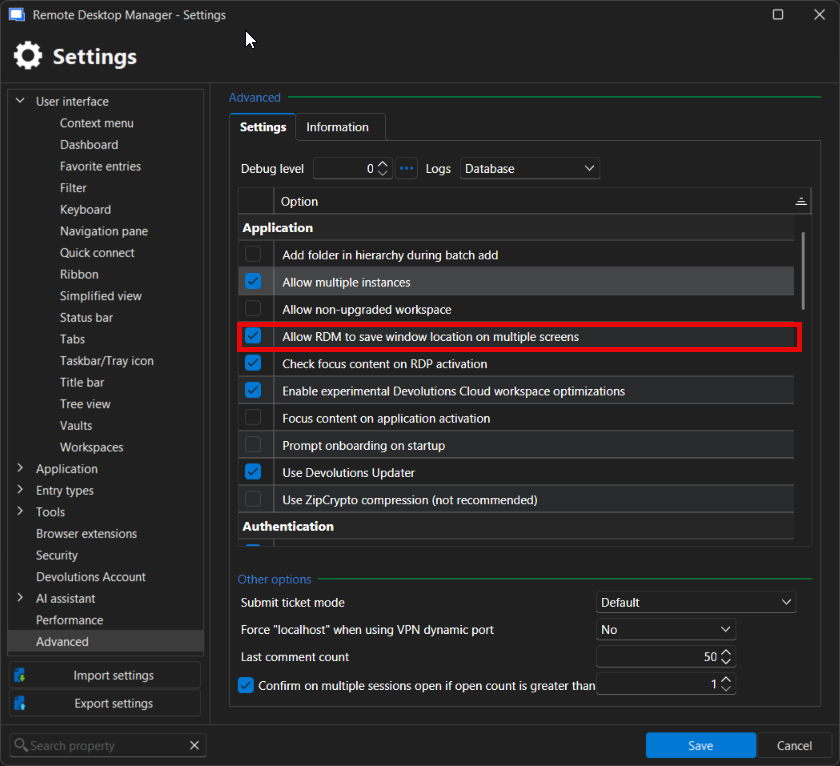
Based on our testing, this setting should normally resolve the behavior you described.
Thank you for your patience.
Best regards,
Carl Marien
2026-07-07_11-30-24.PNG
@Carl Marien that does keep it after I move it, but it does not make it so popups occur on the screen that you are using.
RDM on screen 1, popup appears on screen 2, move to screen 1, click y/n
RDM on screen 1, popup appears on screen 1 - good
RDM moved to screen 2, popup appears on screen 1 - need to move it again
Hello,
My apologies I accidentally sent you the wrong screenshot in my previous reply.
The option I actually wanted you to try is the one shown in the attached screenshot. Could you please enable it and let me know if the pop-up windows continue to appear on a different monitor than the one Remote Desktop Manager is currently on?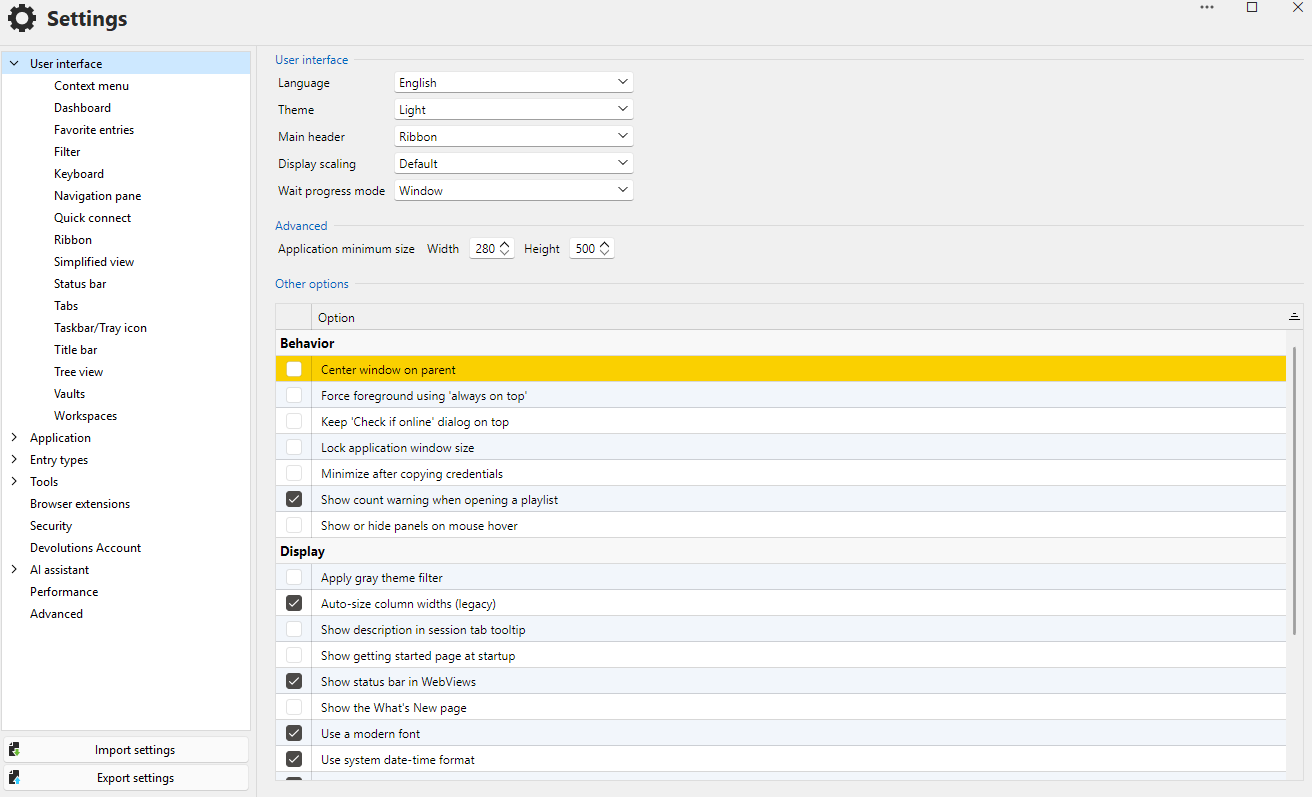
Thank you for your patience, and I look forward to your feedback.
Best regards,
Carl Marien
image.png